
- The official YouTube average CTR across all channels and niches is between 4% and 5%.
- A "good" CTR is highly contextual; search traffic yields 8-15%, while browse features average 3-7%.
- Channel size impacts CTR: smaller channels often see higher rates (6-10%) due to a concentrated subscriber base.
- The YouTube algorithm prioritizes "Quality CTR"—clicks that lead to sustained watch time and session duration.
- Using YouTube's native A/B testing tool can improve your CTR by up to 45% through fast-refresh cycles.
If you're a creator, you've likely stared at your YouTube Studio dashboard, obsessing over one specific metric: your Click-Through Rate (CTR). It's the gatekeeper to virality, the deciding factor in whether the algorithm pushes your video to thousands or buries it in the depths of the platform. But what actually constitutes a *good* CTR on YouTube in 2026?
The truth is, a "good" CTR is rarely a static number. It's a moving target influenced by your niche, your channel size, and exactly where YouTube is displaying your thumbnail. A 3% CTR might be a sign of failure for a new upload shown to subscribers, but a massive success for a viral video pushed to millions of cold viewers on the homepage.
To cut through the noise, we've compiled verified 2025/2026 data from YouTube Creator Studio, Focus Digital, and Miraflow AI. This comprehensive guide breaks down the exact benchmarks for a good CTR on YouTube, how the algorithm evaluates those clicks, and concrete, data-backed strategies to measurably improve your performance.
- The Official YouTube CTR Range: What the Data Says
- Defining CTR Performance Tiers: Poor to Exceptional
- How CTR Varies by Traffic Source
- The Impact of Channel Size on CTR
- CTR Benchmarks by Niche (2026 Data)
- Shorts vs. Long-Form: How CTR Differs
- The Algorithm and "Quality CTR"
- The Critical 24-48 Hour Window
- Concrete Tips to Measurably Raise CTR
- Analyzing Your Own Data: Next Steps
- FAQ
The Official YouTube CTR Range: What the Data Says
Before diving into specific niches and traffic sources, it's crucial to establish the baseline. What does YouTube officially consider normal? According to YouTube's own Creator Studio Help documentation, the vast majority of videos fall within a specific, predictable range.

YouTube officially states that half of all channels and videos on the platform have an impressions CTR between 2% and 10%. This is the "2-10% Rule." If your videos consistently fall within this bracket, you are operating within the normal parameters of the platform.
However, simply being "average" isn't the goal for most creators. Understanding where your specific videos fall on the spectrum of poor to exceptional is the first step in diagnosing channel growth issues.
These benchmarks represent the 2025/2026 landscape. As the platform evolves and competition increases, maintaining a high CTR requires increasingly sophisticated thumbnail and title strategies.
Defining CTR Performance Tiers: Poor to Exceptional
Because CTR is highly dependent on how broadly YouTube is pushing your video, raw numbers must be taken in context. A video with 100 impressions and a 15% CTR is vastly different from a video with 1,000,000 impressions and a 5% CTR. However, general 2025/2026 benchmarks define performance thresholds as follows:
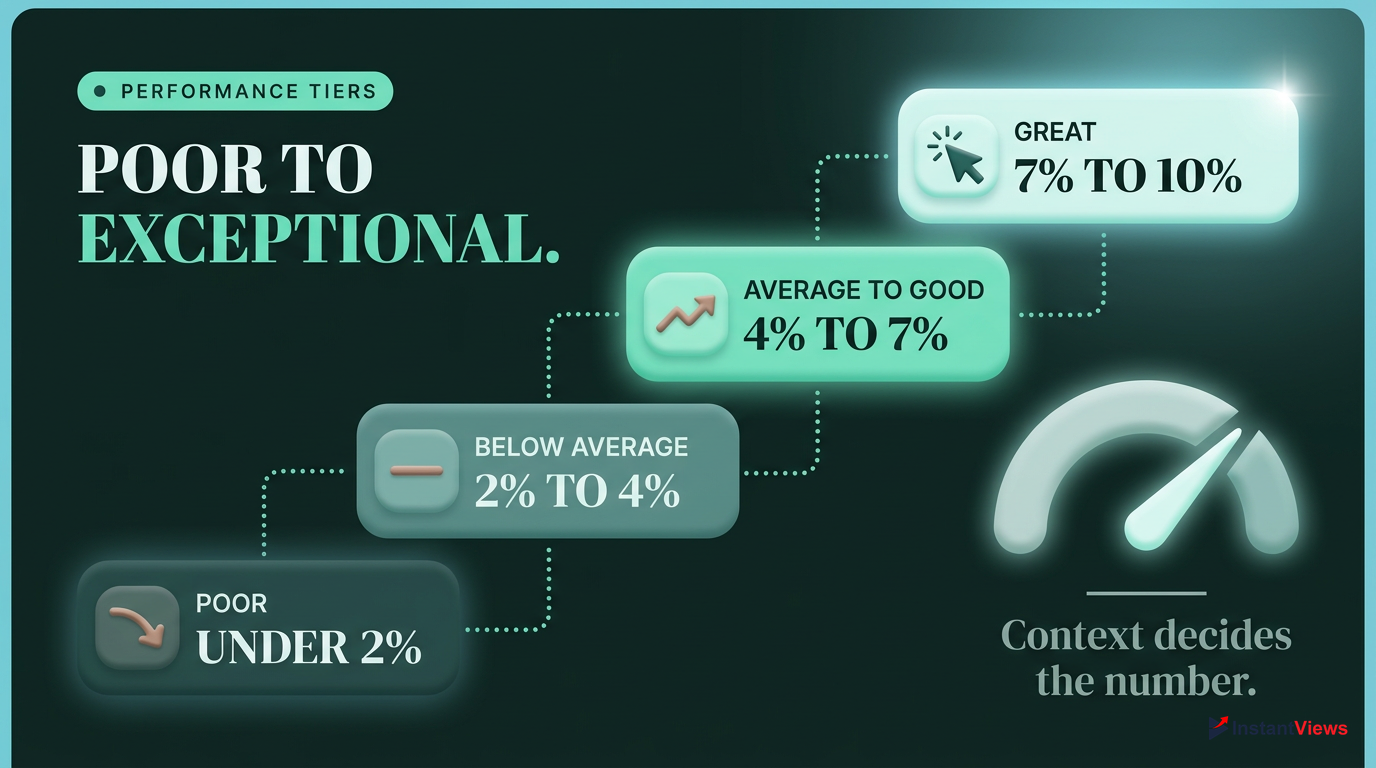
Poor (Under 2%): This usually indicates a fundamental packaging problem. Either your thumbnail and title are weak, or there's a targeting mismatch where YouTube is showing the video to the wrong audience.
Below Average (2% - 4%): Not critical, but indicates clear room for improvement. This is often seen when videos are pushed to very cold audiences who aren't familiar with your brand.
Average / Good (4% - 7%): A healthy, normal range for most niches. If your retention and watch time are also strong, videos in this range can perform very well algorithmically.
Exceptional / "God Tier" (10%+): Excellent, but usually only seen in highly targeted search traffic, on very small channels where impressions are mostly loyal subscribers, or on massive viral hits that maintain broad appeal.
Don't panic if your CTR drops as your views increase. A dropping CTR is a natural byproduct of YouTube pushing your video to a broader, less targeted audience.
How CTR Varies by Traffic Source
CTR is not a flat metric; it changes drastically based on where the video is shown. A good CTR on YouTube Search is entirely different from a good CTR on the Home Page. Here is the verified 2026 data on how traffic sources impact your click-through rate.
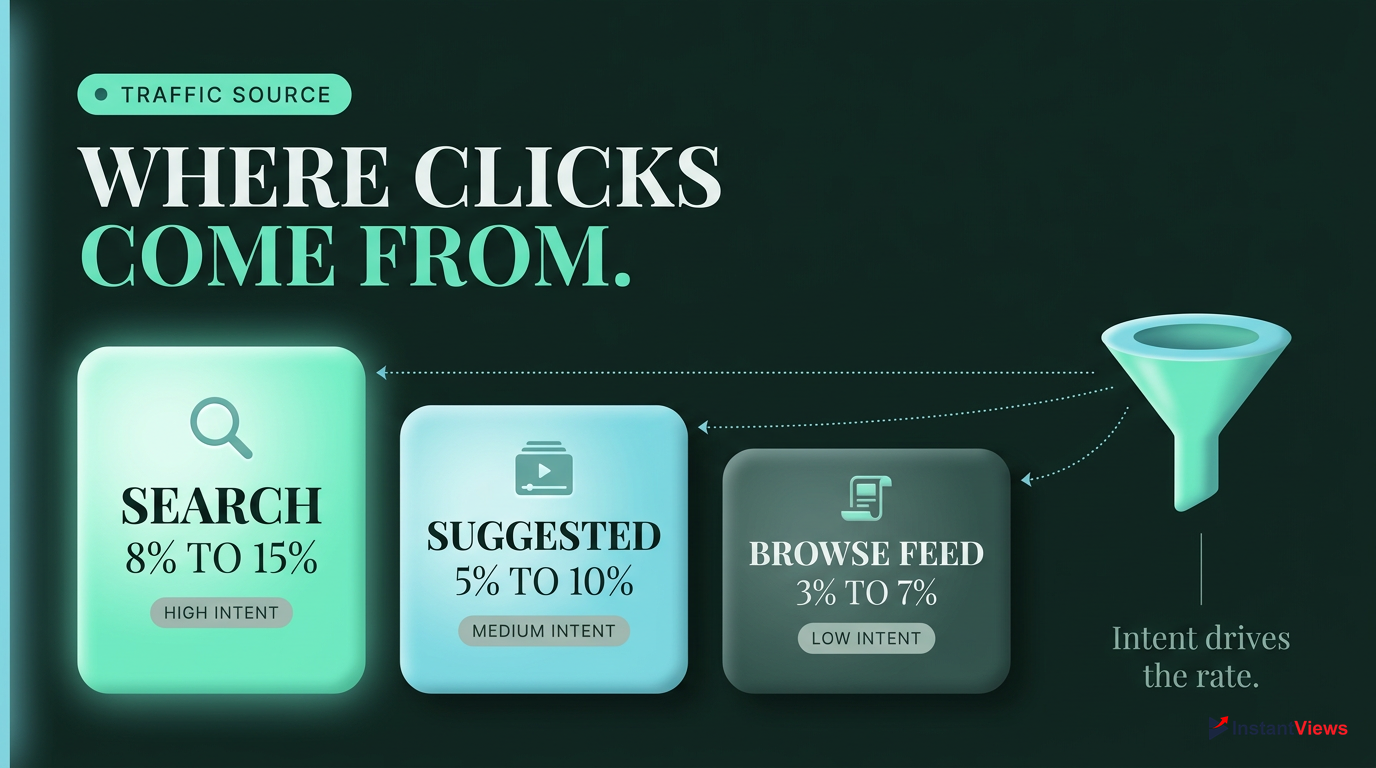
| Traffic Source | Average CTR Range | Viewer Intent |
|---|---|---|
| YouTube Search | 8% - 15% | High (Active Query) |
| Suggested Videos | 5% - 10% | Medium (Related Context) |
| Browse / Home Page | 3% - 7% | Low (Casual Scrolling) |
YouTube Search (8% - 15%): This is the highest CTR source because viewers have high intent. They are actively typing a specific query into the search bar, and if your video matches that query, they are highly likely to click.
Suggested Videos (5% - 10%): Viewers have just finished a related video and have established context. Your thumbnail appears alongside or after a video they already enjoyed, making them more receptive to your content.
Browse Features / Home Page (3% - 7%): This yields a lower CTR because viewers are casually scrolling. Your thumbnail is competing against dozens of others, including videos from massive creators and highly personalized recommendations.
When analyzing your CTR in YouTube Studio, always filter by Traffic Source. A 4% overall CTR might actually be an 11% Search CTR dragged down by a 2% Browse CTR.
The Impact of Channel Size on CTR
One of the most counterintuitive aspects of YouTube analytics is that smaller channels often have higher CTRs than massive channels. This isn't because smaller channels make better thumbnails; it's a function of audience targeting.
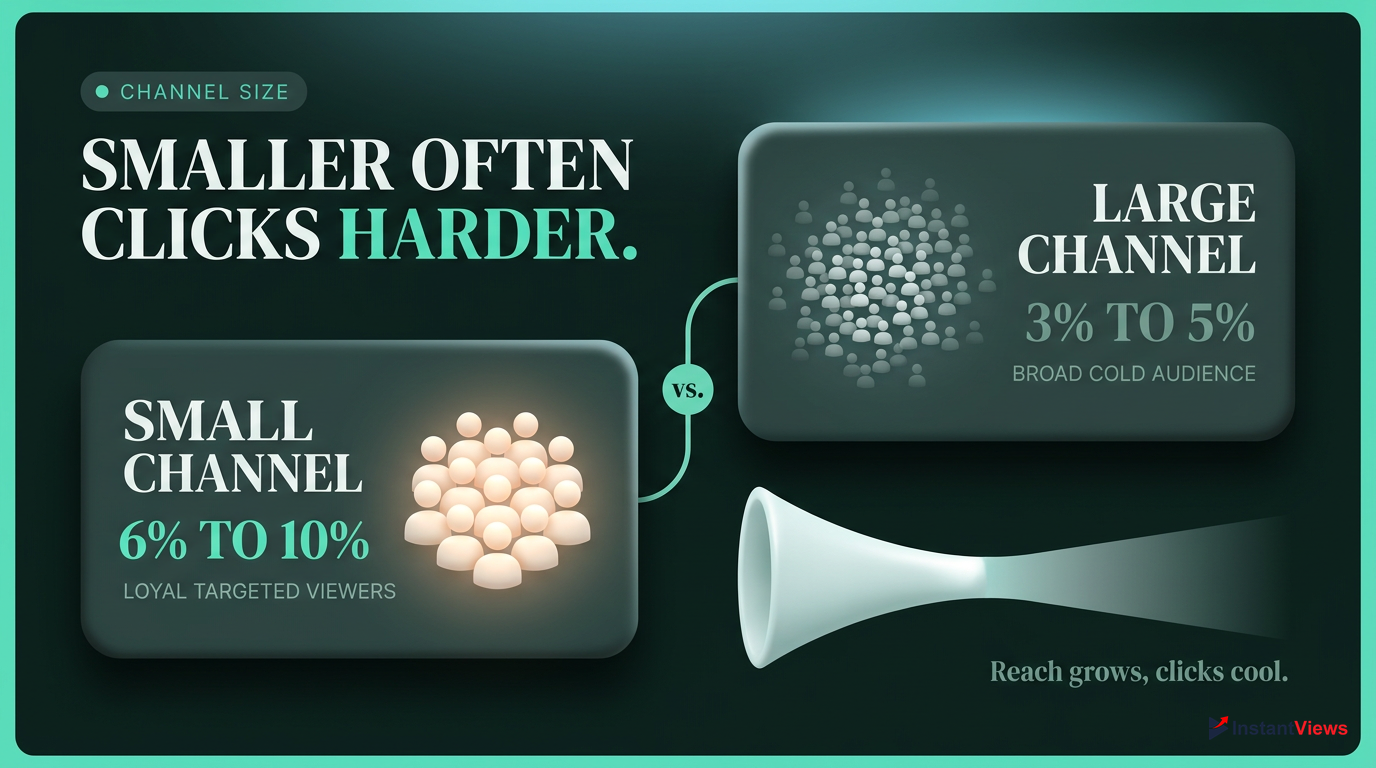
Small Channel (<1K Subs)
- Highly targeted audience
- Mostly loyal subscribers
Large Channel (>100K Subs)
- Broad audience push
- Many "cold" viewers
Under 1,000 Subscribers: CTR often runs higher (6% - 10%) because YouTube is primarily showing the video to a small pool of highly engaged subscribers or viewers who have recently interacted with the channel.
10,000 to 100,000 Subscribers: As the channel grows, the algorithm begins testing the content with wider audiences, causing the CTR to normalize to 4% - 6%.
Above 100,000 Subscribers: CTR typically drops to 3% - 5%. The algorithm is aggressively pushing the content to broader, "colder" audiences who don't know the creator. A 4% CTR on 5 million impressions is vastly more valuable than a 10% CTR on 500 impressions.
CTR Benchmarks by Niche (2026 Data)
What constitutes a good CTR on YouTube also depends heavily on your niche. Some topics naturally command higher click-through rates due to audience behavior, visual appeal, or community engagement. Here are the organic median CTRs based on the Focus Digital 2025/2026 Benchmark Report.

Gaming (8.5%): Boasts the highest organic CTR, driven by highly engaged communities, recognizable characters, and heavily optimized, vibrant thumbnails.
Education & Tutorials (4.5%): Experiences a lower CTR due to selective viewing behavior. Viewers are looking for specific learning outcomes and will scroll past dozens of videos until they find the exact tutorial they need.
Finance and Business channels may have lower CTRs (5.5%), but they typically compensate with significantly higher RPMs (Revenue Per Mille), making them highly profitable despite fewer clicks.
Shorts vs. Long-Form: How CTR Differs
The introduction and dominance of YouTube Shorts have fundamentally changed how we look at metrics. Applying long-form CTR benchmarks to Shorts is a common mistake that leads to misinterpreting your channel's performance.
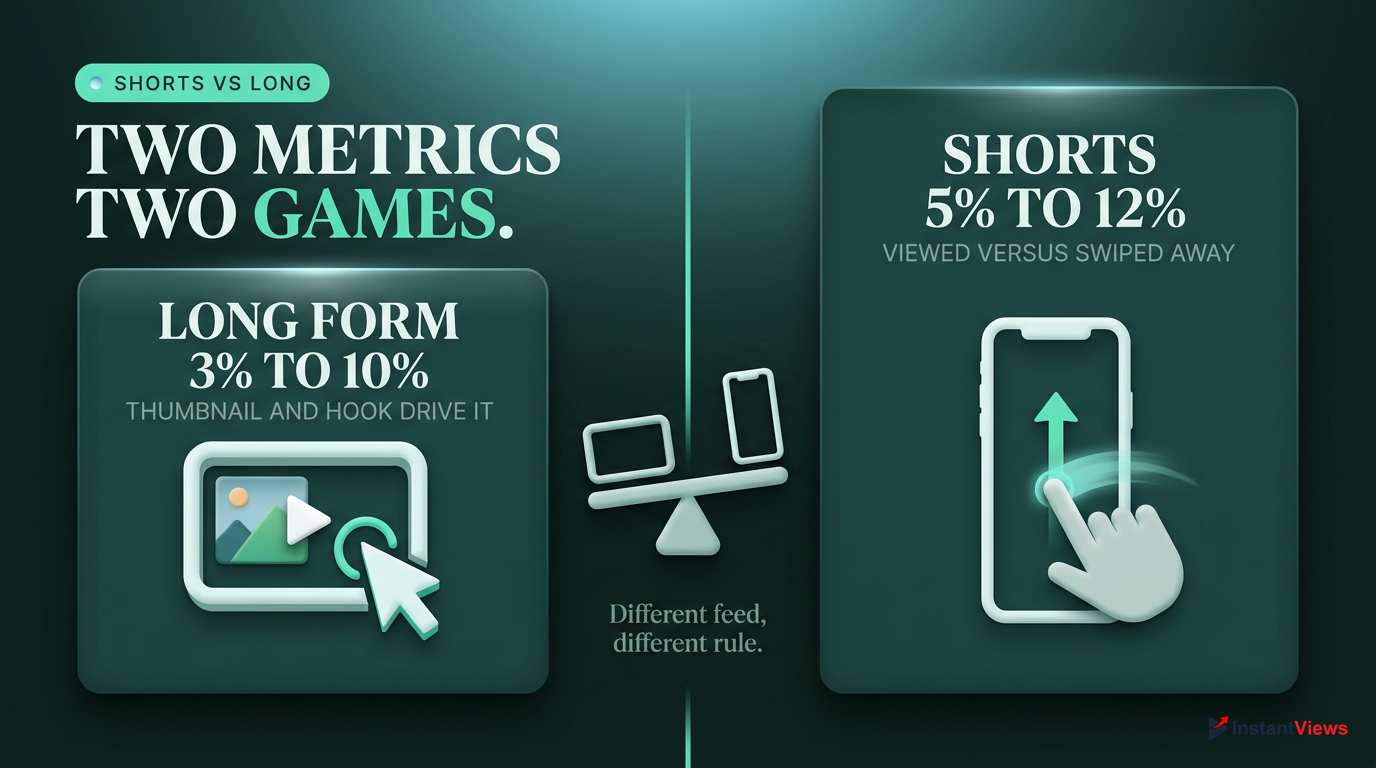
- Varies widely (3% - 10%)
- Crucial for Browse and Suggested traffic
- Heavily dependent on Thumbnail and Title
- Traditional CTR is less relevant in the Shorts feed
- Prioritizes "Viewed vs. Swiped Away"
- Search/Channel page Shorts CTR: 5% - 12%
For long-form content, CTR is the primary gateway metric. However, in the Shorts feed, viewers swipe rather than click. Therefore, the traditional impressions CTR is largely irrelevant for feed traffic.
Instead, the algorithm prioritizes the "Viewed vs. Swiped Away" metric. If you are analyzing Shorts that appear in traditional Search or on your Channel page (where thumbnails are visible), a CTR of 5% to 12% is a reasonable benchmark according to GrowthOS 2026 data.
Do not obsess over the standard CTR metric for your Shorts. Focus entirely on the 'Viewed vs. Swiped Away' percentage and your Average View Duration (AVD) to gauge Shorts performance.
The Algorithm and "Quality CTR"
Many creators mistakenly believe that a high CTR alone guarantees virality. In 2025/2026, the YouTube algorithm is significantly smarter. It prioritizes "Quality CTR"—clicks that lead to sustained watch time and session duration.
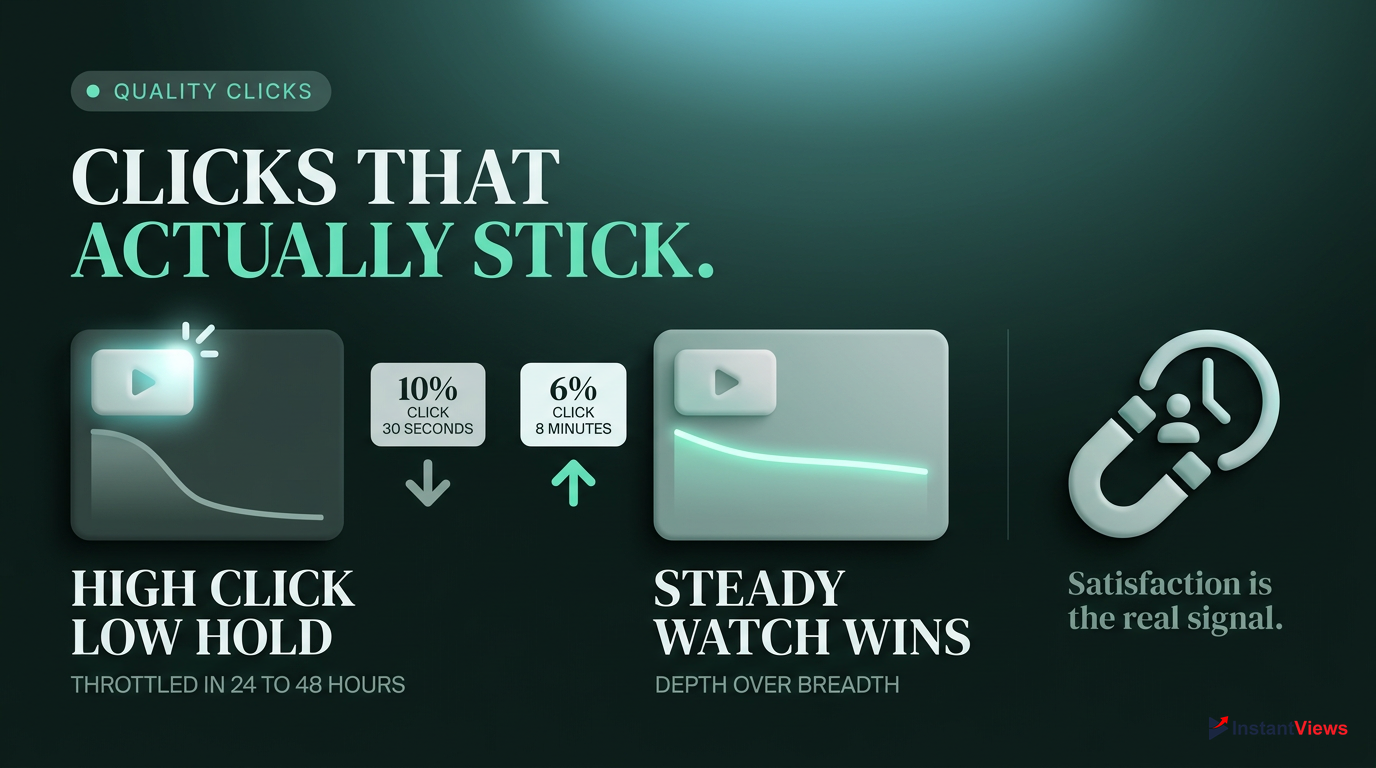
The Clickbait Penalty: If a video has a high CTR (e.g., 10%) but a steep drop-off in the first 30 seconds (low retention), YouTube's algorithm flags the thumbnail as misleading. Distribution will be throttled within 24–48 hours. You cannot trick the algorithm with a flashy thumbnail that doesn't deliver on its promise.
Depth over Breadth: A video with a 6% CTR and 8 minutes of Average View Duration (AVD) will heavily outperform a video with a 10% CTR and 30 seconds of AVD. The algorithm rewards audience satisfaction and session contribution (whether the viewer keeps watching YouTube after your video).
YouTube's ultimate goal is to keep viewers on the platform. A click is only valuable if it results in a satisfied viewer who continues to watch content.
The Critical 24-48 Hour Window
Timing is everything when it comes to how YouTube evaluates your CTR. The algorithm makes its most significant decisions about broad distribution based on the initial performance of your video.
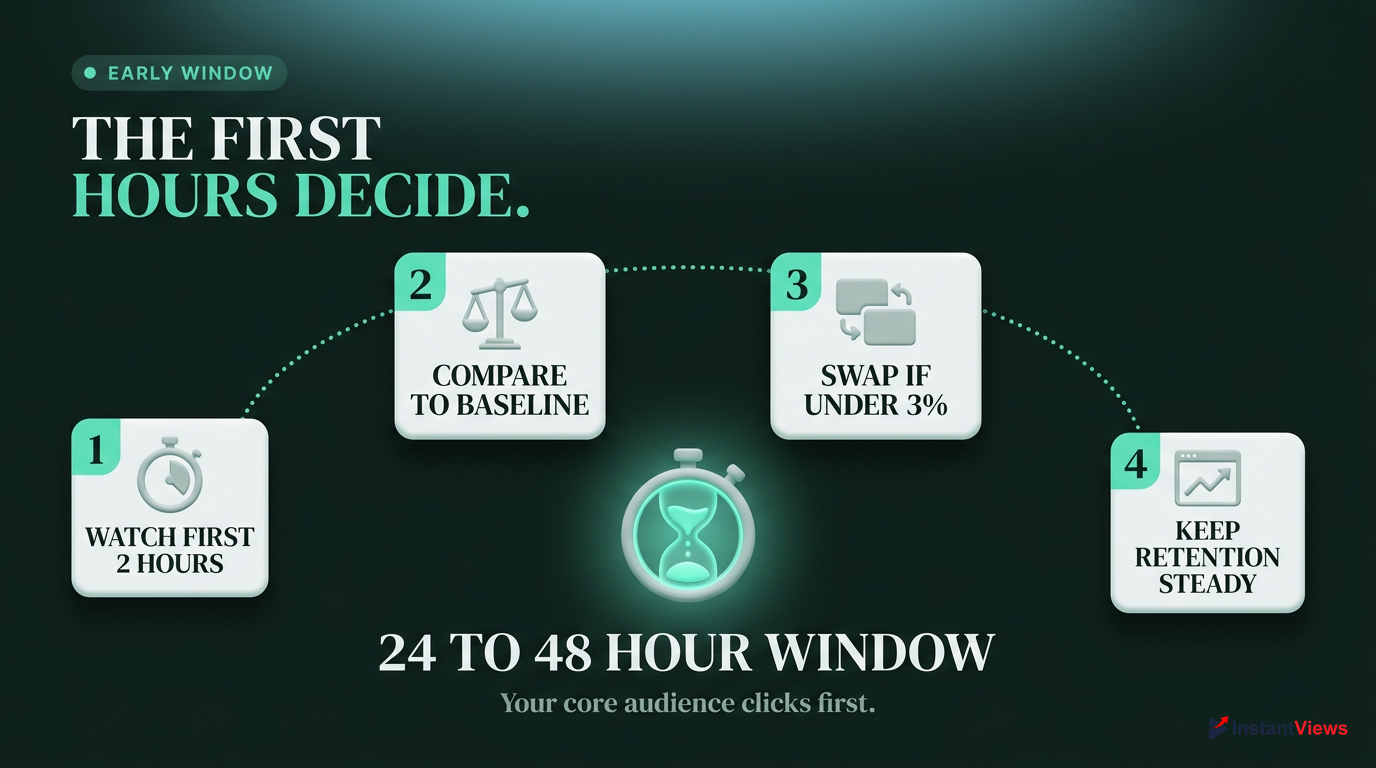
- Monitor CTR closely in the first 2 hours.
- Compare performance against your channel's typical baseline.
- Be prepared to swap thumbnails if CTR dips below 3% early on.
- Ensure retention remains stable alongside CTR.
The 24-48 Hour Window: The algorithm decides broad distribution based on the first 24–48 hours. If your CTR drops below 3% or your retention falls below your channel's typical baseline in this window, distribution is usually cut.
This is why the initial push to your core audience (subscribers and returning viewers) is so vital. If they don't click, YouTube assumes broader audiences won't either. Monitoring your real-time analytics during this window allows you to make rapid adjustments, such as changing a title or swapping a thumbnail, before the algorithm permanently throttles the video.
Have a backup thumbnail and title ready before you publish. If your video underperforms in the first 3 hours, swap them immediately to try and salvage the algorithm's initial evaluation.
Concrete Tips to Measurably Raise CTR
Understanding the benchmarks is only half the battle. To actively improve your metrics, you need data-driven strategies. Here are concrete, verified methods to raise your CTR in 2026.

A/B Test Using YouTube's Native Tool
Navigate to YouTube Studio > Content > Details. Use the "Test & Compare" tool to A/B test up to three thumbnails simultaneously. Fast-refresh testing cycles can improve CTR by up to 45%.
Maintain Visual Consistency
Develop a recognizable style. Research shows channels with consistent, professional thumbnail styling see 15–20% higher CTRs from their subscribers.
Follow the "One Idea" Rule
Thumbnails should communicate one subject, one emotion, and one message. Keep text to 3-4 words maximum; text should complement the title, not repeat it.
Optimize for Mobile: Over 70% of YouTube traffic is mobile. Ensure your thumbnails have high visual contrast (bright reds, yellows, electric blues) and that text is large enough to read on a smartphone screen. If it looks cluttered on a phone, it will fail.
Create "Curiosity Gap" Titles: Titles that promise a specific outcome, use numbers (e.g., "Top 10"), or raise an unexpected question perform best. Keep titles under 60 characters so they don't truncate on mobile feeds.
Close-up facial expressions showing strong emotion (surprise, curiosity, anger) consistently outperform object-only thumbnails across almost all niches.
Analyzing Your Own Data: Next Steps
Now that you know what a good CTR on YouTube is, it's time to audit your own channel. Don't rely on platform-wide averages; build your own benchmarks based on your historical performance.
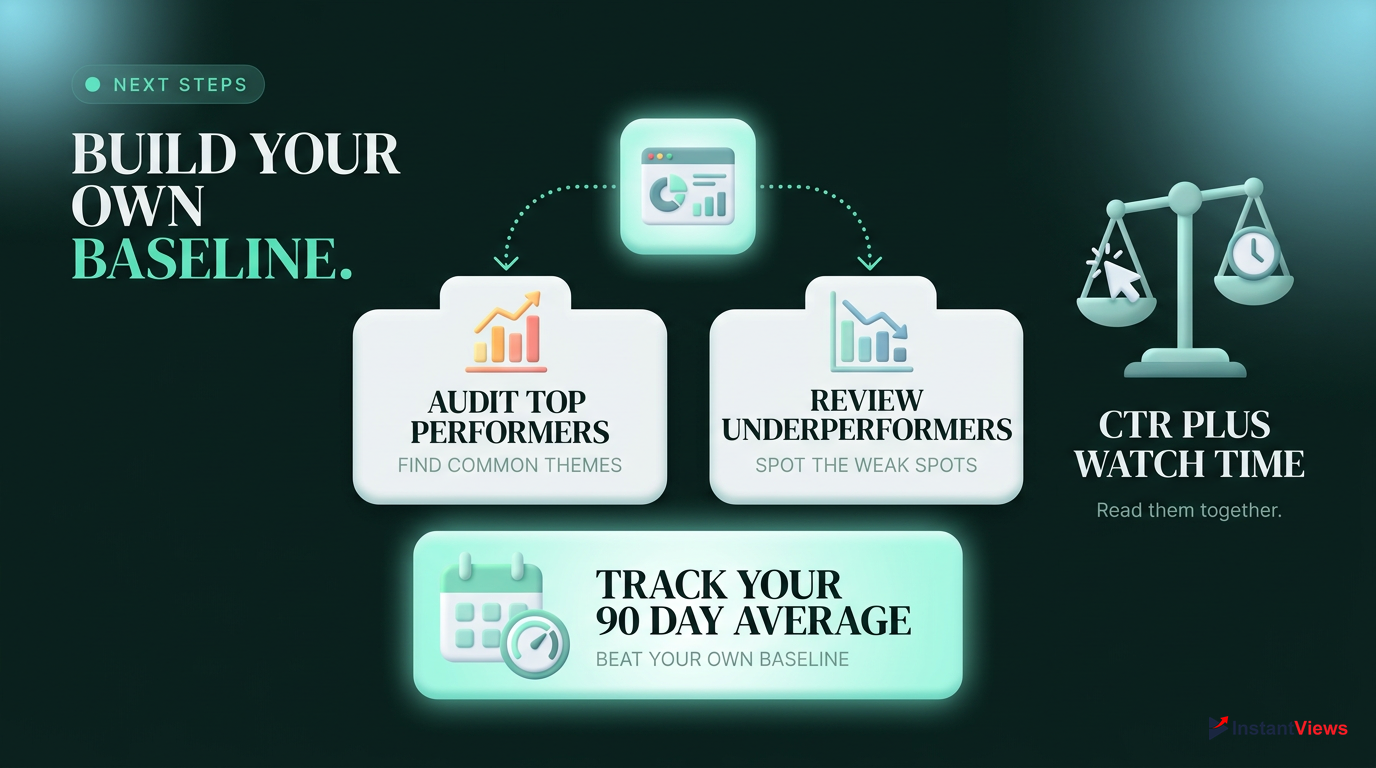
Audit Top Performers
Identify your top 5 videos by CTR. Analyze their thumbnails, titles, and topics to find common themes.
Review Underperformers
Look at videos with <2% CTR. Identify the packaging failures and consider updating their thumbnails.
Start by opening YouTube Studio and navigating to the Analytics tab. Look at your channel's average CTR over the last 90 days. This is your personal baseline. Your goal isn't necessarily to hit 10% immediately; it's to consistently beat your own baseline.
Remember that CTR is just one piece of the puzzle. Always analyze it in conjunction with Average View Duration (AVD). A 5% CTR with a 50% AVD is a winning formula for long-term algorithmic growth. Focus on delivering on the promise of your thumbnail, and the algorithm will reward you.
A good CTR is contextual (4-5% average, 8-15% search). Focus on 'Quality CTR' by ensuring your thumbnail accurately represents the content, leading to high retention. Use A/B testing and mobile optimization to improve your numbers.
Frequently Asked Questions
The global average CTR is 4% to 5%. A "good" CTR generally falls between 4% and 7%, while anything above 7% is considered great. However, this varies heavily by traffic source, with Search traffic often seeing 8% to 15% CTR.
This is normal and often a sign of success. As a video gains traction, YouTube pushes it to a broader, "colder" audience on the Home Page. These viewers are less likely to click than your core subscribers, naturally lowering the overall CTR.
A CTR under 2% is generally considered poor and indicates a packaging issue (weak thumbnail/title) or a targeting mismatch. However, if the video has millions of impressions from Browse features, a 2% CTR can still result in massive view counts.
The algorithm uses CTR to gauge initial viewer interest. However, it prioritizes "Quality CTR"—clicks that lead to high retention and watch time. High CTR with low retention triggers a clickbait penalty, throttling distribution.
Traditional CTR is less relevant for the Shorts feed. Instead, focus on the "Viewed vs. Swiped Away" metric. For Shorts appearing in Search or Channel pages, a CTR of 5% to 12% is a reasonable benchmark.
Improve CTR by A/B testing thumbnails using YouTube's native tool, maintaining visual consistency, optimizing for mobile (high contrast, large text), and writing titles that create a "curiosity gap" under 60 characters.
Yes. Channels under 1,000 subscribers often see higher CTRs (6%-10%) because content is shown to a concentrated, loyal audience. Channels over 100,000 subscribers typically see lower CTRs (3%-5%) due to broader algorithmic distribution.
YouTube Search consistently yields the highest CTR (8% - 15%) because viewers have high intent and are actively looking for specific content that matches their query.
The first 24-48 hours are critical. YouTube uses this window to decide broad distribution. If CTR drops below 3% or retention falls below your baseline during this time, the algorithm usually cuts distribution.
Yes, if your CTR is significantly below your channel's baseline (e.g., under 3%) within the first few hours of publishing, swapping the thumbnail and title can help salvage the video's algorithmic performance.