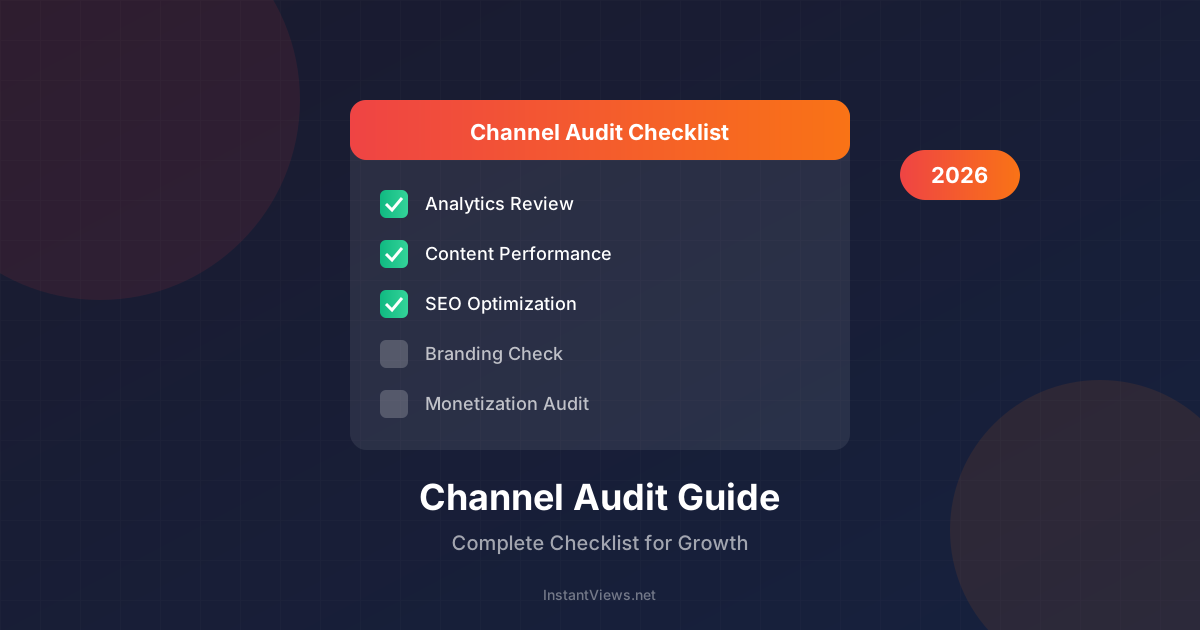
- A quarterly channel audit identifies growth blockers before they derail your momentum
- Focus on 5 core areas: Analytics, Content, SEO, Branding, and Monetization
- Your top 10 and bottom 10 videos reveal exactly what your audience wants
- CTR and Average View Duration are the two most important metrics to track
- Create a 30-day action plan after each audit for measurable improvements
A YouTube channel audit is like a health checkup for your content business. Just as you wouldn't ignore warning signs from your body, you shouldn't ignore declining metrics or missed opportunities on your channel.
In 2026, the YouTube algorithm has become more sophisticated, rewarding channels that consistently deliver high-quality content that keeps viewers watching. A regular audit helps you identify what's working, what's broken, and what needs optimization.
This comprehensive guide walks you through every aspect of auditing your YouTube channel, with actionable checklists you can use immediately.
Why Audit Your YouTube Channel?
Many creators upload videos consistently but never step back to analyze their overall channel health. This leads to:
- Wasted effort on content that doesn't resonate
- Missed opportunities to double down on what works
- Slow growth from unoptimized thumbnails, titles, and SEO
- Revenue leaks from poor monetization strategy
- Algorithm penalties from low engagement signals
"The channels that grow fastest aren't necessarily the ones with the best content - they're the ones that systematically optimize every element based on data."
Analytics Audit
Start with the numbers. YouTube Studio provides everything you need to understand your channel's performance.
Key Metrics to Review (Last 90 Days)
| Metric | What It Tells You | Target Benchmark |
|---|---|---|
| Views | Overall reach and discoverability | Consistent or growing month-over-month |
| Watch Time | Content quality and engagement | 4,000+ hours for monetization |
| Subscribers | Channel loyalty and growth rate | 2-5% of views converting to subs |
| CTR (Click-Through Rate) | Thumbnail and title effectiveness | 4-10% is healthy |
| Average View Duration | How engaging your content is | 50%+ of video length |
| Impressions | How often YouTube shows your content | Growing = algorithm favors you |
Traffic Sources Analysis
Understanding where your views come from helps you focus your promotion efforts:
- YouTube Search - Your SEO is working
- Suggested Videos - Algorithm recommends you
- Browse Features - Homepage/subscription feed
- External - Social media, websites, embeds
- Playlists - Content organization is effective
Analytics Audit Checklist
- Compare 90-day metrics to previous period
- Identify top traffic sources
- Note any sudden drops or spikes
- Check subscriber growth rate
- Review audience demographics
- Analyze peak viewing times
- Check device breakdown (mobile vs desktop)
Content Performance Audit
Your videos tell a story about what your audience wants. The data doesn't lie.
Identify Your Winners and Losers
Pull your top 10 performing videos and bottom 10 performing videos from the last year. Look for patterns:
| Analyze | Top Performers | Bottom Performers |
|---|---|---|
| Topics | What subjects resonate? | What topics fall flat? |
| Format | Tutorial? Vlog? List? | Format mismatch? |
| Length | Optimal duration? | Too long? Too short? |
| Thumbnails | What style works? | What gets ignored? |
| Titles | What hooks viewers? | What fails to attract? |
Don't just look at view counts. A video with 10,000 views and 60% retention is more valuable than one with 50,000 views and 20% retention. The algorithm knows this.
SEO Audit
YouTube is the second largest search engine. Your videos need to be discoverable.
Title Optimization
- Primary keyword within first 60 characters
- Compelling hook that creates curiosity
- Numbers and brackets increase CTR
- Avoid clickbait that doesn't deliver
Description Best Practices
- First 150 characters appear in search - make them count
- Include target keywords naturally (2-3 times)
- Add timestamps/chapters for longer videos
- Include relevant links and CTAs
- Minimum 200 words for SEO value
Tags and Hashtags
- Use 5-10 relevant tags per video
- Mix broad and specific keywords
- Include your brand/channel name
- Add 3-5 hashtags in description
SEO Audit Checklist
- Review titles for keyword placement
- Check descriptions are 200+ words
- Verify all videos have tags
- Add chapters to videos 10+ minutes
- Check thumbnail file names include keywords
- Review hashtag strategy
- Audit playlist organization
Branding Audit
Your channel should look professional and consistent. First impressions matter.
Visual Elements
- Channel Banner - Updated, on-brand, includes upload schedule
- Profile Picture - Clear, recognizable, works at small sizes
- Thumbnail Style - Consistent template, readable text, eye-catching
- Video Intros/Outros - Professional, not too long (under 5 seconds)
About Section
- Clear description of what the channel offers
- Upload schedule stated
- Business email visible
- Links to social media and website
- Keywords naturally included
Get Your Free Channel Audit
Use our Channel Audit tool to automatically analyze your YouTube channel and get personalized recommendations.
Audit My Channel →Monetization Audit
If you're in the YouTube Partner Program (or working towards it), audit your revenue optimization.
Ad Revenue Optimization
- Videos 8+ minutes can have mid-roll ads
- Check ad placement in each video
- Review CPM trends by content type
- Identify highest-earning videos and topics
Alternative Revenue Streams
- Channel Memberships - Enabled and promoted?
- Super Chat/Super Thanks - Active on live streams?
- Merchandise - Shelf enabled?
- Sponsorships - Media kit ready?
- Affiliate Links - In relevant videos?
Creating Your Action Plan
An audit is useless without action. Here's how to prioritize fixes:
Priority Matrix
| Priority | Issue Type | Example |
|---|---|---|
| Critical | Blocking growth immediately | Low CTR, poor retention, broken links |
| High | Significant impact | Missing SEO, inconsistent branding |
| Medium | Optimization opportunity | Thumbnail updates, playlist organization |
| Low | Nice to have | Banner refresh, about page update |
30-Day Action Plan Template
- Week 1: Fix all critical issues
- Week 2: Update SEO on top 20 videos
- Week 3: Refresh thumbnails on underperforming videos
- Week 4: Implement new content strategy based on findings
Audit Tools
These tools make auditing faster and more comprehensive:
- YouTube Studio - Free, essential analytics
- InstantViews Channel Audit - Automated analysis and recommendations
- TubeBuddy/VidIQ - SEO and optimization insights
- Social Blade - Historical data and projections
- Google Trends - Topic research and timing
Frequently Asked Questions
Perform a full channel audit quarterly (every 3 months) and a mini audit monthly. Major algorithm updates or significant performance changes warrant an immediate audit regardless of schedule.
Focus on: Average View Duration (retention), Click-Through Rate (CTR), subscriber growth rate, views per video, engagement rate (likes/comments), and traffic sources. These directly impact algorithm recommendations.
Yes! YouTube Studio provides all essential analytics for free. Tools like InstantViews Channel Audit offer additional insights. The most important thing is having a systematic checklist to follow.
Identify the weakest area first - is it thumbnails (low CTR), content quality (low retention), or discoverability (low impressions)? Focus on fixing one issue at a time, test changes on 5-10 videos, then measure improvement.
A thorough audit takes 2-4 hours depending on channel size. Quick audits focusing on key metrics can be done in 30-60 minutes. Use our checklist to stay focused and efficient.
Start with self-audits using guides like this one. Once you understand the basics, professional audits (typically $200-$1000) can provide fresh perspectives and advanced insights for established channels.


