- Video pacing directly impacts retention - 45% of viewers leave videos with poor pacing before the halfway point
- Different content types require different pacing strategies - fast for entertainment, moderate for tutorials, varied for education
- The first 30 seconds should be 2-3x faster than the rest of your video
- Strategic pacing variations create engagement peaks that keep viewers watching
- Use the InstantViews Video Analyzer to identify pacing issues before publishing
If your videos feel like they're dragging - even with great content - the problem isn't what you're saying. It's how fast you're saying it. Strong hook strategies paired with proper pacing create an unstoppable combination.
Video pacing is the invisible force that determines whether viewers stay glued to their screens or click away in boredom. YouTube's top creators understand this instinctively. They engineer every second of their videos for maximum engagement.
This guide breaks down the exact pacing strategies used by channels with 80%+ retention rates, with timing recommendations for every content type.
What is Video Pacing?
Video pacing is the rhythm and speed at which you deliver information, move between topics, and structure your content. It's the difference between a gripping video that flies by and a boring one that feels like it drags on forever.
Pacing is controlled by several factors:
- Edit cuts - How frequently you cut between shots
- Segment length - How long you stay on one topic before moving on
- Speaking speed - How fast you deliver information
- Visual changes - How often the screen changes (B-roll, graphics, etc.)
- Transition timing - How quickly you move between sections
Why Pacing Matters for Retention
YouTube's algorithm doesn't care how good your content is if viewers don't watch it. The platform measures audience retention obsessively, and pacing is the #1 factor affecting how long people stay.
Here's what the data shows:
- Videos with poor pacing lose 45% of viewers before the halfway point
- Videos with optimized pacing retain 70%+ of viewers to the end
- The first 30 seconds should be 2-3x faster than your average pace
- Attention spans peak every 60-90 seconds - pacing variations align with these cycles
Many creators confuse "fast pacing" with talking quickly. Real pacing is about information density and visual change frequency, not just speaking speed.
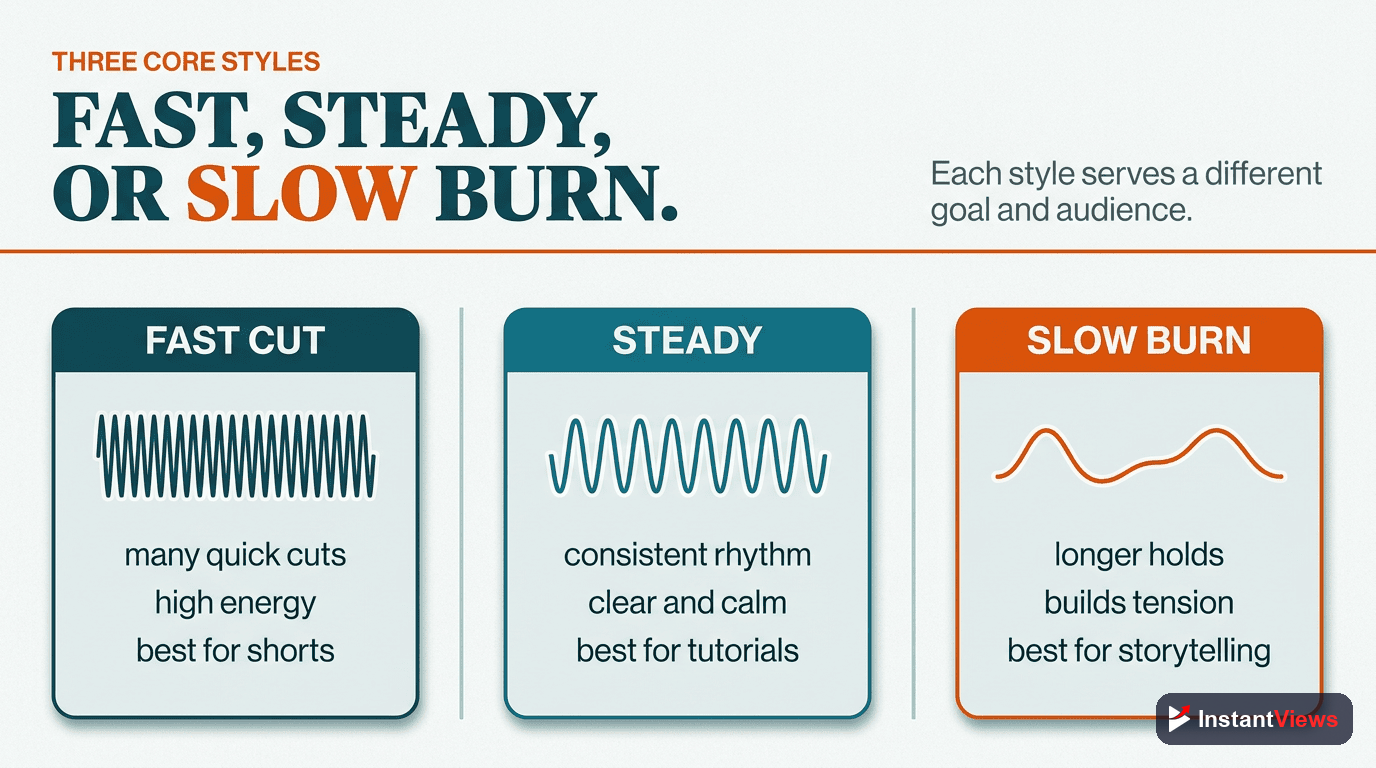
The 3 Core Pacing Styles
There are three fundamental pacing approaches. Each works best for specific content types:
Fast Pacing (15-45 second segments)
Rapid cuts, quick transitions, high energy. Information moves at a brisk pace with minimal time spent on any single point. Viewers feel constant forward momentum.
Entertainment, commentary, compilation videos, shorts-style content, reaction videos
Moderate Pacing (1-3 minute segments)
Balanced delivery with clear segments. You spend enough time on each point for viewers to understand, but move along before they get bored. The goldilocks zone for most content.
Tutorials, how-to guides, product reviews, educational content, analysis videos
Varied Pacing (Dynamic)
Intentionally changes speed throughout the video. Fast sections create energy, slow sections add emphasis. This creates a dynamic viewing experience that keeps the brain engaged.
Long-form content, documentaries, storytelling, complex educational content
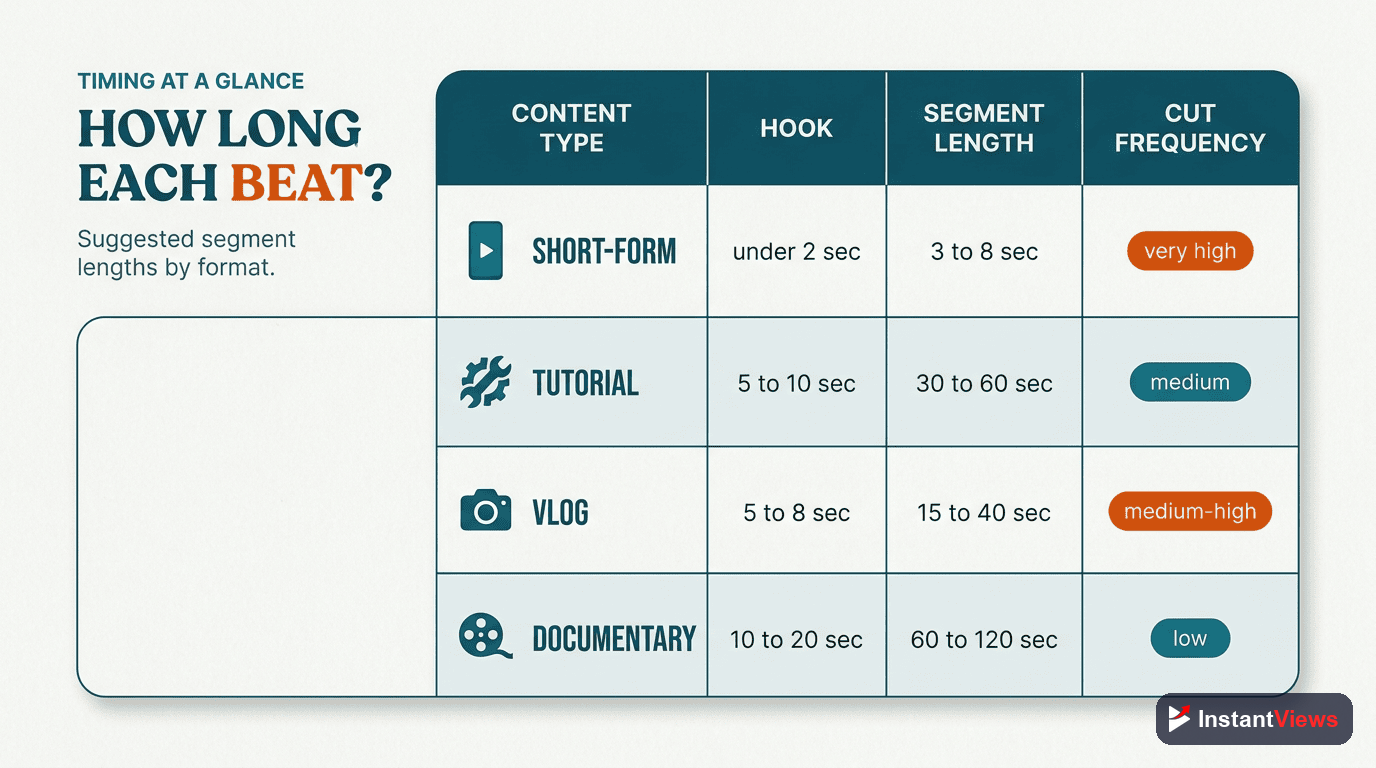
Segment Timing Guide by Content Type
Different content types need different pacing. Use this guide as a starting point, then adjust based on your analytics:
| Content Type | Ideal Segment Length | Cuts Per Minute | Hook Speed |
|---|---|---|---|
| Entertainment/Comedy | 30-60 seconds | 40-60 | Very Fast |
| Tutorials | 2-4 minutes | 15-25 | Fast |
| Product Reviews | 1-3 minutes | 20-30 | Fast |
| Educational | 2-5 minutes | 12-20 | Moderate |
| Vlogs | 1-2 minutes | 25-40 | Fast |
| Documentary Style | 3-7 minutes | 8-15 | Moderate |
| Gaming | 45-90 seconds | 30-50 | Very Fast |
| Commentary | 1-2 minutes | 20-35 | Fast |
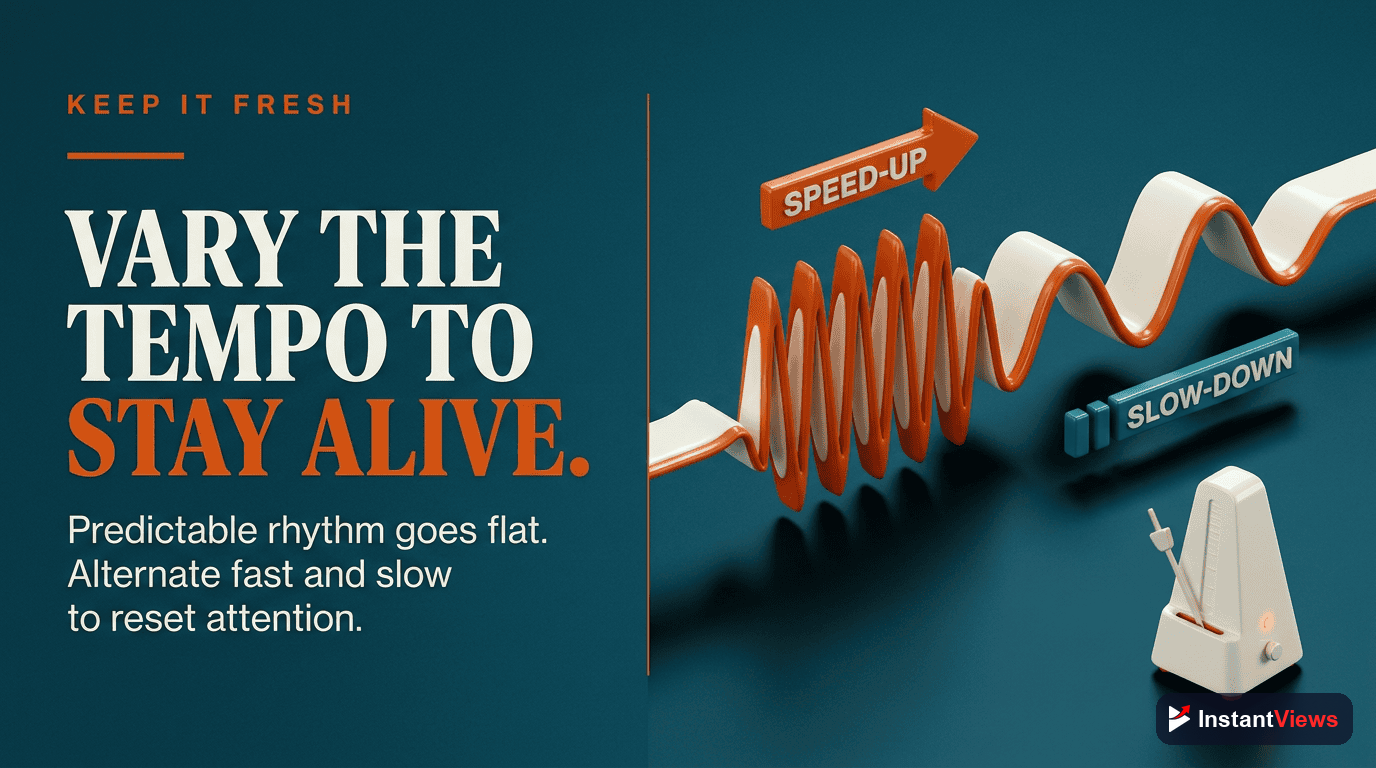
Using Rhythm Variation
The most engaging videos don't maintain constant pacing - they vary their rhythm to create peaks and valleys in attention. This mirrors how music uses tempo changes to create emotional impact.
The 3-Phase Pacing Structure
High-retention videos typically follow this pattern:
- Phase 1: The Hook (0:00-0:30) - 2-3x faster than normal. Rapid cuts, high energy, immediate value delivery. Goal: Stop the scroll.
- Phase 2: Main Content (0:30-90%) - Your baseline pace with strategic variations. Speed up for examples, slow down for key points.
- Phase 3: The Close (Last 10%) - Accelerate again. Create urgency, deliver final value, strong CTA.
7 Pacing Techniques That Work
1. The Pattern Break
After establishing a rhythm, suddenly change it. This snaps viewers back to attention. Example: After 3 minutes of steady explanation, insert a 10-second rapid-fire recap. Master more advanced pattern interrupt techniques to keep your audience engaged.
2. The Time Compression
Use jump cuts to remove pauses, breaths, and filler words. This can increase your effective speaking pace by 30% without talking faster.
3. The Visual Shift
Change what's on screen every 3-7 seconds. Even if you're still talking about the same topic, visual variety maintains attention.
4. The Chapter Hook
At the start of each new segment, briefly accelerate pace to signal "something new is happening." This reengages viewers who were starting to drift.
5. The Strategic Slow-Down
When delivering your most important point, deliberately slow down. The contrast makes it feel significant. Then immediately speed back up.
6. The Momentum Multiplier
Build speed as you approach high-value moments. If you're about to reveal results or show a transformation, gradually increase pace in the 20 seconds leading up to it.
7. The Energy Injection
Every 90-120 seconds, insert a high-energy moment: a joke, a surprise, a bold statement. This resets the attention clock.
"Pacing is about respecting your viewer's time while maximizing their engagement. Every second should either inform, entertain, or build toward something." - Ali Abdaal
Analyze Your Video's Pacing
Get instant feedback on your video structure, timing, and pacing optimization before you publish.
Try Video Analyzer →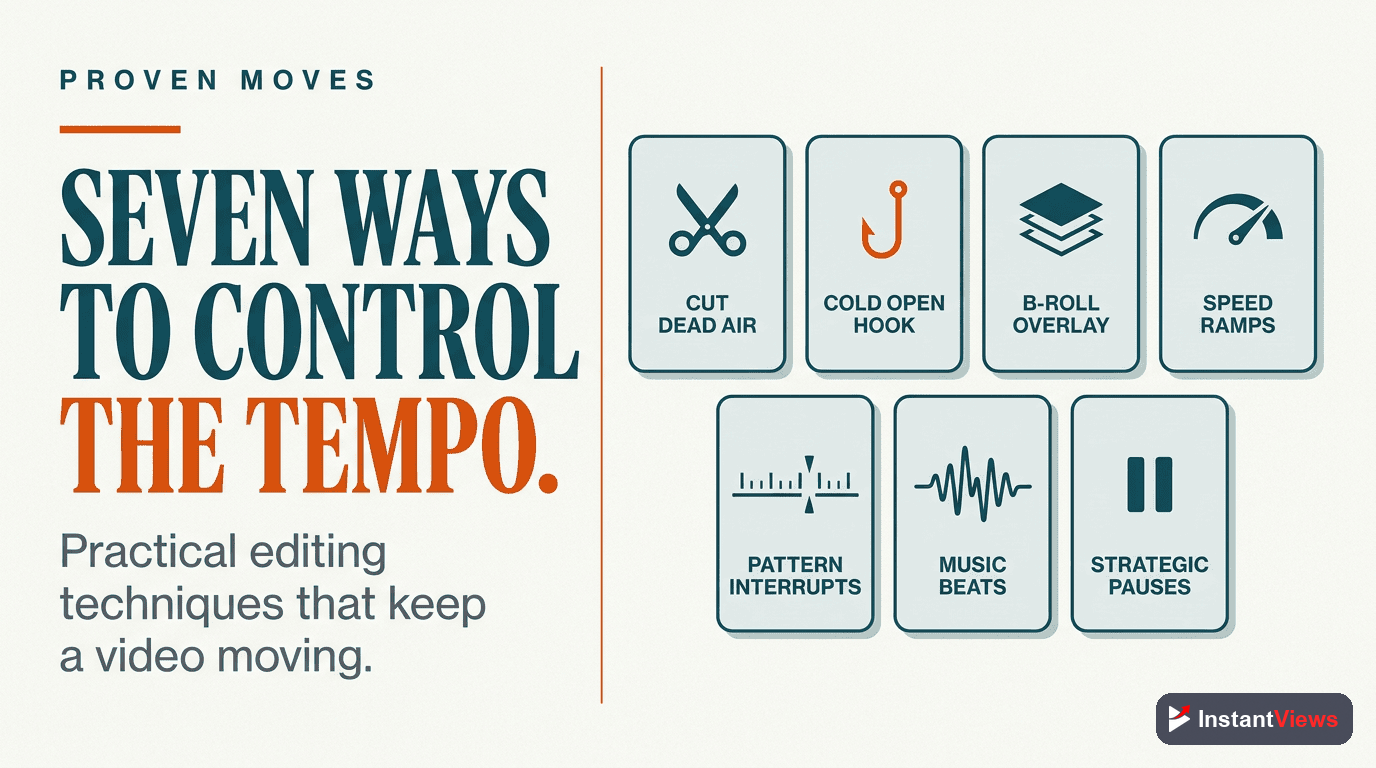
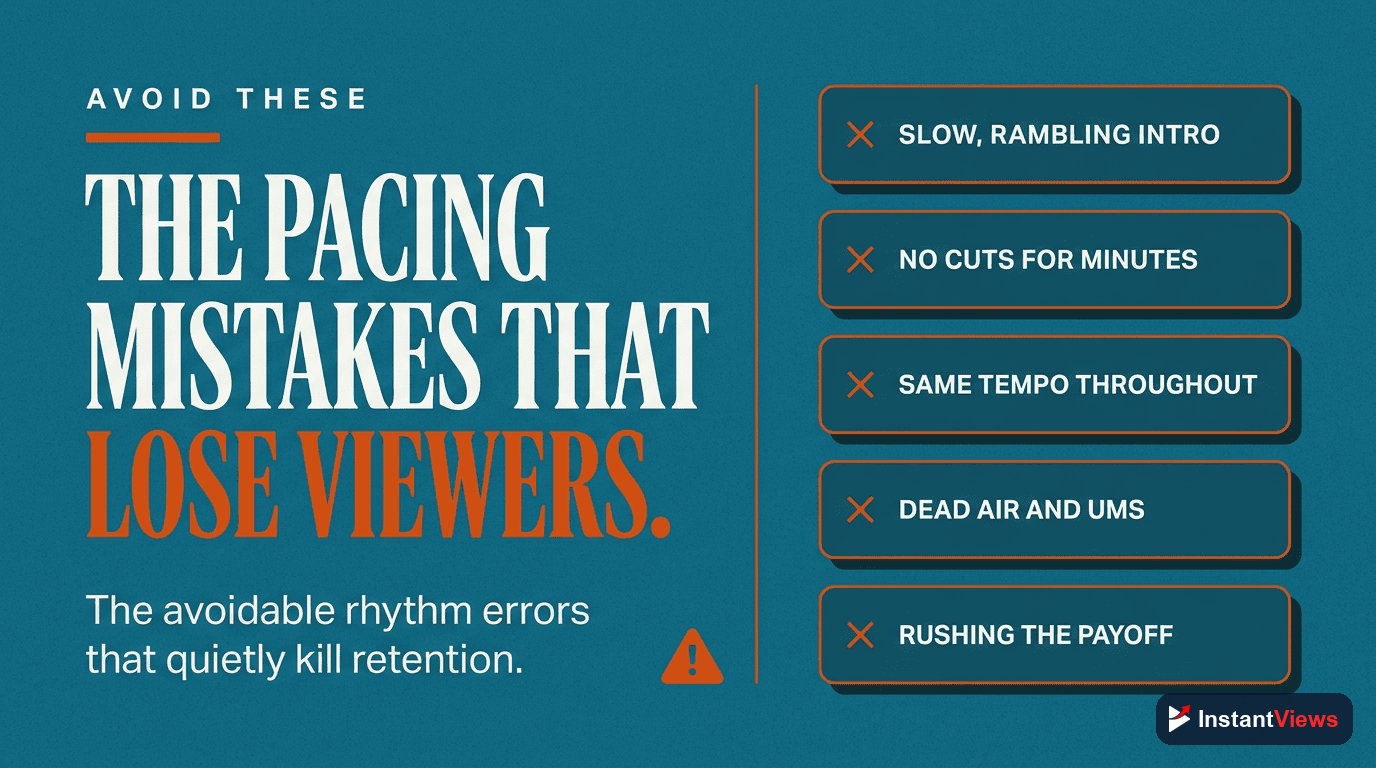
Common Pacing Mistakes
Mistake #1: Constant Speed
Many creators find a pace and stick to it for the entire video. This creates monotony. Even great content becomes boring without rhythm variation.
Mistake #2: Too Much Setup
Spending 2-3 minutes on context before delivering value kills retention. Front-load value, add context later if needed.
Mistake #3: Long Explanations
If a concept takes more than 90 seconds to explain, break it into multiple segments with visual breaks in between.
Mistake #4: Ignoring Natural Breaks
Viewers need mental micro-breaks. Insert brief moments of levity, visual changes, or examples every 60-90 seconds.
Mistake #5: Slow Endings
Many videos lose energy in the last 20%. Keep momentum through the CTA. End strong, not slow.
Analyzing Your Own Pacing
To optimize your pacing, follow this process:
- Check retention graphs - YouTube Studio shows exactly where people leave
- Time your segments - How long do you spend on each topic?
- Count your cuts - How many cuts per minute?
- Compare to high performers - Find successful videos in your niche and analyze their pacing
- Test variations - Try faster/slower pacing in different videos and measure results
| Pacing Style | Pros | Cons | When to Use |
|---|---|---|---|
| Fast | High energy, great retention, feels dynamic | Can overwhelm, hard to follow complex topics | Entertainment, hooks, highlights |
| Moderate | Easy to follow, professional, balanced | Can feel generic, risk of monotony | Tutorials, reviews, educational content |
| Slow | Thoughtful, emphasizes importance, clear | Low retention, feels boring, viewers leave | Key moments only (20-30 seconds max) |
| Varied | Most engaging, maintains interest, dynamic | Requires planning, harder to edit | Long-form, complex topics, storytelling |
The Pacing Optimization Workflow
- Script phase: Mark your script with pacing notes - "fast," "moderate," "emphasize". Reference our script writing guide for detailed planning strategies.
- Filming phase: Record with energy variations built in
- Editing phase: Use cuts to accelerate, hold shots to slow down
- Review phase: Watch at normal speed - does it drag anywhere?
- Pre-upload: Use InstantViews Video Analyzer to check pacing scores
- Post-publish: Check retention graphs and adjust future videos
Frequently Asked Questions
Video pacing is the rhythm and timing of your content delivery - how quickly you move between topics, the length of segments, and the overall flow. Good pacing keeps viewers engaged by preventing boredom (too slow) or confusion (too fast). YouTube's algorithm heavily rewards retention, making pacing critical for success.
There's no one-size-fits-all answer. Tutorial videos work best with moderate pacing (3-5 minute segments), while entertainment content thrives on fast pacing (30-60 second segments). Educational content often benefits from varied pacing - fast for examples, slower for complex explanations. Match your pace to your audience's expectations and content complexity.
Check your YouTube Analytics retention graph. If you see gradual, steady drops throughout the video, your pacing may be too slow. Look for sections where the drop-off accelerates - these are "dead zones" where viewers get bored. If viewers skip ahead frequently, that's another sign of pacing issues.
Yes. If viewers rewind frequently or comment that they're confused, your pacing is too fast. Fast pacing creates energy but can overwhelm viewers if they can't process the information. The key is finding the sweet spot between engaging and comprehensible for your specific audience.
You can't edit uploaded videos, but you can use YouTube Chapters to improve perceived pacing. Add chapter markers at natural transition points so viewers can navigate to sections they want. For future videos, use the InstantViews Video Analyzer to identify pacing issues before uploading.
Absolutely. The best videos use varied pacing - fast hooks to grab attention, moderate pacing for main content, strategic slow-downs for important points, and accelerated endings to maintain momentum. This creates a dynamic viewing experience that keeps the brain engaged.