- Well-crafted scripts can increase retention by 40% and reduce editing time by 60%
- The first 15 seconds of your script determine 70% of your retention rate
- Strategic CTA placement can boost conversions by 3x without hurting retention
- Different video types require different script structures and pacing strategies
- Use the InstantViews Video Analyzer to identify script improvements based on retention data
The difference between a video that gets 1,000 views and one that gets 100,000 often comes down to one thing: the script.
Most YouTube creators wing it. They turn on the camera and hope the words come out right. The result? Rambling intros, awkward transitions, forgotten key points, and hours wasted in editing trying to salvage the content.
A well-structured script changes everything. It gives you confidence on camera, ensures you hit every important point, and makes editing exponentially faster. This guide will teach you how to write YouTube scripts that keep viewers engaged from start to finish.
Why YouTube Scripts Matter
Let's start with the data. Videos created with scripts consistently outperform unscripted content:
- 40% higher retention - Scripts keep you on track and eliminate rambling
- 60% faster editing - Clean audio with fewer mistakes means less time in post-production
- 3x better CTR - Planned hooks and thumbnails create coherent messaging
- Consistent quality - Every video hits the same professional standard
But here's the key: scripts aren't about reading word-for-word from a teleprompter. The best YouTube scripts are flexible frameworks that guide your delivery while leaving room for personality and spontaneity.

Script Structure Fundamentals
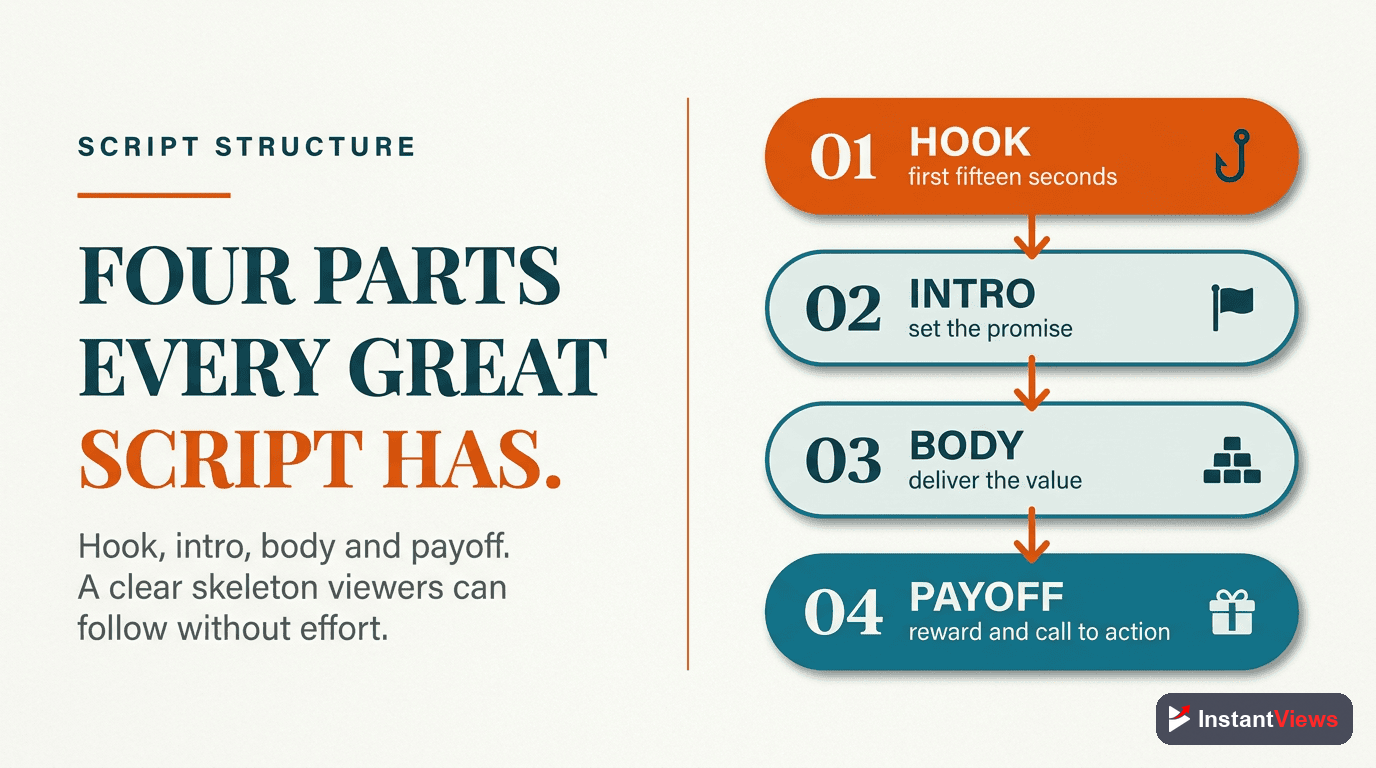
Every successful YouTube script follows a proven structure. Here's the framework that works across all video types:
The Hook (0-15 seconds)
Your hook must accomplish three things: grab attention, create curiosity, and promise value. This is the most critical part of your script - if viewers leave here, nothing else matters.
"This one script change increased my retention by 40%. I'm going to show you exactly what I did, and you can implement it in your next video."
The Setup (15-60 seconds)
Quickly establish context and credibility. Tell viewers what they'll learn and why you're qualified to teach them. This is also where you can include a soft CTA to like/subscribe - but only if it feels natural.
"I've spent the last two years analyzing what makes videos go viral. I've studied 10,000+ videos and today I'm breaking down the exact script formula that top creators use."
The Main Content (Body)
This is where you deliver on your hook's promise. Break content into clear sections with smooth transitions. Include pattern interrupts every 60-90 seconds to maintain attention (visual changes, b-roll, questions, examples).
Use the "Point - Explain - Example - Transition" format for each section. State your point, explain why it matters, give a concrete example, then transition to the next point.
The Payoff/Conclusion
Summarize key takeaways and deliver on any promises from your hook. This is where you place your strongest CTA - whether that's a link, product, or next video recommendation.
"So those are the five script elements that changed everything for me. If you want to see this framework in action, check out this video next - I'll link it in the description."
Script Length Guidelines
How long should your script be? Use this formula: 150-160 words per minute of final video.
| Video Length | Target Word Count | Best For |
|---|---|---|
| 5 minutes | 750-800 words | Quick tips, reactions, commentary |
| 10 minutes | 1,500-1,600 words | Tutorials, how-to guides, explanations |
| 15 minutes | 2,250-2,400 words | Deep dives, comprehensive guides |
| 20+ minutes | 3,000+ words | Documentary style, long-form analysis |
Note: These are guidelines, not rules. Pacing varies by content type and speaking style.
Writing Hooks That Grab Attention
Your hook is everything. Here are the seven most effective hook formulas for YouTube:
1. The Result Preview Hook
Show the end result first, then explain how to get there.
Example: "This video got 2 million views. Here's the exact script structure I used."
2. The Question Hook
Start with a question that your target audience is desperate to answer.
Example: "Why do some videos with terrible thumbnails still get millions of views? The answer might surprise you."
3. The Controversial Statement Hook
Make a bold claim that challenges conventional wisdom.
Example: "Everything you know about YouTube thumbnails is wrong. And I can prove it."
4. The Pattern Interrupt Hook
Start with something unexpected that breaks viewers' scroll pattern.
Example: "I deleted my most popular video. Here's why it was the smartest decision I ever made."
5. The Problem-Solution Hook
Identify a pain point your audience has, then promise a solution.
Example: "Spending hours writing scripts that still feel awkward? This framework fixes that in 30 minutes."
6. The Curiosity Gap Hook
Create a knowledge gap that viewers need to fill.
Example: "There's a hidden feature in YouTube Studio that 99% of creators don't know about. Let me show you."
7. The Storytelling Hook
Start with a compelling story moment that creates emotional investment.
Example: "I almost quit YouTube. I had 47 subscribers after 6 months. Then I changed one thing in my script..."
Pacing and Flow Techniques
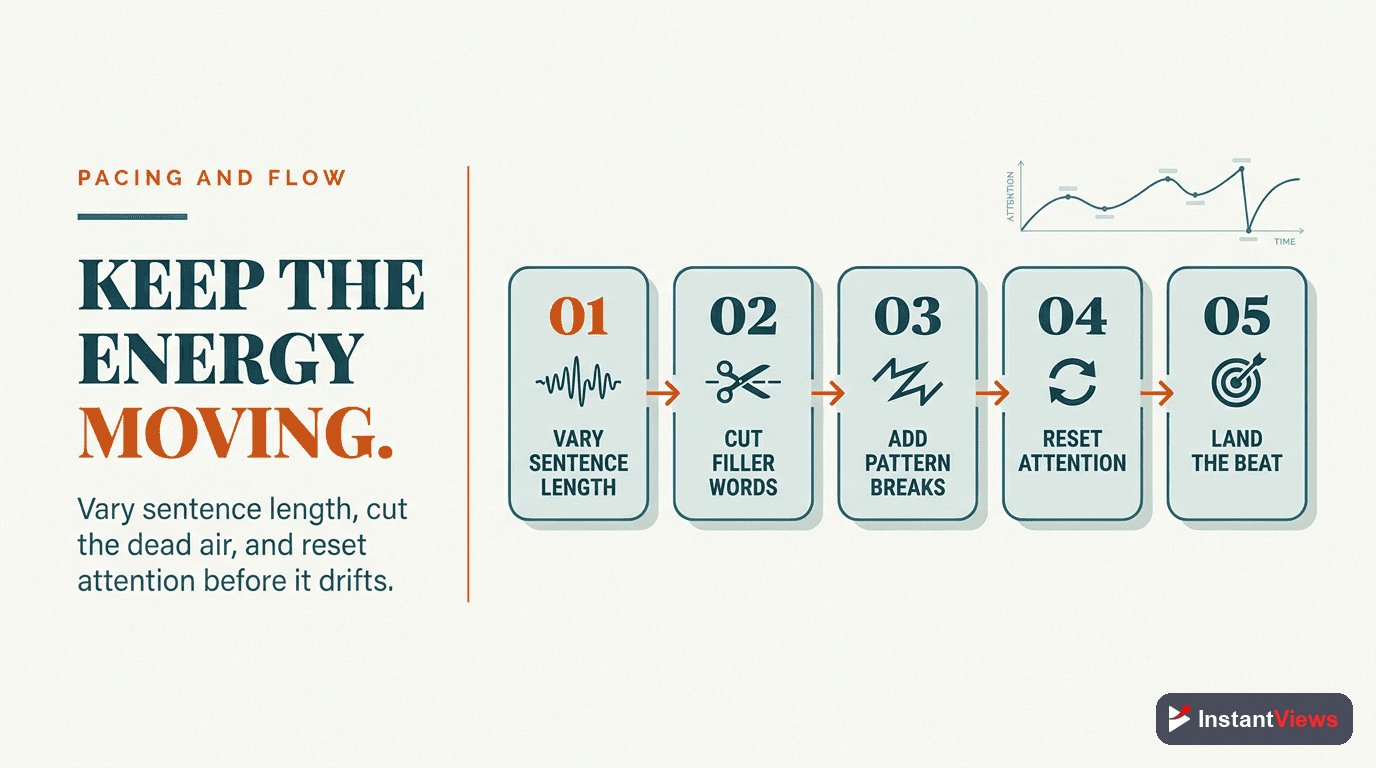
Great scripts have rhythm. Here's how to create flow that keeps viewers engaged:
The Pattern Interrupt Principle
Human attention naturally wanes every 60-90 seconds. Combat this with pattern interrupts - deliberate changes that re-engage viewers:
- Visual changes: Switch to B-roll, graphics, or screen recordings
- Tone shifts: Move from serious to humorous or vice versa
- Questions: Ask viewers something that makes them think
- Movement: Change camera angles or your position
- Examples: Transition from theory to real-world application
Build these into your script at strategic intervals:
[HOOK] "This script change doubled my retention."

[SETUP] "I've tested 47 different script formats..."

[POINT 1] "The first element is the hook. And most people get this completely wrong."

[B-ROLL MARKER - Show examples of bad hooks]

[POINT 2] "But here's what actually works..."

[EXAMPLE] "Let me show you a real script that went viral."

[QUESTION] "Now, ask yourself - does your current script do this?"

[TRANSITION] "Alright, now that you understand hooks, let's talk about pacing..."
Sentence Length Variation
Vary sentence length to create rhythm. Short sentences create urgency. Longer, more complex sentences allow you to explain nuanced concepts in depth and give viewers time to process information.
See what that feels like? The variation keeps you engaged.
The Callback Technique
Reference earlier points in your video to create a sense of cohesion and reward viewers who've been paying attention.
Example: "Remember that example I showed you about hooks? This is where it becomes crucial..."
Pacing isn't about talking fast. It's about maintaining forward momentum. Some of the best educational YouTube videos have slow, deliberate pacing - but they never stop delivering value.
Strategic CTA Placement
CTAs (calls-to-action) are essential, but poor placement kills retention. Here's the strategic framework:
The Three-CTA Strategy
Early Value CTA (2-3 minutes in)
After delivering your first piece of substantial value, ask for a like or subscribe. Viewers need to experience your value before they commit.
"If that tip helped you, hit the like button - it helps more creators find this content. Alright, let's keep going..."
Mid-Roll Transition CTA
At a natural transition point (between major sections), place a soft CTA that doesn't disrupt flow. This is ideal for mentioning related videos or playlists.
"Now, before we dive into advanced techniques - if you want to see this in action, I did a complete breakdown in this video here. But let's continue with..."
End CTA (Final 30 seconds)
Your strongest CTA goes here. This is where you push for external clicks, product sales, or channel subscriptions. Viewers who made it this far are your most engaged audience.
"If you want to analyze your own videos and get personalized script suggestions, check out the InstantViews Video Analyzer - link in description. It'll show you exactly where viewers drop off and how to fix it."
CTA Placement Rules
- Never CTA before value: Deliver something useful before asking for anything
- Make it contextual: CTAs should feel like natural extensions of your content
- Use soft language: "If this helped..." is better than "Make sure to..."
- One CTA per segment: Multiple CTAs in quick succession feel desperate
- Test and adjust: Monitor retention graphs to see if CTAs cause drop-offs
| CTA Type | Best Placement | Retention Impact |
|---|---|---|
| Subscribe/Like | After first value delivery (2-3 min) | Low impact if placed correctly |
| Watch Next Video | Mid-roll transitions | Can increase session time |
| External Link | End of video only | High impact - use sparingly |
| Product/Service | End CTA or dedicated segment | Medium - depends on relevance |
Improve Your Script with AI Analysis
Get instant script improvement suggestions based on your video's retention patterns. See exactly where viewers drop off and how to fix it.
Try Video Analyzer Free →
Script Templates by Video Type
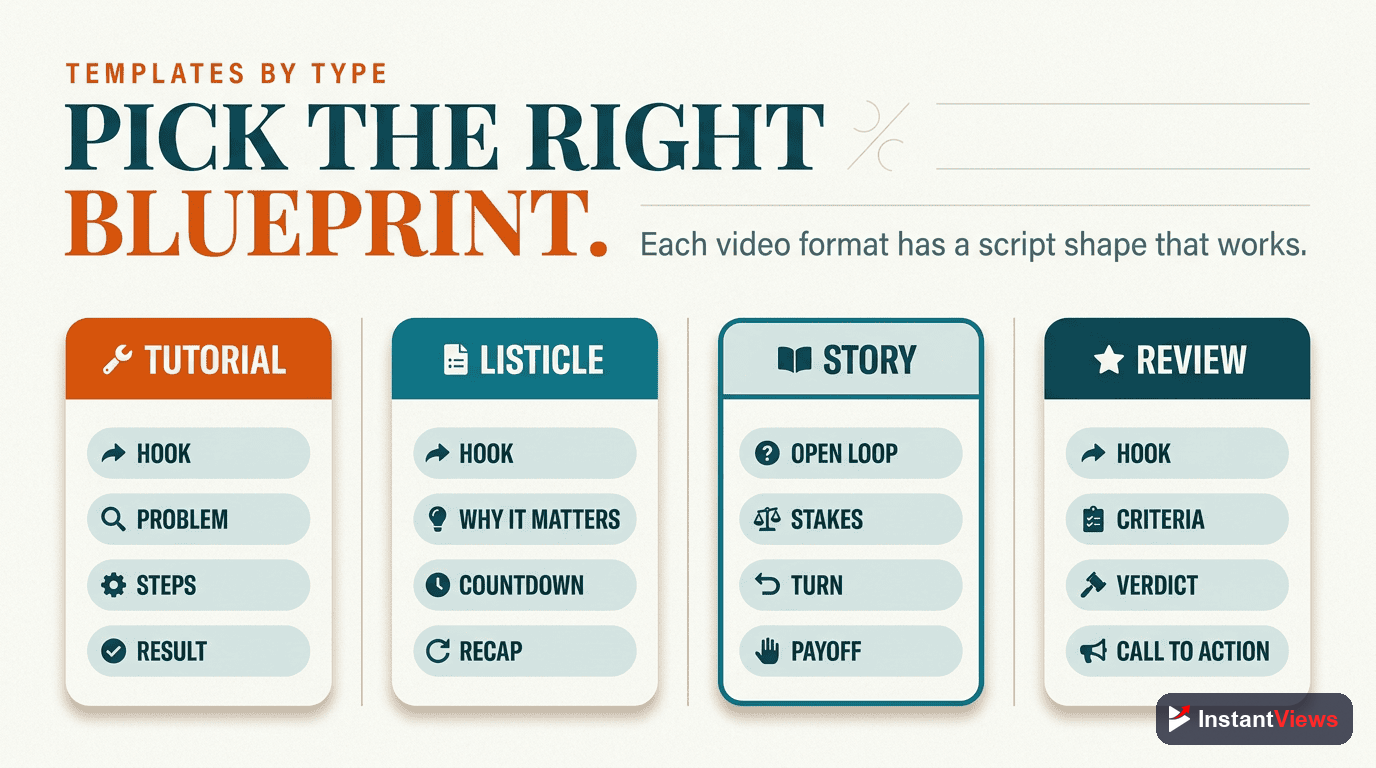
Different video types require different script structures. Here are proven templates for the most common YouTube formats:
Tutorial/How-To Video Template
[HOOK - 10 sec]
Show the end result first

[PROMISE - 15 sec]
"In the next 10 minutes, I'll show you exactly how to [outcome]"

[CREDIBILITY - 15 sec]
Brief background on why you're qualified

[OVERVIEW - 30 sec]
"We'll cover three main steps..."

[STEP 1 - 3-4 min]
- What to do
- Why it matters
- Common mistakes
- Example

[STEP 2 - 3-4 min]
(Same structure)

[STEP 3 - 3-4 min]
(Same structure)

[RECAP - 30 sec]
Quick summary of steps

[CTA - 20 sec]
Next steps, tools, or resources
List/Countdown Video Template
[HOOK - 10 sec]
Tease the most interesting item on the list

[SETUP - 20 sec]
"I've compiled the top [number] [things]..."

[ITEM #1]
- Intro to item
- Why it matters
- Example/demonstration
- Quick transition

[ITEMS #2-4]
(Same structure, increasing in value or interest)

[ITEM #5 - THE BIG ONE]
Save best for last, spend more time here

[CONCLUSION]
Summary + CTA
Commentary/Opinion Video Template
[HOOK - 15 sec]
Controversial statement or hot take

[CONTEXT - 30 sec]
What are you responding to? Set the scene

[YOUR TAKE - Point 1]
First argument + supporting evidence

[COUNTERPOINT]
Address opposing views (builds credibility)

[YOUR TAKE - Point 2]
Second argument + evidence

[REAL-WORLD IMPLICATIONS]
Why this matters beyond the immediate topic

[CONCLUSION]
Summarize position + call for discussion in comments
Story/Vlog Video Template
[HOOK - 10 sec]
Most dramatic/interesting moment from the story

[REWIND]
"Let me back up and explain how we got here..."

[SETUP]
Context, characters, setting

[RISING ACTION]
Events leading to climax (with mini-hooks along the way)

[CLIMAX]
The moment you teased in the hook

[RESOLUTION]
How it ended

[REFLECTION]
What you learned/takeaway for viewers

[OUTRO]
CTA related to the story's theme
How Video Analyzer Improves Scripts
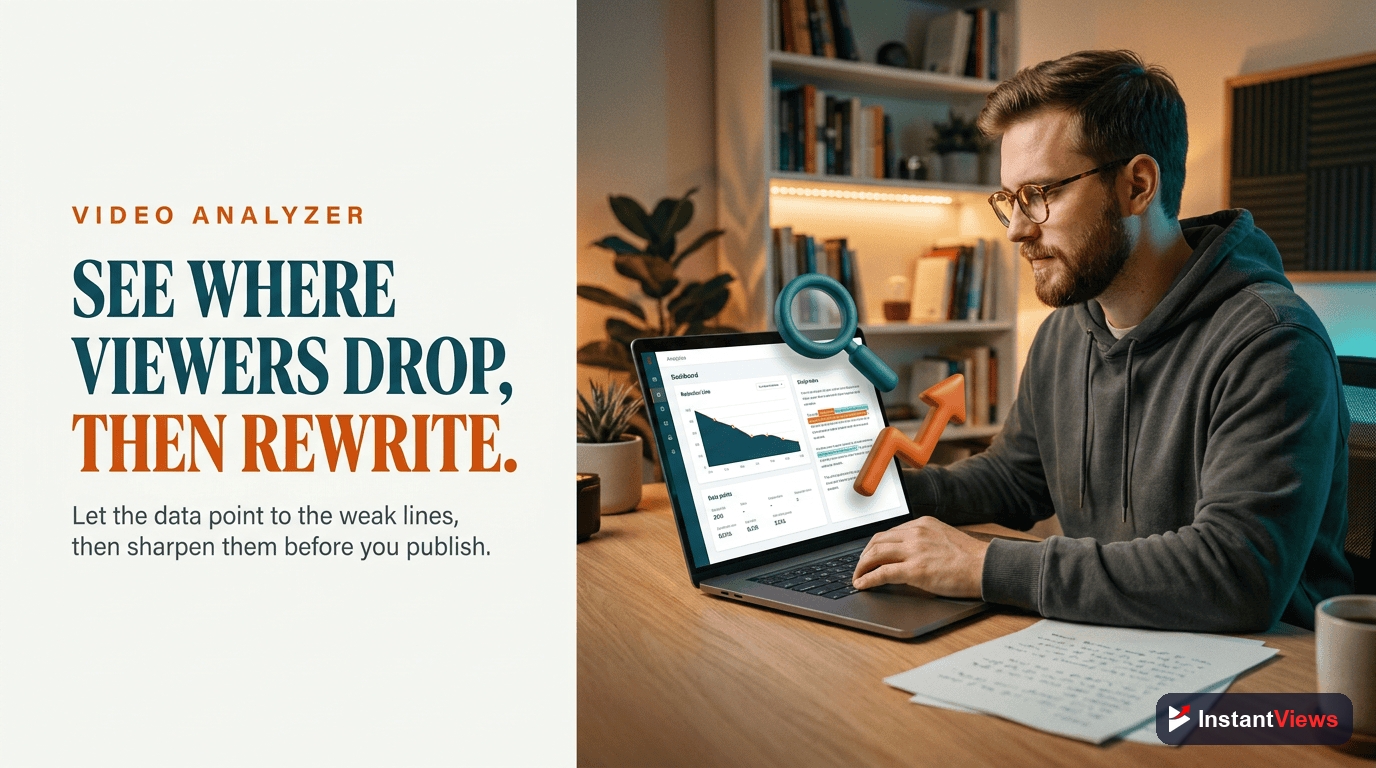
The InstantViews Video Analyzer provides script improvement suggestions based on actual viewer behavior. Here's how it helps:
1. Retention Drop-Off Analysis
The analyzer identifies exact timestamps where viewers leave. These drop-off points often indicate:
- Your hook didn't deliver on its promise
- A section dragged on too long
- You introduced a CTA too early
- The pacing slowed down unexpectedly
- The content became repetitive
Use this data to refine your script for future videos. If you consistently lose viewers at the 2-minute mark across multiple videos, your setup is too long.
2. Hook Effectiveness Scoring
The analyzer measures how well your first 30 seconds perform compared to benchmarks in your niche. A strong hook keeps 70%+ of viewers through the first 30 seconds.
If your score is low, the tool suggests specific hook improvements based on successful videos in your category.
3. Pacing Analysis
The system analyzes the rhythm of engagement throughout your video, identifying:
- Sections that maintain strong retention (replicate this pacing)
- Moments where attention dips (add pattern interrupts here)
- Optimal segment length for your audience
- Where to place CTAs without hurting retention
4. Script Suggestions for Future Videos
Based on your historical performance, the analyzer provides:
- Recommended script length for your talking speed
- Ideal hook formulas based on what's worked before
- Optimal CTA placement timing
- Content structure recommendations
"I used the Video Analyzer on my last 10 videos and noticed a pattern - I was losing 40% of viewers in my setup section. I cut my setup from 90 seconds to 30 seconds in my next script. Retention jumped from 42% to 68%." - Sarah Martinez, Tech Tutorial Creator
5. Benchmark Comparisons
See how your script performance compares to:
- Your own previous videos (tracking improvement)
- Similar videos in your niche (competitive analysis)
- YouTube-wide benchmarks (industry standards)
This context helps you understand whether a script issue is specific to one video or a pattern across your content. Learn more about improving audience retention.
Common Scripting Mistakes to Avoid
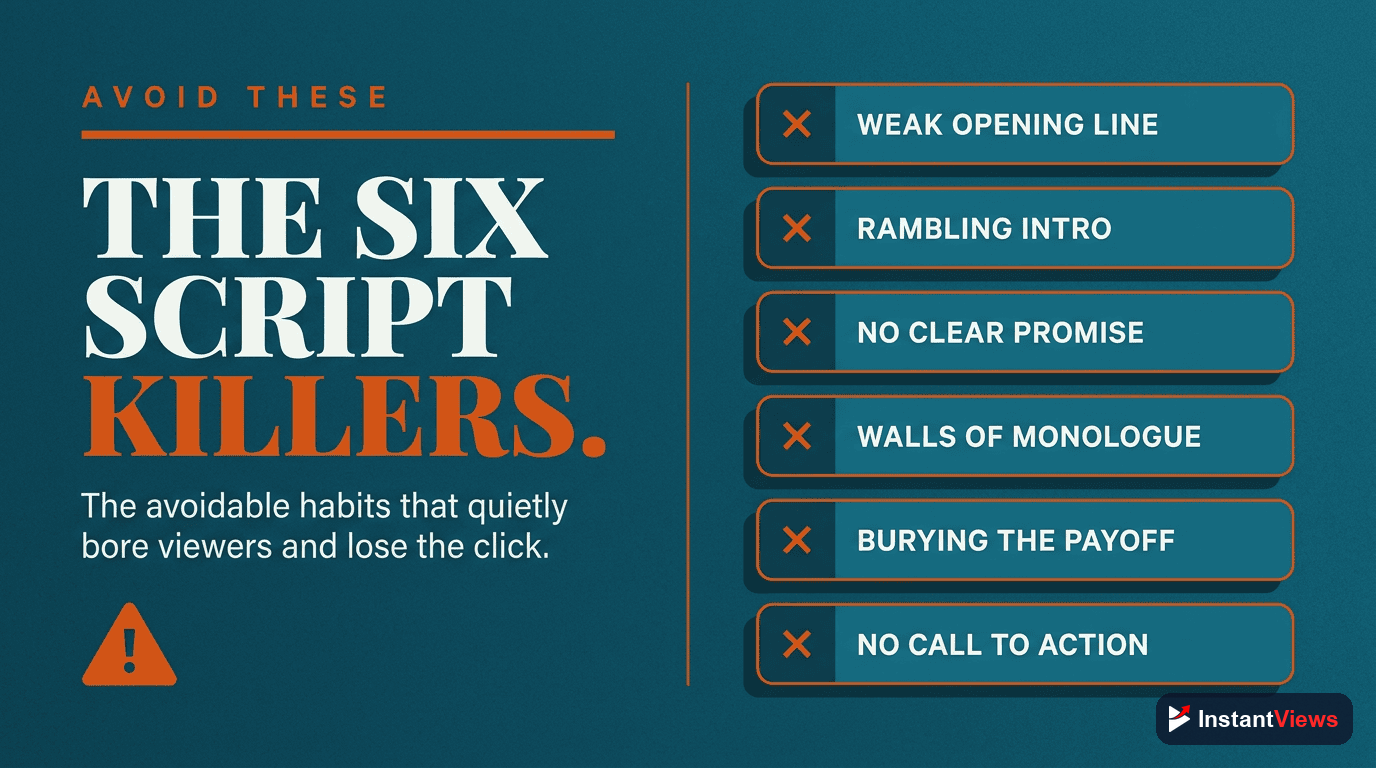
Even experienced creators make these script mistakes. Here's what to watch for:
1. Writing How You Write, Not How You Speak
The Problem: Formal, written language sounds robotic on camera.
The Fix: Use contractions, incomplete sentences, and conversational phrases. Read your script aloud and rewrite anything that feels unnatural.
Bad: "It is important to understand that YouTube's algorithm prioritizes watch time above all other metrics."
Good: "YouTube's algorithm? It cares about one thing - watch time. That's it."
2. Burying the Value
The Problem: Taking too long to get to the point viewers came for.
The Fix: Front-load value. Give viewers a quick win in the first 2 minutes, then expand on it.
3. No Pattern Interrupts
The Problem: Long sections of unbroken talking lead to viewer fatigue.
The Fix: Build visual changes, questions, or examples into your script every 60-90 seconds.
4. Unclear Transitions
The Problem: Jumping between topics confuses viewers.
The Fix: Use explicit transition phrases: "Now that you understand X, let's talk about Y..." or "This connects to our next point..."
5. Over-Scripting
The Problem: Writing every word kills your natural personality.
The Fix: Script your hook word-for-word, then use bullet points for the body. This maintains structure while preserving authenticity.
6. Ignoring Emotional Arc
The Problem: Monotone delivery from start to finish.
The Fix: Mark emotional cues in your script: [EXCITED], [SERIOUS], [HUMOROUS]. This reminds you to vary your delivery.
7. No Proof Points
The Problem: Making claims without backing them up.
The Fix: Add data, examples, or case studies to support major points. Specificity builds credibility.
The biggest mistake is having no script at all. Even a rough outline is better than winging it. You'll waste less time in editing and deliver more value to viewers.
Frequently Asked Questions
While not every video needs a word-for-word script, having at least a structured outline dramatically improves your video quality. Scripts help you stay on topic, reduce editing time, and ensure you hit key points. Even experienced creators use bullet-point scripts or detailed outlines.
A good rule of thumb is 150-160 words per minute of video. For a 10-minute video, aim for 1,500-1,600 words. However, pacing varies by content type - tutorials can be slower (120-130 words/min), while high-energy content might reach 180-200 words/min.
Write your main content first, then craft your hook. You need to know exactly what value your video delivers before you can promise it in the hook. This ensures your hook is authentic and your video delivers on its promise.
Write how you speak, not how you write. Use contractions, conversational phrases, and shorter sentences. Read your script aloud and mark places where you naturally pause or emphasize. Leave room for improvisation - the script is a guide, not a teleprompter.
Place your first CTA (subscribe/like) after delivering initial value (2-3 minutes in). Mid-roll CTAs work at natural transition points. Save your strongest CTA (external link, product) for the end when viewers are most engaged. Avoid CTAs in the first 30 seconds.
Yes! The InstantViews Video Analyzer analyzes your existing videos and provides script improvement suggestions based on retention patterns, hook effectiveness, and pacing. It identifies where viewers drop off and suggests script adjustments to keep them engaged longer.