- YouTube tags are hidden keywords that help YouTube understand and categorize your video content
- A YouTube tag extractor reveals the tags used by any public video, giving you competitive insights
- Tags are less important than titles and descriptions but still valuable for misspellings and related content
- Use 5-10 highly relevant tags with your primary keyword first for best results
- Never copy competitor tags blindly - adapt them to match your specific content
Ever wondered how top YouTube creators optimize their videos for search? One of their secrets lies in strategic tag usage - and a YouTube tag extractor can reveal exactly what tags successful videos are using.
While YouTube's algorithm has evolved to rely more on titles, descriptions, and actual content, tags still play a supporting role in video discovery. Understanding how to extract and use tags strategically can give you a competitive edge in your niche.
This comprehensive guide covers everything you need to know about YouTube tags: what they are, why they matter, how to extract them from any video, and best practices for using them to boost your SEO.
What Are YouTube Tags?
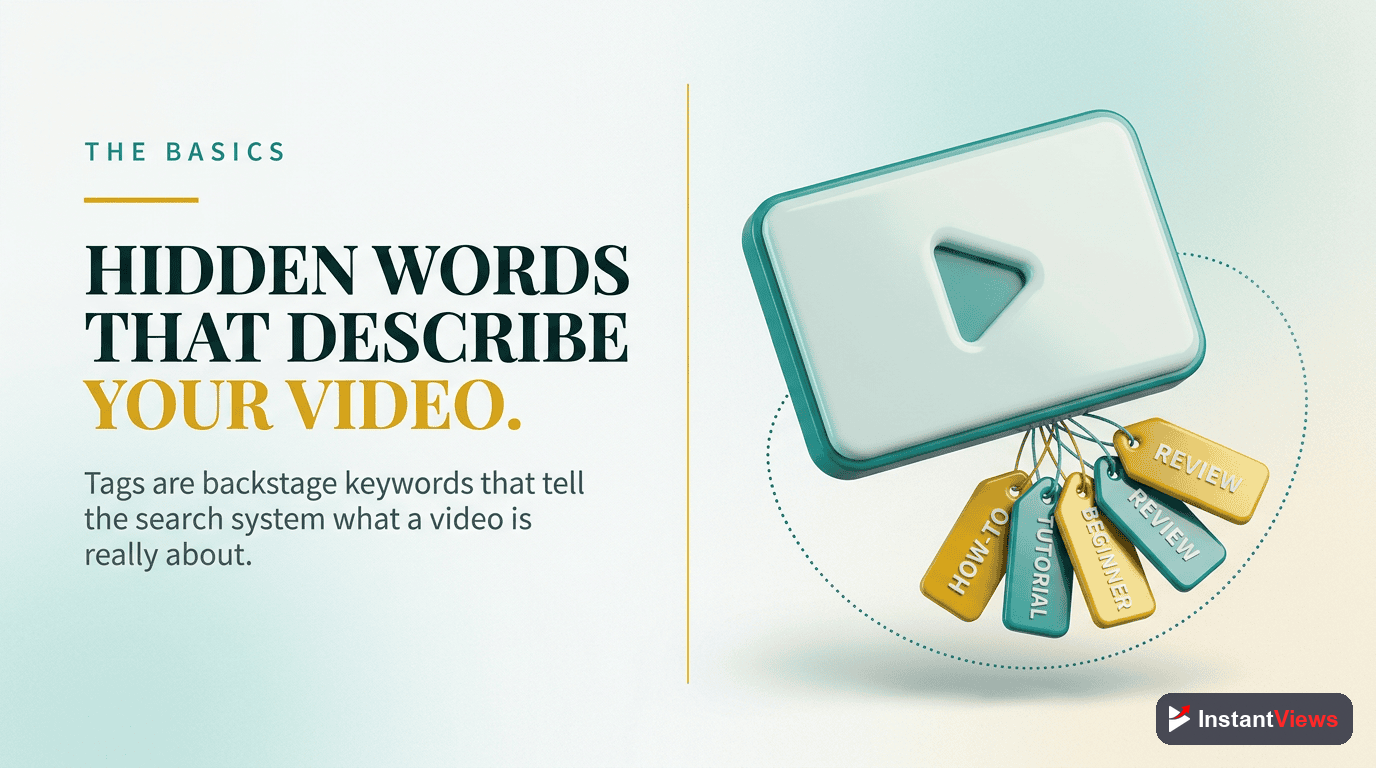
YouTube tags are descriptive keywords and phrases that you add to your video during the upload process. Unlike titles and descriptions that viewers can see, tags are hidden metadata - they work behind the scenes to help YouTube's algorithm understand your content.
Understanding YouTube Tags
Tags provide context about your video's topic, category, and content. YouTube uses this information to:
- Content classification: Categorize your video within YouTube's content ecosystem
- Search relevance: Match your video to relevant search queries
- Suggested videos: Connect your video with related content for recommendations
- Disambiguation: Clarify topics when titles might be ambiguous
- Misspelling coverage: Capture searches with common misspellings
Where to find tags: When you upload a video, tags are added in YouTube Studio under the "More options" section. You can add up to 500 characters worth of tags to each video. Viewers cannot see your tags unless they use a tag extractor tool or view the page source code.
Tags vs. Hashtags: What's the Difference?
Many creators confuse tags with hashtags, but they serve different purposes:
| Feature | Tags | Hashtags |
|---|---|---|
| Visibility | Hidden (backend only) | Visible above video title |
| Location | Video settings in YouTube Studio | Video description |
| Format | Keywords separated by commas | #keyword format |
| Clickable | No | Yes - links to hashtag page |
| Character Limit | 500 characters total | First 3 show above title |
| Primary Purpose | Algorithm understanding | Viewer discovery and navigation |
Why YouTube Tags Matter for SEO
YouTube's algorithm has evolved significantly over the years. In 2026, tags are less important than they used to be - YouTube now relies more heavily on titles, descriptions, captions, and actual video content to understand what your video is about.
However, tags still provide value in several key areas:
1. Handling Misspellings and Variations
Tags help YouTube match your video to searches even when viewers misspell terms. For example, if your video is about "entrepreneur tips," adding the tag "enterpreneur" (common misspelling) helps capture those searches without cluttering your visible metadata.
2. Connecting Related Content
Tags help YouTube understand which videos should appear together in "suggested videos" sections. Using consistent tags across your videos helps build content clusters that benefit from cross-promotion.
3. Clarifying Ambiguous Topics
When your title could mean multiple things, tags provide disambiguation. A video titled "Apple Review" could be about fruit or technology - tags clarify which context applies.
4. Supporting Long-Tail Keywords
Tags are ideal for long-tail keyword variations that don't fit naturally in your title or description. They expand your search footprint without making your visible content feel keyword-stuffed.
While tags provide value, don't over-invest in them. YouTube's Creator Academy confirms that title, thumbnail, and description optimization have greater impact on performance. Tags are a supporting player, not the star.

How to Extract Tags from Any Video
Learning what tags successful competitors use gives you valuable insights for your own tag strategy. Here's how to extract YouTube tags from any public video:
Find Videos to Analyze
Search for your target keyword on YouTube and identify the top 5-10 ranking videos. Focus on videos from channels similar in size to yours, as mega-channels often rank on authority rather than optimization.
Use a Tag Extractor Tool
Copy the video URL and paste it into a YouTube tag extractor tool. The tool will analyze the video's metadata and reveal all hidden tags. Tools like the InstantViews Tag Extractor provide instant results with a single click.
Analyze the Results
Review the extracted tags and look for patterns. Note which tags appear across multiple successful videos - these are likely important for the topic. Also identify unique tags that might explain why certain videos outperform others.
Create Your Tag List
Combine the most relevant extracted tags with your own unique tags. Your first tag should be your exact target keyword. Aim for 5-10 highly relevant tags rather than stuffing the 500-character limit.
Manual Tag Extraction Method
If you prefer not to use a tool, you can extract tags manually using your browser:
- Go to the YouTube video you want to analyze
- Right-click anywhere on the page and select "View Page Source"
- Press Ctrl+F (Cmd+F on Mac) to open the search function
- Search for
"keywords": - The tags will appear after this text as a comma-separated list
This method works but is time-consuming. Using a dedicated YouTube tag extractor saves significant time, especially when analyzing multiple videos.
Extract YouTube Tags Instantly
Reveal the hidden tags from any YouTube video with our free tag extractor tool. Just paste the URL and get instant results.
Try Tag Extractor →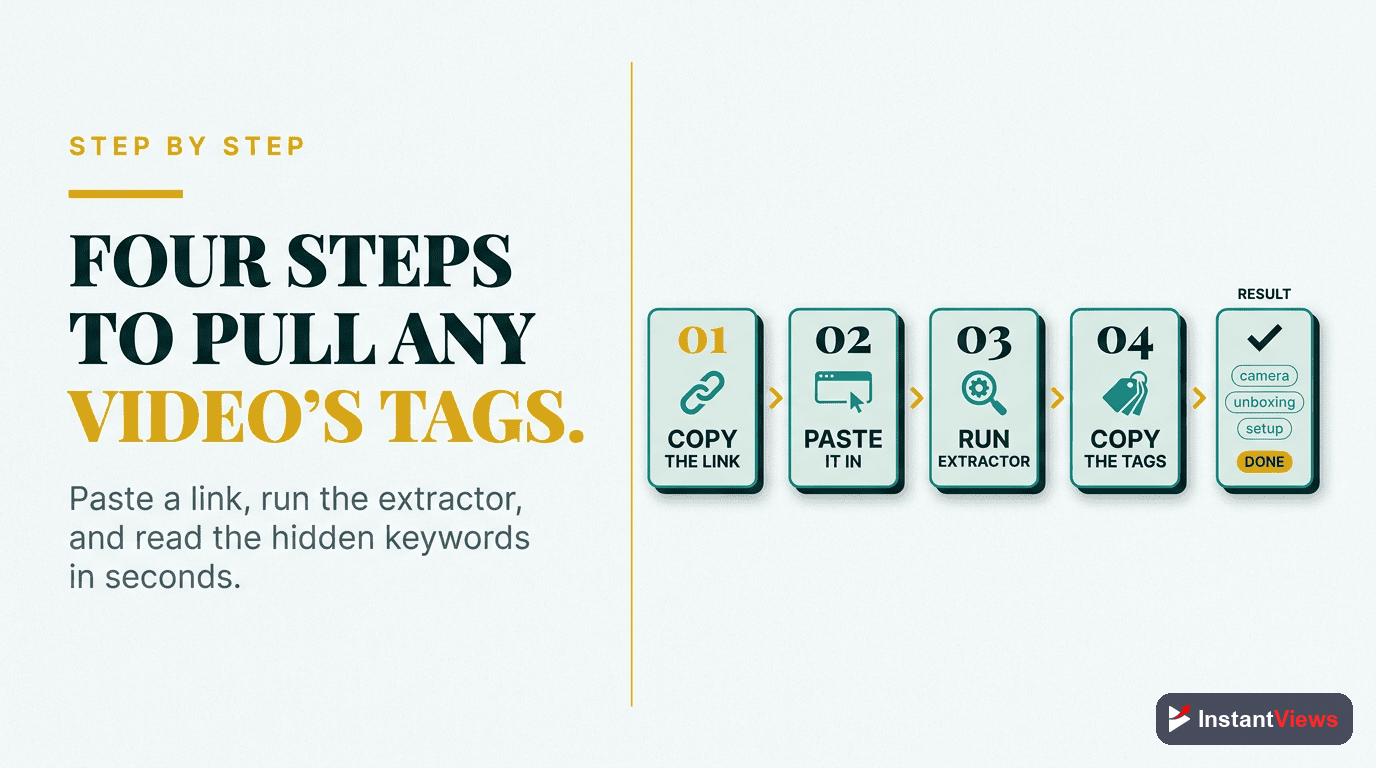
Using Extracted Tags Strategically
Extracting tags is only half the battle. The real skill lies in using that intelligence strategically. Here's how to turn extracted tags into a winning SEO strategy:
Analyze Before Copying
Never blindly copy a competitor's entire tag list. Their tags are optimized for their specific content and audience. Instead:
- Identify overlap: Which tags appear across multiple successful videos?
- Check relevance: Does each tag genuinely describe YOUR video?
- Find gaps: What aspects of your video aren't covered by competitor tags?
- Consider uniqueness: What makes your video different that deserves its own tags?
Build Your Tag Hierarchy
Structure your tags from most to least specific:
- Primary keyword (exact match) - Your main target search term
- Secondary keywords - Closely related variations
- Long-tail phrases - Specific questions your video answers
- Topic tags - Broader category descriptors
- Channel name - Brand tag for consistency
Example for a video about "YouTube SEO tips":
youtube seo tips- Primary keywordyoutube seo 2026- Time-specific variationhow to rank youtube videos- Long-tail phraseyoutube algorithm- Related topicvideo marketing- Broader categoryInstantViews- Channel brand
Cross-Reference with Analytics
After publishing, use YouTube Analytics to see which search terms actually drive traffic to your video. Compare these to your tags and adjust future videos accordingly. If viewers find you through terms you didn't tag, add those to future related content.

Tag Best Practices for 2026
YouTube's algorithm continues to evolve, but these tag optimization principles remain effective:
Quality Over Quantity
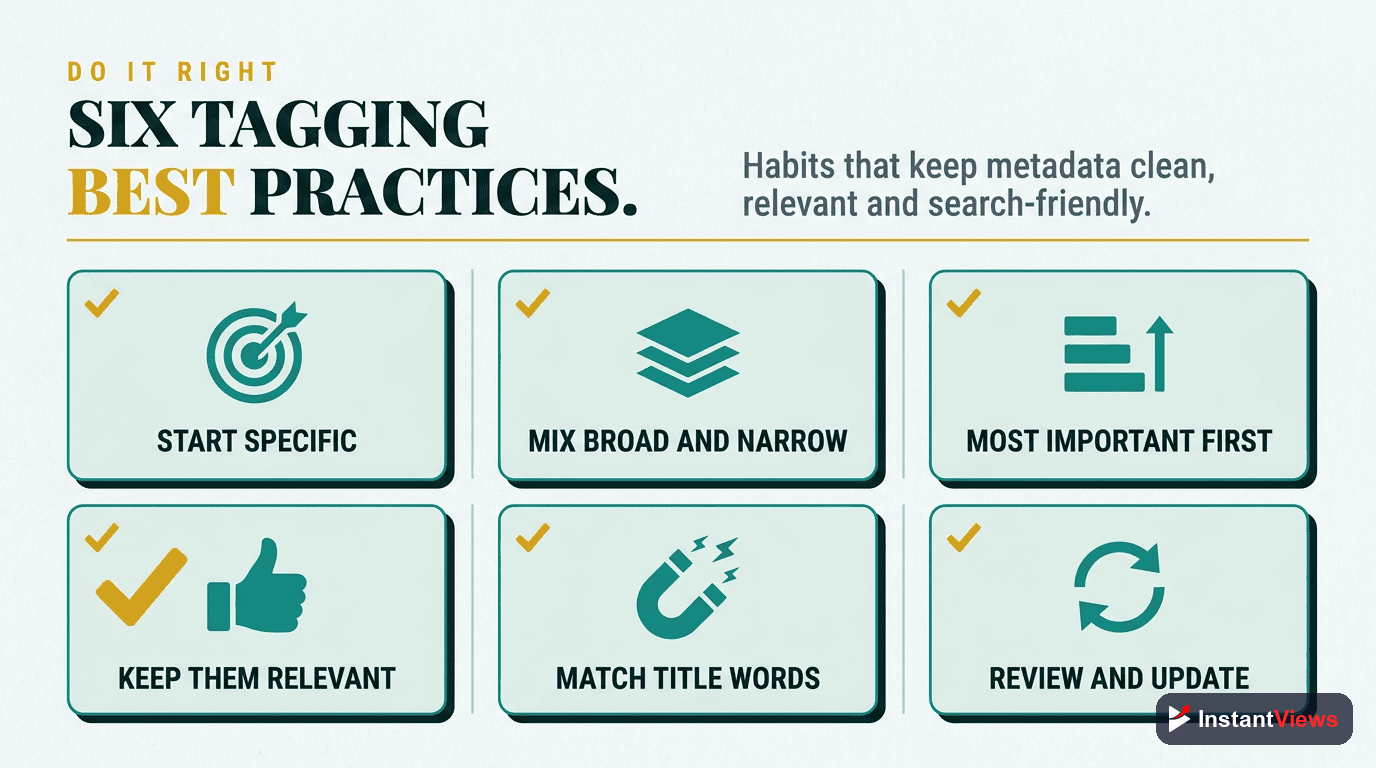
The days of stuffing 500 characters with every possible keyword are over. YouTube's machine learning is sophisticated enough to understand context without exhaustive tagging. 5-10 highly relevant tags outperform 30+ loosely related ones.
Prioritize First Tags
YouTube may give more weight to tags that appear first. Always lead with your primary target keyword. Order remaining tags by relevance and search volume.
Match Search Intent
Your tags should match how real people search, not how marketers think. Use YouTube's autocomplete to discover actual search phrases. Include question-based tags like "how to" and "what is" when appropriate.
Stay Accurate and Honest
Never use misleading tags to attract clicks. YouTube can penalize videos with tags that don't match content, and viewers who land on irrelevant content will leave quickly - hurting your retention metrics.
Update Tags on Older Videos
Don't neglect your back catalog. Periodically review and update tags on older videos based on new keyword research. This can give established content a fresh boost in search visibility.
| Do | Don't |
|---|---|
| Use 5-10 relevant tags | Stuff 30+ random tags |
| Put primary keyword first | Bury important tags at the end |
| Include misspelling variations | Use completely unrelated tags |
| Match viewer search language | Use industry jargon viewers won't search |
| Update tags periodically | Set and forget forever |
| Analyze competitor tags for insights | Copy competitor tags blindly |
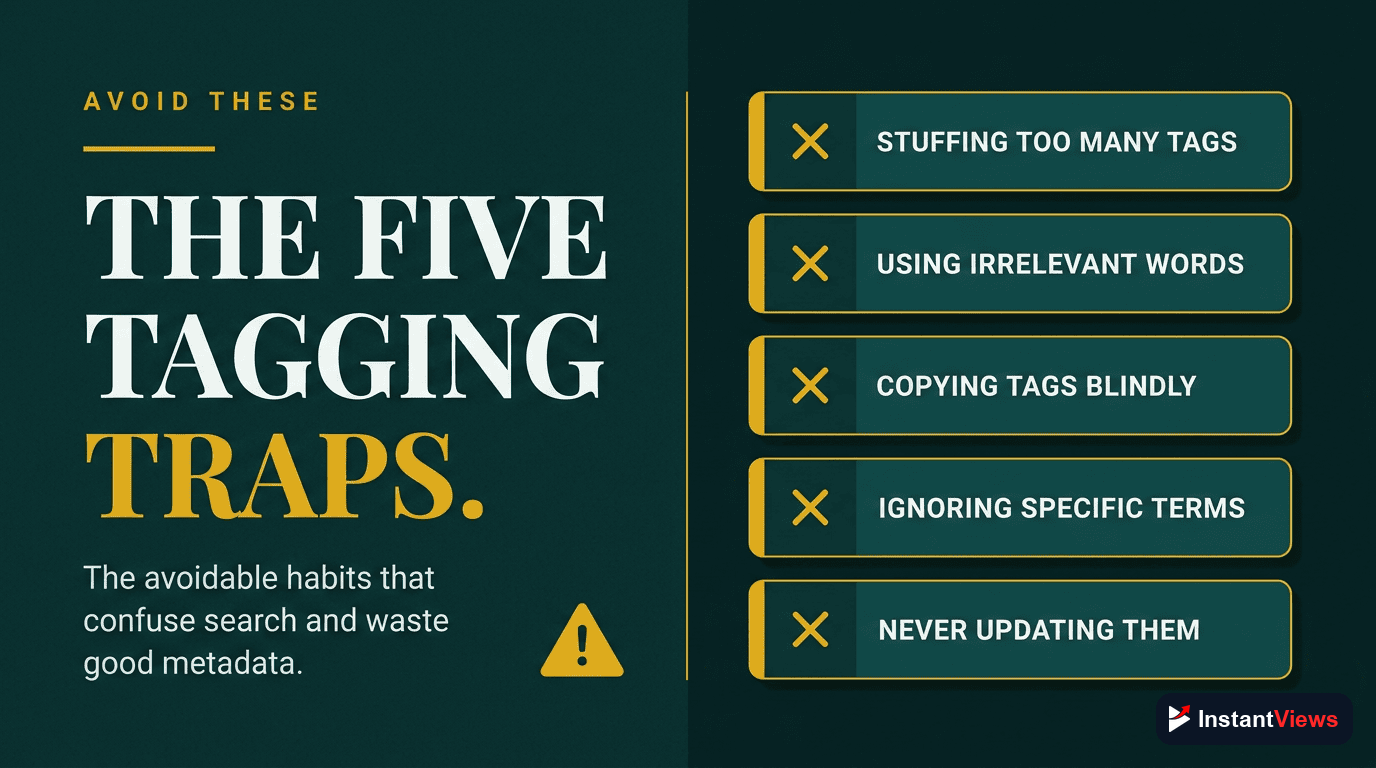
Common Tagging Mistakes to Avoid
Even experienced creators make these tag optimization errors:
1. Using Single-Word Tags
Tags like "YouTube" or "video" are too broad to help. YouTube already knows your video is on YouTube. Use specific multi-word phrases that describe your unique content.
2. Repeating Words Excessively
Using "youtube tutorial," "youtube tips," "youtube guide," and "youtube help" as separate tags is redundant. YouTube is smart enough to understand variations. Use your limited character space wisely.
3. Using Competitor Channel Names
Adding popular creator names as tags hoping to appear in their suggested videos is spam. YouTube actively works to prevent this, and it can hurt your channel's standing.
4. Ignoring Tag Analytics
Many creators never revisit their tag strategy based on actual performance data. Use YouTube Analytics to see which search terms drive traffic, then optimize accordingly.
5. Treating All Videos the Same
Using a generic tag template across all videos misses the opportunity to optimize for each video's specific topic and search potential.
"Tags should describe your video, not trick the algorithm. When you focus on accuracy and relevance, you attract viewers who actually want your content - and that's what YouTube's algorithm ultimately rewards." - YouTube Creator Academy
Integrating Tags with Your Complete SEO Strategy
Tags work best as part of a comprehensive YouTube SEO approach. Here's how they fit with other optimization elements:
- Title: Contains your primary keyword in a compelling, clickable format
- Description: Expands on keywords with detailed, natural language context
- Tags: Captures variations, misspellings, and long-tail phrases
- Hashtags: Provides visible, clickable category links
- Captions: Adds searchable transcript content
- Chapters: Creates additional SEO entry points with keyword-rich titles
For a complete video optimization strategy, use our Video Analyzer to score all your metadata elements together. It provides specific recommendations for improvement across titles, descriptions, tags, and more.
Need help with other YouTube optimization tools? Check out our Timestamp Generator for creating chapters or the Description Generator for crafting SEO-optimized descriptions.
Frequently Asked Questions
YouTube tags are keywords and phrases you add to your video to help YouTube understand your content. While less important than titles and descriptions, tags still help YouTube categorize your video and suggest it to relevant viewers. They're especially useful for ranking on misspelled search terms and connecting related content.
You can extract YouTube tags using a tag extractor tool. Simply paste the video URL into the tool, and it will reveal all the hidden tags the creator used. Alternatively, you can view page source and search for "keywords" in the meta tags, but a dedicated tool is much faster and more reliable.
Yes, but their importance has decreased. YouTube now relies more heavily on titles, descriptions, and actual video content for understanding topics. However, tags still help with: misspelled searches, connecting related videos, and providing context for ambiguous terms. Use 5-10 highly relevant tags rather than stuffing dozens.
You can use competitor tags as inspiration, but don't copy them blindly. Their tags work for their specific content and audience. Extract the tags, identify which ones are relevant to YOUR video, and combine them with unique tags that describe your specific content and angle.
YouTube allows up to 500 characters of tags, but quality matters more than quantity. Use 5-10 highly relevant tags. Your first tag should be your exact target keyword. Include variations, related terms, and your channel name. Avoid irrelevant tags as they can actually hurt your video's performance.
Tags are hidden metadata that help YouTube understand your video (viewers don't see them). Hashtags appear above your video title and are clickable links that lead to a hashtag results page. Use both: 5-10 tags in your video settings and 3-5 hashtags in your description (first 3 appear above the title).