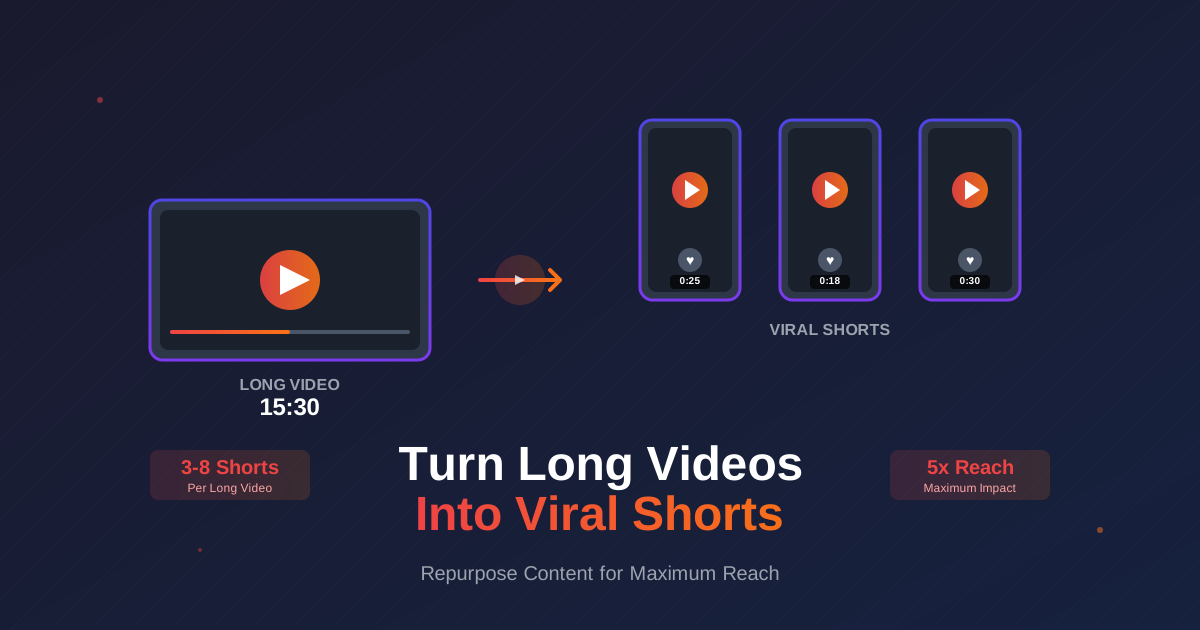
- One long-form video can generate 3-8 viral Shorts, multiplying your content reach exponentially
- YouTube Shorts get 30 billion daily views - repurposing taps into massive discovery potential
- Shorts drive subscribers to your main channel, with 40% of new subscribers coming from Shorts for active creators
- The ideal Short is 20-25 seconds - long enough for value, short enough for complete watch-through
- Use the InstantViews Video Analyzer to identify the best moments in your long videos for Shorts extraction
You spent hours creating a long-form video. It got decent views, then disappeared into your archive. But what if that one video could generate 10x more reach by becoming multiple viral Shorts?
YouTube Shorts receive over 30 billion daily views. Creators who master repurposing see 3-5x more channel growth than those who don't. The best part? You've already done the hard work - creating the content.
This guide shows you exactly how to extract viral Shorts from existing long videos, with a step-by-step conversion process that maximizes reach while maintaining quality.
- Why Repurpose Long Videos into Shorts?
- Step 1: Identify High-Impact Moments
- Step 2: Extract Self-Contained Segments
- Step 3: Reframe to Vertical Format
- Step 4: Add Captions and Text Overlays
- Step 5: Optimize Hook and Pacing
- Step 6: Create Compelling Titles
- Best Practices for Viral Shorts
- Common Mistakes to Avoid
- FAQ
Why Repurpose Long Videos into Shorts?
The data is overwhelming. Creators who post Shorts alongside long-form content see:
- 40% of new subscribers come from Shorts discovery
- 5x more impressions on average than long-form content
- 3-7 day lifespan vs. 48 hours for typical long videos
- 70% higher engagement rate on Shorts compared to long-form
But the real power is compounding. One 15-minute tutorial can become:
- 5 educational Shorts teaching individual concepts
- 2 teaser Shorts promoting the full video
- 3 "quick tip" Shorts highlighting best moments
That's 10 pieces of content from one video - each reaching different audiences across YouTube's algorithm.
Step 1: Identify High-Impact Moments
Identify High-Impact Moments
Not every second of your long video makes good Shorts content. You need moments with instant hooks, clear value, and emotional resonance.
What to look for:
- Strong opening statements - "The biggest mistake people make is..."
- Surprising facts or data - "93% of creators don't know this..."
- Visual demonstrations - Before/after reveals, transformations
- Emotional peaks - Excitement, surprise, revelation moments
- Actionable tips - Single, implementable advice
From a 20-minute marketing tutorial:
2:15 - "This one ad generated $50K in sales"
8:30 - Visual chart showing 300% ROI increase
14:45 - "Never use this word in your copy"
18:20 - Live example of creating a winning headline
How to find these moments:
- Watch your video and mark timestamps where YOU felt engaged
- Check YouTube Analytics for retention spikes - these indicate interesting moments
- Read comments - viewers often quote their favorite parts
- Use the InstantViews analyzer to automatically identify high-engagement segments
Step 2: Extract Self-Contained Segments
Extract Self-Contained Segments
A great Short works without context from the full video. Viewers should understand it completely in 15-30 seconds without watching anything else.
The extraction checklist:
- No dependency - Doesn't reference earlier parts of the video
- Complete thought - Has a beginning, middle, and end
- Clear value - Viewer learns or feels something specific
- Visual clarity - Makes sense without full context
Bad: "And that's why, as I mentioned earlier, this technique works better than the previous method."
Good: "This headline formula increased my clicks by 340%. Here's how it works: [complete explanation in 20 seconds]"
Extraction length guidelines:
| Short Length | Best Use Case | Extract From |
|---|---|---|
| 15-20 seconds | Single tip, quick fact | 30-60 second segment |
| 20-30 seconds | Mini tutorial, example | 45-90 second segment |
| 30-45 seconds | Story, transformation | 60-120 second segment |
| 45-60 seconds | Deep dive, full concept | 90-180 second segment |
Step 3: Reframe to Vertical Format
Reframe to Vertical Format
Your long video is 16:9 horizontal. Shorts need 9:16 vertical. Simply cropping loses important content - you need smart reframing.
Reframing techniques:
- Auto-reframe (AI) - Tools like Adobe Premiere's Auto Reframe or CapCut track the subject
- Manual crop - Position important elements in the center third of the frame
- Zoom and pan - Dynamically adjust framing to follow action
- Split screen - Show original footage + text/graphics in vertical space
Keep in frame (in order):
1. Your face (if talking head)
2. Key visual elements (charts, products, demonstrations)
3. Text overlays and graphics
4. Background elements (least important)
Best tools for vertical conversion:
- CapCut - Free, excellent auto-reframe, built-in templates
- Adobe Premiere Pro - Professional auto-reframe, precise control
- Final Cut Pro - Smart Conform feature for automatic reframing
- Descript - AI-powered reframing with transcript editing
Don't add black bars to fit horizontal video in vertical format. This wastes screen space and looks unprofessional. Always reframe properly to fill the 9:16 canvas.
Step 4: Add Captions and Text Overlays
Add Captions and Text Overlays
85% of viewers watch Shorts without sound. Captions aren't optional - they're essential for reach.
Caption best practices:
- Auto-generate first - Use YouTube's auto-captions or tools like Descript, then edit for accuracy
- Highlight keywords - Make important words bold or change color
- Keep readable - 3-6 words per line maximum
- Position strategically - Center or top third, avoiding profile picture area
- Match pacing - Captions should appear word-by-word for better engagement
Poor: "this technique that i discovered last year increased my revenue by three hundred percent"
Better: "This technique INCREASED
my revenue by 300%"
(Key words emphasized, broken into readable chunks)
Text overlay strategy:
- Add hook text in first 1-2 seconds: "The SECRET to viral growth"
- Use numerical overlays: "TIP #1", "STEP 3", "RESULT: +340%"
- Highlight key takeaways: "Remember This" callout boxes
- Add urgency: "Only works if you..." or "Most people miss this"
Step 5: Optimize Hook and Pacing
Optimize Hook and Pacing
Even if your long video has a great hook, Shorts need hooks that work in 2 seconds, not 10. Recut the opening for maximum impact.
Short hook formula:
- First 2 seconds - Visual impact + text hook
- Seconds 2-5 - Expand on promise or show result
- Seconds 5-15 - Deliver core value
- Final 5 seconds - CTA or payoff
Original long-form hook: "Hey everyone, today I want to talk about a technique I discovered that really helped my business grow..."
Shorts hook recut: [Shows revenue chart] "This ONE change generated $50K. Here's how it works..." [Cuts immediately to explanation]
Pacing adjustments for Shorts:
- Cut all pauses - Remove breathing room between sentences
- Speed up slightly - 1.1x speed often feels more energetic without being obvious
- Remove filler words - Cut "um," "uh," "you know," "like"
- Add jump cuts - Every 3-5 seconds to maintain visual interest
- Use transitions - Quick zooms, cuts, or slides between points
Step 6: Create Compelling Titles
Create Compelling Titles
Short titles need to work alongside the visual hook. They amplify curiosity without explaining everything.
High-performing title formulas:
- Number + Benefit: "3 Seconds to Better Thumbnails"
- Question Hook: "Why Do Viral Videos Do This?"
- Contrarian Take: "Stop Using Hashtags (Do This Instead)"
- Urgency: "Do This Before Your Next Upload"
- Curiosity Gap: "The YouTube Feature Nobody Uses"
Generic: "How to Improve Your Thumbnails"
Better: "Why Your Thumbnails Don't Get Clicks"
Best: "The 2-Second Thumbnail Test (Most Fail)"
Find Your Best Shorts Moments
Use our Video Analyzer to identify high-engagement segments perfect for Shorts repurposing.
Analyze Your Video →Best Practices for Viral Shorts
Beyond the conversion process, these practices dramatically increase your Shorts' viral potential:
1. Post Consistently
The algorithm favors channels that post Shorts regularly. Aim for:
- Minimum: 3 Shorts per week
- Optimal: 1 Short daily
- Advanced: 2-3 Shorts daily (different times)
2. Link Back to Long-Form
In the last frame or pinned comment, direct viewers to your full video:
"Watch the full 15-minute breakdown on my channel" or "Link to full video in my bio"
3. Optimize Posting Times
Shorts algorithm is less time-sensitive than long-form, but initial engagement matters:
- Post when your audience is most active (check Analytics)
- Test different times and track performance
- Consider posting multiple Shorts at different times
4. Use Strategic Hashtags
Include 3-5 relevant hashtags in description:
- #Shorts (always)
- 1-2 niche-specific hashtags (#YouTubeGrowth, #VideoEditing)
- 1-2 broad category hashtags (#Tutorial, #Marketing)
5. Create Shorts Series
Group related Shorts with consistent branding:
- "YouTube Tips #1", "YouTube Tips #2", etc.
- Same intro animation or color scheme
- Builds anticipation and encourages viewers to seek more
Common Mistakes to Avoid
Shorts need punchier, curiosity-driven titles. Even if the content is from the same video, reframe the title for Short-form context.
Never include "Hey everyone, welcome to my channel" intros. Shorts need instant value - every second counts. Cut straight to the content.
Even though many watch without sound, those who do expect crisp audio. Clean up background noise and normalize volume levels.
The last frame matters. Add a text CTA: "Follow for Part 2" or "Watch full video" with an arrow pointing to your profile.
Repurposing Workflow Template
Here's a proven workflow to systematically convert one long video into multiple Shorts:
- Day 1: Analysis - Watch long video, mark 5-10 potential Short moments
- Day 2: Extraction - Export marked segments as separate clips
- Day 3: Editing - Reframe to vertical, add captions, optimize hooks
- Day 4: Optimization - Create titles, write descriptions, prepare thumbnails
- Day 5-12: Publishing - Post one Short per day, monitor analytics
- Day 13: Review - Analyze which Shorts performed best, identify patterns
This workflow turns every long video into 8 days of consistent Short content.
"We went from posting 1 long video per week to posting that same video PLUS 5-7 Shorts from it. Our subscriber growth increased 400% in 60 days." - YouTube Creator with 500K subs
Frequently Asked Questions
YouTube Shorts can be up to 60 seconds, but 15-30 seconds typically performs best. The sweet spot is 20-25 seconds - long enough to deliver value but short enough to keep viewers watching to the end, which boosts the algorithm.
Not every moment makes a good Short. Look for self-contained segments with: a clear hook in the first 2 seconds, valuable information or entertainment, and no dependency on earlier context. Moments with visual impact, surprising facts, or strong emotional beats work best.
Yes, absolutely. Shorts can help grow your main channel by introducing new viewers to your content. YouTube's algorithm treats them as discovery tools. Many creators see their long-form views increase after posting Shorts consistently.
Typically 3-8 Shorts from a 10-20 minute video, depending on content density. Don't force it - only extract segments that work as standalone content. Quality beats quantity; one viral Short is worth more than ten mediocre ones.
YouTube Shorts favor slightly different pacing and hooks. Shorts viewers often seek value or education more than pure entertainment. Use clear text overlays, maintain good audio quality, and front-load your hook even more aggressively than other platforms.
No. YouTube has stated that Shorts and long-form content are promoted separately. In fact, Shorts can drive viewers to your long-form content. Many successful creators use Shorts as a top-of-funnel strategy to grow their subscriber base.