- Podcast clips can generate 10x more reach than full episodes when optimized for Shorts
- The best moments are 30-45 seconds, self-contained, and emotionally charged
- 85% of Shorts are watched without sound - animated subtitles are essential
- Visual enhancement techniques can increase engagement by 200-300%
- Use the Video Analyzer to identify high-potential moments before editing
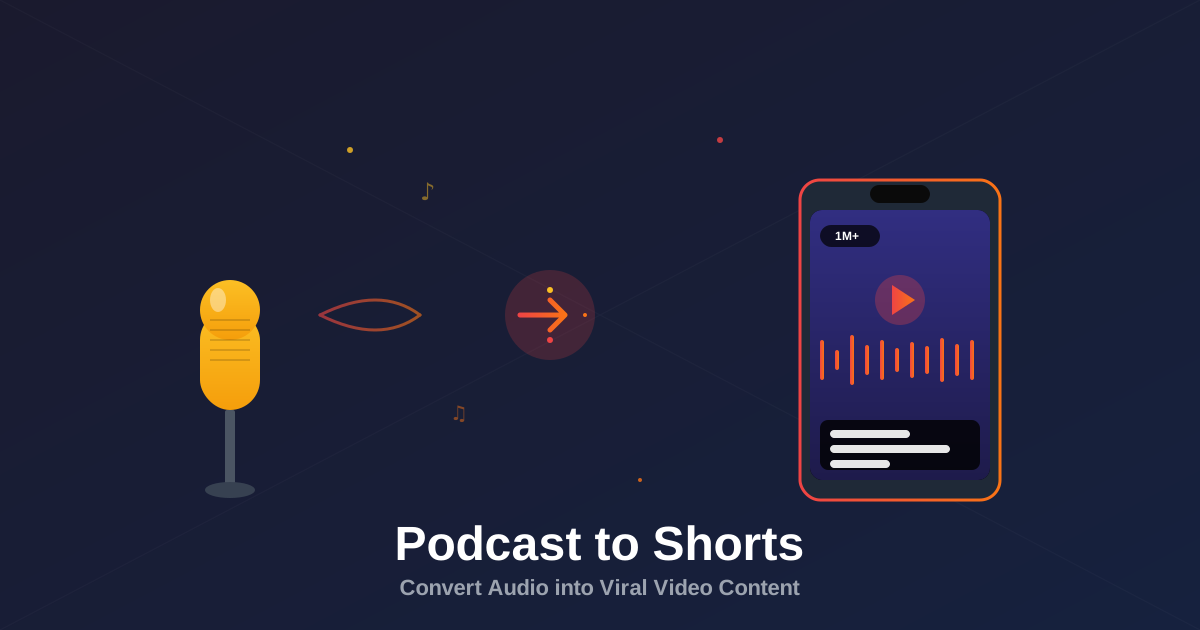
Podcasts are goldmines of viral content, but most creators miss the opportunity. A 60-minute podcast episode might get 5,000 plays. The same content, repurposed into 10 Shorts, can reach 500,000 people.
The math is simple: Short-form video reaches exponentially more people than long-form audio. But there's a catch - you can't just chop up your podcast randomly. You need a strategic approach to identify viral moments and enhance them for the Shorts format.
This guide shows you exactly how to turn podcasts into Shorts that actually perform.
Why Repurpose Podcasts to Shorts?
The data is clear on why podcast creators should embrace Shorts:
- 200-500x more impressions per Short compared to podcast episode reach
- Average completion rate of 70%+ vs 30% for long-form
- Zero additional recording time - leverage existing content
- Algorithm favors Shorts - new channels can go viral overnight
- Drives traffic to full episodes - 15-25% of Short viewers click through
Don't randomly clip your podcast. Strategic moment selection is the difference between 1,000 views and 1,000,000 views. Viral Shorts share specific characteristics.
Moment #1: Emotional Peaks
Emotional Peaks
Moments where energy spikes - laughter, anger, shock, excitement, or vulnerability. These naturally grab attention and trigger shares.
Passionate rants, breakthrough realizations, authentic reactions to surprising information, moments of laughter or tears.
Why it works: Emotion is contagious. When viewers see authentic emotional moments, mirror neurons fire in their brains, creating engagement.
How to identify: Listen for volume spikes, faster speech, or moments where you felt something while recording. These are your gold.
Moment #2: Actionable Advice
Actionable Advice
Specific, tactical advice that viewers can implement immediately. Lists work especially well - "3 things to do today" format.
Step-by-step instructions, specific strategies, numbered tips, tool recommendations, frameworks or formulas.
Why it works: People scroll Shorts looking for useful information. Actionable content provides immediate value, increasing saves and shares.
How to identify: Look for phrases like "here's how," "the way to do this is," "here's what you need to know," or any numbered lists.
Moment #3: Surprising Facts
Surprising Facts
Data, statistics, or revelations that challenge common beliefs. Counter-intuitive information stops the scroll.
Unexpected statistics, myth-busting, "you'd think X but actually Y," research findings, industry secrets.
Why it works: Surprising information creates a "knowledge gap" that viewers want to fill. They watch to understand why their assumptions were wrong.
How to identify: Look for moments where the speaker reveals data, shares research, or says something that made you rethink your assumptions.
Moment #4: Hot Takes
Hot Takes & Controversial Opinions
Bold opinions that spark debate. Controversy drives comments, which signals engagement to the algorithm.
Unpopular opinions, industry criticisms, predictions, "here's what nobody wants to hear" moments.
Why it works: Controversial content generates strong reactions. People comment to agree passionately or argue, both of which boost reach.
How to identify: Find moments where your guest challenges conventional wisdom, criticizes popular trends, or makes bold predictions.
Moment #5: Personal Stories
Personal Stories & Anecdotes
Compelling narratives with clear stakes. Stories create emotional connection and are highly shareable.
Failure stories, breakthrough moments, near-miss experiences, underdog wins, relatable struggles.
Why it works: Humans are wired for storytelling. A 40-second story with tension and resolution is the perfect Shorts format.
How to identify: Look for "when I" or "there was a time" phrases. Stories with clear before/after states work best.
Moment #6: Quotable Wisdom
Quotable Wisdom
Memorable one-liners or profound insights that sound like they belong on an inspirational poster.
Life lessons, career advice, philosophical insights, motivational statements, wisdom from experience.
Why it works: Quotable content is screenshot-worthy. People share wisdom that makes them look smart or thoughtful.
How to identify: Moments where you think "I should write that down." If it feels profound in the moment, it'll work as a Short.
Visual Enhancement Strategies
Audio-only podcasts need visual elements to compete in the Shorts feed. Here's what actually works:
1. Animated Subtitles (Essential)
- Use word-by-word highlighting - keeps eyes on screen
- Emphasize key words - change color/size for impact words
- Add emoji accents - sparingly, to reinforce emotion
- Choose readable fonts - bold sans-serif, minimum 60px size
2. Dynamic Background Elements
- Animated waveforms - synced to audio, shows energy
- Gradient backgrounds - moving gradients add visual interest
- Particle effects - subtle motion in background
- Abstract shapes - animated geometric patterns
3. Strategic B-Roll
- Illustrate concepts visually - show what's being discussed
- Use stock footage - Pexels, Pixabay for free options
- Match emotional tone - visuals should amplify the message
- Keep it relevant - random B-roll confuses viewers
4. Text Overlays & Graphics
- Pull out key statistics - display numbers visually
- Add context cards - who's speaking, their credentials
- Use arrows & highlights - direct attention
- Include CTAs - "Watch full episode" with arrow to profile
| Visual Element | Impact on Performance | Difficulty |
|---|---|---|
| Animated Subtitles | +200% engagement | Easy |
| Waveform Animation | +80% retention | Easy |
| B-Roll Footage | +150% completion rate | Medium |
| Text Graphics | +120% saves | Medium |
| AI-Generated Visuals | +180% uniqueness | Advanced |
Analyze Your Podcast Clips
Score your Shorts before posting. Get viral potential ratings and optimization suggestions.
Try Video Analyzer →Technical Setup & Workflow
Here's the step-by-step process for efficient podcast-to-Shorts conversion:
Step 1: Transcribe & Identify Moments
- Use Otter.ai, Descript, or Rev for transcription
- Search transcript for high-potential keywords
- Mark 15-20 potential clips per episode
- Note timestamp and clip type (emotional, advice, etc.)
Step 2: Extract & Edit Clips
- Open in editing software (DaVinci Resolve, Premiere, CapCut)
- Extract marked segments with 2-3 seconds padding
- Find natural start/end points (complete thoughts)
- Trim to 30-45 seconds maximum
- Add fade in/out for smooth audio
Step 3: Add Visual Elements
- Convert to vertical 9:16 format (1080x1920)
- Add auto-generated captions (edit for accuracy)
- Style captions with brand colors/fonts
- Layer in background elements (waveform, gradient)
- Insert B-roll or stock footage where relevant
- Add speaker name/credentials card
Step 4: Optimize Hooks
- First 3 seconds must hook - start mid-sentence if needed
- Add text overlay with question or promise
- Consider adding visual pop/zoom at start
- Test multiple hook variations
Step 5: Export & Upload
- Export as MP4, H.264 codec
- Resolution: 1080x1920 (9:16)
- Bitrate: 10-12 Mbps for quality
- Upload to YouTube as Short (vertical video under 60s)
- Write compelling title (front-load intrigue)
- Add hashtags: #Shorts + 2-3 topic hashtags
Tools for Podcast-to-Shorts Workflow
Transcription Tools
- Descript - Edit audio by editing text, includes AI
- Otter.ai - Real-time transcription, search functionality
- Rev - High accuracy human transcription
Video Editing Software
- CapCut - Free, mobile/desktop, auto-captions
- DaVinci Resolve - Free professional-grade editor
- Adobe Premiere Pro - Industry standard, subscription
- Descript - Edit video like a doc, AI-powered
Caption & Graphics Tools
- AutoCap - Animated captions with templates
- Kapwing - Browser-based, subtitle styling
- SubMagic - AI captions with emoji insertion
Stock Footage Resources
- Pexels Videos - Free HD stock footage
- Pixabay - Free videos, no attribution
- Artgrid - Premium footage subscription
"We turned our podcast into 50 Shorts. Those 50 Shorts got 3.2 million views and drove 12,000 new podcast subscribers. The ROI was insane." - Alex Hormozi
Posting Strategy for Maximum Reach
- Post 1-2 Shorts per day - consistency beats volume
- Space clips from same episode - don't dump all at once
- Test different moments - track which types perform best
- Analyze retention graphs - identify exact drop-off points
- Pin top performers - keep best clips on channel
- Create playlists - organize by topic/guest
- Link to full episodes - in description and pinned comment
Frequently Asked Questions
Viral Shorts from podcasts typically feature emotional moments, controversial opinions, actionable advice, or surprising revelations. The best clips are self-contained stories that make sense without context, delivered with high energy and supported by engaging visuals.
Aim for 30-45 seconds for maximum retention. YouTube Shorts can be up to 60 seconds, but the sweet spot is 30-45 seconds where viewers are most likely to watch through to the end. Shorter clips also tend to get more replays, which boosts algorithm performance.
If it's your podcast, you typically own the rights to create derivative content. However, always check your guest agreement and consider getting explicit permission for respectful relationship building. For other people's podcasts, you need permission unless fair use applies.
Absolutely. 85% of Shorts are watched without sound initially. Animated subtitles are essential for capturing attention and maintaining engagement. Use keyword highlighting and emoji accents to make captions more engaging.
Yes, but you need strong visual elements. Add animated waveforms, dynamic text overlays, relevant B-roll footage, stock clips, or AI-generated visuals. Static images rarely perform well - Shorts need movement to stop the scroll.
Quality over quantity, but aim for 5-10 clips per hour-long episode. Focus on the best moments rather than creating clips from every segment. Space out posting to maintain consistency - don't dump all clips at once.