- Proper keyword research can increase your video views by 300% or more by targeting the right search terms
- Long-tail keywords (3-5+ words) are easier to rank for and convert better than short-tail keywords
- YouTube's autocomplete feature reveals exactly what people are searching for in real-time
- Keyword placement in titles, descriptions, and tags directly impacts your ranking position
- InstantViews Video Analyzer automatically identifies keyword opportunities in your existing video content
YouTube keyword research is the single most important factor in whether your videos get 100 views or 100,000 views. You can have the best content in the world, but if you're targeting the wrong keywords - or worse, no keywords at all - your videos will never be discovered. Combining keyword research with search intent analysis creates a powerful foundation for video optimization.
The problem? Most creators approach keyword research completely wrong. They either skip it entirely, rely on guesswork, or waste hours targeting keywords they'll never rank for.
This complete guide shows you exactly how to find profitable YouTube keywords, analyze competition, and optimize your videos for maximum visibility in both YouTube and Google search results.
What is YouTube Keyword Research?
YouTube keyword research is the process of identifying the exact words and phrases people type into YouTube's search bar (and Google) when looking for videos like yours.
Effective keyword research answers three critical questions:
- What are people searching for? - Understanding search demand
- How competitive is that search term? - Assessing your chances of ranking
- What is the search intent? - Matching your content to what viewers actually want
Unlike written content SEO, YouTube keyword research must consider both YouTube's internal search algorithm AND Google's video search results. This dual-platform approach can dramatically increase your total views.

Why Keyword Research Matters
The difference between random keyword selection and strategic keyword research is staggering:
- 300%+ more views - Videos optimized for the right keywords get discovered by search
- Higher quality traffic - Search traffic converts better than browse traffic because viewers have specific intent
- Long-term growth - Search traffic continues for months or years, unlike algorithm-driven browse features
- Competitive advantage - Most creators skip keyword research, leaving opportunities wide open
Here's the reality: YouTube is the world's second-largest search engine. Over 3 billion searches happen on YouTube every month. If you're not optimizing for search, you're missing the majority of potential viewers.

Long-Tail vs Short-Tail Keywords
Understanding the difference between long-tail and short-tail keywords is crucial for developing an effective keyword strategy.
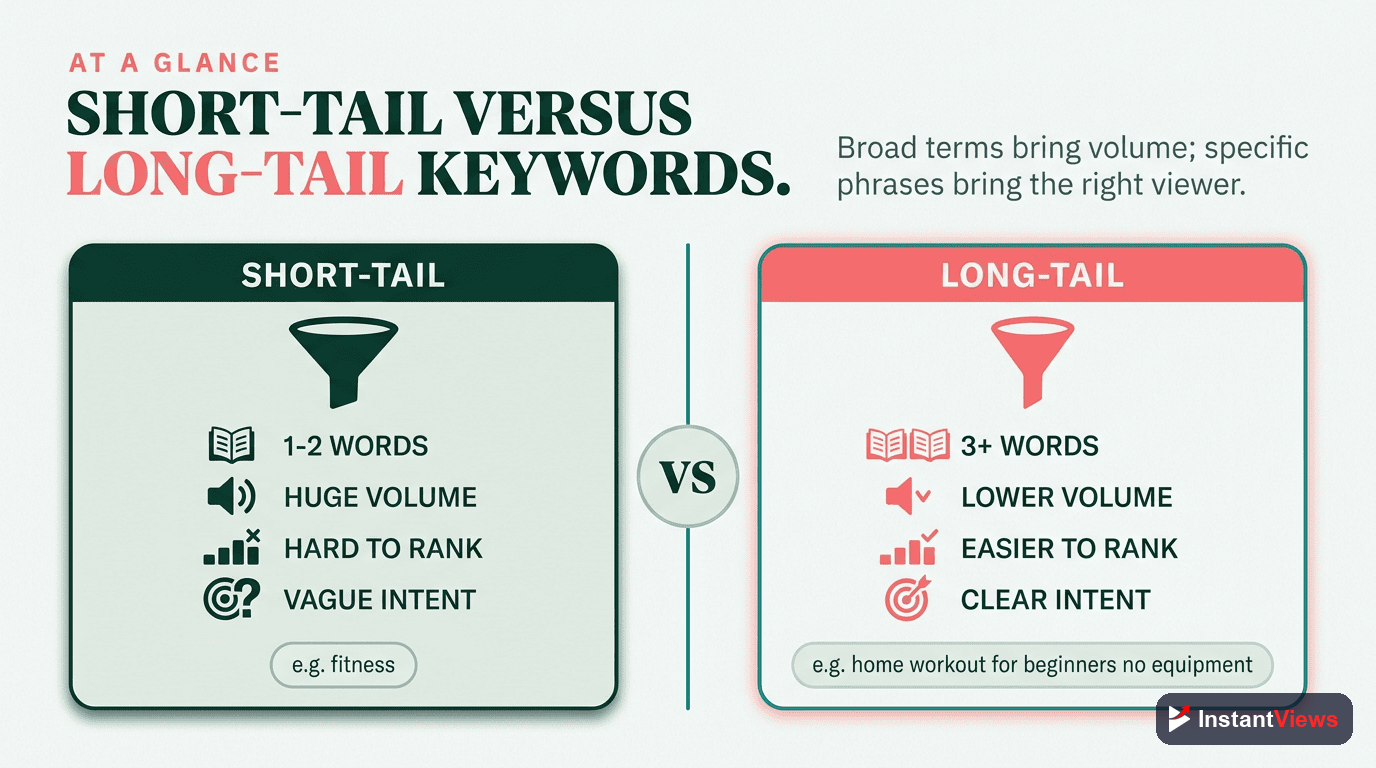
Short-Tail Keywords (1-2 words)
Examples: "SEO tutorial," "cooking tips," "fitness"
Characteristics:
- Massive search volume
- Extremely high competition
- Vague search intent
- Difficult to rank without channel authority
Long-Tail Keywords (3-5+ words)
Examples: "how to optimize YouTube videos for SEO 2026," "easy chicken dinner recipes for beginners," "best home workouts for weight loss"
Characteristics:
- Lower search volume (but still significant)
- Much lower competition
- Specific, clear search intent
- Higher conversion and watch time
| Factor | Short-Tail Keywords | Long-Tail Keywords |
|---|---|---|
| Search Volume | Very High (100K+ per month) | Low to Medium (500-10K per month) |
| Competition | Extremely High | Low to Medium |
| Search Intent | Broad, unclear | Specific, clear |
| Ranking Difficulty | Very Hard (requires authority) | Easier (new channels can compete) |
| Watch Time | Lower (mismatched intent) | Higher (exact match to need) |
| Best For | Established channels (50K+ subscribers) | All channels, especially new/small |
The 80/20 Keyword Mix
For maximum growth, use this keyword distribution strategy:
80% Long-Tail Keywords - Build your foundation with specific, rankable keywords
15% Medium-Tail Keywords - Target slightly broader terms as you gain authority
5% Short-Tail Keywords - Occasionally aim high for brand visibility
How to Find Profitable Keywords
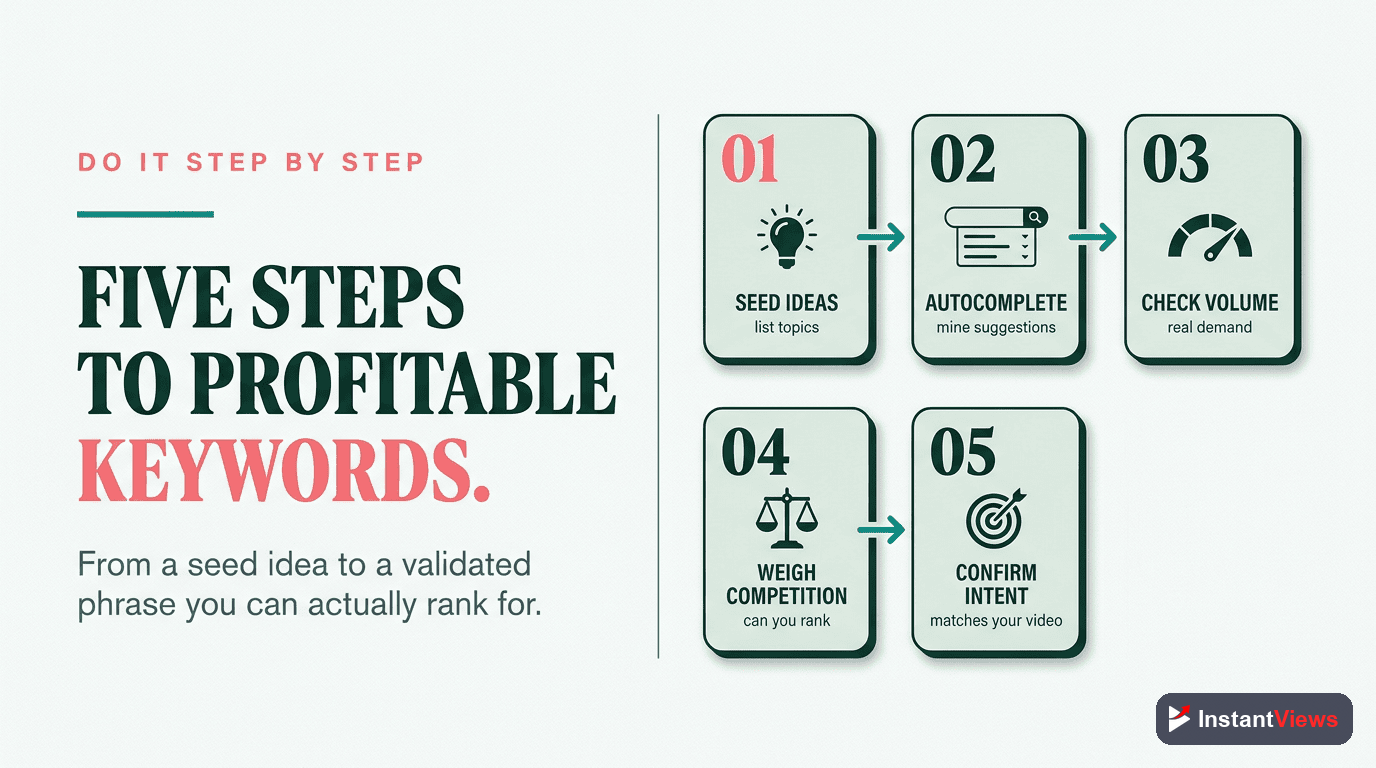
Finding the right keywords requires a systematic approach. Here are the most effective methods:
1. YouTube Autocomplete (Free & Powerful)
YouTube's autocomplete feature shows you exactly what people are searching for RIGHT NOW. This is real search data, not estimates.
How to use it:
- Go to YouTube and type your core topic (don't press enter)
- YouTube will suggest 10+ popular searches
- Add letters (a, b, c...) after your keyword to reveal more variations
- Add question words (how, what, why, when, where) before your keyword
- Document all relevant suggestions
Search: "youtube seo"
Autocomplete suggests:
- youtube seo tips
- youtube seo 2026
- youtube seo for beginners
- youtube seo tutorial

Search: "youtube seo a"
Autocomplete suggests:
- youtube seo algorithm
- youtube seo audit
- youtube seo analytics

Search: "how to youtube seo"
Autocomplete suggests:
- how to youtube seo optimization
- how to improve youtube seo
- how to do youtube seo
2. Competitor Video Analysis
Your successful competitors have already done keyword research. Study what's working for them:
- Find channels in your niche with 10K-100K subscribers (achievable competition)
- Sort their videos by "Most Popular"
- Analyze the titles and descriptions of their top-performing videos
- Extract the keywords they're targeting
- Create better content for the same keywords
3. YouTube Search Results Page
When you search on YouTube, the results page contains keyword goldmines:
- Related searches - Appear at the bottom and top of search results
- People Also Watch - Shows what viewers watch after searching your keyword
- Video titles ranking #1-10 - Shows proven keywords that rank
- Tags from top videos - Use browser extensions to see their tags
4. Google Trends for YouTube
Google Trends has a YouTube-specific filter that shows search trends over time:
- Compare multiple keyword variations
- Identify seasonal trends
- Spot rising topics before they peak
- Avoid declining topics
Best Keyword Research Tools
While manual research is powerful, tools can accelerate and enhance your keyword discovery:
Free Tools
YouTube Studio Search Analytics
Shows the actual search terms that led viewers to your existing videos. This is invaluable for understanding what's already working.
YouTube Studio → Analytics → Reach → Traffic Source: YouTube Search → See More
Google Keyword Planner
While designed for Google Ads, it provides search volume data that correlates with YouTube searches. Use it to gauge relative demand.
InstantViews Video Analyzer
Automatically analyzes your video content and identifies keyword opportunities based on what you actually discuss in the video. Ensures perfect alignment between content and keywords.
Unlike other tools that only suggest popular keywords, Video Analyzer matches keywords to your actual video content, preventing the common mistake of targeting keywords your video doesn't properly address.
Paid Tools (Worth Considering)
- TubeBuddy - Browser extension with keyword explorer and competition scoring
- vidIQ - Similar to TubeBuddy with keyword research and trending video features
- Ahrefs YouTube Keyword Tool - Shows search volume and keyword difficulty
- SEMrush - Comprehensive keyword data including Google Video search
| Tool | Best Feature | Price | Best For |
|---|---|---|---|
| YouTube Autocomplete | Real-time search suggestions | Free | Everyone - start here |
| YouTube Studio | Your actual search traffic data | Free | Channels with existing videos |
| InstantViews Analyzer | Content-matched keyword discovery | Free | Optimizing existing videos |
| Google Trends | Trending topics and seasonality | Free | Finding breakout opportunities |
| TubeBuddy | Competition scoring | $9-49/mo | Serious creators wanting automation |
| Ahrefs | Search volume accuracy | $99+/mo | Businesses and professional channels |
Discover Hidden Keywords in Your Videos
Upload any YouTube video to our Video Analyzer and get instant keyword recommendations matched to your actual content.
Analyze Your Video Now →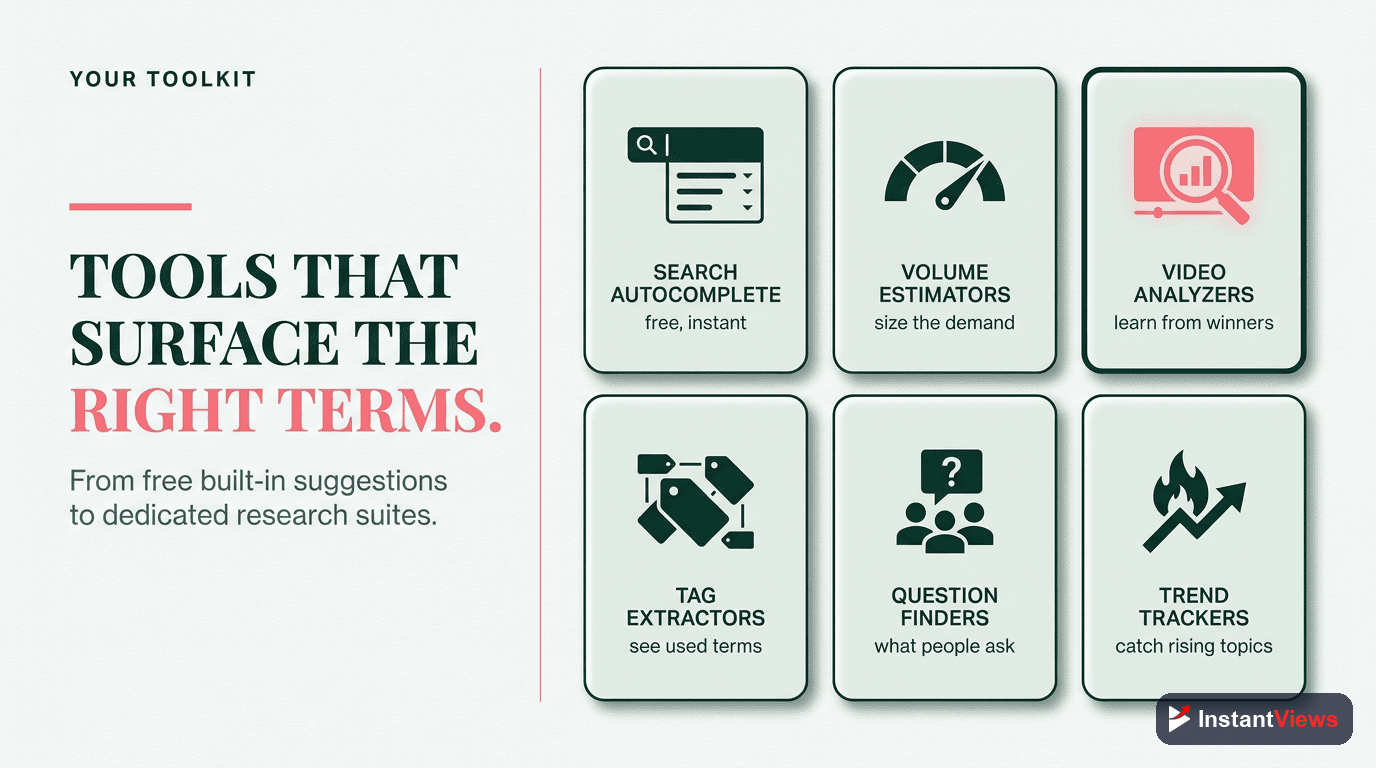
Analyzing Keyword Competition
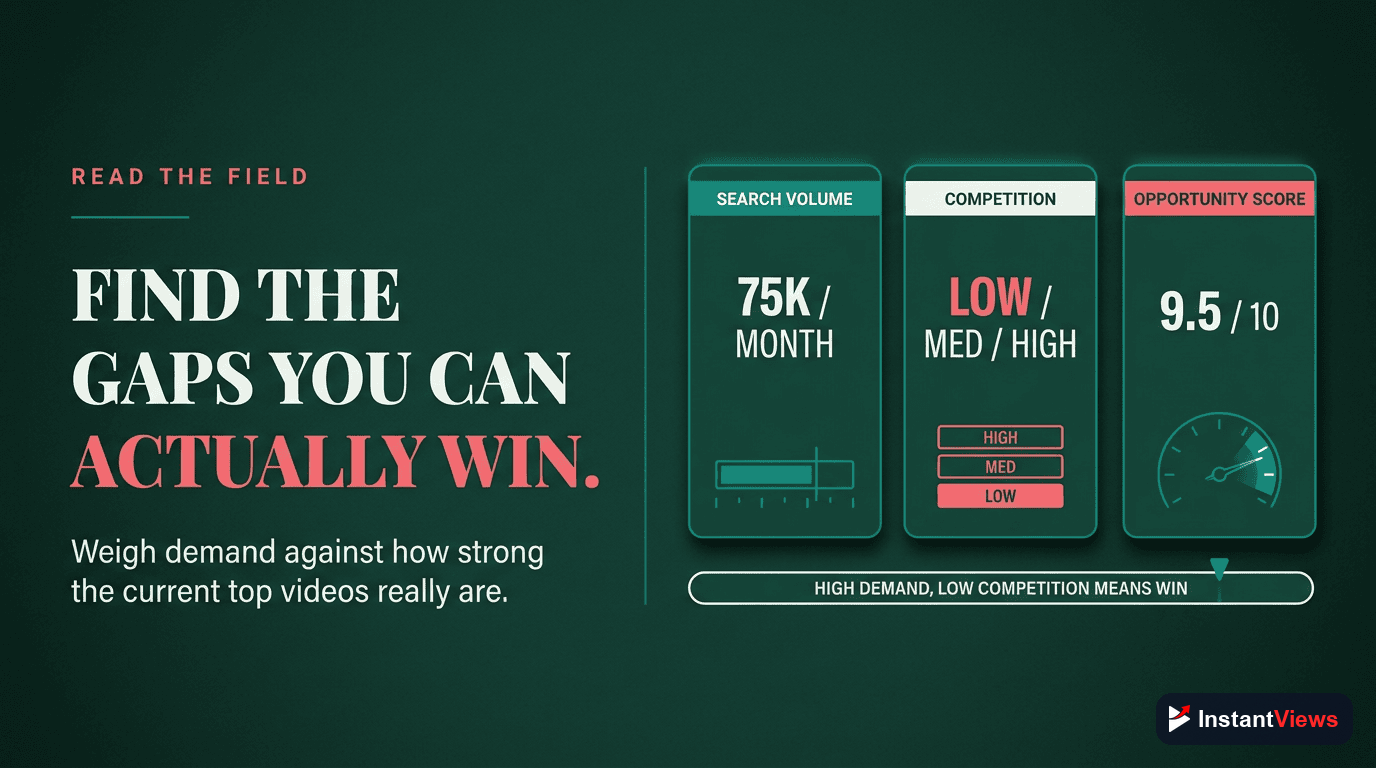
Finding high-volume keywords is useless if you can't rank for them. Here's how to assess whether you can compete:
The Manual Competition Check
Search your target keyword on YouTube and analyze the top 10 results:
Channel Authority
Look at the subscriber counts of channels ranking in positions 1-10.
Low Competition: Top 10 includes channels with <10K subscribers
Medium Competition: Top 10 has 10K-100K subscriber channels
High Competition: Top 10 dominated by 100K-1M+ subscriber channels
Video Performance
Examine view counts relative to how long ago videos were published.
If a video posted 1 month ago has 100K views, but another from 2 years ago only has 50K views, the keyword has growing demand. Look for opportunities where older videos with fewer views still rank - you can beat them with fresh, better content.
Video Quality Assessment
Watch the top 3-5 ranking videos and honestly assess your ability to create something better.
Check: Video/audio quality, editing level, information depth, pacing, thumbnail design, engagement (likes/comments). If top videos are low-quality or outdated, you have an opportunity.
Optimization Level
Check if ranking videos are actually optimized for the keyword.
If top-ranking videos don't have the keyword in their title or have poor descriptions, the keyword is under-optimized. A well-optimized video can easily outrank them.
Competition Scoring Formula
Use this simple scoring system to rate keyword competition (1-10 scale):
Starting Score: 5/10

Add points if:
+2 - Top 5 results have <50K subscribers
+1 - Videos are older than 1 year
+1 - Low view counts relative to channel size
+1 - Poor video quality or outdated info
+1 - Weak optimization (keyword not in title)

Subtract points if:
-2 - Top 5 results have 500K+ subscribers
-1 - Videos posted within last 3 months
-1 - Very high engagement (10K+ likes)
-1 - Professional production quality
-1 - Perfect optimization

Final Score:
8-10 = Low Competition (GO!)
5-7 = Medium Competition (Consider)
1-4 = High Competition (Avoid unless you have authority)
Never compete for keywords where every top 10 result comes from channels with 10x+ your subscriber count. Focus on keywords where channels similar to yours have successfully ranked.
Where to Use Keywords in Your Videos
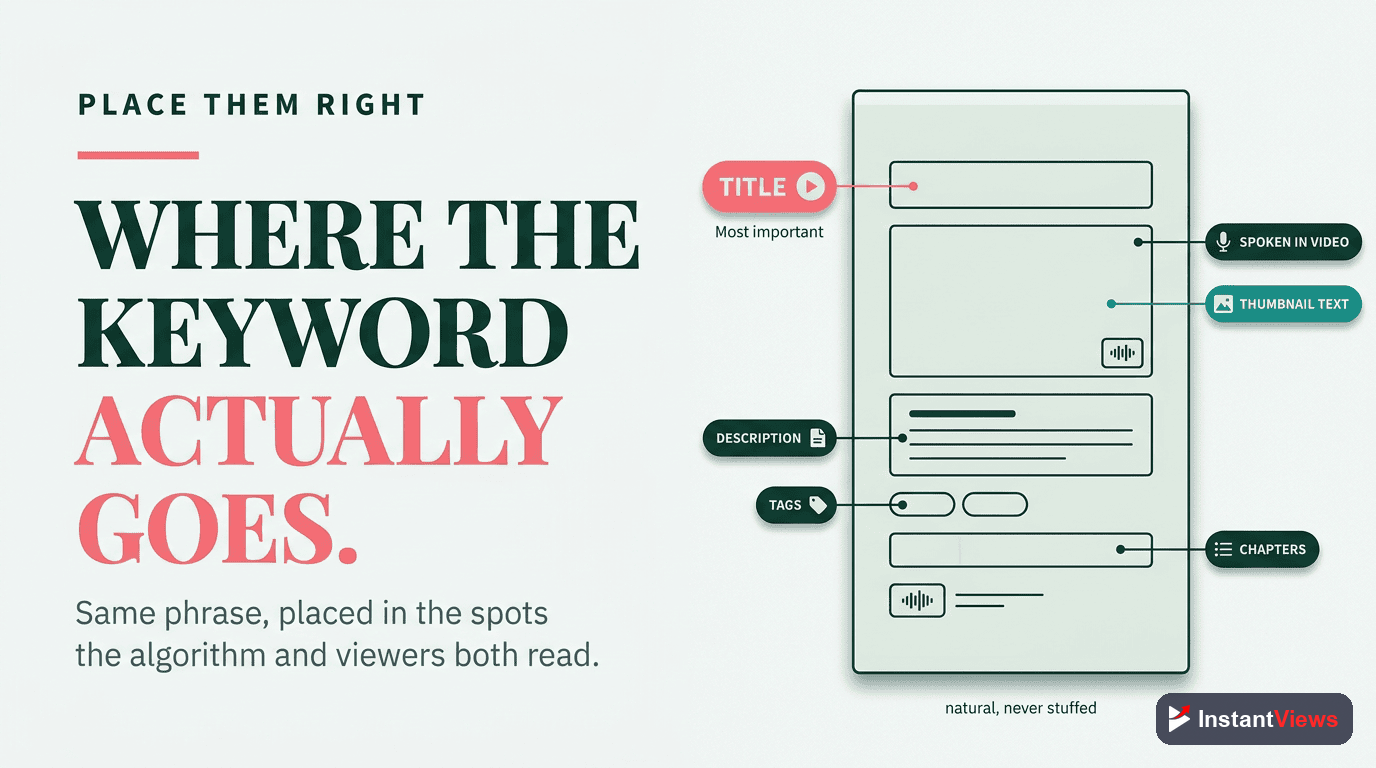
Finding keywords is only half the battle. Strategic placement determines whether you actually rank. Here's exactly where to put your keywords:
1. Video Title (Most Important)
Priority: CRITICAL
Your title is the single most important ranking factor. Follow these rules:
- Front-load your primary keyword - Put it in the first 5 words
- Include the full long-tail phrase - Don't just hint at it
- Keep it under 60 characters - Avoid truncation in search results
- Make it click-worthy - Balance SEO with human appeal
❌ BAD: "Amazing Tips That Will Change Everything"
(No keywords, vague, won't rank for anything)

❌ BAD: "SEO | Tips | Tutorial | Guide | 2026"
(Keyword stuffing, unnatural, penalized by algorithm)

✅ GOOD: "YouTube SEO Tutorial 2026 - Rank #1 in Search"
(Front-loaded keyword, specific, natural, compelling)

✅ GOOD: "How to Do Keyword Research for YouTube (Step-by-Step)"
(Exact long-tail match, clear benefit, natural language)
2. Video Description
Priority: HIGH
YouTube indexes your description for ranking. Structure it like this:
- First 150 characters - Include your primary keyword naturally in 1-2 sentences (this appears in search)
- Paragraph 2-3 - Expand with secondary keywords and video overview
- Timestamps - Include keyword-rich chapter titles (see Key Moments SEO guide)
- Related links - Link to related videos/playlists with anchor text containing keywords
Learn YouTube keyword research in this complete 2026 guide. I'll show you how to find profitable keywords, analyze competition, and optimize your videos for maximum views.

In this YouTube SEO tutorial, you'll discover:
- How to find low-competition keywords using free tools
- Keyword research strategies for small channels
- Where to place keywords in titles and descriptions
- Advanced tips for ranking in Google and YouTube search

TIMESTAMPS:
0:00 Introduction to YouTube Keyword Research
2:15 Why Keywords Matter for Video Views
5:30 How to Use YouTube Autocomplete
9:45 Analyzing Keyword Competition
14:20 Keyword Placement Best Practices

🔗 RELATED VIDEOS:
YouTube Key Moments SEO: [link]
Video Optimization Checklist: [link]

#YouTubeSEO #KeywordResearch #VideoMarketing
3. Tags
Priority: MEDIUM
Tags have less impact than they used to, but still matter. Use 5-10 tags. Learn more about effective tag strategy to maximize their impact:
- First tag - Your exact primary keyword
- Next 3-5 tags - Variations and related keywords
- Last 2-3 tags - Broader topic tags
Primary Keyword:
"youtube keyword research"

Good Tag List:
1. youtube keyword research
2. youtube seo keywords
3. keyword research tutorial
4. how to find youtube keywords
5. youtube keyword tools
6. video seo
7. youtube optimization
8. youtube growth
4. Video File Name
Priority: LOW (but easy)
Before uploading, rename your video file:
youtube-keyword-research-2025.mp4
Instead of: VID_20251226_final_v3.mp4
5. Captions and Subtitles
Priority: MEDIUM
YouTube indexes your spoken words. Naturally mention your keywords in the video itself:
- Say your primary keyword in the first 30 seconds
- Repeat it 3-5 times throughout the video
- Use it naturally in context, not forced
6. Chapters/Timestamps
Priority: HIGH (for Google rankings)
Chapter titles appear in Google Search as Key Moments. Include keywords in each chapter title, along with comprehensive metadata optimization across all video elements. See our complete Key Moments guide for details.
How InstantViews Video Analyzer Identifies Keyword Opportunities
The biggest challenge with keyword research is ensuring your keywords actually match your video content. That's where InstantViews Video Analyzer becomes invaluable.
How It Works
The Video Analyzer uses AI to:
- Analyze your video content - Processes audio, visuals, and any existing metadata
- Extract topics and themes - Identifies what your video actually covers
- Match to search demand - Finds keywords people are searching for that match your content
- Assess competition - Rates how difficult each keyword is to rank for
- Provide optimization recommendations - Shows exactly where to place each keyword
Key Advantages
Content-Keyword Alignment
Unlike traditional keyword tools that just show popular searches, Video Analyzer ensures you only target keywords your video actually addresses. This prevents the common mistake of clickbait titles that hurt watch time and rankings.
Missed Opportunity Detection
Often your video covers valuable topics you didn't realize were searchable. Video Analyzer identifies these hidden keyword opportunities you would have otherwise missed.
A creator uploaded a video titled "My Morning Routine." Video Analyzer detected they discussed "productivity habits" and "time management techniques" - keywords with 10x more search volume. They updated the title and got 15x more views.
Chapter Optimization
Video Analyzer suggests keyword-rich chapter titles based on your actual video segments, helping you rank for multiple keywords with a single video and appear in Google Key Moments.
How to Use It
- Go to instantviews.net
- Enter your YouTube video URL or upload your video file
- Video Analyzer processes your content (takes 1-2 minutes)
- Review keyword recommendations with search volume and competition data
- Implement suggested title, description, tags, and chapters
- Monitor performance in YouTube Analytics

Advanced Keyword Strategies
1. The Question Keyword Strategy
Question-based keywords are gold because they indicate strong search intent:
- Start keywords with: "how to," "what is," "why does," "when should," "where can"
- These often appear in Google's "People Also Ask" boxes
- Lower competition because they're longer phrases
- Higher watch time because viewers want specific answers
2. The Update Keyword Strategy
Add the current year to evergreen topics:
"YouTube SEO" → "YouTube SEO 2026"
Benefits:
- Captures freshness-seeking viewers
- Less competition than the base keyword
- Signals your content is current and relevant
- Easy to recreate annually for consistent traffic
3. The Remix Strategy
Analyze your top-performing videos and create variations:
- If "beginner" video ranks well, create "advanced" version
- If "how to" ranks, create "mistakes to avoid" version
- If "guide" ranks, create "checklist" or "template" version
4. The Competitor Gap Strategy
Find keywords your competitors rank for but haven't fully optimized:
- Identify 3-5 competitors slightly ahead of you
- Use tools to see what keywords bring them traffic
- Check if those videos are actually optimized (keyword in title, good description)
- Create better, more optimized content for under-optimized keywords they rank for
5. The Trending Topic + Niche Combo
Combine trending topics with your niche keywords:
Example: When ChatGPT was trending, creators combined it with niches:
- "ChatGPT for YouTube SEO"
- "ChatGPT marketing strategies"
- "How to use ChatGPT for video scripts"
These hybrid keywords have less competition than the pure trending term but still capture trend traffic.
1. Targeting keywords your video doesn't address - Kills watch time and rankings
2. Keyword stuffing - Unnaturally repeating keywords hurts more than helps
3. Ignoring search intent - A keyword might be popular but want a different video type than yours
4. Only targeting one keyword - Use primary + 3-5 secondary keywords per video
5. Never updating old videos - Re-optimize underperforming videos with better keywords
"The best keyword is the one your content fully answers that your competition has partially addressed. You don't need the highest search volume - you need the best content-to-keyword match." - YouTube Creator Academy
Stop Guessing. Start Ranking.
Let our Video Analyzer do the keyword research for you. Get data-driven recommendations matched to your actual video content in minutes.
Try Video Analyzer Free →
Frequently Asked Questions
YouTube keyword research is the process of finding and analyzing search terms that people use to find videos on YouTube and Google. It matters because choosing the right keywords can mean the difference between getting 100 views and 100,000 views. Proper keyword research helps you understand what your audience is searching for, how competitive those searches are, and which keywords will drive the most qualified traffic to your videos.
The best free YouTube keyword research tools include: 1) YouTube Search Autocomplete - shows real search suggestions, 2) YouTube Analytics - reveals how viewers find your existing videos, 3) Google Trends - shows search volume trends over time, 4) InstantViews Video Analyzer - identifies keyword opportunities in your video content, 5) YouTube Studio Search Terms Report - shows actual searches that led viewers to your videos. These tools combined provide comprehensive keyword insights without any cost.
Target both, but prioritize long-tail keywords when starting out. Long-tail keywords (3-5+ words) have less competition, higher conversion rates, and more specific search intent. Short-tail keywords (1-2 words) have massive search volume but intense competition from established channels. A balanced strategy is to build authority with long-tail keywords first, then gradually target broader short-tail terms as your channel grows and gains domain authority.
Analyze keyword competition by: 1) Searching the keyword on YouTube and examining the top 10 results, 2) Checking view counts, subscriber counts, and video age of ranking videos, 3) Looking at video quality, engagement metrics, and optimization level, 4) Assessing whether top results are from established channels or smaller creators, 5) Using tools to check keyword difficulty scores. If top results have millions of views from channels with 500K+ subscribers, competition is high. If smaller channels rank well, the keyword is accessible.
Place keywords strategically in: 1) Video Title - front-load your primary keyword, 2) Description - include keywords naturally in the first 150 characters and throughout, 3) Tags - add your primary keyword and 5-10 related variations, 4) Video Filename - rename your video file before uploading, 5) Chapters/Timestamps - include keywords in chapter titles, 6) Subtitles/Closed Captions - YouTube indexes spoken words, so mention keywords naturally. The title is most important, followed by the description opening and tags.
InstantViews Video Analyzer automatically scans your video content and identifies keyword opportunities by analyzing: 1) Topics and themes discussed in your video, 2) Existing search demand for those topics, 3) Competition levels for relevant keywords, 4) Optimal keyword placement in titles, descriptions, and chapters, 5) Search intent matching for better rankings. It provides data-driven keyword recommendations tailored specifically to your video content, saving hours of manual research and ensuring you never miss high-value keyword opportunities.