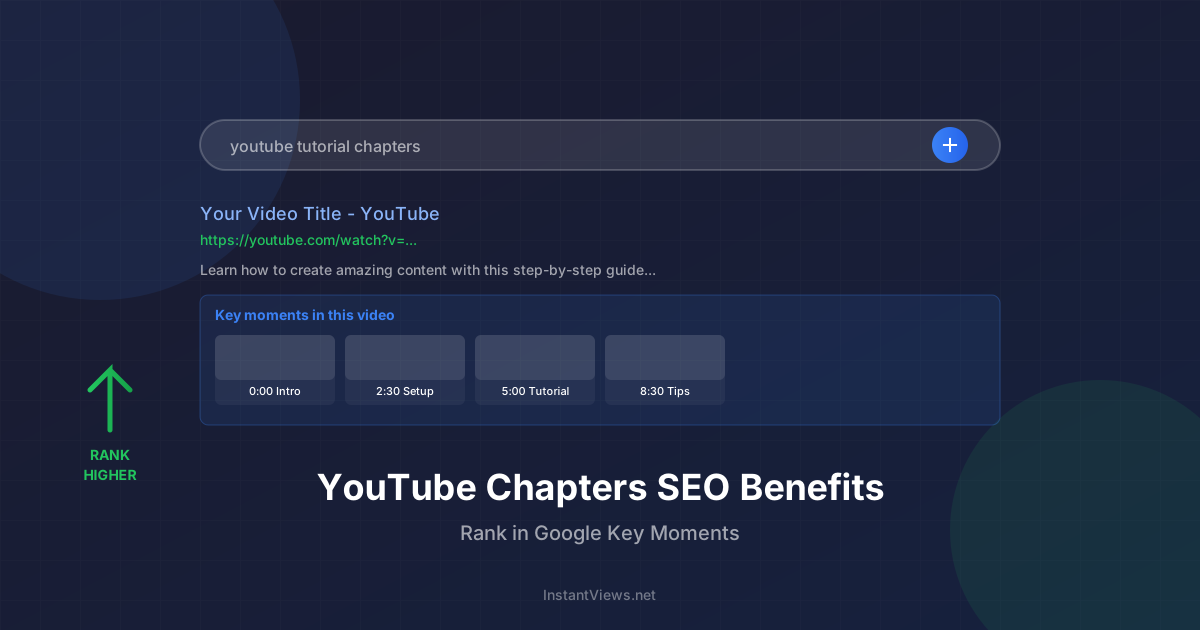
- Album videos and compilations see 45% higher retention with chapters
- DJ mixes with proper timestamps get 3x more shares than unchaptered mixes
- Chapters make individual songs shareable via direct timestamp links
- Lyric videos benefit from verse/chorus/bridge chapter structure
- Music playlists with chapters rank better in YouTube search results
If you run a music channel on YouTube, chapters might be the most underutilized tool in your arsenal. Whether you're uploading album compilations, DJ mixes, lyric videos, or music playlists, timestamps transform how listeners engage with your content.
The reality: Music consumption has changed. Listeners want instant access to specific songs. They share individual tracks, not full albums. They skip to their favorite chorus or drop. Chapters give them that control—and give you better metrics as a result.
This guide covers everything you need to know about using YouTube chapters for music content, from single music videos to hour-long DJ mixes.
Should Music Videos Have Chapters?
The answer depends on the type of music video you're uploading.
Single Song Music Videos
For a standard 3-4 minute music video featuring one song, chapters are usually unnecessary. The video is already short enough that viewers can easily navigate manually.
Exceptions where single videos benefit from chapters:
- Extended versions: Songs over 6 minutes with distinct movements
- Multi-part songs: Progressive rock, metal, or classical pieces with clear sections
- Music with interludes: When intro/outro sections exceed 30 seconds
- Storytelling videos: Narrative-driven videos with chapter-like scenes
Multi-Song Content (Always Use Chapters)
Any video containing multiple songs should have chapters:
- Full album uploads
- EPs and compilations
- DJ mixes and sets
- Music playlists and collections
- Live performances with multiple songs
- Best-of compilations
Chapters for Album Videos and Compilations
Album videos are the perfect use case for YouTube chapters. They transform a passive listening experience into an interactive playlist.
Album Chapter Format
Standard format for album videos:
0:00 Track 1 Title
3:24 Track 2 Title
7:15 Track 3 Title
10:42 Track 4 Title
14:18 Track 5 Title
Enhanced format with artist attribution:
0:00 Artist Name - Track 1 Title
3:24 Artist Name - Track 2 Title (feat. Guest Artist)
7:15 Artist Name - Track 3 Title
10:42 Artist Name - Track 4 Title (Remix)
Benefits of Album Video Chapters
Properly chaptered album videos deliver multiple advantages:
- Individual song shareability: Fans can link directly to their favorite tracks
- Improved retention: Viewers stay longer when they can replay specific songs
- Better discoverability: Each chapter title becomes searchable
- Professional presentation: Chapters signal quality and attention to detail
- Playlist-like functionality: Without needing to create separate videos
If you're uploading someone else's album, ensure you have proper rights. Chapters don't affect Content ID claims, but they do make individual tracks easier to identify for copyright monitoring.
Album Chapter SEO Strategy
Make your album chapters search-friendly:
| Element | Bad Example | Good Example |
|---|---|---|
| Track numbering | 0:00 1. Song Name | 0:00 Song Name |
| Artist attribution | 0:00 Song | 0:00 Artist - Song Title |
| Features | 0:00 Song (ft Guest) | 0:00 Song (feat. Guest Artist) |
| Versions | 0:00 Song 2 | 0:00 Song (Acoustic Version) |
Auto-Generate Music Video Chapters
Upload your album or compilation and our AI instantly creates perfectly formatted chapters with timestamps. Free for musicians.
Try Free Chapter Generator →How to Timestamp Song Lyrics Sections
Lyric videos can benefit from chapters when songs have distinct structural sections. This is especially useful for longer tracks or compilation lyric videos.
Single Song Lyric Video Chapters
For individual songs, chapter by musical structure:
Lyric Section Chapter Examples
Standard pop song structure:
0:00 Intro
0:15 Verse 1
0:45 Chorus
1:15 Verse 2
1:45 Chorus
2:15 Bridge
2:45 Final Chorus
3:15 Outro
More descriptive format:
0:00 Opening
0:30 First Verse - "Walking down the street..."
1:00 Chorus - "This is the chorus part"
1:30 Second Verse
2:00 Big Chorus
2:30 Breakdown
3:00 Epic Finale
When to Chapter Lyric Videos
Add chapters to lyric videos when:
- Song exceeds 5 minutes: Longer tracks benefit from navigation
- Multiple distinct sections: Verse/chorus/bridge structure is clear
- Repeated choruses: Fans often want to jump to the hook
- Notable instrumental breaks: Guitar solos, drops, breakdowns
- Multi-song lyric videos: Compilations of multiple tracks
Music Video Chapter Best Practices
Follow these best practices to maximize the effectiveness of music video chapters:
Accuracy is Critical
Include Artist Attribution
Maintain Consistent Formatting
Add Genre or Mood Tags
Chapter Title Character Limits
YouTube displays approximately 40-50 characters in the chapter preview. Structure your titles accordingly:
| Priority | Information | Example |
|---|---|---|
| Highest | Track title | "Song Name" |
| High | Artist name | "Artist - Song Name" |
| Medium | Features/remixes | "Artist - Song (feat. Guest)" |
| Low | Genre tags | "Artist - Song [Deep House]" |
Chapters for Lyric Videos
Lyric videos are one of the most popular music video formats on YouTube. Here's how to optimize them with chapters.
Multi-Song Lyric Compilations
Lyric video compilations (like "Top 10 Songs About Summer + Lyrics") absolutely need chapters. This format is extremely common and performs well when properly organized.
Compilation lyric video chapter format:
0:00 Artist 1 - Song Title 1 (Lyrics)
3:45 Artist 2 - Song Title 2 (Lyrics)
7:12 Artist 3 - Song Title 3 (Lyrics)
10:30 Artist 4 - Song Title 4 (Lyrics)
Single Song Lyric Videos With Chapters
Even individual lyric videos can benefit from chapter structure. Consider chaptering by lyrical themes:
Lyric Video Chapter Strategies
By song structure (most common):
- 0:00 Intro
- 0:20 Verse 1
- 0:50 Chorus
- 1:20 Verse 2
- 1:50 Bridge
- 2:20 Final Chorus
By lyrical content:
- 0:00 The Meeting
- 1:00 Falling in Love
- 2:00 The Conflict
- 3:00 Resolution
By emotional arc:
- 0:00 Hope
- 1:15 Doubt
- 2:30 Anger
- 3:45 Acceptance
Karaoke-Style Lyric Videos
If your lyric video is designed for karaoke or sing-along, chapters become even more valuable. Mark challenging sections or popular segments viewers want to practice.
Timestamping Music Mixtapes and Playlists
Music playlists and mixtapes are among the highest-retention music content on YouTube—when properly timestamped.
Playlist Chapter Format
The standard playlist format follows this structure:
0:00 Artist Name - Track 1 Title
3:24 Artist Name - Track 2 Title
6:47 Artist Name - Track 3 Title
10:15 Artist Name - Track 4 Title
Thematic Playlists
For themed playlists (workout music, study music, chill beats), consider adding mood or energy indicators:
0:00 [Warm Up] Artist - Track Title
5:00 [High Energy] Artist - Track Title
10:00 [Peak Intensity] Artist - Track Title
15:00 [Cool Down] Artist - Track TitleSeamless Mix Playlists
For playlists where tracks blend together (beatmatched or crossfaded), place the timestamp where the new track becomes the dominant audio:
Generate Playlist Timestamps Instantly
Stop manually timestamping long playlists. Our AI analyzes your video and generates accurate chapters in seconds.
Try Free Timestamp Generator →DJ Mix Chapters and Tracklists
DJ mixes are perhaps the most important music content to chapter. A properly timestamped tracklist transforms your mix from a curiosity into a reference resource.
Standard DJ Mix Format
The DJ mix chapter format should include artist and track title at minimum:
0:00 Artist 1 - Track Title 1
4:15 Artist 2 - Track Title 2
8:30 Artist 3 - Track Title 3 (Original Mix)
12:45 Artist 4 ft. Vocalist - Track Title 4
17:00 Artist 5 - Track Title 5 (Artist 6 Remix)
Enhanced DJ Mix Chapters
For professional presentation, add genre tags, labels, or energy indicators:
Professional DJ Mix Chapter Format
With genre tags:
0:00 [Deep House] Artist - Track Title
5:00 [Tech House] Artist - Track Title
10:00 [Progressive] Artist - Track Title
With record labels:
0:00 Artist - Track Title (Defected Records)
5:00 Artist - Track Title (Anjunadeep)
10:00 Artist - Track Title (Toolroom)
With BPM for technical mixes:
0:00 Artist - Track (128 BPM)
5:00 Artist - Track (130 BPM)
10:00 Artist - Track (132 BPM)
Why DJ Mix Chapters Matter
Tracklist chapters deliver multiple benefits for DJ content:
- Discovery tool: Listeners find new artists and tracks from your mix
- Shareability: Fans link directly to specific tracks they discovered
- Professional credibility: Proper attribution shows respect for artists
- Search optimization: Each artist/track becomes a searchable keyword
- Reference value: Producers use timestamped mixes to study transitions
- Repeat engagement: Listeners return to replay favorite selections
Always provide full artist attribution in DJ mixes. Many labels and artists appreciate the exposure, but proper credit is both legally and ethically important. If you can't identify a track, note it as "Unknown - ID" and update when identified.
Live Set vs Studio Mix Chapters
Format chapters differently for live recordings versus studio mixes:
| Mix Type | Chapter Approach | Example |
|---|---|---|
| Studio Mix | Precise timestamps at exact transitions | 0:00 Artist - Track Title |
| Live Recording | Note if live, include venue/date if notable | 0:00 Artist - Track (Live at Festival 2025) |
| Mashups/Edits | Credit all artists involved | 0:00 Artist 1 vs Artist 2 - Mashup |
| Bootlegs | Note unofficial status | 0:00 Artist - Track (Bootleg/Edit) |
Frequently Asked Questions
Single music videos typically don't need chapters, but album videos, compilations, DJ mixes, lyric videos with multiple sections, and music playlists all benefit significantly from chapters. They help viewers navigate directly to specific songs or sections.
Add timestamps in your video description starting with 0:00, then list each song's timestamp with the song title. Format: "0:00 Song Title 1, 3:45 Song Title 2, 7:20 Song Title 3" etc. Ensure the first chapter starts at 0:00 and you have at least 3 chapters.
Yes! Chapters make album videos and playlists more shareable since you can link directly to specific songs. They improve retention (viewers can replay favorite tracks), increase search visibility for song titles, and reduce skip-to-next behavior on compilations.
Use the format "0:00 Artist Name - Track Title" for each track in your mix. This provides proper attribution, helps viewers discover new music, and makes your mix more valuable as a reference. Include genre tags if your mix spans multiple styles.
Lyric videos benefit from chapters if the song has distinct sections like verse, chorus, bridge, or if it's a multi-song lyric compilation. For single songs, chapters like "0:00 Intro, 0:30 Verse 1, 1:15 Chorus" help viewers jump to their favorite parts.
Chapters don't affect monetization directly, but they can increase watch time and engagement, which improves ad revenue potential. For claimed music, Content ID and copyright aren't affected by chapters—rights holders still receive their share.
Absolutely! Concert videos are perfect for chapters. List each song performed with timestamps. This makes your concert footage more valuable to fans who want to rewatch specific performances and increases shareability of individual songs.
For mixtapes, use "0:00 Track 1 - Artist Name, 3:20 Track 2 - Artist Name" format. If tracks blend together (beatmatching), place the timestamp at the point where the new track becomes dominant. Include featured artists in chapter titles for proper credit.
Final Thoughts
YouTube chapters are no longer optional for music content creators. Whether you're uploading album compilations, DJ mixes, lyric videos, or music playlists, chapters dramatically improve the user experience while boosting your metrics.
Key takeaways for music content chapters:
- Always chapter multi-song content: Albums, compilations, mixes, and playlists need timestamps
- Accuracy is non-negotiable: Music fans notice timing errors immediately
- Attribution matters: Always credit artists properly in DJ mixes and compilations
- Shareability increases engagement: Chapters let fans link to specific songs
- SEO benefits compound: Each chapter title becomes searchable content
Start by adding chapters to your most popular music videos—especially album compilations and mixes. Monitor your analytics over the next 2-3 weeks. You'll likely see improvements in average view duration, session time, and shares.
Related guides:
- How to Add Chapters to YouTube Videos (Complete Guide)
- Free YouTube Timestamp Generator
- YouTube Chapters SEO Benefits