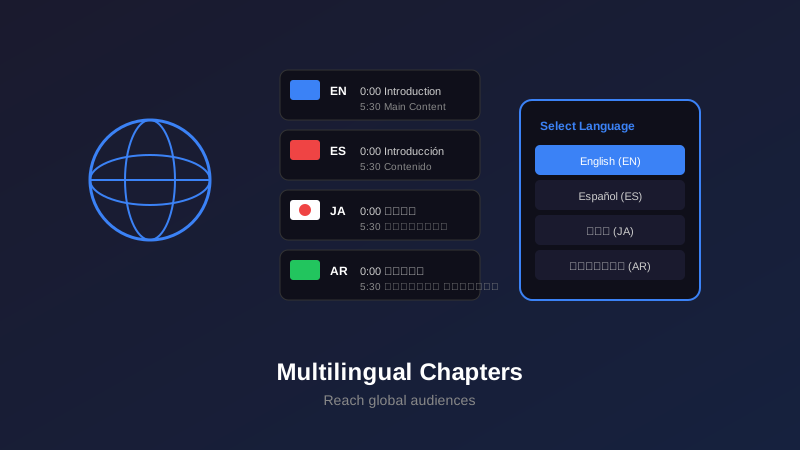
- YouTube supports chapters in 100+ languages using full Unicode character sets
- Translated chapters can increase international viewership by 40-60%
- RTL languages (Arabic, Hebrew) display correctly with proper YouTube formatting
- Community contributions feature enables crowdsourced chapter translations
- Multilingual chapters boost SEO across different language search results
In an increasingly global YouTube ecosystem, multilingual chapters are no longer optional—they're essential for reaching international audiences. Whether your viewers speak Spanish, Japanese, Arabic, or any of the 100+ languages YouTube supports, providing chapters in their native language dramatically improves accessibility and engagement.
The opportunity is massive: Over 80% of YouTube views come from outside the United States, yet most creators only add chapters in English. By implementing multilingual chapters, you tap into underserved international markets where competition is lower and engagement is higher.
This comprehensive guide covers everything you need to know about creating, managing, and optimizing YouTube chapters across multiple languages—from technical implementation to cultural considerations.
Why Multilingual Chapters Matter
The data on multilingual content is compelling. Videos with translated metadata see significantly higher engagement from non-native speakers:
Key Benefits of Multilingual Chapters
- Improved accessibility: Viewers navigate content in their native language
- Higher watch time: Users spend more time when they understand navigation
- Better SEO: Rank for keywords in multiple language markets
- Increased reach: Algorithm promotes videos to international audiences
- Cultural relevance: Shows respect and investment in international viewers
- Competitive advantage: Most creators only optimize for one language
Case study: A tech tutorial channel added Spanish, Portuguese, and Hindi chapter translations. Within 30 days, their international view percentage jumped from 35% to 62%, with watch time increasing by 41% in those language markets.
How YouTube Handles Multiple Languages
Understanding YouTube's multilingual infrastructure helps you implement chapters correctly:
YouTube's Language System
YouTube uses a sophisticated language detection and display system:
How it works:
- User language preference: YouTube detects browser/app language settings
- Metadata matching: Displays translated titles, descriptions, and chapters when available
- Fallback system: Shows original language if translation unavailable
- Unicode support: Handles all character sets including emoji
Chapter language priority:
- Viewer's preferred language (from YouTube settings)
- Browser/device language
- Video's primary language
- Original uploaded chapters
Supported Languages and Character Sets
YouTube supports full Unicode, meaning virtually any language can be used for chapters:
| Language Family | Examples | Special Considerations |
|---|---|---|
| Latin Script | English, Spanish, French, German | Standard formatting, diacritics supported |
| Cyrillic | Russian, Ukrainian, Bulgarian | Full Unicode support, no issues |
| CJK (East Asian) | Chinese, Japanese, Korean | Character length differs, adjust accordingly |
| RTL Scripts | Arabic, Hebrew, Persian | Automatic right-to-left text flow |
| Indic Scripts | Hindi, Bengali, Tamil | Complex characters supported |
| Other Scripts | Thai, Greek, Armenian | Full Unicode, language-specific fonts |
Adding Translated Chapters
There are three main methods for adding multilingual chapters to your videos:
Method 1: Video Description Translations
Access YouTube Studio
Select Target Language
Translate Description with Chapters
Maintain Timestamp Format
Method 2: Community Contributions
Leveraging Your Community
Enable community contributions to crowdsource translations:
Setup steps:
- Go to YouTube Studio → Settings → Community
- Enable "Allow viewers to contribute translated titles, descriptions, and subtitles"
- Viewers can now submit chapter translations
- Review and approve submissions before they go live
Benefits:
- Native speakers provide authentic translations
- Zero cost—community does the work
- Scales across many languages simultaneously
- Builds community engagement
Method 3: Professional Translation Services
For important videos or brand channels, professional translation ensures quality:
- Fiverr/Upwork: Individual translators for $10-30 per video
- Rev.com: Professional translation service, $0.12 per word
- Gengo: On-demand translation with quality tiers
- Local agencies: Best for cultural adaptation and SEO optimization
Generate Chapters in Any Language
Our AI timestamp generator creates chapters in 100+ languages. Perfect for international content creators.
Try Free Multilingual Tool →Working with RTL Languages
Right-to-left languages like Arabic, Hebrew, and Persian require special attention:
Understanding RTL Display
RTL Chapter Formatting
YouTube automatically handles RTL text direction, but you should understand how it appears:
What YouTube does automatically:
- Detects RTL Unicode characters
- Reverses text flow for chapter titles
- Maintains LTR for timestamps (0:00 stays left-to-right)
- Aligns UI elements appropriately
Format example (Arabic):
0:00 المقدمة والترحيب
2:30 شرح الميزات الأساسية
5:45 الأسئلة الشائعة
8:20 الخلاصة والنصائح
What you need to do:
- Write chapter titles in proper RTL script
- Keep timestamps in standard LTR format
- Maintain the space between timestamp and title
- Test appearance by viewing video in RTL language mode
Common RTL Issues and Solutions
| Issue | Cause | Solution |
|---|---|---|
| Text appears backward | Using LTR editor that doesn't support RTL | Use proper RTL text editor or YouTube Studio interface |
| Timestamps reversed | Incorrect Unicode formatting | Ensure timestamps use standard ASCII numbers |
| Mixed text scrambled | Mixing RTL and LTR without proper separators | Use Unicode direction markers or avoid mixing |
| Punctuation misplaced | RTL punctuation rules differ | Follow native punctuation conventions |
Never copy-paste RTL text from machine translation without verification. Tools like Google Translate may produce incorrect character ordering. Always have a native speaker review RTL chapters.
Using Community Contributions
Community contributions can scale your multilingual chapters across dozens of languages:
Enabling Community Translations
Enable the Feature
Request Translations
Review Submissions
Quality Check and Publish
Quality Control for Community Translations
Protect your channel from poor translations with these checks:
- Check contributor history: YouTube shows past contribution quality
- Compare with machine translation: If wildly different, investigate why
- Verify timestamp accuracy: Ensure timestamps weren't changed
- Look for keyword stuffing: Some contributors add spam keywords
- Ask native speakers: Post in language-specific communities for verification
- Start with trusted viewers: Reward loyal community members first
Multilingual SEO Optimization
Translated chapters unlock SEO opportunities in multiple language markets:
Keyword Research by Language
Don't just translate—localize for how people actually search in each language:
Localized Keyword Strategy
Research process for each language:
- Use local YouTube: Change YouTube language settings and use search autocomplete
- Google Trends by region: See what terms people actually use
- Competitor analysis: Check popular videos in target language markets
- Cultural adaptation: Some concepts need different phrasing
Example—"How to Cook Pasta":
- Spanish (Spain): "Cómo cocinar pasta perfecta"
- Spanish (Latin America): "Como hacer pasta casera"
- Italian: "Come cucinare la pasta" (presumed knowledge)
- Japanese: "パスタの作り方" (Structure differs)
Optimizing Chapter Titles per Language
| Language | English Original | SEO-Optimized Translation | Why It Works |
|---|---|---|---|
| Spanish | Getting Started | Cómo empezar desde cero | Matches "cómo" (how to) search pattern |
| French | Pro Tips | Astuces de professionnel | "Astuces" more commonly searched than "conseils" |
| German | Beginner's Guide | Anleitung für Anfänger | Front-loads "Anleitung" (guide) for SEO |
| Portuguese | Common Mistakes | Erros mais comuns [2025] | Year adds recency signal |
Multi-Language SEO Impact
Each language market has its own search ecosystem. A video that ranks #50 in English might rank #3 in Portuguese for the same topic due to lower competition.
Best Practices by Language
Character Length Considerations
Different languages require different character counts to express the same idea:
- English: Baseline reference (30-50 characters ideal)
- Chinese/Japanese: 30-40% shorter (characters convey more information)
- German: 20-30% longer (compound words, grammatical structure)
- Romance languages: 10-20% longer (more verbose expressions)
- Arabic: Variable, often shorter than English
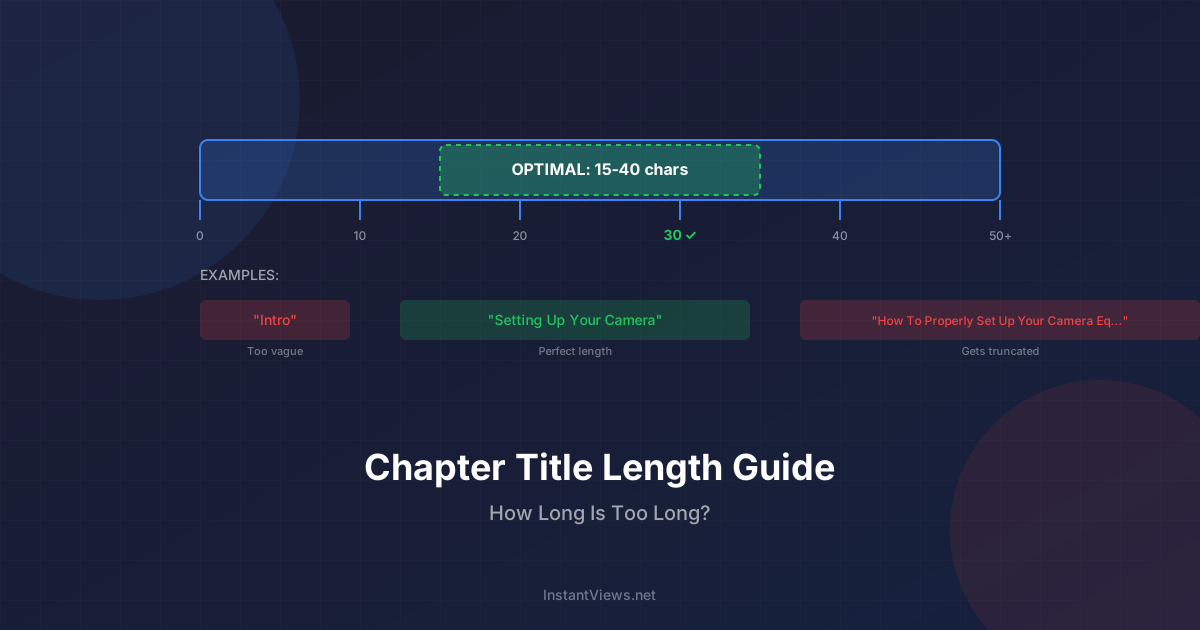
YouTube truncates chapter titles that exceed display limits. Test your translations to ensure they don't get cut off, especially in languages with longer word forms.
Cultural Localization Tips
Effective multilingual chapters go beyond literal translation:
Cultural Adaptation Guidelines
By language family:
East Asian (Chinese, Japanese, Korean):
- Avoid overly casual language in chapter titles
- Use formal verb forms unless your channel is youth-focused
- Numbers are highly valued—lead with them when relevant
Romance languages (Spanish, French, Italian, Portuguese):
- Adjust for regional variants (Spain vs. Latin America Spanish)
- More expressive language is expected and appreciated
- Formality level should match your channel's tone
Arabic:
- Modern Standard Arabic reaches widest audience
- Avoid overly formal classical Arabic unless educational content
- Religious/cultural sensitivity important for certain topics
German:
- Compound words can pack information efficiently
- Formal "Sie" vs. informal "du" affects tone significantly
- Technical audiences expect precise terminology
Reach Global Audiences
Add professional multilingual chapters to your videos in minutes. Support for 100+ languages with SEO optimization.
Start Creating Chapters →Common Challenges and Solutions
Challenge 1: Managing Multiple Translations
Problem: Updating chapters across 10+ languages becomes time-consuming.
Solutions:
- Use a spreadsheet to track all language versions
- Update primary language first, then translate changes
- Focus on your top 3-5 language markets initially
- Use translation memory tools to maintain consistency
Challenge 2: Translation Quality Issues
Problem: Machine translations sound awkward or miss context.
Solutions:
- Use professional translators for permanent content
- Have native speakers review and refine machine translations
- Build a glossary of channel-specific terms
- Test translations with audience members from those regions
Challenge 3: Character Set Display Issues
Problem: Special characters appear as boxes or question marks.
Solutions:
- Always use UTF-8 encoding when creating translations
- Copy-paste directly into YouTube Studio (avoid text editors)
- Test on multiple devices (desktop, mobile, different OS)
- Contact YouTube support for persistent encoding issues
Challenge 4: SEO Keyword Research
Problem: Don't know which keywords to target in other languages.
Solutions:
- Use YouTube autocomplete in target language
- Analyze top-ranking videos in those language markets
- Hire brief SEO consultations from native-speaking marketers
- Ask your international viewers what terms they searched
Maintenance Workflow
Keep multilingual chapters updated efficiently:
Master Template
Priority Languages
Batch Translation
Document Everything
Frequently Asked Questions
No, YouTube does not automatically translate chapter titles. You must manually add translated chapters for each language using YouTube Studio's translations feature or by creating localized descriptions.
Yes, through YouTube's multi-language audio tracks and translations feature, you can provide different chapter titles for different languages. Viewers will see chapters in their selected language preference.
YouTube automatically handles right-to-left (RTL) languages like Arabic and Hebrew. The chapter titles will display correctly in RTL format, but timestamps still use standard left-to-right formatting (e.g., 0:00).
It depends on your audience. If 80%+ viewers speak the same non-English language, use that language. For diverse audiences, English works as a lingua franca. Best approach: use YouTube's translation features to provide multiple language options.
Absolutely. Translated chapter titles allow your video to rank for keywords in multiple languages. Google and YouTube index these translations, significantly expanding your international search visibility.
Enable community contributions in YouTube Studio under Subtitles. Your viewers can submit translated chapters and timestamps. You review and approve translations before they go live.
YouTube supports full Unicode, including Latin, Cyrillic, Arabic, Hebrew, Chinese (simplified and traditional), Japanese (Hiragana, Katakana, Kanji), Korean Hangul, and all other major writing systems.
Not necessarily. Adapt chapter titles for cultural context and search behavior in each language. Direct translations may miss common search terms or cultural nuances that affect discoverability.
Final Thoughts
Multilingual YouTube chapters are a powerful yet underutilized tool for reaching global audiences. While creating translations requires initial effort, the payoff in international viewership, engagement, and SEO is substantial.
Key implementation takeaways:
- Start strategically: Focus on your top viewer countries first
- Quality matters: Invest in proper translations, not just machine output
- Optimize locally: Adapt keywords and phrasing for each language market
- Leverage community: Enable contributions for scalable crowdsourced translations
- Test RTL languages: Arabic and Hebrew require special attention
- Monitor performance: Track which language markets drive the most growth
Remember: Over 80% of YouTube content is consumed by non-native English speakers. By adding multilingual chapters, you're not just translating text—you're opening your content to billions of potential viewers who would otherwise struggle to navigate your videos.
Related guides:
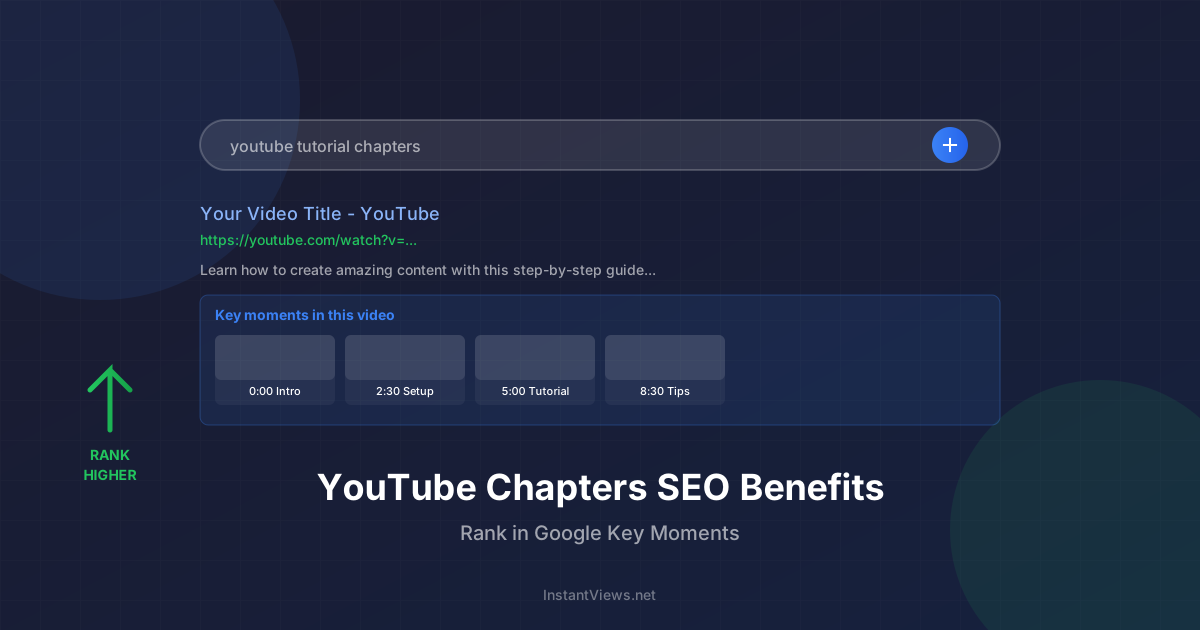
- YouTube Chapters SEO Benefits
- How to Add Chapters to YouTube Videos
- YouTube Chapter Title Length Guide