- AI title generators analyze millions of successful videos to suggest data-driven, optimized titles
- The best titles combine curiosity, clarity, and value in under 60 characters
- Proven title formulas can increase CTR by 30-50% compared to generic titles
- A/B testing titles over 1-2 weeks reveals which formulas resonate with your specific audience
- InstantViews Video Analyzer generates AI-powered titles optimized for your niche and current trends
Your YouTube title is the single most important factor in whether someone clicks on your video or scrolls past it. It doesn't matter how good your content is if nobody clicks to watch. Creating titles that get clicks is both an art and a science.
But here's the problem: most creators either overthink titles (spending hours debating word choice) or underthink them (using generic, forgettable phrases). Both approaches kill your click-through rate.
This is where AI-powered title generation changes everything. Modern AI tools can analyze millions of successful videos, identify patterns, and generate click-worthy titles in seconds - all based on proven data, not guesswork.
Why YouTube Titles Are Critical for Success
YouTube's algorithm prioritizes one metric above all others in the early stages of a video's life: click-through rate (CTR). Your title (along with your thumbnail) directly determines whether viewers click.
Here's what the data shows:
- CTR impact on recommendations - Videos with 10%+ CTR get promoted 3-5x more than videos with 2-3% CTR
- First 48 hours are critical - Initial CTR determines whether YouTube continues promoting your video
- Title changes affect rankings - Optimizing a title can increase views by 50-200% even months after publishing
- Search vs. Browse - Titles optimized for search (keywords) perform differently than browse titles (curiosity)

How AI Generates Optimized Titles
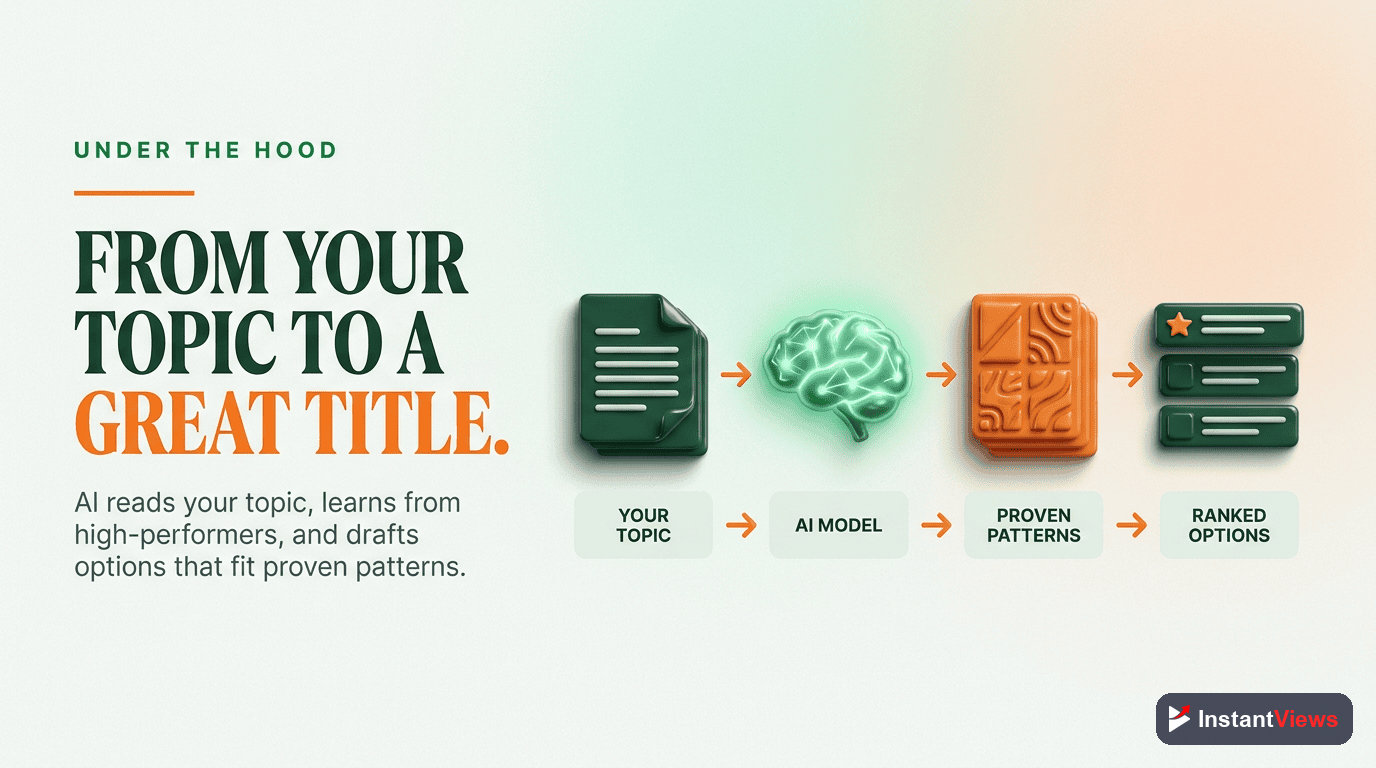
AI title generators don't just randomly combine words. They use sophisticated machine learning models trained on millions of data points to predict which titles will perform best.
The AI Title Generation Process
Step 1: Content Analysis
AI analyzes your video content (from transcripts, descriptions, or manual input) to identify key topics, themes, and unique angles.
Step 2: Pattern Recognition
The AI compares your content against millions of successful videos in your niche to identify which title patterns work best for similar content.
Step 3: Formula Application
AI applies proven title formulas (how-to, listicle, curiosity gap, etc.) to your specific content, customizing them for your topic.
Step 4: Optimization
The AI optimizes for character count, keyword placement, emotional triggers, and readability to maximize CTR potential.
Step 5: Variation Generation
Instead of one title, AI generates 5-10 variations using different formulas, giving you options to test and choose from.
AI vs. Human Title Creation
AI excels at data-driven optimization and pattern recognition. Humans excel at brand voice, nuance, and emotional resonance. The best approach combines both: use AI to generate 10 options, then refine the top 2-3 with your unique voice and audience knowledge.
Title Formulas That Actually Work
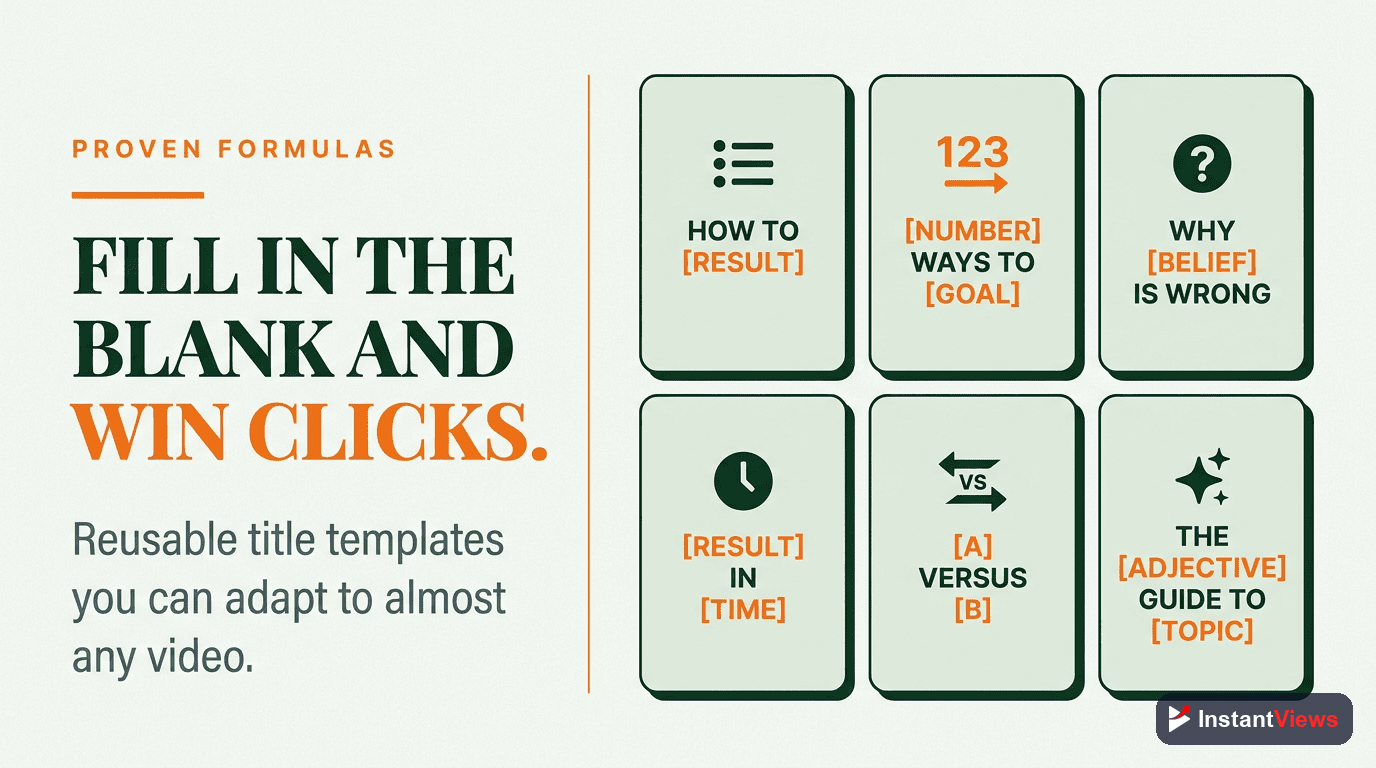
Certain title structures consistently outperform others. Here are the proven formulas AI tools use to generate high-CTR titles:
How to [Get Result] in [Timeframe] - [Benefit]
This formula combines specificity (timeframe), value proposition (result), and additional benefit. It sets clear expectations and promises quick results.
- How to Get 10K YouTube Subscribers in 90 Days - Even If You're Starting from Zero
- How to Edit Videos 5x Faster - Save 10+ Hours Per Week
- How to Rank Videos on Page 1 in 24 Hours - Complete SEO Guide
I Tried [Popular Thing] for [Time] - Here's What Happened
The "experiment" formula creates curiosity while establishing credibility. Viewers want to see the results without doing the work themselves.
- I Tried YouTube Shorts for 30 Days - 2.4M Views Later...
- I Used AI for Every Video for 3 Months - My Channel Exploded
- I Posted Every Day for a Year - Here's What Actually Worked
[Number] [Topic] That Actually Work (2026)
List-based titles perform exceptionally well because they promise organized, scannable content. Adding "That Actually Work" filters out generic advice, and including the year signals freshness.
- 7 YouTube SEO Tricks That Actually Work (2026)
- 12 Thumbnail Design Tips That Get 10x More Clicks
- 5 AI Tools Every Creator Needs (Actually Useful)
[Controversial Statement] - [Why/How/What]
Leading with a bold or counterintuitive claim creates instant curiosity. The second part promises to explain or prove the claim.
- Stop Using Keywords in Your Titles - Here's Why
- YouTube Shorts Are Killing Channels - What to Do Instead
- I Delete 90% of My Videos - Why This Strategy Works
The [Adjective] Guide to [Desired Outcome]
Guide-style titles promise comprehensive coverage. Adding an adjective (Complete, Ultimate, Simple, etc.) sets expectations for depth or approach.
- The Complete Guide to YouTube Analytics (2026)
- The Simple Guide to Video SEO for Beginners
- The Ultimate YouTube Growth Blueprint
| Formula Type | Best For | Average CTR Impact |
|---|---|---|
| How-to + Timeframe | Tutorial content, skill development | +30-40% |
| Experiment/Challenge | Case studies, vlog content | +40-60% |
| Numbered Lists | Tips, tools, strategies | +25-35% |
| Controversial/Bold | Opinion content, hot takes | +50-70% |
| Complete Guides | Long-form, educational content | +20-30% |
Character Limits and Best Practices
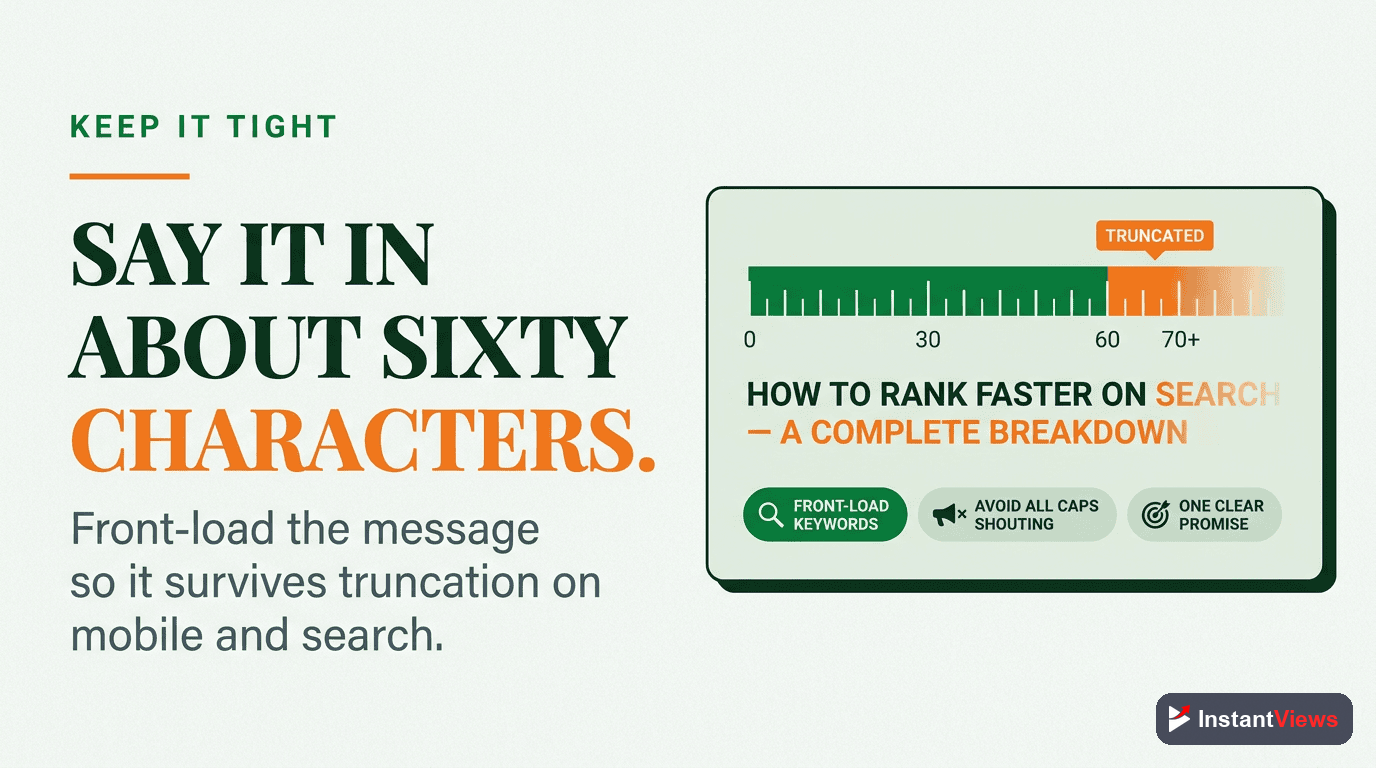
YouTube titles can be up to 100 characters, but that doesn't mean you should use all 100. Here's the strategic approach:
Optimal Title Length
- Desktop search results: ~60 characters displayed
- Mobile search results: ~40 characters displayed
- Suggested videos (desktop): ~50 characters displayed
- Suggested videos (mobile): ~30 characters displayed
Titles over 60 characters get truncated with "..." in most placements. Your most important information must appear in the first 50 characters to be visible everywhere.
Front-Loading Strategy
Place your most compelling elements first:
Characters 1-40:  Main keyword + Hook (visible on mobile)
Characters 41-60: Additional value/benefit (visible on desktop)
Characters 61-100: Extra context (rarely visible, use sparingly)
Example breakdown:
How to Get 10K Subscribers Fast (35 chars) - Perfect for mobile
How to Get 10K Subscribers Fast - Complete 2026 Guide (57 chars) - Optimized for desktop
How to Get 10K Subscribers Fast - Complete 2026 Guide for Small Channels (75 chars) - Truncated in most views
A/B Testing Your Titles
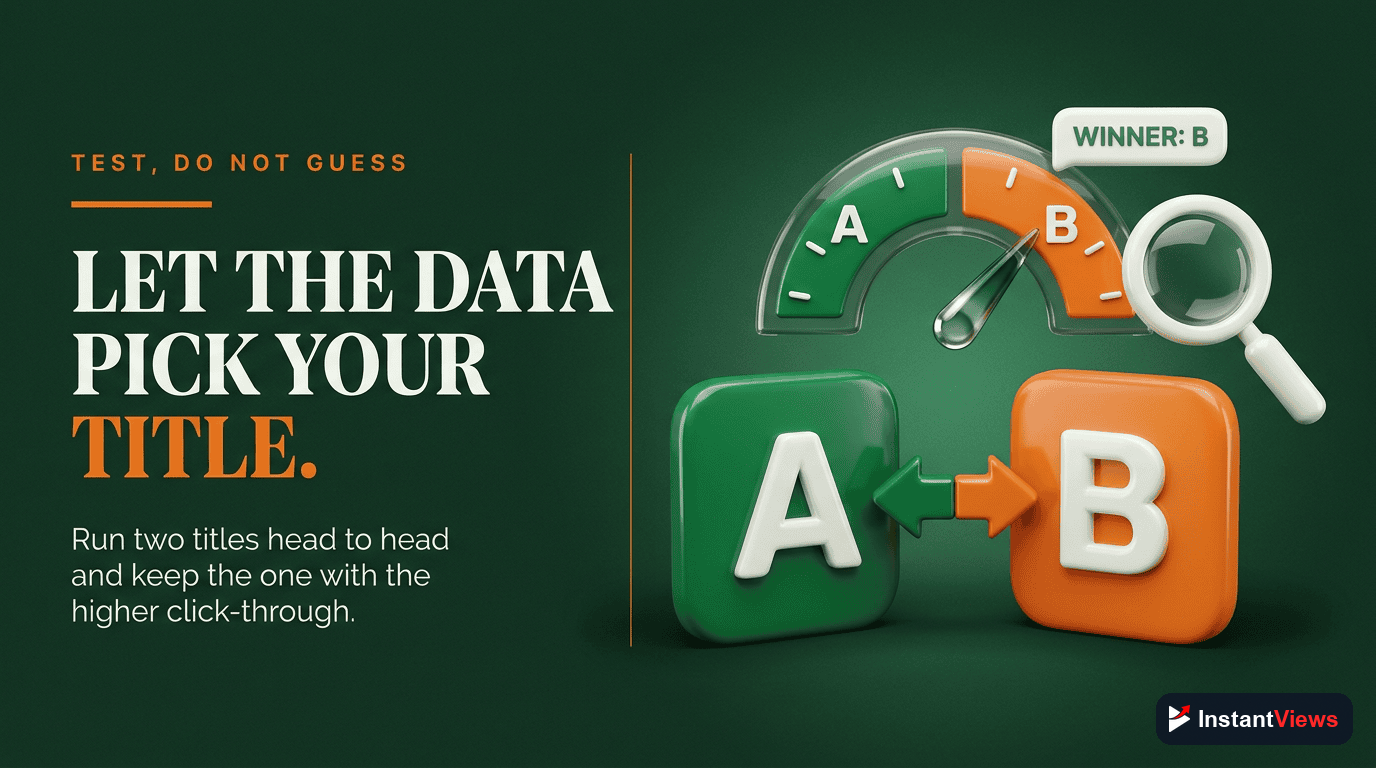
The best creators don't guess which title works - they test. Here's how to systematically A/B testing titles for maximum impact and improved CTR optimization:
YouTube's Native Title Testing
Unlike thumbnails, YouTube doesn't offer built-in A/B testing for titles. You have to test manually:
Method 1: Sequential Testing
- Publish with Title A
- Track CTR in YouTube Analytics for 7-14 days
- Change to Title B
- Track CTR for another 7-14 days
- Compare performance and keep the winner
Method 2: Duplicate Video Testing
- Upload the same video twice (as unlisted)
- Use different titles
- Share each version with 50% of your audience
- After 48 hours, delete the loser and make the winner public
What to Test
Only test one variable at a time. If you change both the title formula AND the keywords, you won't know which change caused the CTR difference.
Title A: How to Grow on YouTube in 2026
Title B: 7 Ways to Grow on YouTube in 2026
(Testing: question vs. number)
Title A: I Quit My Job to Do YouTube Full Time
Title B: I Quit My $100K Job to Do YouTube - Here's What Happened
(Testing: specificity and curiosity hook)
Key Metrics to Track
| Metric | Where to Find It | What It Tells You |
|---|---|---|
| CTR | YouTube Analytics > Reach | Direct title effectiveness |
| Impressions | YouTube Analytics > Reach | Whether YouTube is promoting the video |
| Avg View Duration | YouTube Analytics > Engagement | Whether title matches content (no clickbait) |
| Traffic Sources | YouTube Analytics > Reach | Search vs. browse performance |
Power Words That Boost CTR
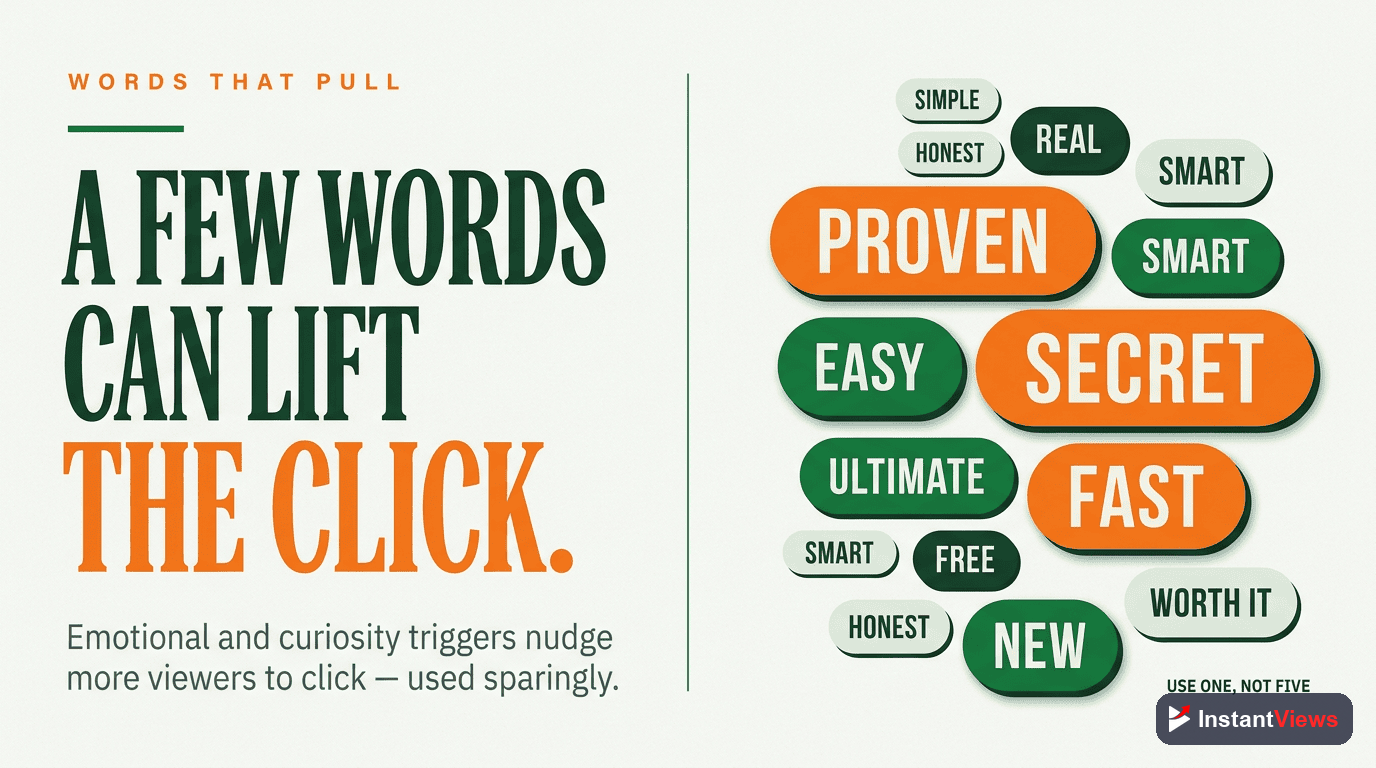
Certain words trigger emotional responses that increase clicks. AI title generators are trained to include these high-performing words:
Curiosity Power Words
Hidden, Secret, Revealed, Exposed, Truth, Actually, Really, Nobody, Everybody
Example: "The Hidden YouTube Algorithm Secret Nobody Talks About"
Urgency Power Words
Now, Today, 2026, Before, Stop, Start, New, Fast, Quick, Instant
Example: "Stop Doing This on YouTube Right Now (2026 Update)"
Value Power Words
Complete, Ultimate, Essential, Best, Perfect, Simple, Easy, Proven, Guaranteed
Example: "The Complete Guide to YouTube SEO (Proven Strategies)"
Emotional Power Words
Shocking, Amazing, Incredible, Insane, Devastating, Life-Changing, Revolutionary
Example: "This AI Tool Changed Everything About My YouTube Channel"
Power words boost CTR, but your content MUST deliver on the promise. YouTube tracks watch time and satisfaction. If viewers click but immediately leave, your title hurts more than it helps. Use power words to accurately amplify genuine value, not to deceive.
Keyword Placement Strategy
For search-focused videos, keyword placement in titles is critical. Here's the data-backed strategy:
Where to Place Keywords
Position 1 (Start of title): Highest SEO weight. Use for your primary target keyword.
Example: YouTube SEO: Complete Guide to Ranking Videos in 2026
Position 2 (First 40 characters): Still strong SEO weight, plus guaranteed mobile visibility.
Example: How to Rank Videos Fast - YouTube SEO Secrets
Position 3 (40-60 characters): Moderate SEO weight, desktop visibility.
Example: The Ultimate Content Strategy Guide for YouTube Growth
Search vs. Browse Titles
Decide whether your video will primarily get views from search or recommendations, then optimize accordingly:
YouTube Hashtag Guide - How to Use Hashtags for More Views (2026)
Front-loads exact search keywords, includes year for freshness
I Used This Weird Hashtag Trick and Got 500K Views
Maximizes curiosity and emotional hook for suggested videos
Keyword Density
Don't stuff keywords. Use your primary keyword once, and consider one secondary keyword if it fits naturally. YouTube's algorithm is sophisticated enough to understand synonyms and context.
Bad (keyword stuffing):
YouTube SEO | YouTube SEO Tips | YouTube SEO 2026 | YouTube SEO Guide
Good (natural keyword use):
YouTube SEO Made Simple - 7 Tips That Actually Work (2026)
Generate AI-Optimized Titles Instantly
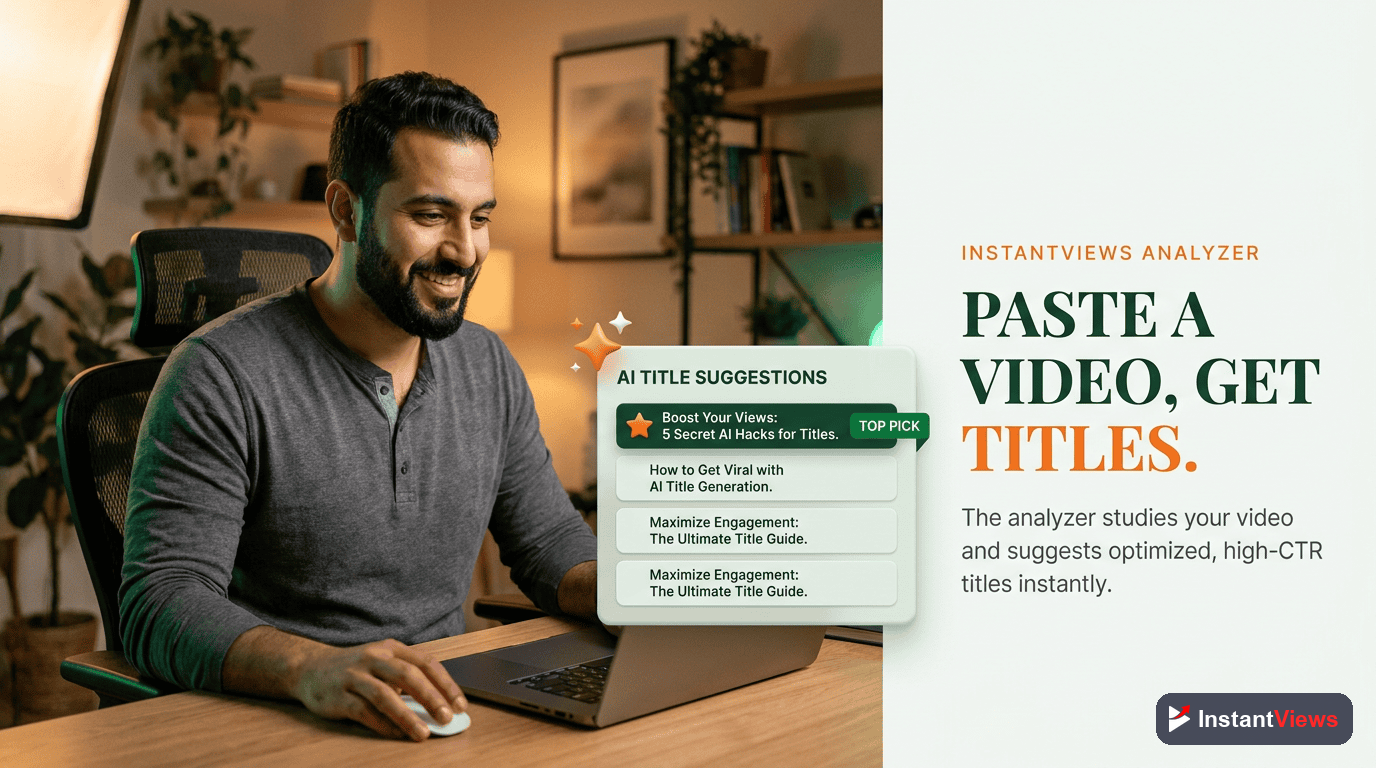
Let our Video Analyzer AI create click-worthy titles based on your video content, niche trends, and proven formulas. Get 10+ title variations in seconds.
Try Video Analyzer Free →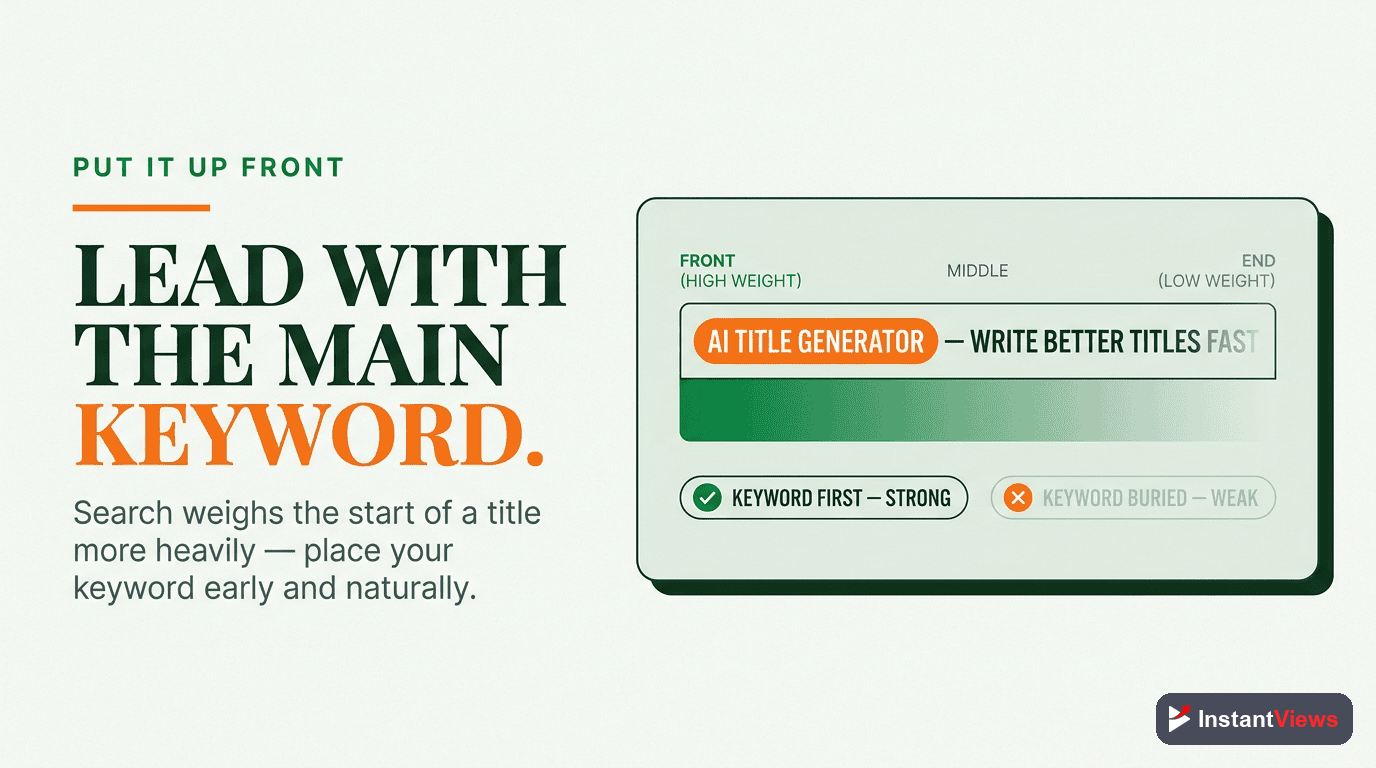
InstantViews Video Analyzer AI Titles
The InstantViews Video Analyzer uses advanced AI to generate optimized titles specifically designed for your videos. Here's what makes it different:
Smart Content Analysis
Instead of generic templates, the analyzer actually understands your video content by processing:
- Video transcripts - Identifies key topics, unique insights, and quotable moments
- Visual analysis - Detects main subjects, settings, and action for title hooks
- Existing metadata - Analyzes your description and tags for context
- Channel history - Learns what title styles work best for your specific audience
Niche-Specific Optimization
The AI doesn't use one-size-fits-all formulas. It adjusts recommendations based on your niche:
| Niche | AI Optimization Focus | Title Style |
|---|---|---|
| Tech Reviews | Product names, specs, comparisons | Specific, factual, search-focused |
| Personal Finance | Numbers, timeframes, results | Value-driven, outcome-focused |
| Gaming | Game titles, achievements, reactions | High energy, emotional, discovery |
| Education | Clear topics, skill promises | How-to, guides, step-by-step |
| Vlog/Lifestyle | Personal stories, experiences | Curiosity-driven, emotional |
Real-Time Trend Integration
The Video Analyzer continuously monitors YouTube trends and adjusts title suggestions to capitalize on:
- Rising search queries in your niche
- Viral title formats that are currently performing well
- Seasonal opportunities and timely topics
- Competitor video performance and gaps
Title Scoring System
Every AI-generated title includes a predicted CTR score based on:
- Length optimization - Character count and truncation impact
- Keyword placement - SEO effectiveness for target queries
- Emotional triggers - Power word usage and curiosity gaps
- Clarity vs. curiosity balance - Enough intrigue without confusion
- Niche benchmarks - Performance compared to similar successful videos
Common Title Mistakes to Avoid
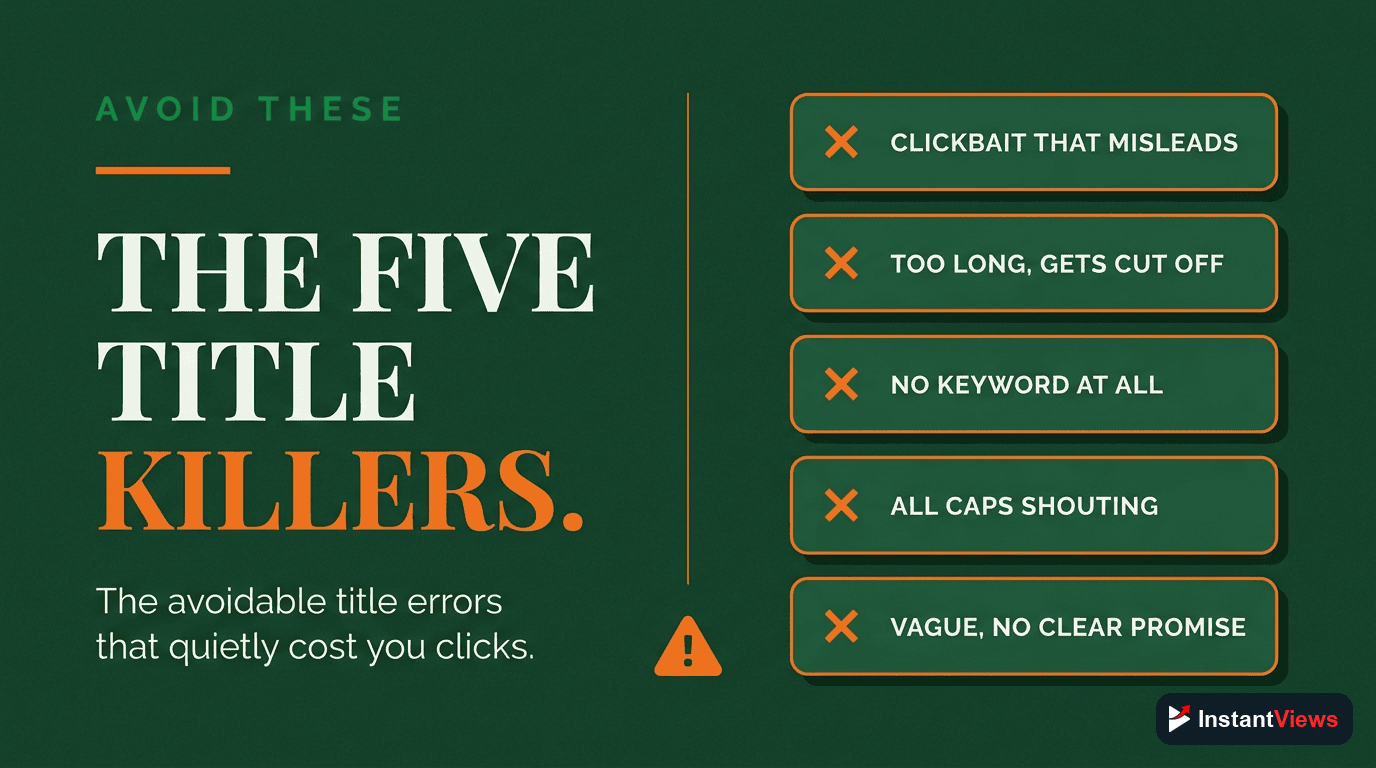
Even with AI assistance, creators make these critical errors that tank their CTR:
1. Generic, Forgettable Titles
Don't use: "My Daily Routine" or "Vlog #42"
Do use: "I Wake Up at 4:30 AM Every Day - Here's Why" or "The Morning Routine That Changed My Life"
2. Over-Promising (Clickbait)
Don't use: "This One Trick Will Get You 1 Million Subscribers"
Do use: "This Strategy Helped Me Gain 10K Subscribers in 3 Months"
3. All Caps or Excessive Punctuation
Don't use: "BEST VIDEO EVER!!! YOU WON'T BELIEVE THIS!!!"
Do use: "The Video That Changed Everything (You Won't Believe This)"
4. Starting with Filler Words
Don't use: "So I Decided to Try..." or "In This Video I'm Going to..."
Do use: "I Tried [Thing] for 30 Days..." (get to the point immediately)
5. Burying the Hook
Don't use: "My Journey to Becoming a YouTuber - Part 3 - The Big Reveal"
Do use: "I Quit My Job to Do YouTube - Here's What Happened"
6. Ignoring Mobile Truncation
Don't use: "Today I'm Going to Show You How to Edit YouTube Videos Like a Pro"
Do use: "How to Edit Videos Like a Pro - Complete YouTube Guide"
The biggest title mistake is using the same formula for every video. Variety matters. Even if "How to" titles work well for you, mix in listicles, case studies, and curiosity-driven titles to avoid audience fatigue and attract different viewer segments.
Advanced Title Strategies
Pattern Interruption
When everyone in your niche uses the same title formula, break the pattern to stand out:
If everyone uses: "How to Get More YouTube Views"
You use: "Stop Trying to Get More Views (Do This Instead)"
Specificity Wins
Vague titles blend in. Specific titles grab attention:
Vague: "How to Grow Your Channel"
Specific: "How I Grew from 0 to 47K Subscribers in 6 Months"
The Two-Part Title
Use a dash or colon to combine two elements: Hook + Value or Curiosity + Clarity:
- "I Analyzed 1,000 Viral Videos - This Pattern Kept Appearing"
- "YouTube SEO in 2026: Everything Changed (New Strategy)"
- "The Algorithm Is Broken - Here's How to Beat It"
Title + Thumbnail Synergy
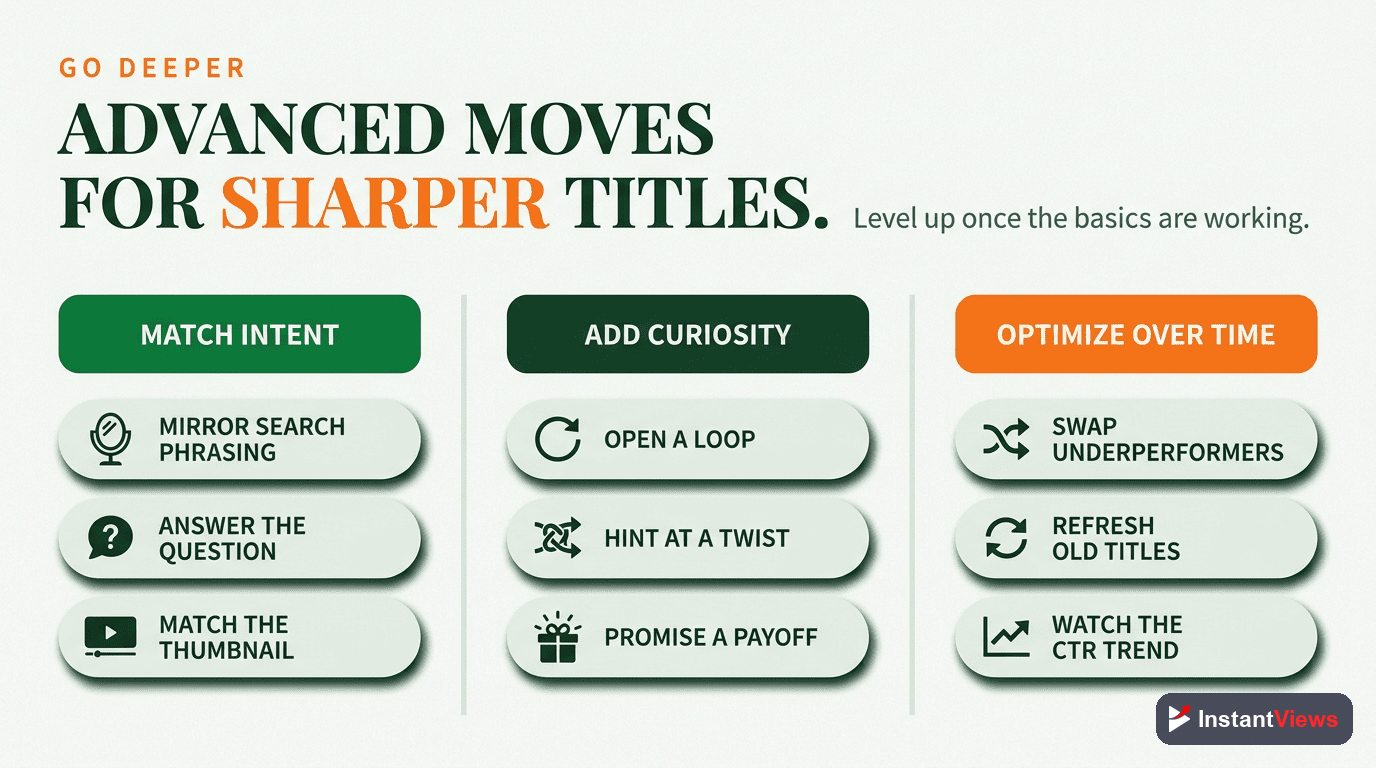
Your title and thumbnail should work together, not repeat the same information:
Title: "The Truth About YouTube Shorts"
Thumbnail text: "Killing Channels?" (together they create intrigue)
Title: "5 Editing Mistakes Beginners Make"
Thumbnail: Shows the mistakes visually with X marks (complementary, not redundant)
"The perfect YouTube title creates a knowledge gap that viewers desperately want to fill, while making it 100% clear that your video will fill that gap. That balance is what AI helps optimize." - InstantViews AI Team
Frequently Asked Questions
AI YouTube title generators analyze millions of successful videos, trending patterns, and search data to suggest optimized titles. They use natural language processing to understand your video content, identify key topics, and generate titles that match proven formulas for high click-through rates. The best AI generators consider factors like keyword placement, emotional triggers, character limits, and current trends.
AI-generated titles provide a data-driven starting point based on what has worked for millions of videos. However, the best approach combines AI suggestions with human creativity and channel-specific knowledge. Use AI to generate 5-10 options, then refine them based on your brand voice, audience preferences, and A/B testing results. AI excels at optimization, but human insight adds authenticity.
Click-worthy titles combine curiosity, clarity, and value. They promise a specific benefit, use power words that trigger emotions, include numbers or timeframes, match search intent, and stay under 60 characters for full visibility. The best titles create a knowledge gap that viewers want to fill while clearly communicating what the video delivers.
Optimal YouTube titles are 50-60 characters. Titles over 70 characters get truncated in search results and recommendations, reducing click-through rates. Front-load your most important keywords and compelling elements in the first 50 characters. Mobile users see even fewer characters, so prioritize the first 40 characters for maximum impact across all devices.
Yes, YouTube allows you to change titles after publishing, enabling A/B testing. Test one variable at a time (like numbers vs. questions, or different keywords). Give each title 7-14 days to gather data, then analyze CTR in YouTube Analytics. The InstantViews Video Analyzer can suggest title variations and track performance across different formulas.
Yes, the InstantViews Video Analyzer includes an AI-powered title generator that analyzes your video content, identifies key topics, and suggests optimized titles based on your niche and current trends. It provides multiple title variations using different proven formulas, estimates CTR potential, and offers real-time character count feedback to maximize visibility.