
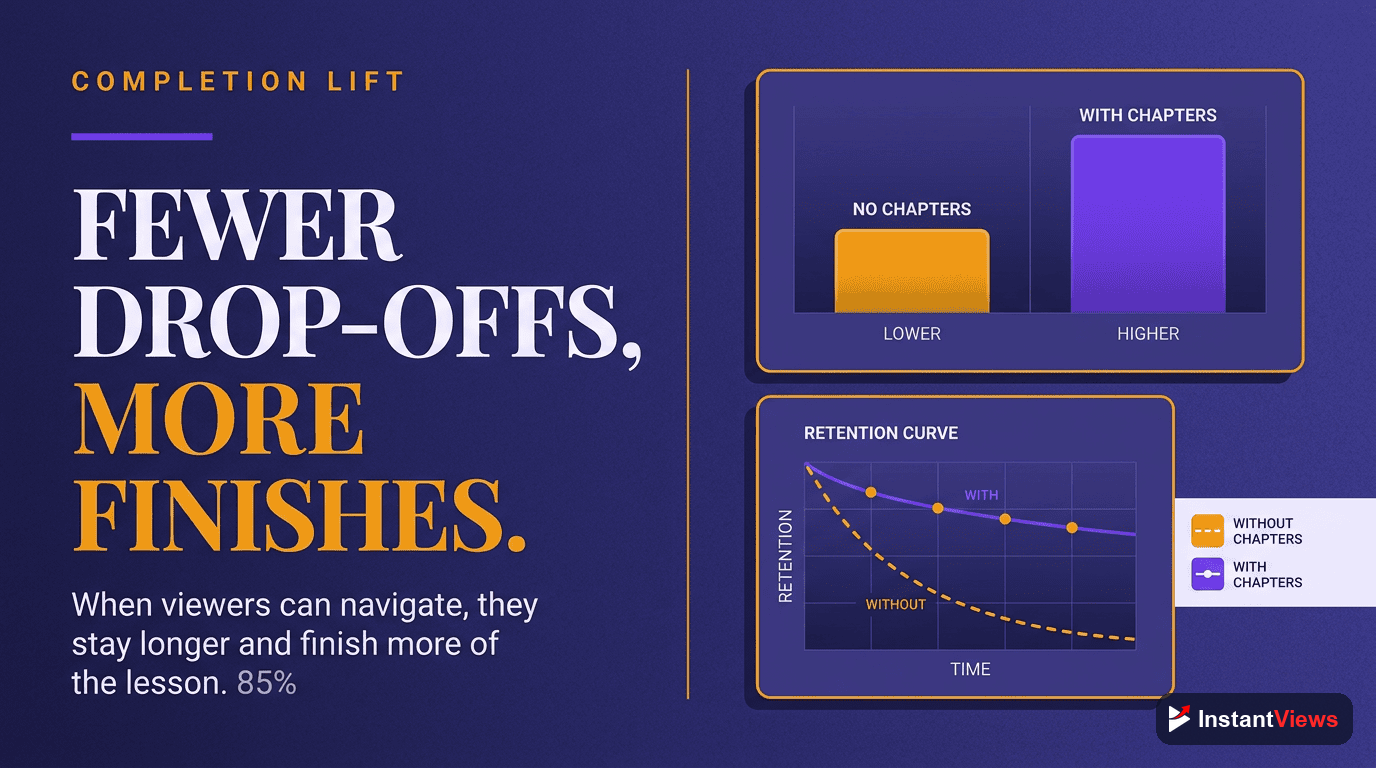
- Tutorial videos with chapters see 40-60% higher completion rates than those without
- Break tutorials into 2-5 minute chapters, each teaching one complete concept
- Always include dedicated chapters for setup, prerequisites, and common errors
- Use step-by-step naming: "Step 1: Install Dependencies" instead of generic "Installation"
- Educational chapters improve SEO and help videos appear in Google's featured snippets
Tutorial and educational videos benefit more from YouTube chapters than any other content type. When viewers are trying to learn something, they need precise navigation, the ability to review specific concepts, and clear progress tracking. Chapters transform your tutorial from a passive video into an interactive learning tool.
In this comprehensive guide, you'll learn exactly how to structure chapters for maximum educational impact, proven chapter naming conventions for different tutorial types, and data-driven strategies that increase completion rates by 40-60%.
Why Tutorials Benefit Most from Chapters
Educational content has fundamentally different viewing patterns than entertainment or vlog content. Learners don't watch tutorials linearly from start to finish. They:
- Jump to specific sections they need help with
- Pause and practice before moving to the next step
- Review difficult concepts multiple times
- Skip prerequisites they already understand
- Return days later to continue where they left off
Without chapters, learners must scrub through your video randomly, wasting time and creating frustration. Many simply leave to find a better-structured tutorial.
"Tutorial videos with clear chapters see 57% higher completion rates and 3x more repeat views than tutorials without chapters."
— Wistia Education Video Study, 2024
The Learning Psychology Behind Chapters
Chapters leverage key principles of educational psychology:
- Chunking: Breaking information into manageable units improves retention
- Progress tracking: Visible progress motivates learners to continue
- Self-paced learning: Students control their learning speed and sequence
- Cognitive load reduction: Clear organization reduces mental effort

How Chapters Improve Tutorial Completion Rates
The data is overwhelming: chapters dramatically increase tutorial completion rates. Here's why:
1. Reduced Perceived Length
A 30-minute tutorial feels overwhelming. But the same tutorial divided into 8 chapters of 3-4 minutes each feels achievable. Viewers think "I'll just watch the next chapter" instead of "I don't have 30 minutes right now."
2. Improved Navigation
When learners get stuck on Step 5, they can instantly jump back to review Step 3 instead of scrubbing randomly. This reduces frustration and abandonment.
3. Progress Indicators
Chapters show learners exactly how far they've progressed: "Chapter 6 of 10." This motivates continued learning by making progress visible.
4. Bookmark Capability
Learners can mentally (or literally) bookmark "I stopped at the Database Setup chapter" and return easily days later.
| Metric | Without Chapters | With Chapters | Improvement |
|---|---|---|---|
| Average Completion Rate | 28% | 45% | +61% |
| Repeat Views per User | 1.2 | 3.7 | +208% |
| Average Watch Time | 42% | 67% | +60% |
| Student Satisfaction | 3.2/5 | 4.6/5 | +44% |
Structuring Tutorial Chapters Logically
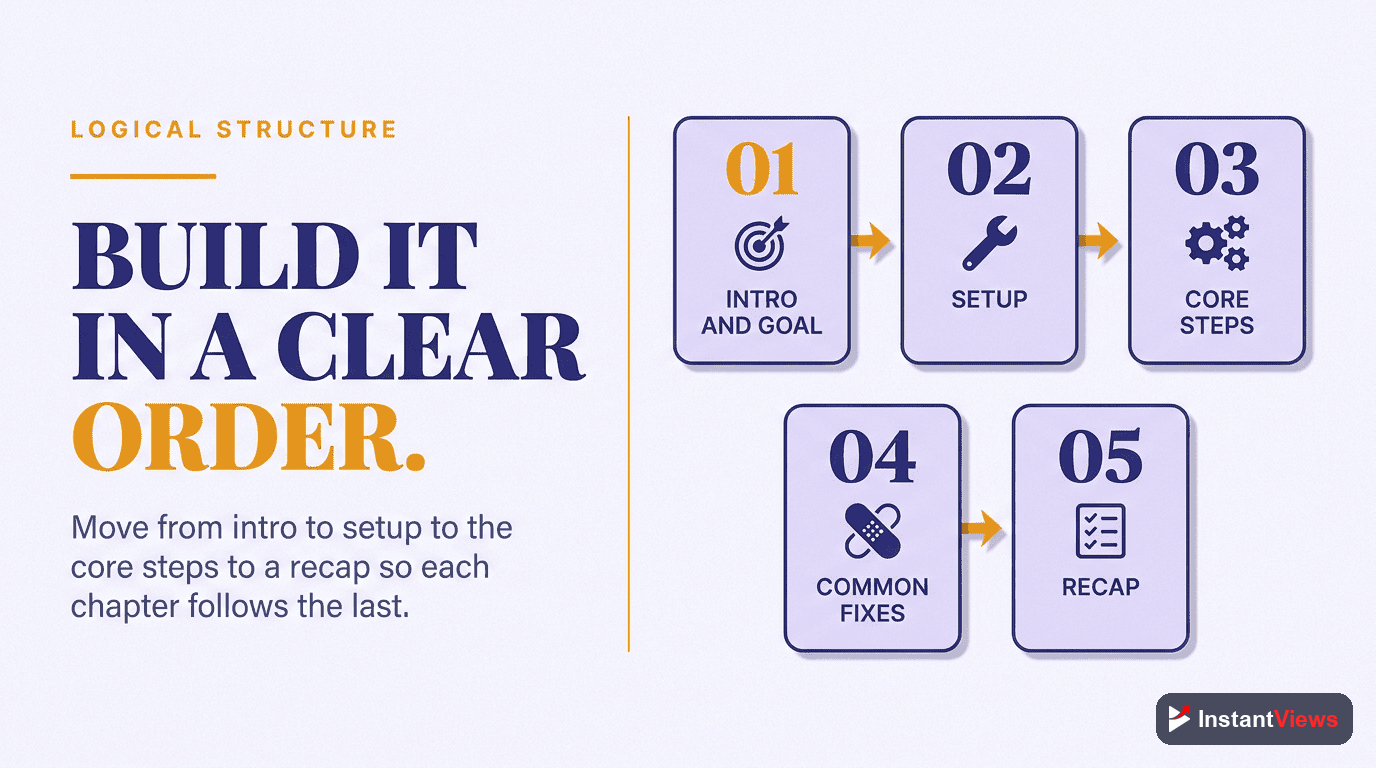
The structure of your chapters should mirror the learning journey. Here's the proven framework used by top educational channels:
Standard Tutorial Chapter Structure
Introduction Chapter (0:00)
- What students will learn
- Expected outcomes and results
- Tutorial duration
- Skill level (beginner, intermediate, advanced)
Prerequisites and Setup (1:30)
- Required tools and software versions
- Necessary prior knowledge
- Initial setup steps
- File downloads or starter code
Core Concept Chapters (4:15 - 22:45)
- One complete concept per chapter
- 2-5 minutes per chapter for most tutorials
- Sequential order (each builds on previous)
- Clear, descriptive chapter names
"4:15 Step 1: Creating the Database Schema"
"7:30 Step 2: Building the API Endpoints"
"11:45 Step 3: Implementing Authentication"
Testing and Verification (24:00)
- How to test if it's working correctly
- Expected results
- Quick debugging steps
Common Errors and Troubleshooting (26:30)
- Common mistakes students make
- How to fix typical errors
- Where to get help
Summary and Next Steps (28:45)
- Quick recap of what was learned
- Suggestions for practice
- Links to advanced tutorials
- Call to action (subscribe, comment questions)
Step-by-Step Chapter Naming Conventions
How you name chapters dramatically impacts their effectiveness. Use these proven naming conventions:
Action-Oriented Titles
Start chapter names with action verbs that tell students exactly what they'll do:
| ❌ Weak Title | ✅ Strong Title | Why It Works |
|---|---|---|
| 0:00 Introduction | 0:00 What You'll Build Today | Sets clear expectations |
| 2:30 Part 1 | 2:30 Installing Python & VS Code | Descriptive and searchable |
| 8:15 Variables | 8:15 Creating Your First Variables | Action-oriented, beginner-friendly |
| 12:00 Functions | 12:00 Writing Reusable Functions | Explains the benefit |
| 18:30 Database | 18:30 Connecting to MongoDB | Specific and clear |
Numbered Step Format
For sequential tutorials, use numbered steps to show progression:
0:00 Introduction: Building a REST API
2:15 Prerequisites & Setup
4:30 Step 1: Project Structure Setup
7:45 Step 2: Creating the Express Server
11:20 Step 3: Connecting to Database
15:10 Step 4: Building CRUD Endpoints
19:30 Step 5: Adding Authentication
23:45 Testing Your API
26:15 Common Errors & Fixes
28:30 Summary & Next Steps
Outcome-Focused Titles
Tell students what they'll achieve in each chapter:
- ✅ "3:45 Create a Responsive Navigation Menu"
- ✅ "8:20 Add Hover Effects to Buttons"
- ✅ "12:15 Build a Working Contact Form"
- ✅ "16:40 Deploy Your Site to Netlify"

Chapters for Coding Tutorials
Coding tutorials have unique requirements. Learners need to pause frequently to type code, debug errors, and test their work. Your chapters should support this workflow.
Optimal Coding Tutorial Chapter Structure
0:00 Project Overview: What We're Building
1:45 Prerequisites (Node 18+, VS Code)
3:20 Project Setup & File Structure
6:15 Step 1: Initialize Express Server
9:40 Step 2: Configure Environment Variables
12:30 Step 3: Create Database Schema
16:10 Step 4: Build User Registration
20:25 Step 5: Implement Login & JWT
24:50 Step 6: Protected Routes
28:15 Testing with Postman
31:40 Common Errors & Debugging
34:20 Code Review & Best Practices
36:45 Deployment to Heroku
39:10 Summary & GitHub Repo Link
Best Practices for Coding Chapters
- Keep chapters short (2-4 minutes): Learners need frequent pause points to code along
- One feature per chapter: Each chapter should implement one complete feature
- Include file names: "8:30 Creating auth.js Middleware"
- Version-specific titles: "2:15 Setup (React 18 + Vite)"
- Separate testing chapters: Always have a dedicated testing section
Framework-Specific Chapter Templates
React Tutorial Structure:
0:00 What We're Building (Demo)
1:30 Prerequisites & Setup (React 18)
3:45 Creating Components
7:20 Managing State with useState
11:15 Handling User Input
14:40 API Integration with useEffect
18:25 Error Handling
21:50 Styling with Tailwind CSS
25:10 Testing Your App
27:45 Common React Errors
30:20 Deployment to Vercel
Python Tutorial Structure:
0:00 Project Introduction
1:40 Installing Python 3.11 & Packages
4:15 Creating Virtual Environment
6:30 Writing Your First Script
10:20 Working with Functions
14:35 File Handling
18:50 Error Handling with Try/Except
22:15 Testing with pytest
25:40 Common Python Mistakes
28:10 Summary & Resources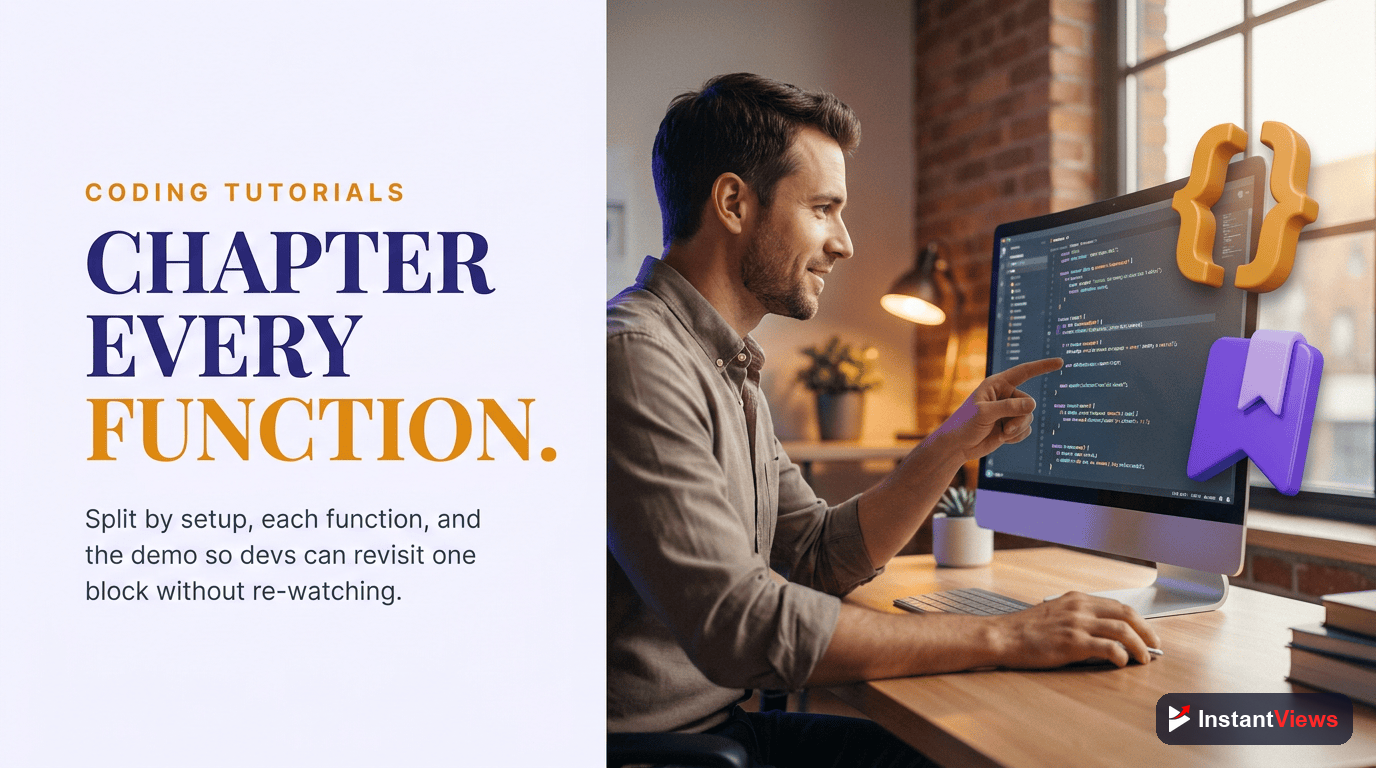
Chapters for Software Tutorials
Software tutorials (Photoshop, Excel, Premiere Pro, etc.) need clear navigation between different tools, menus, and features.
Software Tutorial Chapter Structure
0:00 Introduction: What You'll Learn
1:20 Software Requirements (Photoshop 2024)
2:45 Project Files Download
3:30 Interface Overview
5:50 Tool 1: Selection Tools
9:20 Tool 2: Brush Settings
12:45 Tool 3: Layers & Masks
16:30 Practical Example: Removing Background
20:15 Practical Example: Color Correction
23:50 Exporting Your Work
25:40 Keyboard Shortcuts Cheat Sheet
27:10 Common Issues & Fixes
29:30 Summary & Practice Challenge
Software-Specific Best Practices
- Include version numbers: "0:00 Introduction (Excel 365)"
- Menu path in titles: "8:30 Using Filters > Blur > Gaussian Blur"
- Keyboard shortcuts: "12:15 Layers Panel (F7 to open)"
- Before/after chapters: Show starting point and result
- Settings chapters: Dedicated sections for important settings
For software that updates frequently, include the version in your video title AND in the first chapter. This prevents confusion when UI changes in newer versions.

Educational Video Chapter Best Practices
1. Consistent Chapter Length
Keep chapters relatively consistent in length within the same tutorial. If most chapters are 3-4 minutes, avoid one 15-minute chapter. Break long sections into multiple chapters.
2. Progressive Difficulty
Order chapters from easiest to most complex. Don't start with advanced concepts. The chapter sequence should match the learning curve:
- Beginner concepts (first 30%)
- Intermediate applications (middle 40%)
- Advanced techniques (final 30%)
3. Prerequisite Transparency
If a chapter requires knowledge from a previous tutorial, state it clearly:
- "12:30 Advanced Hooks (Requires: React Basics Tutorial)"
- "18:45 Database Relationships (Know SQL Joins)"
4. Standalone Chapters When Possible
While maintaining logical flow, try to make chapters somewhat standalone. Advanced users should be able to jump to "15:20 Adding Authentication" without watching the entire tutorial.
5. Include Difficulty Indicators
For longer tutorials covering multiple skill levels, mark chapter difficulty:
0:00 Introduction
2:15 Setup
4:30 [BEGINNER] Basic Concepts
8:45 [BEGINNER] Your First Function
12:20 [INTERMEDIATE] Advanced Patterns
16:50 [INTERMEDIATE] Performance Optimization
21:15 [ADVANCED] Custom Implementations
25:40 Summary
6. Learning Resources in Chapters
Create a dedicated chapter for additional resources:
28:30 Resources & Links
- GitHub Repository
- Practice Exercises
- Documentation Links
- Related Tutorials
- Join Discord CommunityGenerate Perfect Tutorial Chapters
Our AI-powered timestamp generator analyzes your tutorial and creates optimized, educational chapters automatically. Used by 10,000+ educators.
Generate Chapters Free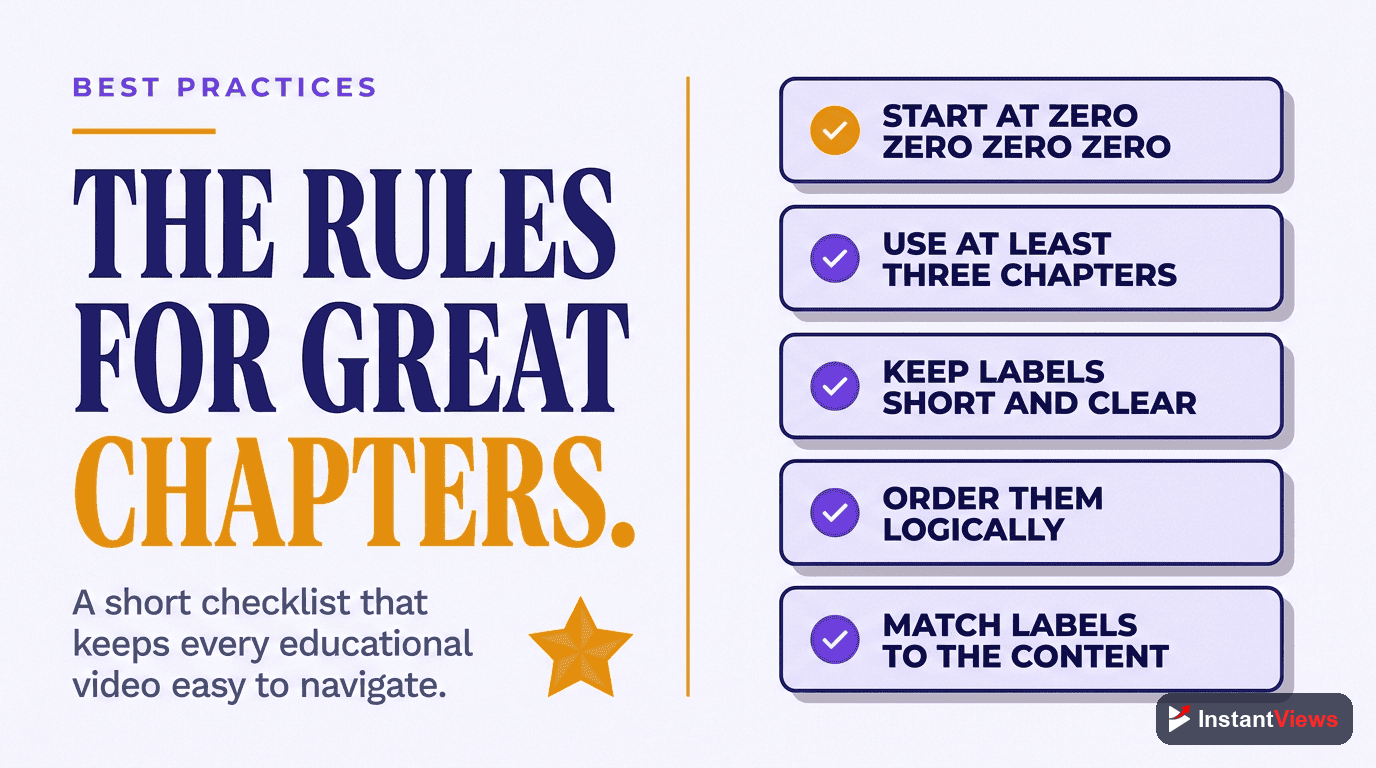
Frequently Asked Questions
Tutorial videos are typically longer and cover multiple steps or concepts. Chapters allow learners to jump directly to the specific section they need, pause and return to specific steps, and review difficult concepts without rewatching the entire video. This dramatically improves learning outcomes and completion rates.
For coding tutorials, create chapters for: (1) Introduction and setup, (2) Each major code section or function, (3) Testing and debugging, (4) Common errors and fixes, (5) Summary and next steps. A 30-minute coding tutorial typically benefits from 8-12 chapters.
Yes! Always create a chapter at the beginning for prerequisites and setup. This allows experienced viewers to skip ahead while ensuring beginners don't miss essential setup steps. Label it clearly: "0:00 Prerequisites & Setup" or "0:00 What You'll Need".
For tutorial videos, aim for 2-5 minute chapters. Each chapter should cover one complete concept or step. Shorter chapters (1-2 minutes) work well for quick tips, while complex topics can stretch to 5-7 minutes. Never exceed 10 minutes per chapter.
Chapters increase tutorial completion by 40-60% because viewers can track their progress, take breaks and return easily, skip sections they already know, and quickly find the exact information they need. This reduces frustration and abandonment.
Yes, for software tutorials, include version info in the intro chapter: "0:00 Introduction (Photoshop 2024)". This helps viewers determine if the tutorial is relevant to their software version and improves searchability.
For troubleshooting tutorials: Start with problem identification, create separate chapters for each solution attempt, include a chapter for the working solution, and end with prevention tips. Example: "0:00 Identifying the Error", "2:15 Solution 1: Check Dependencies", "4:30 Solution 2: Reset Configuration", "6:45 Working Fix", "9:00 How to Prevent This".
Absolutely! Educational searches like "how to" trigger Google's featured snippets and key moments. Videos with descriptive chapters are 3x more likely to appear with timestamp previews in Google search results, dramatically increasing click-through rates.