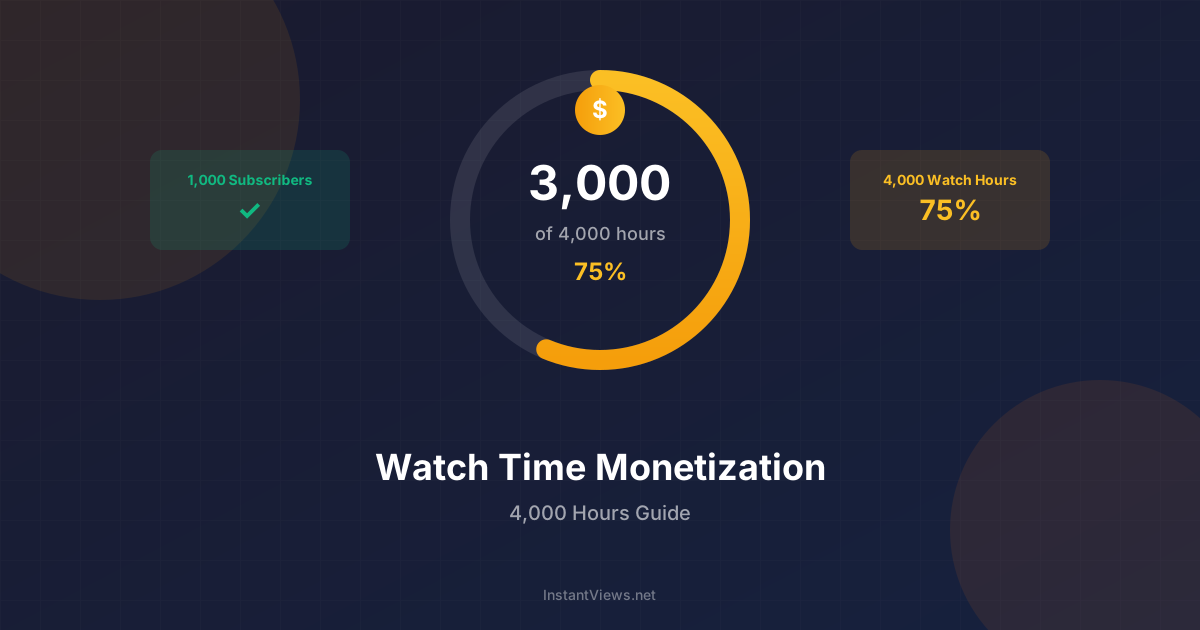
- YouTube requires 4,000 public watch hours in the past 12 months for monetization
- You also need 1,000 subscribers to qualify for the YouTube Partner Program
- Watch time equals total minutes viewed divided by 60 to get hours
- Longer videos with high retention accumulate watch hours faster
- YouTube Shorts do not count toward the 4,000 hour requirement
Reaching 4,000 watch hours is one of the biggest milestones for aspiring YouTube creators. Along with 1,000 subscribers, it is the gateway to the YouTube Partner Program (YPP) and the ability to earn money from your content.
For many creators, this goal feels overwhelming. But with the right strategy and understanding of how watch time works, you can reach this milestone faster than you think.
This guide breaks down everything you need to know about YouTube watch time, from calculation basics to proven strategies for accelerating your progress.
YouTube Partner Program Requirements
Before diving into strategies, let us clarify the exact requirements for YouTube monetization in 2026:
| Requirement | Standard Path | Shorts Path |
|---|---|---|
| Subscribers | 1,000 | 1,000 |
| Watch Hours | 4,000 (last 12 months) | N/A |
| Shorts Views | N/A | 10 million (last 90 days) |
| Time Period | Rolling 365 days | Rolling 90 days |
| Content Type | Long-form videos | Shorts only |
Calculating Your Watch Time Progress
Understanding where you stand is the first step to reaching your goal:
Finding Your Watch Hours in YouTube Studio
- Open YouTube Studio
- Click "Analytics" in the left menu
- Look for the monetization card showing your progress
- For detailed breakdown, go to Watch Time report
Setting Daily and Weekly Targets
| Timeline Goal | Daily Target | Weekly Target | Monthly Target |
|---|---|---|---|
| 12 months | 11 hours | 77 hours | 334 hours |
| 9 months | 15 hours | 103 hours | 445 hours |
| 6 months | 22 hours | 154 hours | 667 hours |
| 3 months | 44 hours | 308 hours | 1,334 hours |
Strategies to Increase Watch Time
These proven strategies help creators reach 4,000 hours faster:
1. Create Longer Content (8-15 Minutes)
Longer videos have more potential watch time per view. A viewer who watches 50% of a 12-minute video contributes 6 minutes, while 50% of a 4-minute video only adds 2 minutes.
- Aim for 8-15 minutes for most content
- Ensure every minute adds value - do not pad with fluff
- Use chapters to help viewers navigate longer content
2. Optimize for Audience Retention
Getting viewers to watch more of your video matters more than raw video length:
- Hook viewers in 30 seconds - State the value proposition immediately
- Use pattern interrupts - Change visuals, tone, or pace every 60-90 seconds
- Avoid slow intros - Skip lengthy greetings and get to the content
- Add open loops - Tease upcoming content to keep viewers watching
3. Create Playlists and Series
Playlists automatically play the next video, dramatically increasing session watch time:
- Group related videos into thematic playlists
- Create multi-part series that require sequential viewing
- Add end screens pointing to related playlists
- Verbally mention related videos during your content
4. Publish Consistently
| Upload Frequency | Impact | Typical Time to 4K Hours |
|---|---|---|
| Daily | Maximum exposure | 2-4 months |
| 3x per week | Strong momentum | 4-6 months |
| 2x per week | Sustainable growth | 6-9 months |
| Weekly | Steady progress | 9-12 months |
| Bi-weekly | Slow but possible | 12-18 months |
Never buy watch hours or use artificial methods to inflate your numbers. YouTube detects this and will reject your monetization application or terminate your channel. The 4,000 hours must come from legitimate views.
Track Your Watch Time Progress
Use our free Watch Time Calculator to see how close you are to monetization and project your target date.
Calculate Watch Time →Best Content Types for Watch Time
Some content formats naturally accumulate more watch time than others:
High Watch Time Content
- Tutorials and how-tos - Viewers watch the entire process
- Reviews and comparisons - Research content gets watched fully
- Storytelling and documentary - Narrative keeps people engaged
- Compilation videos - Collections encourage longer viewing
- Live streams - Extended duration accumulates hours quickly
Lower Watch Time Content
- Short clips (under 2 minutes)
- YouTube Shorts (do not count)
- Music with no visual interest
- Static slideshows
Frequently Asked Questions
The time varies widely based on content and consistency. With regular uploads (2-3 per week) and decent retention, most channels reach 4,000 hours in 6-12 months. Some achieve it in 3 months, while others take over a year. Focus on quality content that keeps viewers watching.
Standard Shorts do not count toward the 4,000 hour requirement for traditional YPP monetization. However, YouTube now offers a separate Shorts monetization path requiring 10 million Shorts views in 90 days. Long-form content remains the primary path to 4,000 watch hours.
Once you are accepted into YPP, you do not lose monetization if watch hours drop below 4,000. YouTube evaluates ongoing eligibility based on policy compliance, not continued metrics. However, low activity may affect your overall channel performance.
Watch hours from deleted videos no longer count toward your 4,000 hour total. If you delete videos after reaching monetization, the watch hours are removed from your running total. Only keep videos that you want to contribute to your watch time.
Yes, go to YouTube Studio > Analytics > Overview and look at the monetization widget. It shows your current watch hours and subscribers toward the 4,000/1,000 requirements. You can also see watch time for the last 365 days in the Watch Time report.
Technically yes, but YouTube's systems detect and may discount excessive self-viewing. A few views to check video quality are fine, but artificially inflating watch time through your own views violates YouTube's terms and can result in channel penalties.