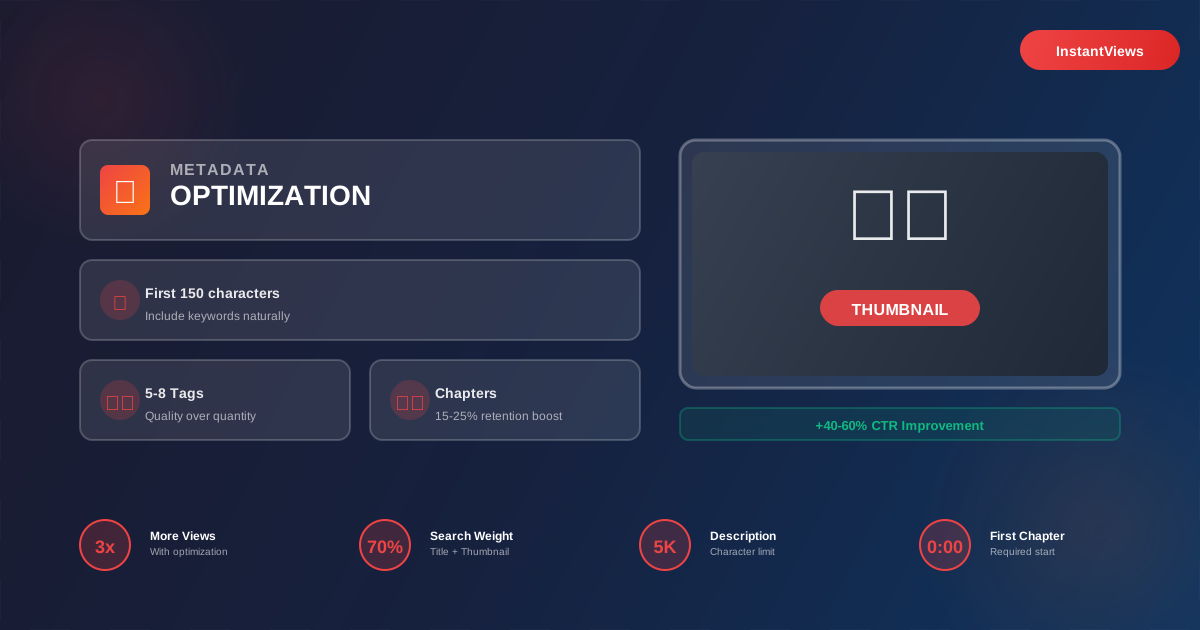
- Metadata is how YouTube understands and ranks your content - proper optimization can 3-5x your views
- Title and thumbnail work together to drive clicks - optimize both simultaneously for maximum CTR
- First 150 characters of description matter most - include primary keywords naturally
- Video chapters improve retention by 15-25% and boost SEO by creating additional search entry points
- Use InstantViews Video Analyzer to score all metadata elements before publishing
Every second, 500 hours of video are uploaded to YouTube. In this ocean of content, metadata is your lighthouse - it's how viewers find you and how YouTube decides who sees your videos.
Most creators treat metadata as an afterthought, filling it in quickly before hitting publish. That's a massive mistake. Creators who spend 30 minutes optimizing metadata see 3-5x more views than those who don't.
This guide covers every metadata element YouTube uses, with specific optimization strategies backed by data from analyzing millions of videos.
What is Video Metadata?
Video metadata is all the information that describes your video content. YouTube uses this data to:
- Understand what your video is about (topic, keywords, category)
- Decide who to show it to (matching content to viewer interests)
- Rank it in search results (SEO relevance and quality signals)
- Display it attractively (thumbnail, title in suggestions)
Think of metadata as the bridge between your content and your audience. Great content with poor metadata gets buried. Average content with excellent metadata gets discovered.
Metadata optimization isn't about gaming the system - it's about accurately representing your content in a way that helps the right viewers find it.
Title Optimization
Title Formula Examples:
| Content Type | Formula | Example |
|---|---|---|
| Tutorial | How to [Result] in [Timeframe] | How to Grow YouTube Subscribers in 30 Days |
| List | [Number] [Topic] That [Benefit] | 9 Editing Tricks That Double Watch Time |
| Comparison | [A] vs [B]: [Decisive Factor] | iPhone 16 vs Samsung S25: Camera Test |
| Case Study | How I [Result] in [Timeframe] | How I Got 1M Views in 7 Days (Full Strategy) |
| Controversy | Why [Popular Thing] is [Contrarian Take] | Why Daily Uploads Are Killing Your Channel |
Description Optimization
Description Template:
[Primary keyword sentence with clear value proposition]
[Expanded description of what's covered - 2-3 sentences]
Timestamps:
0:00 - Introduction
1:23 - [Chapter 1]
4:56 - [Chapter 2]Resources mentioned:
[Link to tool/product 1]
[Link to tool/product 2]More from this channel:
[Related video link with title]#PrimaryKeyword #SecondaryKeyword #Niche
Tags Strategy
Tag Strategy Example (for a YouTube SEO tutorial):
youtube seo- Primary keywordyoutube seo 2026- Year variationyoutube search optimization- Synonymhow to rank youtube videos- Long-tail variationyoutube algorithm- Related topicvideo seo- Broader categoryInstantViews- Channel brand
Thumbnail Optimization
Thumbnail Checklist:
- Does it stand out when viewed at mobile size?
- Is the text readable in 3 seconds or less?
- Does it create curiosity without being clickbait?
- Does it complement the title (not repeat it)?
- Would YOU click on this thumbnail?
Chapters & Timestamps
Chapter Benefits:
- 15-25% retention boost: Viewers can skip to relevant sections instead of leaving
- Multiple search entries: Each chapter can rank independently for its keywords
- Better user experience: Easy navigation increases satisfaction and shares
- Longer watch time: Viewers watch multiple chapters instead of bouncing
Advanced Metadata Elements
Category & Language
Choose the most specific category that matches your content. This helps YouTube recommend your video to the right audience. Set the video language correctly to ensure accurate captions and recommendations.
Captions & Subtitles
YouTube auto-generates captions, but manual captions are 90%+ accurate vs 70-80% for auto-captions. Benefits:
- Better accessibility (13% of viewers use captions)
- Improved SEO (captions are indexed and searchable)
- International reach (add translated subtitles)
- Higher watch time (easier to follow along)
End Screens & Cards
Not strictly metadata, but crucial for session time (which impacts rankings):
- End screens: Last 5-20 seconds, promote 2 videos + subscribe
- Cards: Mid-video links to related content (use sparingly - can distract)
- Best practice: Link to similar videos that extend watch time
Playlist Assignment
Add videos to relevant playlists immediately. Playlist metadata (title, description) provides additional SEO signals and increases binge-watching.
Analyze Your Video Metadata
Get instant scoring on title, description, tags, and thumbnail optimization with specific improvement recommendations.
Analyze Your Video →Complete Optimization Workflow
Follow this checklist before publishing any video:
- Keyword research - Identify primary and secondary keywords (use YouTube autocomplete, TubeBuddy, or VidIQ)
- Title creation - Write 3-5 variations with keywords front-loaded, test with analyzer
- Thumbnail design - Create multiple options, ensure mobile readability, match title intent
- Description writing - First 150 chars with keywords, full context below, add timestamps
- Tags selection - 5-8 targeted tags including primary keyword and variations
- Chapters creation - Minimum 3 chapters starting at 0:00, keyword-rich titles
- Category & language - Select most specific category, set correct language
- Captions review - Edit auto-captions for accuracy or upload manual
- Playlist assignment - Add to relevant playlists for binge-watching
- End screen setup - Link to 2 high-performing related videos + subscribe
| Element | Time Investment | Impact Level | Priority |
|---|---|---|---|
| Title | 10-15 minutes | Very High | Critical |
| Thumbnail | 20-30 minutes | Very High | Critical |
| Description | 10 minutes | High | Important |
| Chapters | 5 minutes | High | Important |
| Tags | 3 minutes | Medium | Recommended |
| Captions | 15 minutes | Medium | Recommended |
| End Screens | 2 minutes | Medium | Recommended |
Common Metadata Mistakes
- Keyword stuffing: Cramming keywords unnaturally (YouTube penalizes this)
- Misleading metadata: Clickbait that doesn't match content (hurts retention)
- Copying competitors: Titles too similar to bigger channels (you'll never outrank them)
- Generic descriptions: "Watch my video!" with no keywords or context
- Ignoring mobile: Thumbnails that only work on desktop (70% of views are mobile)
- Inconsistent branding: Every video looks different (reduces channel recognition)
- Lazy updates: Never refreshing old video metadata (missed opportunity)
"I spend 30% of my production time on metadata - title, thumbnail, description. It's not optional if you want to grow." - YouTube Creator with 5M+ subscribers
Frequently Asked Questions
Video metadata is all the information that describes your video: title, description, tags, thumbnails, captions, chapters, and more. It's how YouTube understands what your video is about and decides who to show it to. Properly optimized metadata can increase your views by 3-5x.
Your description can be up to 5,000 characters, but the first 150-200 characters are most important since they appear in search results and above the "Show More" button. Include your primary keywords in the first two sentences, then provide detailed information below.
Yes, but less than before. YouTube's algorithm now prioritizes title, description, and actual content over tags. Use 5-8 highly relevant tags focusing on your primary keywords and common misspellings. Don't waste time adding dozens of tags - quality over quantity.
Absolutely. Refreshing metadata on older videos can give them new life. Focus on videos that already get some views but could perform better. Update titles to current trends, add chapters, improve thumbnails, and refresh descriptions with better keywords.
Always optimize for humans first, algorithms second. Write naturally, focus on clarity, and provide genuine value. Use keywords where they make sense, not stuffed awkwardly. If your metadata reads like an SEO robot wrote it, viewers will click away.
Thumbnail and title optimization typically drive the biggest immediate results (40-60% CTR improvement). Next is adding chapters (15-25% retention boost), then description optimization for search. The InstantViews Video Analyzer scores all these elements together.