- One focused long-form video can become roughly ten content pieces — Shorts, graphics, a blog post, an email, a carousel, audio, and more — without filming anything new
- Repurposing is mostly curation: choosing the strongest self-contained moments matters far more than fancy editing
- The best Shorts come from surprising facts, bold opinions, quick tips, and single steps that stand alone — each ending with a prompt back to the full video
- The transcript is your raw material for every text format: blog post, email, carousel, community post, and thread
- Cross-link and schedule the pieces so each one feeds traffic to the next instead of competing with it
You spent hours planning, filming, and editing a video. You hit publish. Within a week, the views flatten and that work effectively disappears — one upload, one moment of attention, then gone. Meanwhile you are already scrambling to make the next thing. It is the most common and most expensive mistake creators make: treating every video as a single, disposable event.
The smarter approach is content repurposing — taking one strong video and reshaping it into many smaller pieces that live on different platforms and reach different audiences. The video you already made contains a blog post, a week of Shorts, a handful of graphics, an email, and more. You just have not extracted them yet.
This matters more than ever in 2026. YouTube Shorts now drive over 200 billion views a day, and creators who publish both short-form and long-form content tend to grow faster than those who stick to a single format. Repurposing is how you feed every surface at once without burning out.
In this guide you will get a practical, repeatable system: how to choose the right source video, which moments make great Shorts, exactly which ten pieces to extract, the step-by-step workflow, and how to schedule everything so the pieces work together instead of cannibalizing one another.
- Why Repurposing Beats Constant New Production
- Choosing the Right Source Video
- The 10 Pieces From One Video
- The Repurposing Map: Moment to Format
- Which Clips Make Good Shorts
- The Step-by-Step Repurposing Workflow
- A Worked Example: One Tutorial, Ten Pieces
- Scheduling and Cross-Linking
- Mistakes That Waste Your Effort
- FAQ
Why Repurposing Beats Constant New Production
New creators believe growth comes from making more things. In reality, growth comes from getting more mileage from the things you already make. Filming is the expensive part: the planning, the setup, the recording, the editing. Once that work exists, squeezing ten pieces out of it costs a fraction of the time of producing ten originals.
There is also an audience reason. People consume content in different places and in different moods. Someone who will never sit through a 20-minute tutorial might watch a 30-second clip on their phone, read a quick email, or save a carousel. Repurposing lets the same core idea meet people wherever they already are, instead of forcing everyone onto one platform in one format.
And the formats reinforce one another. A Short introduces a stranger to your idea and points them to the full video. The full video links to your blog post for the people who want depth. The blog post captures an email. Each piece becomes an on-ramp to the next, turning a single upload into a small ecosystem.
There is a hidden compounding effect too. Every repurposed piece is another chance for the algorithm on a given platform to surface your idea, another search result that can rank, and another asset you can point back to for months. The video that quietly stops getting views can be revived again and again simply by reshaping it — the same idea, dressed for a new room.

Choosing the Right Source Video
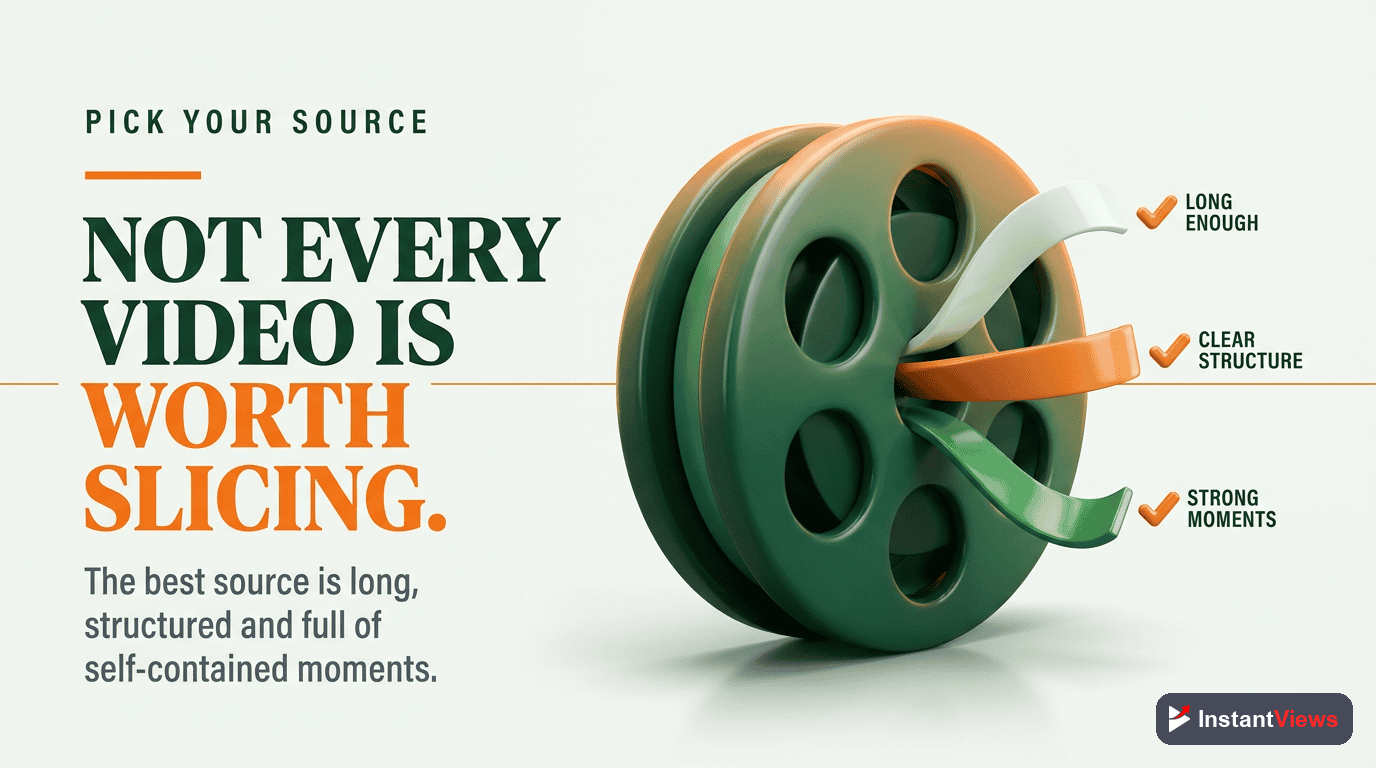
Not every video deserves the repurposing treatment. The effort pays off most when you start with the right raw material, so choose deliberately rather than repurposing whatever you uploaded last.
Look for videos that check these boxes:
- Evergreen, not time-sensitive: A tutorial or explainer stays useful for months. A reaction to last week’s news does not.
- Already proven: Repurpose your top performers first. If an audience already rewarded the idea, the demand is real and the smaller pieces will land too.
- Dense with distinct moments: Listicles, multi-step tutorials, and Q&A sessions break apart cleanly because each item or answer can stand on its own.
- Built around one clear theme: A focused video gives you focused clips. A rambling video gives you rambling clips.
The richest sources are often the longest. A short tip video may yield one or two clips, but an hour-long interview, podcast, or webinar can produce dozens of distinct moments. The denser the value, the more pieces you can pull.
The 10 Pieces From One Video
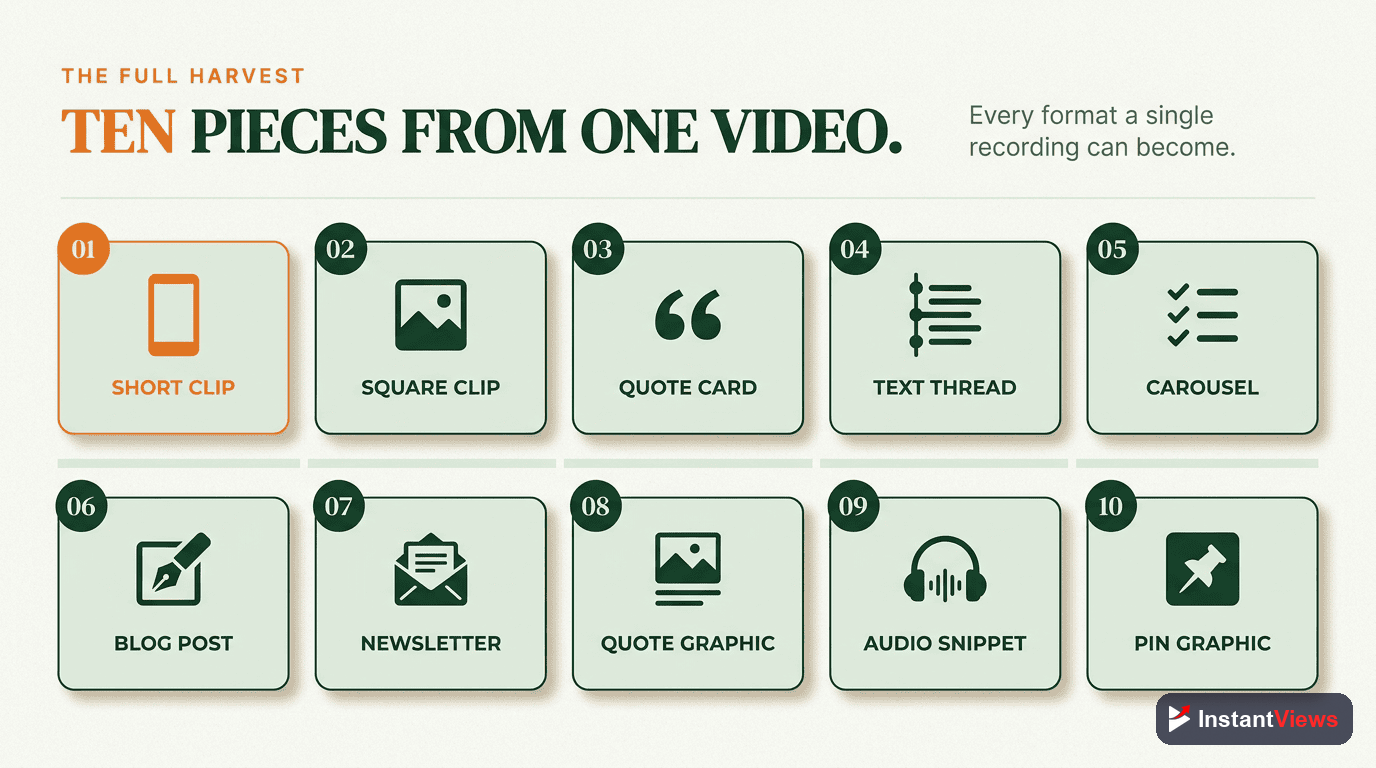
Here is the target: from a single strong video, aim to create around ten distinct pieces. The exact mix flexes with your niche, but this set works for almost anyone.
- Short #1 — the hook moment: Your most surprising or attention-grabbing line, cut as a vertical clip.
- Short #2 — the quick tip: A single actionable step that delivers value in under a minute.
- Short #3 — the bold opinion: A take that sparks comments and shares.
- Quote graphic: A still image featuring your strongest one-line quote, sized for feeds.
- Blog post: The transcript reworked into a structured, searchable article.
- Email newsletter: The core lesson summarized for your list, linking back to the video.
- Carousel: A multi-slide breakdown of the key steps or points for image-first platforms.
- Audio clip: The audio stripped out as a podcast snippet or audiogram.
- Community / discussion post: A question or poll built from the video’s main debate.
- Text thread: The argument unrolled as a numbered thread for text-first platforms.
Notice that only the first three require video editing. The remaining seven are built almost entirely from the transcript and a few stills — which is why repurposing scales far better than people expect once they stop thinking of it as “more video work.”
The Repurposing Map: Moment to Format
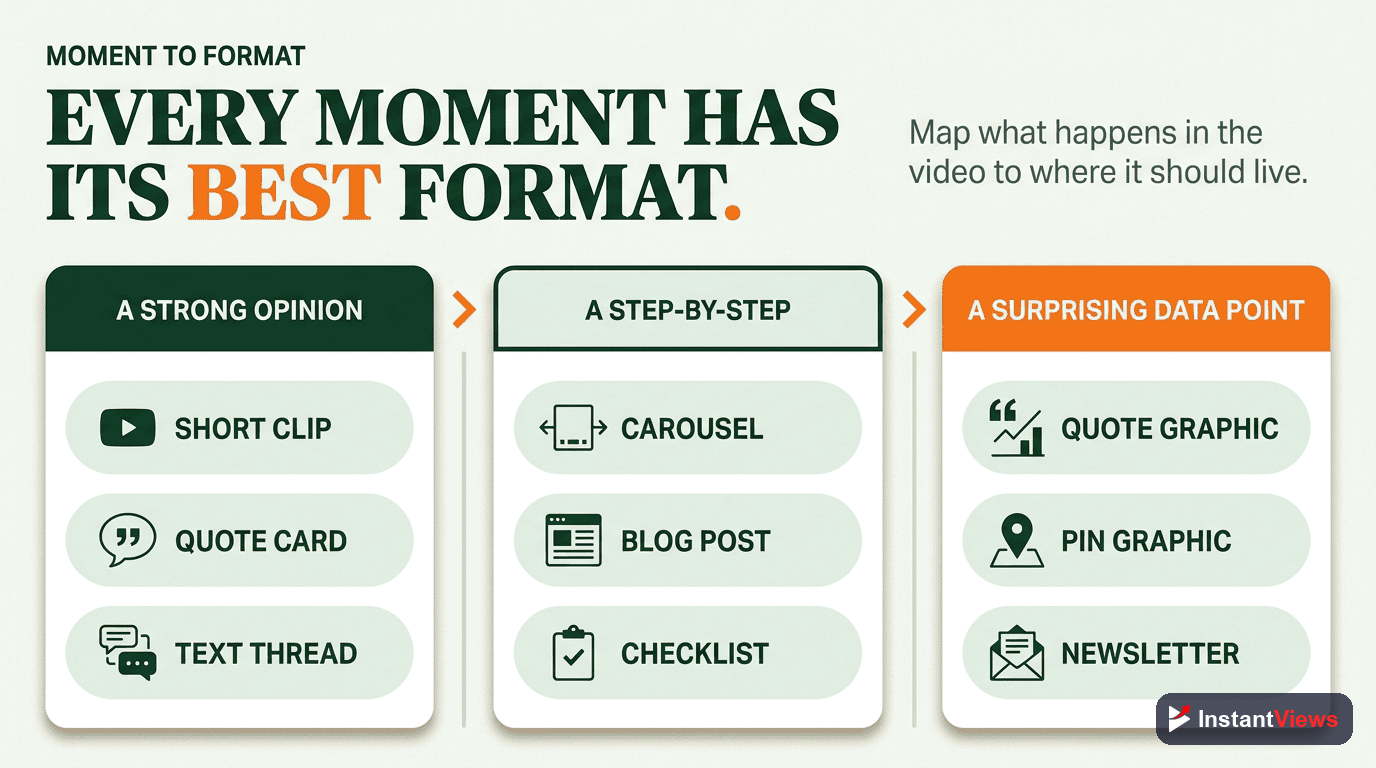
The fastest way to repurpose is to stop staring at the whole video and instead match specific moments to specific formats and platforms. This table is the heart of the system — keep it next to you while you work.
| Source moment | Repurposed format | Best platform |
|---|---|---|
| Most surprising line or stat | Hook Short / Reel | YouTube Shorts, Reels, TikTok |
| A single actionable step | Quick-tip Short | YouTube Shorts, TikTok |
| A strong opinion or hot take | Discussion clip + text post | Shorts, X / threads |
| Your single best one-liner | Quote graphic | Instagram, Pinterest, LinkedIn |
| The full teaching arc | Blog post (transcript-based) | Your website / search |
| The core lesson, summarized | Email newsletter | Your email list |
| The list of steps or points | Carousel | Instagram, LinkedIn |
| The conversation / narration | Audio clip or audiogram | Podcast feeds, Shorts |
| The main debate or question | Community post / poll | YouTube Community, forums |
When you think in terms of moments rather than the whole video, repurposing stops feeling like a huge editing project and becomes a series of small, obvious extractions. You are not reinventing anything — you are sorting what already exists into the right buckets.
Which Clips Make Good Shorts
The short-form clips are where most of the new reach comes from, so it is worth being deliberate about which moments you cut. The biggest lever is not editing skill — it is selection. Most of the work in turning long videos into great Shorts is curation, with only a small slice being the actual trimming.
The Moments Worth Clipping
Reach for moments that can stand completely on their own, with no setup required:
- The surprising fact: A statistic or claim that makes someone stop scrolling.
- The bold opinion: A clear, confident take — even a mildly contrarian one — that invites a reaction.
- The single step: One tip, hack, or step extracted from a larger process.
- The reveal: A before-and-after, a result, or the answer to a question you posed.
- The emotional or funny beat: An unscripted, human moment that feels alive.
How to Structure the Clip
Keep clips tight. General 2026 guidance places Shorts and Reels in the 15 to 35 second range for strong completion rates, stretching toward 60 seconds only when the moment truly earns it. Lead with the payoff — do not save the surprise for the end — and trim every second that does not push the point forward.
Crucially, every clip should end with an on-screen prompt back to the full video. This is the single highest-leverage move in repurposing: it converts a stranger who found you on a short clip into a long-form viewer, which is what actually deepens the relationship.
Do not just chop your video into arbitrary 30-second chunks and post them. Clips that lack a self-contained hook and payoff tend to underperform badly. A few intentionally chosen, well-structured clips will always beat a pile of mechanical cuts.

The Step-by-Step Repurposing Workflow
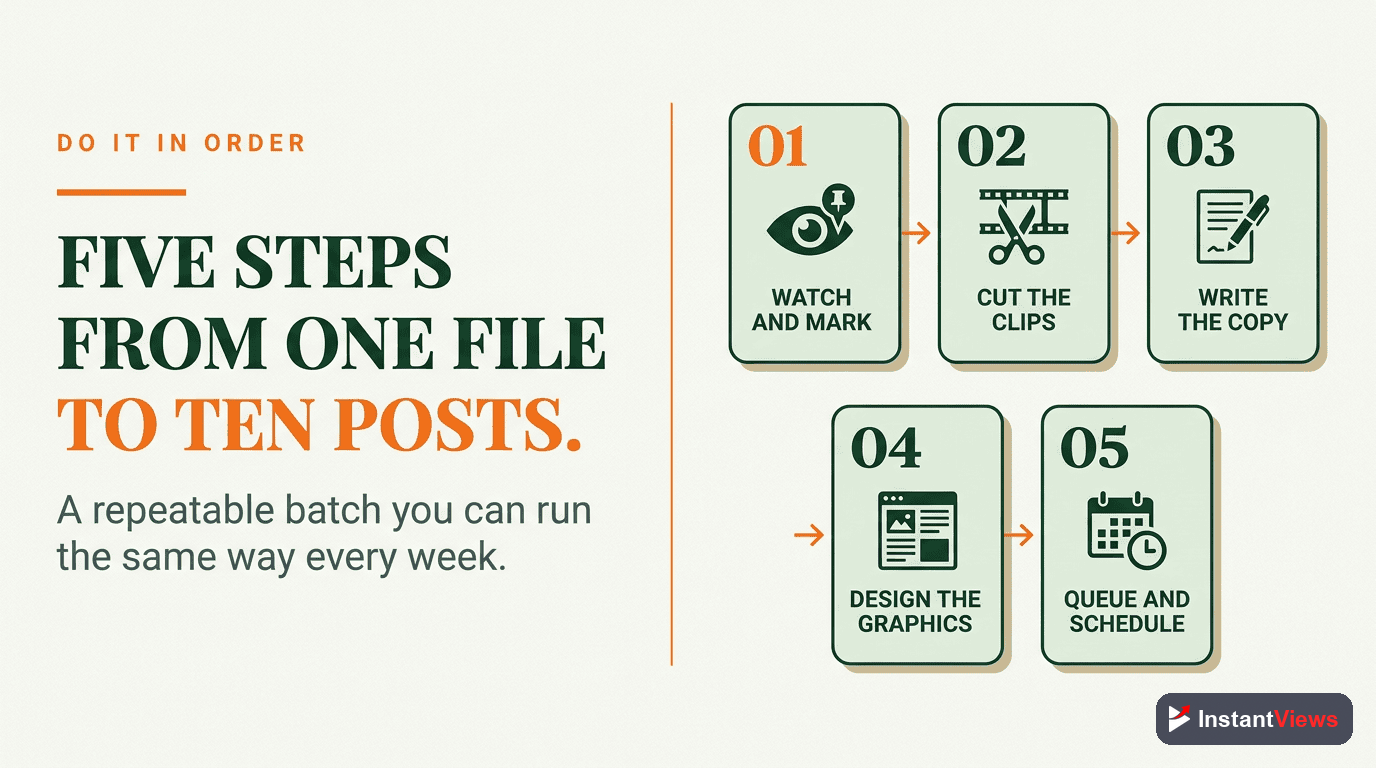
Here is the repeatable system. Run these five steps after every video worth repurposing, and the whole thing becomes routine rather than a fresh decision each time.
Pick the Right Source Video
Choose an evergreen, proven video that teaches something clear. The better the source, the more — and stronger — the pieces you can extract from it.
Transcribe and Mark the Moments
Get a transcript, then read through it and timestamp every strong moment: surprising facts, bold opinions, quick tips, and self-contained steps. This single document fuels both your clips and every text format.
Cut the Short-Form Clips
Trim three to five vertical clips from your best marked moments. Keep each one tight, lead with the payoff, add captions, and end with a prompt pointing back to the full video.
Build the Text and Image Formats
Use the transcript to write the blog post, the email, the carousel, the community post, and the thread. Pull your single best line into a quote graphic and strip the audio for a clip.
Schedule and Cross-Link Everything
Space the pieces across the following days and weeks, link them to one another, and make sure each one drives attention toward the hero video and your email list.
The order matters. Selecting the right video and marking the moments first means every later step is just execution — you are never staring at a blank screen wondering what to make.
A Worked Example: One Tutorial, Ten Pieces
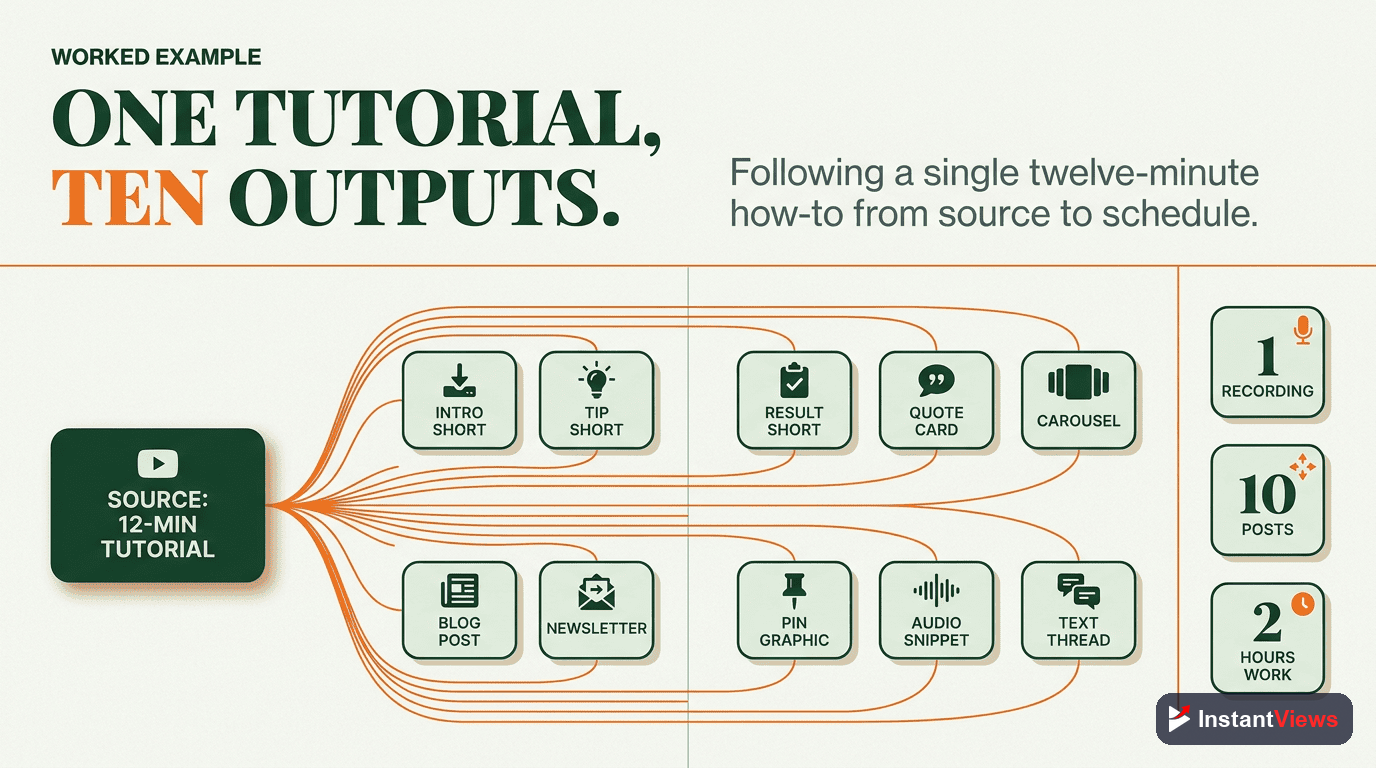
Imagine you publish a 22-minute tutorial: “7 Editing Mistakes That Kill Your Retention.” It performs well, it is evergreen, and it is densely packed with distinct points — a perfect repurposing candidate. Here is how it breaks apart.
First, you transcribe it and mark the highlights. Each of the seven mistakes is its own self-contained moment, plus there is a surprising opening claim and a strong closing opinion. That is already nine marked moments before you do any editing.
Now you extract:
- Three Shorts: the most surprising mistake (the hook), the easiest fix (the quick tip), and your spicy “most creators get this backwards” opinion.
- One quote graphic: the line “Retention is earned in the first five seconds, not the first five minutes.”
- One blog post: “7 Editing Mistakes That Hurt Retention” built from the transcript, optimized for search.
- One email: a short note to your list teasing mistake #1 and linking to the video.
- One carousel: a 7-slide “swipe through the 7 mistakes” for image feeds.
- One audio clip: the two-minute segment where you explain the biggest mistake, as a podcast snippet.
- One community post: “Which of these 7 mistakes are you guilty of? Vote below.”
- One text thread: the seven mistakes unrolled as a numbered thread.
That is ten pieces from one upload. Only the three Shorts and the audio clip touched a video editor; everything else came from the transcript and a single still. And every piece points back to the original tutorial, so the more they spread, the more the hero video grows. Industry workflows note that a 20 to 30 minute video can yield 10 to 20 high-quality Shorts on its own — so even this ten-piece plan is conservative.
Scheduling and Cross-Linking
Creating the pieces is only half the job. How you release them determines whether they compound or simply pile up and get ignored.
Space Them Out
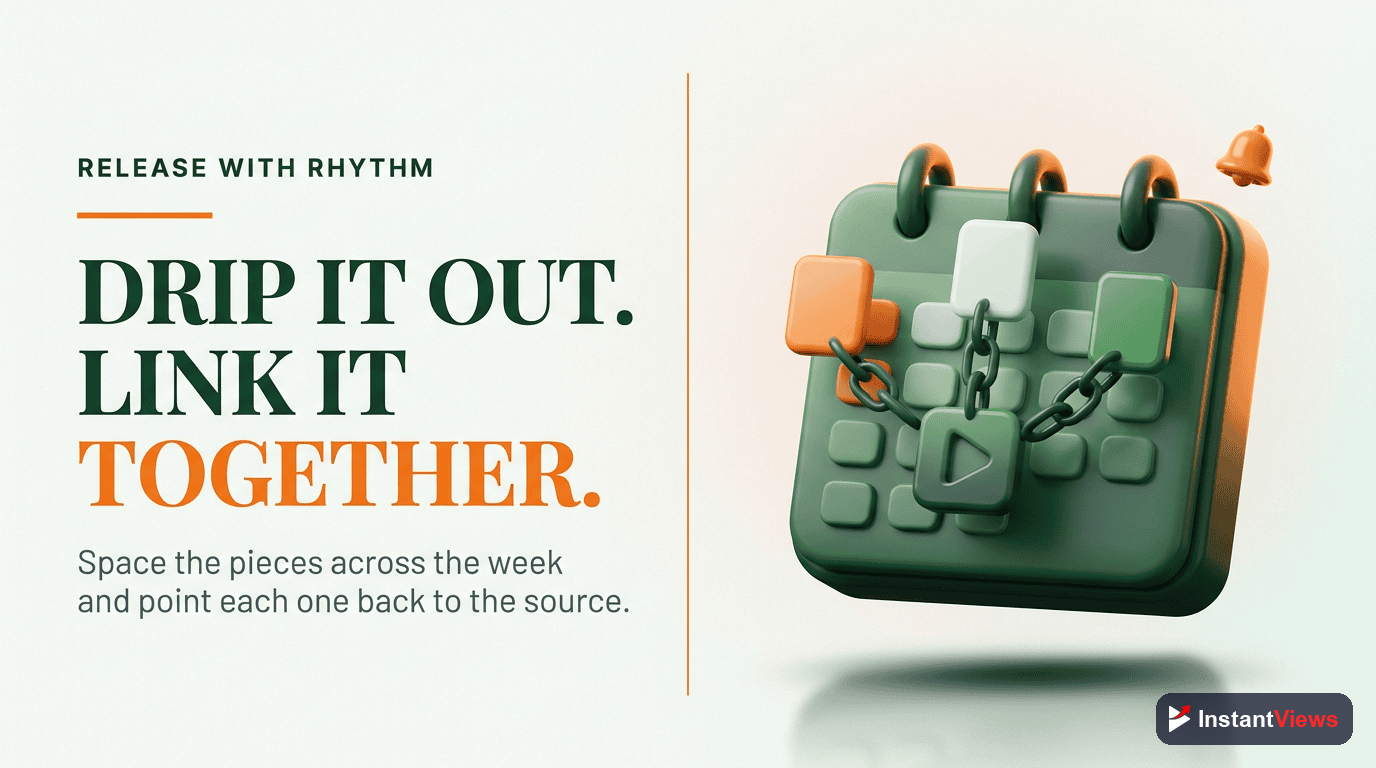
Resist dumping everything on the same day. Spreading the pieces across the following one to two weeks keeps your presence steady and gives each format room to breathe. A practical rhythm is publishing the hero video, then releasing a Short or text piece every day or two afterward.
Link Everything Together
The pieces should form a web, not a scatter:
- Every Short ends with a prompt to watch the full video.
- The video description and pinned comment link to the blog post.
- The blog post embeds the video and offers an email signup.
- The email links back to both the video and the blog post.
- The carousel and thread name-drop the full video as the deep dive.
Done well, a single upload now has eight or nine doors leading into it from across the internet. Each repurposed piece is both a standalone win on its own platform and a quiet salesperson for the hero video and your email list.
Mistakes That Waste Your Effort
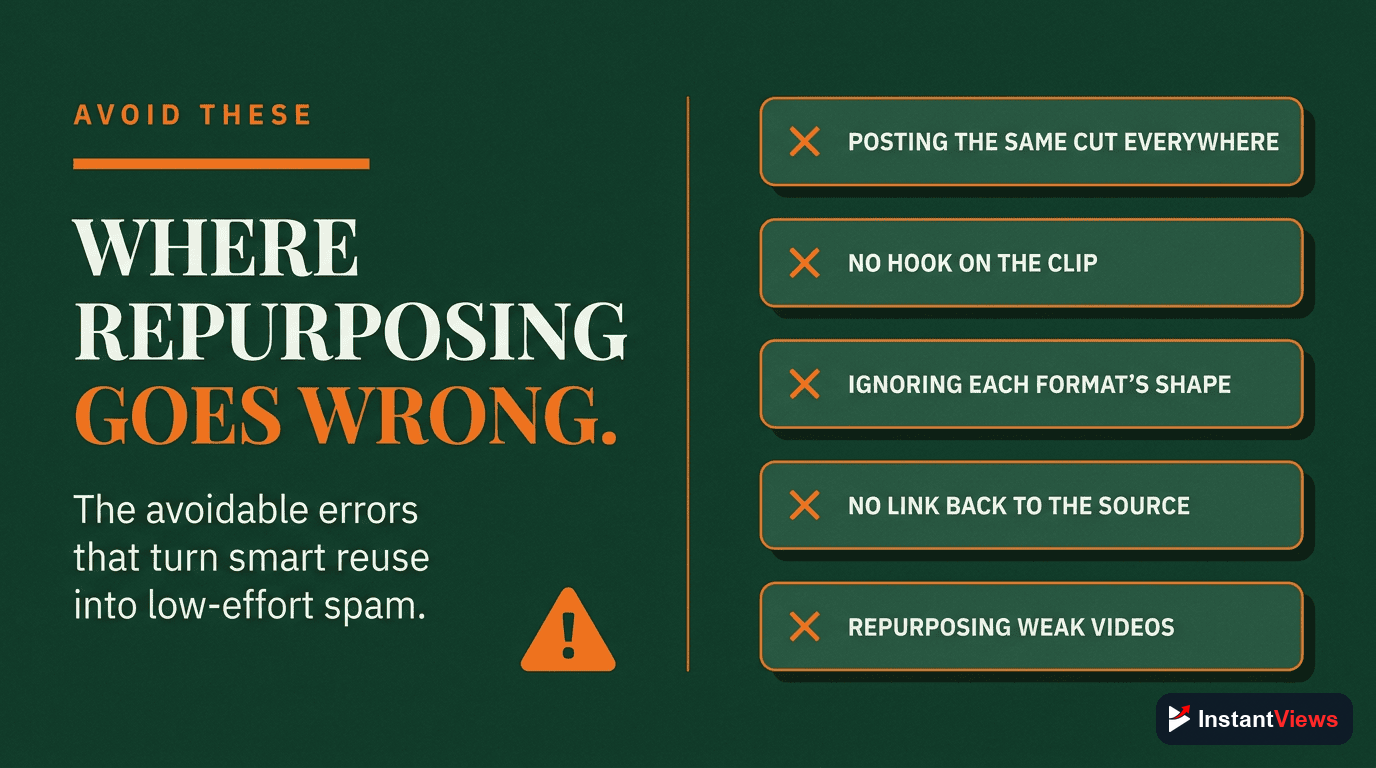
Repurposing is simple, but a few avoidable errors quietly drain the payoff:
- Mechanical chopping: Slicing the video into random chunks instead of choosing self-contained moments with a hook and payoff.
- Repurposing weak videos: Pouring effort into content the audience never wanted in the first place. Start with proven performers.
- No call back to the source: Clips and posts that never point anywhere waste their reach. Always route attention toward the hero video.
- Posting everything at once: Burning all ten pieces in a single day instead of spacing them to sustain momentum.
- Identical copy everywhere: Pasting the same caption on every platform. Adjust the framing and call to action to fit each audience.
- Skipping the transcript: Trying to rebuild every text format from memory instead of mining the words you already said.
Avoid these and the system runs smoothly. The goal is a quiet, repeatable habit — not a heroic one-time effort you abandon after a week.
“Your best video is not finished when you hit publish. It is finished when you have squeezed every format out of it — the upload is the raw material, not the final product.”
Frequently Asked Questions
Repurposing means taking one piece of content you have already produced and reshaping it into new formats for different platforms and audiences. A single long-form YouTube video can become Shorts, quote graphics, a blog post, an email, a carousel, an audio clip, a community post, and a social thread — without filming anything new.
A focused 20 to 30 minute video can realistically produce 10 or more pieces. Industry workflows suggest a 20 to 30 minute long-form video typically yields 10 to 20 high-quality Shorts alone, and that is before you add the blog post, email, carousel, and other text formats built from the same transcript.
The strongest Shorts come from self-contained moments: a surprising statistic, a bold opinion, a quick tip, a clear before-and-after, or a single step that stands alone. Each clip should make sense without the rest of the video and end with an on-screen prompt pointing back to the full upload.
No. Repurposing rewards your best evergreen content — the videos that answer common questions, teach a clear process, or hold up months later. Time-sensitive or low-performing uploads are usually not worth the effort. Start by repurposing your top performers, where the audience has already shown demand.
No. The core inputs are your video file and its transcript, both of which you already have. AI clipping and transcription tools can speed up the process significantly, but the system works manually too. Begin with a repeatable checklist, then add tools to remove the slow steps once the habit is in place.
Short vertical clips perform best when they are tight. General guidance for 2026 places YouTube Shorts and Reels in the 15 to 35 second range for strong completion, with up to about 60 seconds working when the moment justifies it. Trim ruthlessly so the payoff arrives fast.
The opposite is usually true. Each format reaches a different audience on a different surface, and the pieces reinforce one another — a Short can send a new viewer to the full video, which links to the blog post, which captures an email. Creators who publish both Shorts and long-form content often grow faster than single-format creators.
Turn it into a checklist tied to every upload, and batch the work. Once a video is published, run the same repurposing steps every time so it becomes routine rather than a decision. Scheduling the resulting pieces across the following days or weeks keeps your presence steady without constant new filming.
Conclusion
Repurposing is the highest-return habit in content creation because it changes the math. Instead of one fragile upload competing for one moment of attention, you get a cluster of pieces working across every platform — each reaching a different audience and each pointing back to the original. The video you already made is worth far more than a single view count suggests.
Start small and build the muscle. Take your single best evergreen video, transcribe it, mark the strongest moments, and pull just three Shorts and a blog post. That alone multiplies the life of your work. Add the email, the carousel, the quote graphic, and the rest as the routine settles in.
In 2026, with Shorts driving over 200 billion views a day and audiences scattered across formats, the creators who win are not necessarily making more — they are getting maximum mileage from everything they make. Turn one video into ten pieces, and every upload starts working ten times as hard.