- Channel-level SEO optimizes your whole channel — name, handle, keywords, About, sections, playlists, trailer, and branding — not just one video at a time
- Clear, consistent niche signals tell YouTube exactly who to recommend you to, which lifts every video you publish
- The first one to two sentences of your About description carry the most weight, because that snippet shows beside your channel in search
- Themed playlists and a strong channel trailer turn first-time visitors into subscribers and keep sessions going
- Consistent branding does not change the algorithm directly, but it lifts the click-through and subscribe signals the algorithm rewards
With more than 2.7 billion monthly active users and over a billion hours of video watched every day, YouTube is the largest discovery engine on the internet. Most advice about getting found focuses on a single upload: the title, the thumbnail, the description. That work matters — but it sits on top of something deeper that decides how far any one video can travel.
That deeper layer is your channel. Before YouTube decides whether to push a video into search results and suggested feeds, it needs to understand what your channel is about, who watches it, and whether viewers who land there tend to stick around. Channel-level SEO is the practice of sending those signals clearly and consistently — and it is the difference between a channel YouTube confidently recommends and one it quietly ignores.
This guide is about channel-level optimization specifically, not per-video SEO. We will work through every part of your channel that shapes discovery: your name and handle, your channel keywords, your About description, your sections and playlists, your trailer, and your branding. Each one is a lever, and together they tell YouTube exactly who you are.
By the end you will have a clear, repeatable checklist for turning a vague channel into one with a sharp niche identity that the 2026 algorithm can understand and reward.
- What Is Channel-Level SEO?
- Channel SEO vs. Per-Video SEO
- Channel Name, Handle, and Niche Identity
- The About Description: Your Most-Read Real Estate
- Channel Keywords and Topic Signals
- Sections and Playlists That Guide Discovery
- The Channel Trailer and Featured Video
- Banner, Branding, and Consistency Signals
- The Optimization Reference Table
- A Step-by-Step Optimization Workflow
- FAQ
What Is Channel-Level SEO?
Channel-level SEO is the optimization of the signals that describe your entire channel rather than any single upload. When YouTube assesses where to surface your content, it does not look at a video in isolation. It considers the channel behind it: what topics that channel covers, how clearly it states its focus, and whether the audience that watches one video tends to watch and subscribe.
Those channel signals come from concrete, editable places. Your channel name and handle. The channel keywords you set in your settings. Your About description. The sections and playlists on your homepage. Your channel trailer. Your banner, profile picture, and overall visual identity. Each of these is something you control, and each one contributes to a single question YouTube is constantly trying to answer: who should I show this channel to?
The 2026 system has gotten noticeably better at reading meaning rather than matching exact words. It clusters channels and viewers by intent and topic, and it prioritizes viewer satisfaction and retention over raw watch time. That shift makes channel-level clarity more valuable than ever: a channel that plainly communicates its niche — in words and in structure — is far easier for the system to place in front of the right people.
Channel SEO vs. Per-Video SEO
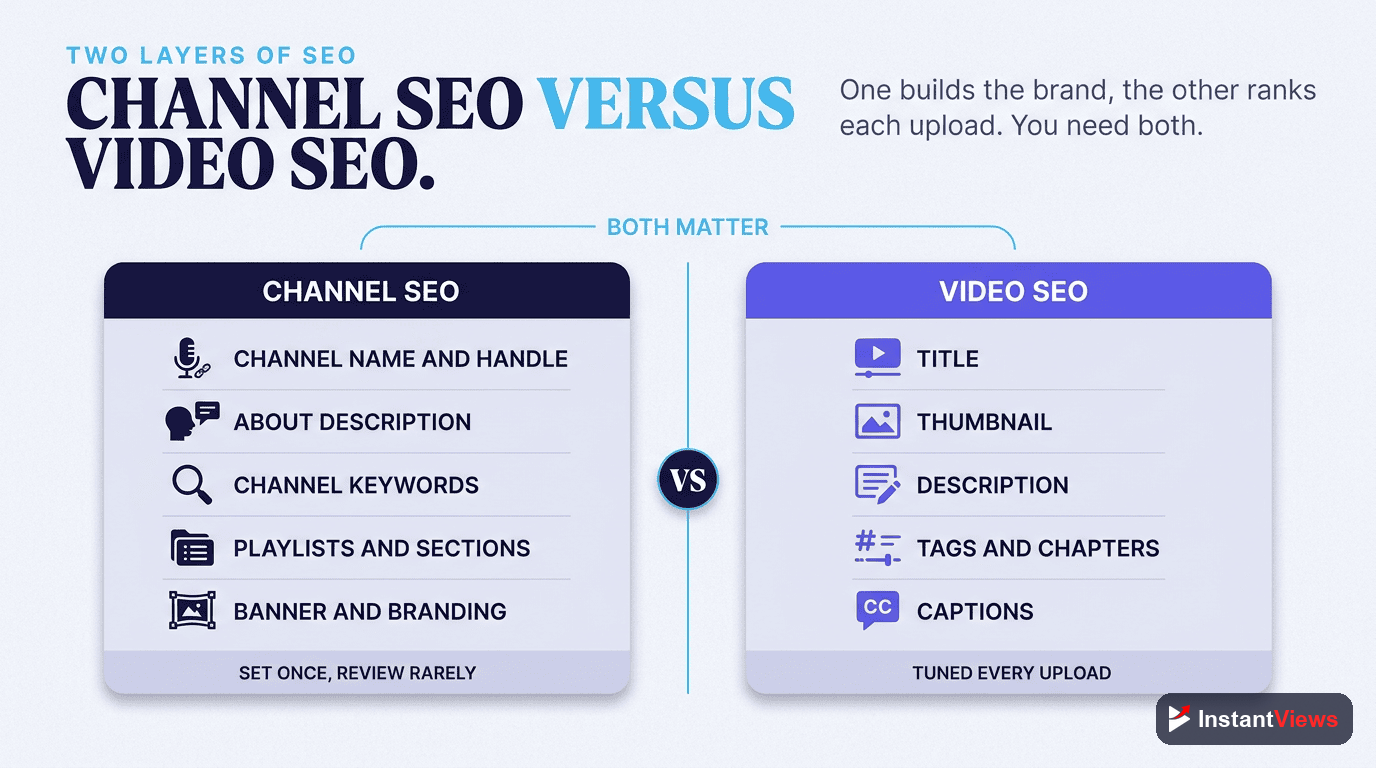
It helps to see the two layers side by side. Per-video SEO is tactical and repeated for every upload. Channel SEO is foundational and set once, then refined occasionally. You need both, but the channel layer comes first, because it shapes how much traction every video can get.
How They Reinforce Each Other
Think of channel SEO as the soil and per-video SEO as the individual plants. A perfectly optimized video on a confused, nicheless channel is like a healthy seed in poor soil — it can grow, but it struggles. The same video on a channel with a sharp identity benefits from all the context YouTube already has, so it is more likely to be suggested alongside related content.
- Channel SEO answers "what is this channel about and who is it for?" — set through name, handle, keywords, About, and structure.
- Per-video SEO answers "what is this specific video about?" — set through each video's title, description, tags, and thumbnail.
- Together they help YouTube confidently route both your channel and each video to the audience most likely to watch, enjoy, and subscribe.
Channel Name, Handle, and Niche Identity
Your channel name and your @handle are the first identity signals YouTube and viewers see. They appear in search results, in suggested feeds, on every comment you leave, and in the URL people share. Getting them right is foundational channel SEO.
Choosing a Name That Signals Your Niche
The strongest channel names balance brand and clarity. A purely abstract brand name gives YouTube little topical context, while a name that hints at your subject helps both the system and new viewers understand you instantly. Many creators pair a memorable brand word with a niche descriptor so the name carries meaning without becoming generic.
Your Handle Is Part of Your Brand Entity
Your handle is the short, unique @name that forms your channel URL and travels with you across Shorts, comments, and shares. Keep it consistent with your name and, ideally, with the username you use on other platforms, so your brand reads as one recognizable entity everywhere viewers meet you.
- Keep it consistent: match your handle to your channel name and your other social usernames where possible.
- Keep it readable: avoid random numbers and underscores that are hard to say or remember.
- Keep it stable: changing your name or handle repeatedly weakens recognition, so choose something you can grow into.
The About Description: Your Most-Read Real Estate
Your channel's About description is one of the most underused assets in all of YouTube SEO. It is a dedicated space to tell YouTube and viewers exactly what your channel covers, in your own words, with your own keywords — and a meaningful slice of it gets read far more often than creators assume.
The First Lines Do the Heavy Lifting
The opening one or two sentences matter most. YouTube often displays that short snippet next to your channel in search results, and the majority of YouTube viewing happens on mobile, where most people only ever see that brief hook. So lead with a clear statement of who you help and what you publish, and weave in your primary keyword naturally rather than burying it three paragraphs down.
What to Include After the Hook
Once the hook has done its job, the rest of the description can add depth and context for both viewers and the algorithm:
- A fuller explanation of your content pillars and the kinds of videos you make
- Who the channel is for, stated plainly — the audience you want to attract
- Your upload schedule, so returning viewers know when to expect you
- Links to your site, lead magnet, or key social profiles
- Natural mentions of the core topics and terms you want to be known for
Do not keyword-stuff your About description or pile on a long list of hashtags. The 2026 system reads natural language and intent, and overstuffing reads as low-value. As a rule of thumb, a small set of genuinely relevant hashtags works; cramming in too many causes YouTube to ignore them entirely.
Channel Keywords and Topic Signals
Beyond the visible About text, YouTube gives you a dedicated channel keywords field in your settings. These keywords are not shown to viewers; they exist purely to give YouTube context about your channel's topic and audience. They are a quiet but genuine channel-level ranking signal.
How to Choose Channel Keywords
Aim for a focused set of core niche phrases — the terms a new viewer would actually search to find content like yours — kept within the 500-character limit. Lead with your most important phrases, since earlier terms tend to carry more weight, and keep everything tightly relevant to your real niche.
- Lead with your core topic: put the phrase that defines your channel first.
- Stay on-niche: every keyword should describe content you genuinely make — off-topic terms confuse the signal.
- Use natural phrases: multi-word phrases that match how people search beat single disconnected words.
- Respect the limit: a tight, relevant set beats a maxed-out list of loosely related terms.
For newer channels, it pays to target topics with realistic competition rather than the most contested terms in your space. Building authority around a clearly defined cluster of related subjects is far more effective than chasing one giant keyword you cannot yet win.
Sharpen Your Channel Signals
Use our free suite of YouTube tools to research the keywords your niche is searching for and refine the titles and topics that feed your channel's identity.
Explore Free YouTube Tools →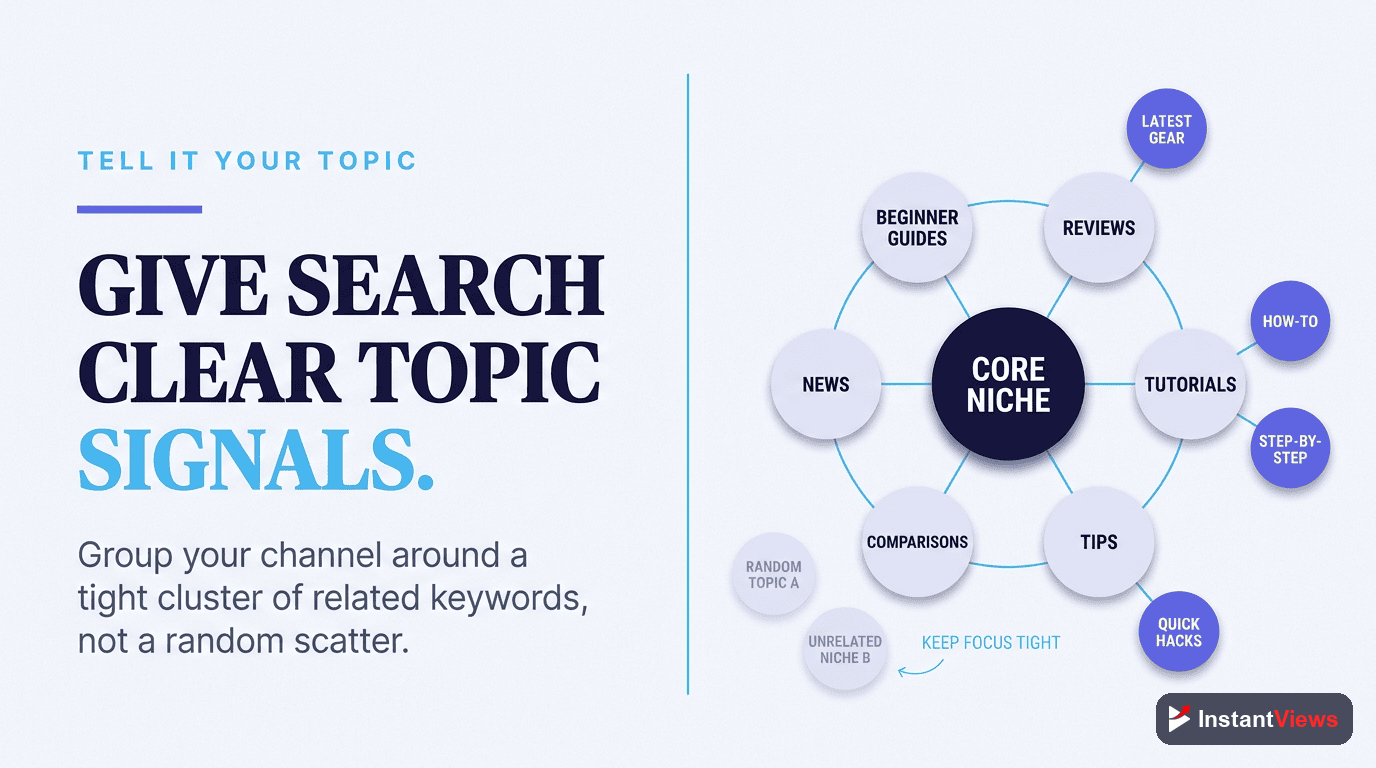
Sections and Playlists That Guide Discovery
Your channel homepage is the storefront a new visitor sees, and the way you organize it with sections and playlists is a powerful, often-ignored channel SEO lever. It shapes both how the algorithm understands your themes and how long visitors keep watching once they arrive.
Playlists Tell YouTube Your Themes
A playlist groups related videos under a single theme, which does two useful things at once. It tells YouTube that these videos belong together as a topic cluster, reinforcing your niche signals, and it keeps viewers moving from one video to the next, extending sessions in a way the system reads as quality. Tighter, well-named collections built around a clear theme tend to outperform a single sprawling archive of everything you have ever posted.
Name and Order Your Playlists Deliberately
Treat playlists as branded "shows" or "series" rather than generic buckets. Replace a vague title like "My Videos" with a descriptive, keyword-aware name that states the theme. Then use homepage sections to feature the playlists that reflect your core content pillars, putting your most representative work where a first-time visitor sees it first.
- Theme every playlist: each should answer one clear audience need or cover one clear topic.
- Name them for search: descriptive, natural titles help playlists surface in their own right.
- Curate the homepage: feature pillar playlists in sections so newcomers instantly grasp what you cover.
- Lead with your best: put representative, high-quality videos at the top of featured sections.
The Channel Trailer and Featured Video
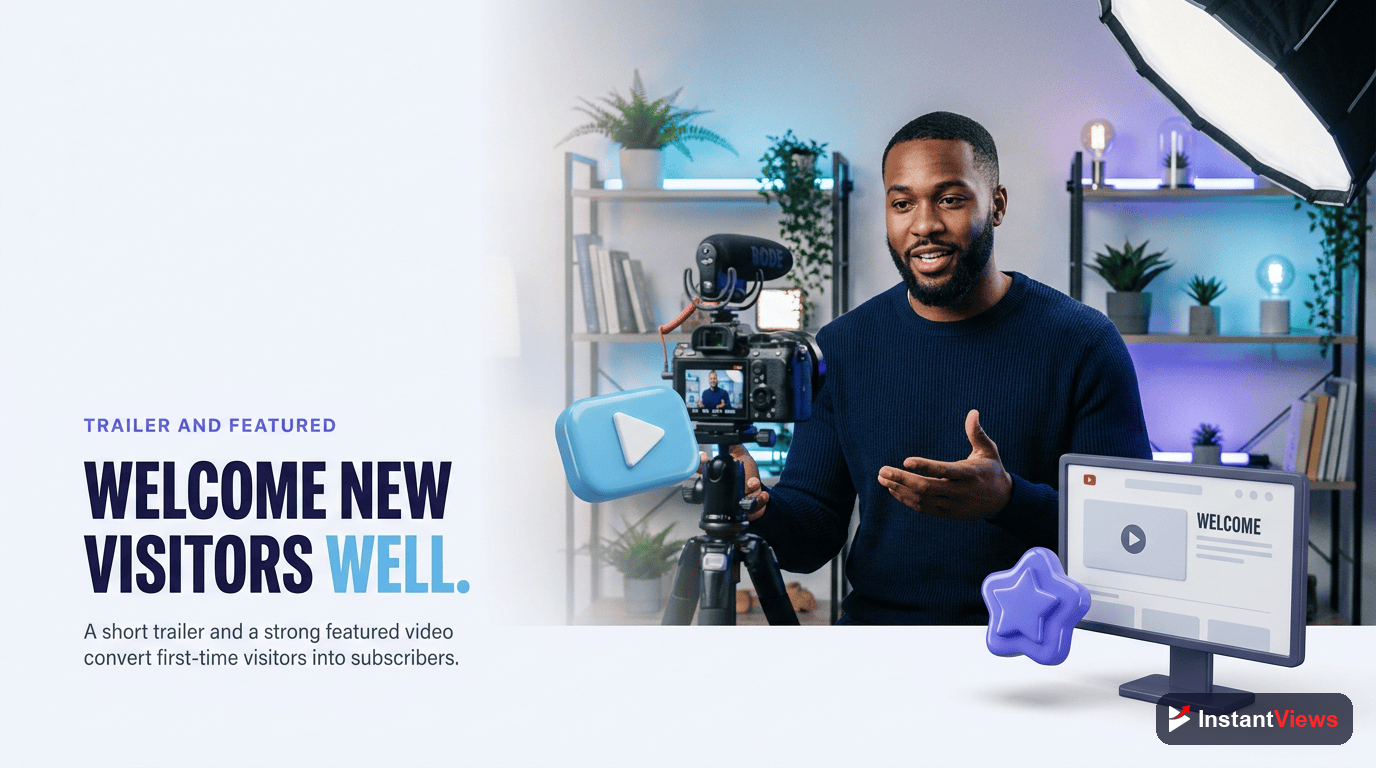
YouTube lets you set a channel trailer that auto-plays for people who have not subscribed, plus a featured video for returning subscribers. The trailer is your one chance to convert a curious first-time visitor into a subscriber the moment they land on your homepage — which makes it a direct contributor to the subscribe and engagement signals that power discovery.
Two Proven Approaches
You generally have two good options for the non-subscriber trailer, and the best choice depends on your channel:
- The purpose-made pitch: a short welcome video, often around 30 to 60 seconds, that introduces who you are, who you help, and why someone should subscribe.
- Your best work: featuring a genuinely strong, representative video that shows newcomers your value immediately, no introduction needed.
Both can work well. The right answer is whichever converts more first-time visitors into subscribers for your specific audience, so it is worth testing and revisiting rather than setting once and forgetting.
Banner, Branding, and Consistency Signals
Your banner, profile picture, colors, and fonts do not feed the algorithm directly the way keywords do. But they shape the human signals the algorithm cares about most: whether people click, whether they trust you, and whether they subscribe. Consistent, recognizable branding lifts those signals across every video you publish.
Make Your Banner Earn Its Space
Your banner is prime real estate — the one place on YouTube where you have full creative control to say who you are. Use it to state your channel name clearly, communicate your value proposition in a few words, and, if it fits, show your upload schedule and social handles. Keep important elements inside the safe central area so they display correctly across phones, tablets, desktops, and TVs.
Consistency Is the Real Multiplier
Pick a small, deliberate visual system and apply it everywhere: a handful of primary colors, one or two accent colors, and a tight set of fonts used across your logo, thumbnails, overlays, banner, and end screens. Industry guidance consistently links cohesive branding to higher click-through and faster subscriber growth, because a recognizable channel feels more credible and easier to commit to.
"Optimizing a single video is tactics. Optimizing your channel is strategy — you are teaching YouTube, in one clear voice, exactly who to show every video you will ever publish."
The Optimization Reference Table
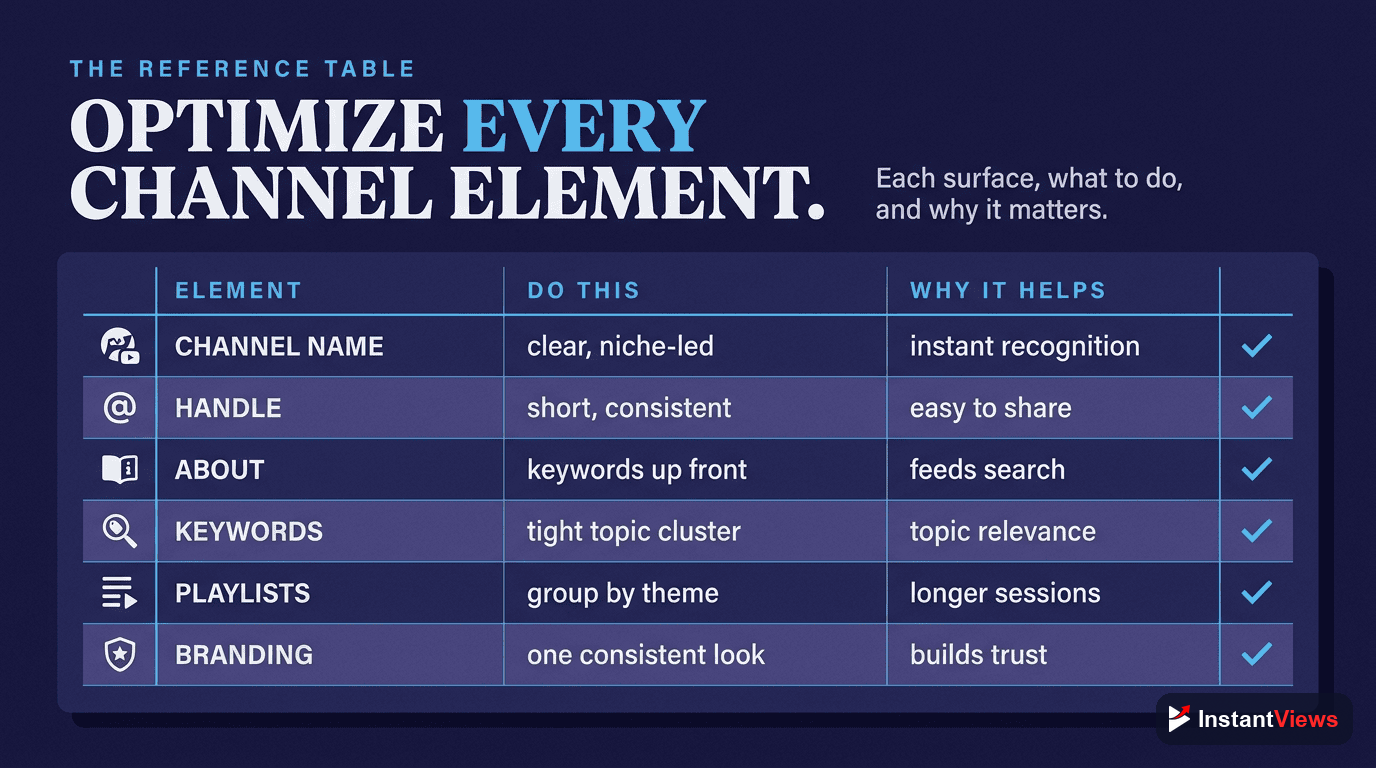
Here is every channel element in one place, with what to optimize and why it helps your visibility. Use it as a quick audit of your current channel.
| Channel Element | How to Optimize | Why It Helps Discovery |
|---|---|---|
| Channel name | Balance a memorable brand word with a niche hint; keep it stable | Gives YouTube and viewers instant topical context |
| Handle (@name) | Match your name and other social usernames; keep it readable | Reinforces one recognizable brand entity everywhere |
| About description | Lead with a keyword-rich hook in the first one to two sentences | That snippet shows in search and is the part mobile viewers read |
| Channel keywords | A focused, on-niche set within the 500-character limit | Gives YouTube hidden but real topic and audience context |
| Sections | Feature pillar playlists and best videos on the homepage | Helps new visitors and the system grasp your themes fast |
| Playlists | Theme and name each one for a clear topic or audience need | Builds topic clusters and extends watch sessions |
| Channel trailer | A short pitch or your best video for non-subscribers | Converts first-time visitors into subscribers |
| Banner & branding | Clear value statement plus consistent colors and fonts | Lifts trust, click-through, and subscribe signals |
A Step-by-Step Optimization Workflow
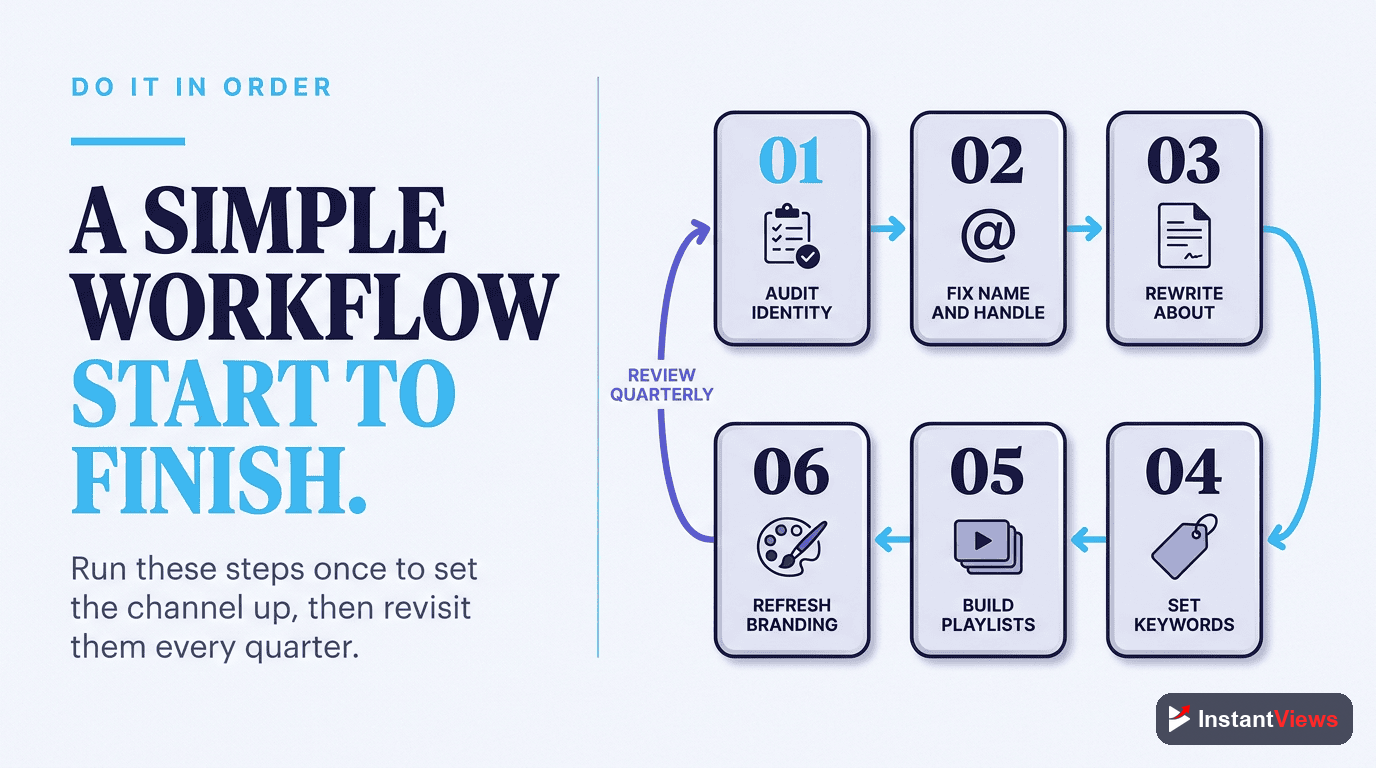
Here is a simple sequence for working through your channel from the foundation up. Do them in order — each step builds on the one before.
Lock In Your Niche, Name, and Handle
Write your one-sentence channel statement, then make sure your channel name and @handle reflect that niche and read as one consistent brand across the platforms you use.
Rewrite Your About Description
Open with a clear, keyword-aware hook stating who you help and what you publish. Then add your content pillars, audience, upload schedule, and key links below it.
Set Keywords and Apply Branding
Add a focused set of niche keyword phrases within the limit, and apply a consistent banner, profile picture, color palette, and fonts so your channel looks like one coherent brand.
Organize Sections, Playlists, and a Trailer
Build themed playlists, feature your pillar collections in homepage sections, and set a channel trailer that welcomes non-subscribers and shows your strongest work.
Review and Refine Every Few Months
Revisit your name relevance, keywords, About, featured sections, and trailer regularly — especially when your niche shifts or a new content pillar starts to take off.
"The channels that win discovery are not the ones shouting the loudest on a single video — they are the ones whose every signal, from handle to playlist, tells YouTube the same clear story."
Frequently Asked Questions
Channel-level SEO is the optimization of your whole channel rather than a single video: your channel name, handle, keywords, About description, sections, playlists, trailer, and branding. These signals tell YouTube what your channel is about and who should see it, which influences how often you appear in search, suggested videos, and the channel results that show up across the platform.
Per-video SEO optimizes one upload at a time through its title, description, tags, and thumbnail. Channel SEO sets the foundation underneath every video by establishing a clear, consistent niche identity. Strong channel signals help all your videos rank, while a vague or scattered channel can hold even well-optimized videos back because YouTube is unsure who to recommend them to.
Use a handful of core niche phrases that describe your content and audience, kept within the 500-character limit. Lead with your most important terms, separate ideas naturally, and avoid stuffing unrelated words. The goal is to give YouTube clear context about your topic, not to game a list, since the 2026 system reads intent and meaning rather than counting exact-match terms.
Very important. The opening one to two sentences carry the most weight because YouTube often shows that snippet beside your channel in search results, and most mobile viewers only ever read that short hook. Put your clearest statement of who you help and what you publish right at the start, with your main keyword used naturally.
Either can work. A purpose-made trailer of around 30 to 60 seconds lets you welcome new visitors and pitch why they should subscribe, while featuring one of your best-performing videos shows newcomers your actual value immediately. Test both: the right choice is whichever turns more first-time visitors into subscribers for your specific channel.
Yes. Playlists group related videos so YouTube better understands your themes, and they keep viewers watching session after session, which signals quality. Themed, well-named playlists can also surface in search and suggested feeds in their own right, and they organize your channel homepage so new visitors quickly grasp what you cover.
Branding does not directly change the algorithm, but it strongly affects the human signals the algorithm rewards. Consistent colors, fonts, banner, and thumbnails make your channel recognizable and trustworthy, which lifts click-through rate and subscriptions. Those engagement signals then feed back into how widely YouTube recommends your content.
Treat it as a living asset. Review your channel name relevance, keywords, About description, featured sections, and trailer every few months, and any time your niche shifts or a new content pillar takes off. Small, regular tune-ups keep your channel signals aligned with what you actually publish and with how viewers are finding you now.
Conclusion
Channel-level SEO is the quiet foundation beneath every view you will ever earn. Long before YouTube decides how far to push a single video, it reads your channel — your name, your handle, your keywords, your About description, your sections, playlists, trailer, and branding — to work out who you are and who should see you. When those signals all tell the same clear story, every video you publish starts from a stronger position.
Start at the foundation and work up. Nail your one-sentence niche statement, align your name and handle to it, write an About description that hooks in the first line, set focused keywords, and organize your homepage with themed playlists and a trailer that converts. None of these tasks is hard on its own; the power comes from doing them together and keeping them consistent.
Then treat your channel as a living asset, not a one-time setup. Revisit it every few months, tighten the signals that have drifted, and keep teaching YouTube exactly what you are about. Do that, and your channel stops waiting to be discovered and starts actively getting found.