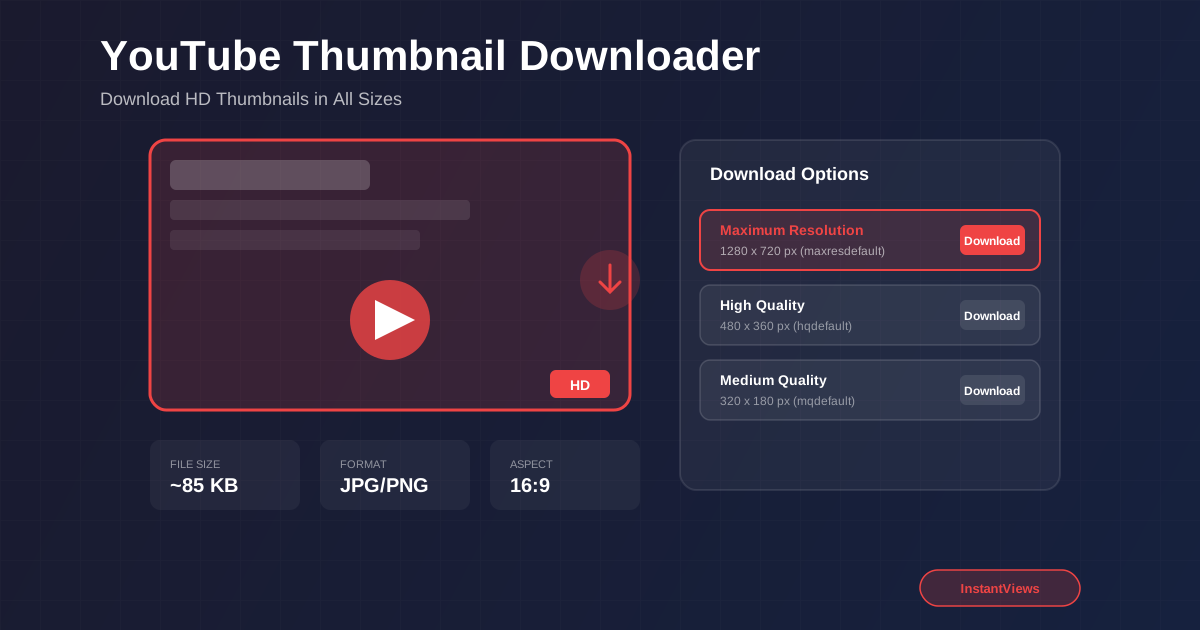
- YouTube thumbnails come in 5 resolutions from 120x90 to 1280x720 (HD maxresdefault)
- Download thumbnails instantly using a free online tool - no software installation required
- Use downloaded thumbnails for design research, competitive analysis, and creative inspiration
- The best quality thumbnail (maxresdefault) is only available for HD videos uploaded at 720p or higher
- Always respect copyright when using downloaded thumbnails for any purpose
YouTube thumbnails are the gateway to millions of videos. Whether you are a content creator researching competitors, a designer seeking inspiration, or an educator building presentations, downloading YouTube thumbnails is a valuable skill. This comprehensive guide covers everything you need to know about YouTube thumbnail downloading, from understanding resolution options to creative applications.
A well-designed thumbnail can make the difference between a video that gets clicked and one that gets ignored. By studying successful thumbnails in your niche, you can unlock insights that transform your own content strategy and boost your click-through rates dramatically.
Why Download YouTube Thumbnails?
There are numerous legitimate reasons why creators, marketers, and researchers need to download YouTube thumbnails. Understanding these use cases helps you leverage this capability effectively for your own projects and growth.
Competitive Research and Analysis
Studying thumbnails from successful channels in your niche is one of the most effective ways to improve your own content. By downloading and analyzing high-performing thumbnails, you can identify patterns in:
- Color schemes: Which color combinations grab attention in your niche
- Text placement: Where top creators position their thumbnail text
- Facial expressions: What emotions resonate with viewers
- Visual composition: How elements are arranged for maximum impact
- Branding consistency: How channels maintain visual identity across videos
Educational and Presentation Use
Teachers, trainers, and presenters often need to reference YouTube content in their materials. Downloaded thumbnails allow you to create polished presentations, lesson plans, and educational resources without needing to embed full videos.
Content Curation
Building curated playlists, blog posts, or social media content featuring video recommendations becomes much easier with high-quality thumbnail images. Proper attribution ensures you respect the original creators while providing value to your audience.
Portfolio and Backup
Content creators should maintain backups of their own video thumbnails. If you ever need to re-upload a video or repurpose content, having the original thumbnail saved ensures consistency and saves time recreating designs.
YouTube Thumbnail Sizes and Quality
YouTube generates multiple thumbnail versions for each video, optimized for different display contexts. Understanding these options helps you choose the right resolution for your specific needs.
| Resolution Name | Dimensions | Best Use Case |
|---|---|---|
| maxresdefault | 1280 x 720 | HD displays, printing, detailed analysis |
| sddefault | 640 x 480 | Standard web use, presentations |
| hqdefault | 480 x 360 | Blog posts, social media |
| mqdefault | 320 x 180 | Email, mobile previews |
| default | 120 x 90 | Tiny previews, thumbnails of thumbnails |
Why Some Videos Have Limited Resolution Options
Not all YouTube videos have the maximum resolution thumbnail available. The maxresdefault (1280x720) version is only generated for videos that were uploaded in HD quality (720p resolution or higher). Older videos or those uploaded in standard definition may only offer lower resolution options.
If the HD thumbnail is not available, the downloader will automatically show you the highest quality option that exists for that video. This is typically sddefault (640x480) for older content.
Custom vs. Auto-Generated Thumbnails
YouTube allows verified creators to upload custom thumbnails at 1280x720 resolution. These custom thumbnails typically perform better than auto-generated ones because they are designed specifically to attract clicks. When downloading thumbnails for research, pay attention to which channels use custom designs versus auto-generated frames.
How to Use the Thumbnail Downloader
Downloading YouTube thumbnails is straightforward with the right tool. The InstantViews Thumbnail Downloader makes this process simple and fast.
Copy the Video URL
Navigate to the YouTube video whose thumbnail you want to download. Copy the full URL from your browser's address bar. The tool accepts standard watch URLs, shortened youtu.be links, and even YouTube Shorts URLs.
youtube.com/watch?v=VIDEO_ID, youtu.be/VIDEO_ID, youtube.com/shorts/VIDEO_ID
Paste and Fetch Thumbnails
Paste the URL into the thumbnail downloader input field and click the "Get Thumbnails" button. The tool instantly retrieves all available thumbnail resolutions directly from YouTube's servers.
Video title preview, channel name, and all available thumbnail resolutions displayed in a visual grid.
Download Your Preferred Size
Preview each thumbnail and click the download button next to your preferred resolution. You can also use the "Download All" button to save every available size at once. Files are saved in JPG format with the video ID in the filename.
Files are named VIDEO_ID_resolution.jpg (e.g., dQw4w9WgXcQ_maxresdefault.jpg) for easy organization.
Creative Uses for Downloaded Thumbnails
Beyond basic research, downloaded thumbnails can serve many creative and professional purposes. Here are some innovative ways to use them:
Mood Board Creation
Designers and content strategists create mood boards by collecting thumbnails that represent a particular style, emotion, or aesthetic. These visual collections help guide creative direction for new video projects and ensure consistent branding.
A/B Testing Inspiration
Before creating your own thumbnail variations for A/B testing, study what variations successful creators use. Download multiple thumbnails from the same channel to see how they approach different video topics while maintaining brand consistency.
Training and Workshops
If you teach content creation, marketing, or design, downloaded thumbnails provide excellent case studies. Create before-and-after analyses, highlight best practices, and demonstrate common mistakes using real-world examples.
Social Media Content
Create curated recommendation posts featuring videos worth watching in your niche. With proper attribution, thumbnail images can make these posts more visually appealing and increase engagement compared to text-only recommendations.
"The thumbnail is your video's movie poster. Download and study 100 great thumbnails before designing your next one, and your CTR will thank you."
Design Inspiration Tips
When analyzing downloaded thumbnails for design inspiration, focus on these key elements that drive click-through rates:
Color Contrast and Visual Pop
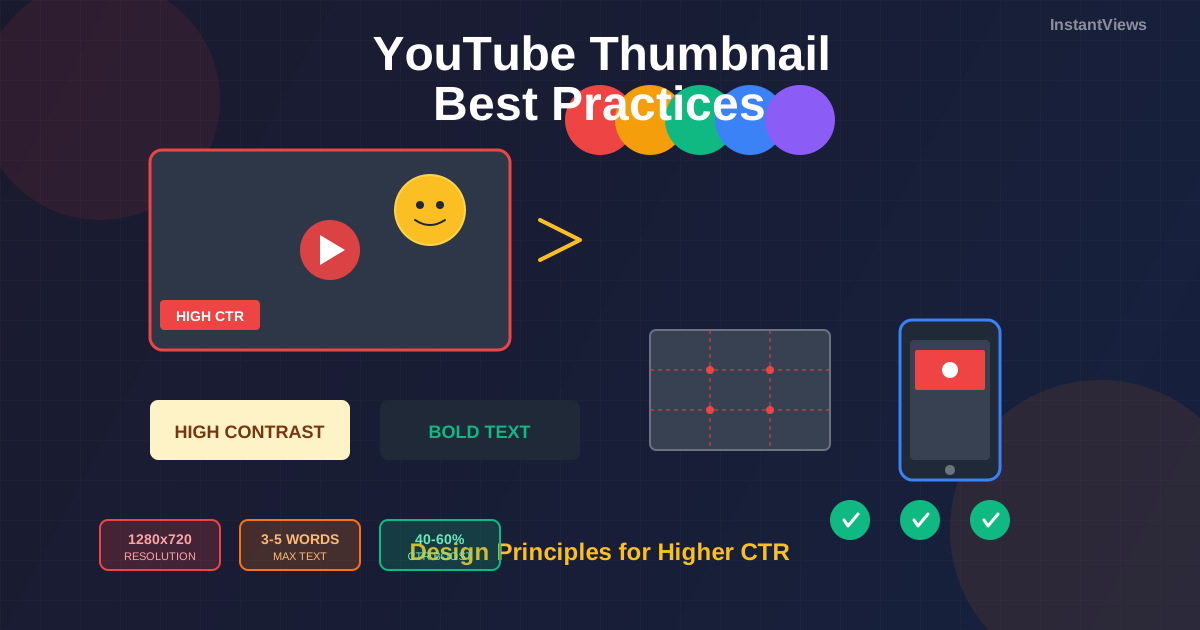
High-performing thumbnails use high-contrast color combinations that stand out against YouTube's white or dark interface. Look for complementary color pairs like yellow and purple, orange and blue, or red and cyan. Notice how top creators avoid muted tones that blend into the background.
- Bright backgrounds with dark text create instant readability
- Contrasting outlines around faces and text add depth
- Limited color palettes (2-3 colors) feel more professional
Facial Expressions and Emotion
Thumbnails with expressive human faces consistently outperform those without. When studying downloaded thumbnails, pay attention to:
- Exaggerated emotions (surprise, excitement, curiosity)
- Direct eye contact with the camera
- Face size relative to the thumbnail (usually 40-60% of the frame)
- Strategic cropping that puts the face at key focal points
Text and Typography
Less is more when it comes to thumbnail text. Successful thumbnails typically use 3-5 words maximum in large, bold fonts. Study how text complements the title rather than duplicating it, adding intrigue or context that makes viewers want to click.
Composition and Visual Hierarchy
Great thumbnails guide the viewer's eye to the most important elements. When analyzing downloaded thumbnails, look for:
- Rule of thirds: Key elements placed at intersection points
- Clear focal point: One dominant element that draws attention first
- Balanced white space: Room for elements to breathe without clutter
- Directional cues: Arrows, gaze direction, or pointing fingers that lead the eye
Download Thumbnails Instantly
Get high-quality thumbnails from any YouTube video in seconds. Choose from multiple resolutions including HD 1280x720.
Open Thumbnail Downloader →Best Practices and Legal Considerations
While downloading YouTube thumbnails is technically straightforward, it is important to use them responsibly and ethically.
Acceptable Uses
- Personal research and competitive analysis
- Educational presentations with proper attribution
- Design inspiration and mood boards
- Backing up your own video thumbnails
- Creating curated content lists with creator credits
Uses to Avoid
- Claiming downloaded thumbnails as your own original work
- Using thumbnails commercially without permission
- Modifying and re-uploading as custom thumbnails on your videos
- Creating misleading content that damages the original creator
Thumbnails are copyrighted content owned by the video creator or their organization. Always respect intellectual property rights and obtain permission for commercial use or public redistribution of downloaded thumbnails.
Attribution Best Practices
When using downloaded thumbnails in public-facing content, include proper attribution:
- Credit the channel name and video title
- Link to the original video when possible
- Make clear that the thumbnail is used for reference or educational purposes
- Remove content if requested by the original creator
Related Thumbnail Tools
The InstantViews platform offers a complete suite of thumbnail tools to help you create, analyze, and optimize your YouTube thumbnails:
- Thumbnail Analyzer - Score your thumbnails for CTR potential
- Thumbnail Preview - See how your thumbnail looks in YouTube search results
- Thumbnail A/B Tester - Compare multiple thumbnail designs
- Thumbnail Ideas Generator - Get AI-powered thumbnail suggestions
- Thumbnail Compare - Side-by-side thumbnail comparison
Frequently Asked Questions
To download a YouTube thumbnail, copy the video URL, paste it into a thumbnail downloader tool like the InstantViews Thumbnail Downloader, and click the download button. You can choose from multiple resolution options including HD (1280x720) and standard quality versions.
The ideal YouTube thumbnail size is 1280x720 pixels with a 16:9 aspect ratio. This is the maxresdefault resolution that YouTube uses for HD displays. The file should be under 2MB and in JPG, PNG, or GIF format for custom uploads.
YouTube provides five standard thumbnail resolutions: default (120x90), mqdefault (320x180), hqdefault (480x360), sddefault (640x480), and maxresdefault (1280x720). The maxresdefault is only available for videos uploaded in HD quality.
Downloading thumbnails for personal use, research, education, or design inspiration is generally acceptable. However, you should not use downloaded thumbnails commercially without permission, claim them as your own work, or violate copyright laws. Always give proper attribution when appropriate.
The maxresdefault (1280x720) thumbnail is only generated for videos uploaded in HD quality (720p or higher). Older videos or those uploaded in standard definition may only have lower resolution thumbnails available like sddefault or hqdefault.
Yes, YouTube Shorts also have downloadable thumbnails. Simply paste the Shorts URL into the thumbnail downloader tool. Note that Shorts thumbnails are typically vertical (9:16 aspect ratio) and may have different dimensions than standard horizontal video thumbnails.
YouTube thumbnails are provided in JPG (JPEG) format. This is the standard format YouTube uses for all video thumbnails, optimized for fast web loading while maintaining good image quality across devices.
Downloaded thumbnails can be legally used for competitor research and analysis, creating mood boards for design inspiration, educational presentations about media and marketing, backing up your own video thumbnails, and creating curated video lists with proper attribution to original creators.