- YouTube SEO is how you tell the platform what a video is about so it can match it to the right viewers in search, suggested, and browse
- Start with keyword research, then optimize the title, description, tags, chapters, captions, and hashtags around that one focused topic
- Titles and thumbnails earn the click, but retention and viewer satisfaction decide how far a video travels — metadata alone cannot save weak content
- Search, suggested, and browse each reward different signals, so a strong video is optimized for discovery and for keeping viewers watching
- Add clear chapters and accurate captions: both give YouTube more context to understand and rank your video
YouTube is the largest discovery engine on the internet, with more than 2.7 billion monthly active users and over a billion hours of video watched every single day. It is also the world's second-largest search engine, processing billions of queries a month. Yet most creators upload a great video, type a quick title, and wonder why nobody finds it. The gap between a video that ranks and one that disappears is almost always on-video SEO: the deliberate work of helping YouTube understand and recommend your content.
YouTube SEO is not a trick or a loophole. It is simply the practice of giving the platform clear, accurate signals — through your keywords, title, description, tags, chapters, captions, and hashtags — so it can confidently show your video to the people most likely to watch and enjoy it. Done well, it turns a single upload into a piece of content that keeps earning views for months or years.
This guide is the foundational, per-video playbook. We will walk through keyword research, every metadata field that matters, how YouTube's three big traffic sources actually work, and a complete worked example of optimizing one video from start to finish. If you want a system you can apply to every upload, this is it.
One thing to keep in mind throughout: in 2026, YouTube's systems are smarter than ever and reward viewer satisfaction above raw mechanics. Optimization gets your video in front of the right people; the content itself has to keep them there.
- What Is YouTube SEO?
- How YouTube Surfaces Videos: Search, Suggested, Browse
- Keyword Research: The Foundation
- Optimizing Your Title
- Writing a Description That Ranks
- Tags and Hashtags
- Chapters and Timestamps
- Captions and Transcripts
- Ranking Factors at a Glance
- Worked Example: Optimizing One Video
- Common SEO Mistakes to Avoid
- FAQ
What Is YouTube SEO?
YouTube SEO is the process of optimizing your videos and their metadata so the platform understands exactly what each video is about and can match it to the viewers most likely to watch. Search engine optimization on Google revolves around web pages and links; on YouTube it revolves around videos and viewer behavior. The fields you control — title, description, tags, chapters, captions, and hashtags — are the text signals, and how people interact with your video supplies the behavioral signals.
It helps to think of YouTube SEO as two jobs working together. The first is classification: telling YouTube what your video covers, who it is for, and which queries it answers. The second is performance: proving, through clicks and watch time, that real viewers find the video valuable once it appears. Metadata handles the first job. Your content handles the second. Neglect either one and the video stalls.
This matters because YouTube cannot watch your video the way a human does. It relies heavily on the text and structure you provide, combined with how audiences respond, to decide where to place it. Good SEO removes the guesswork and gives the platform every reason to recommend you.

How YouTube Surfaces Videos: Search, Suggested, Browse
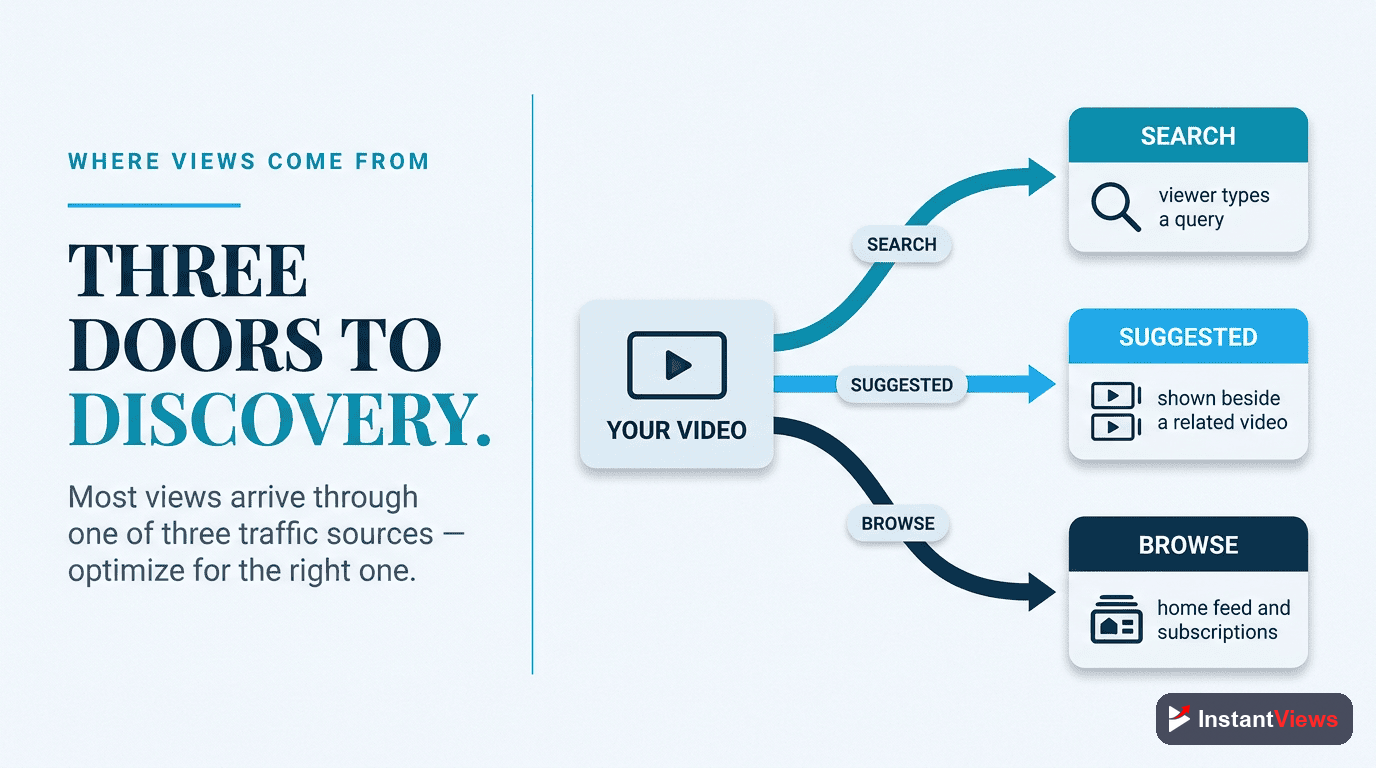
Before optimizing anything, you need to understand the three main ways viewers find videos. Each one rewards slightly different signals, and the best videos are built to win all three. On a typical channel, search accounts for a meaningful share of views — often somewhere between roughly 15 and 40 percent — while the majority comes from browse and suggested combined.
Search
Search traffic comes from viewers typing a query into the YouTube search bar and clicking your result. It is the highest-intent source: someone searching "how to optimize a YouTube video" has a specific problem and is actively looking for an answer. Search rewards keyword relevance combined with performance — YouTube wants the result that both matches the query and keeps viewers watching. This is where your title, description, and captions earn their keep.
Suggested Videos
Suggested traffic appears when your video shows up alongside or after another video. It is driven by topical relevance and, increasingly in 2026, by session contribution — whether your video leads viewers to keep watching more afterward. Videos that tend to end viewing sessions get fewer suggested placements; videos that keep people on the platform get more.
Browse Features
Browse traffic comes from the home feed, the subscriptions tab, and similar surfaces, where YouTube proactively chooses to recommend your video based on a viewer's history and interests. It is the most powerful discovery mechanism on the platform because YouTube is doing the promoting for you. Browse rewards strong click-through rate and retention from the moment a video goes live.
Keyword Research: The Foundation
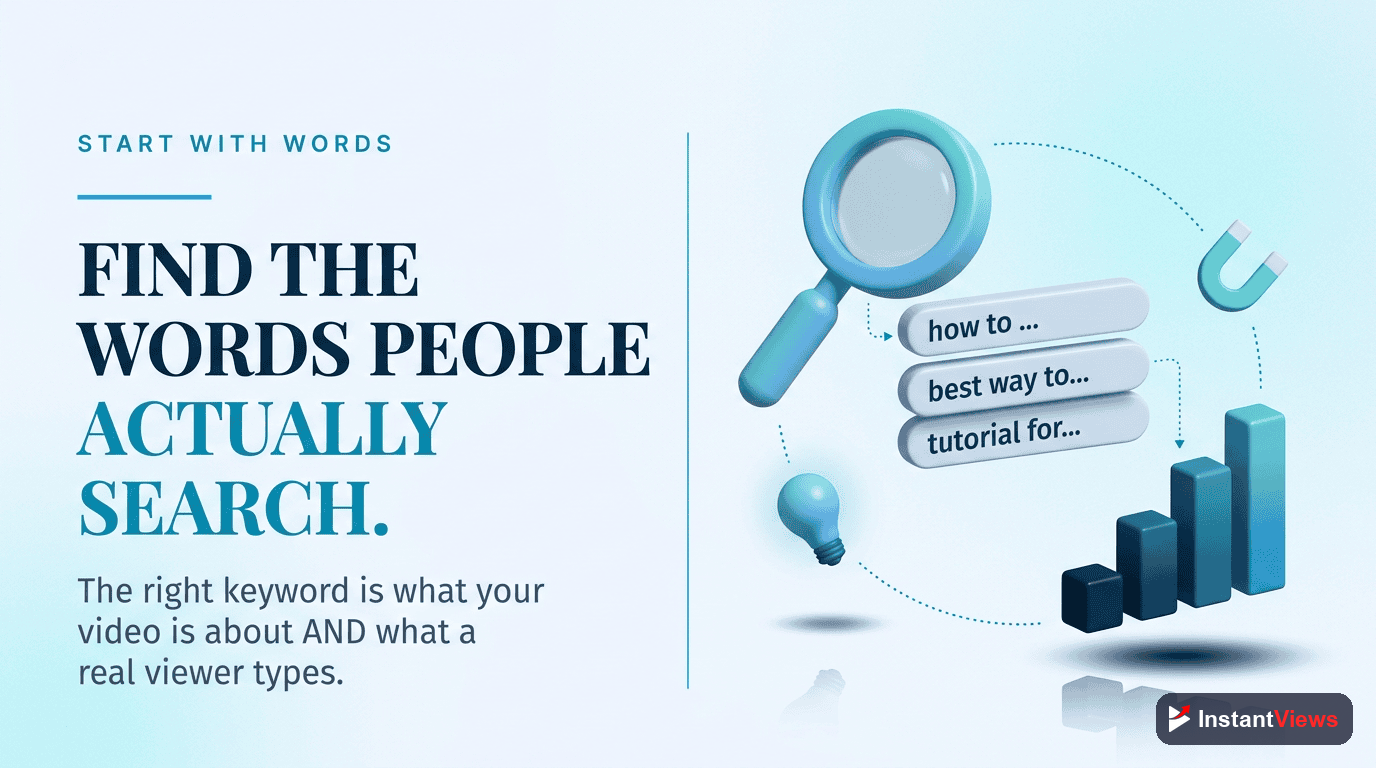
Every well-optimized video starts with one clear target keyword — the phrase your ideal viewer would actually type to find content like yours. Picking that phrase before you film keeps your title, description, and even your script aligned around a single topic, which is exactly what helps YouTube classify the video.
You do not need expensive software to do this well. Reliable, free methods include:
- YouTube autocomplete: Start typing a topic into the search bar and note the suggestions. These are real phrases people search, ranked roughly by popularity.
- The search results page: Look at the titles already ranking for your phrase. They show what YouTube currently considers relevant and how competitive the term is.
- Your own Analytics: The traffic sources report reveals the exact search terms already bringing people to your videos — often the best ideas you already have.
- Keyword and research tools: Dedicated tools estimate search volume and competition so you can prioritize phrases with demand and a realistic chance to rank.
When choosing between keywords, favor phrases with clear intent and a realistic level of competition. A smaller channel ranking for a specific, lower-competition phrase will usually earn more views than chasing a huge, crowded term and finishing on page five. Pick one primary keyword per video and a small handful of natural variations to support it.
Optimizing Your Title
Your title is the single most important piece of metadata. It tells YouTube what the video is about and tells viewers whether to click. The two goals — relevance and clickability — have to coexist.
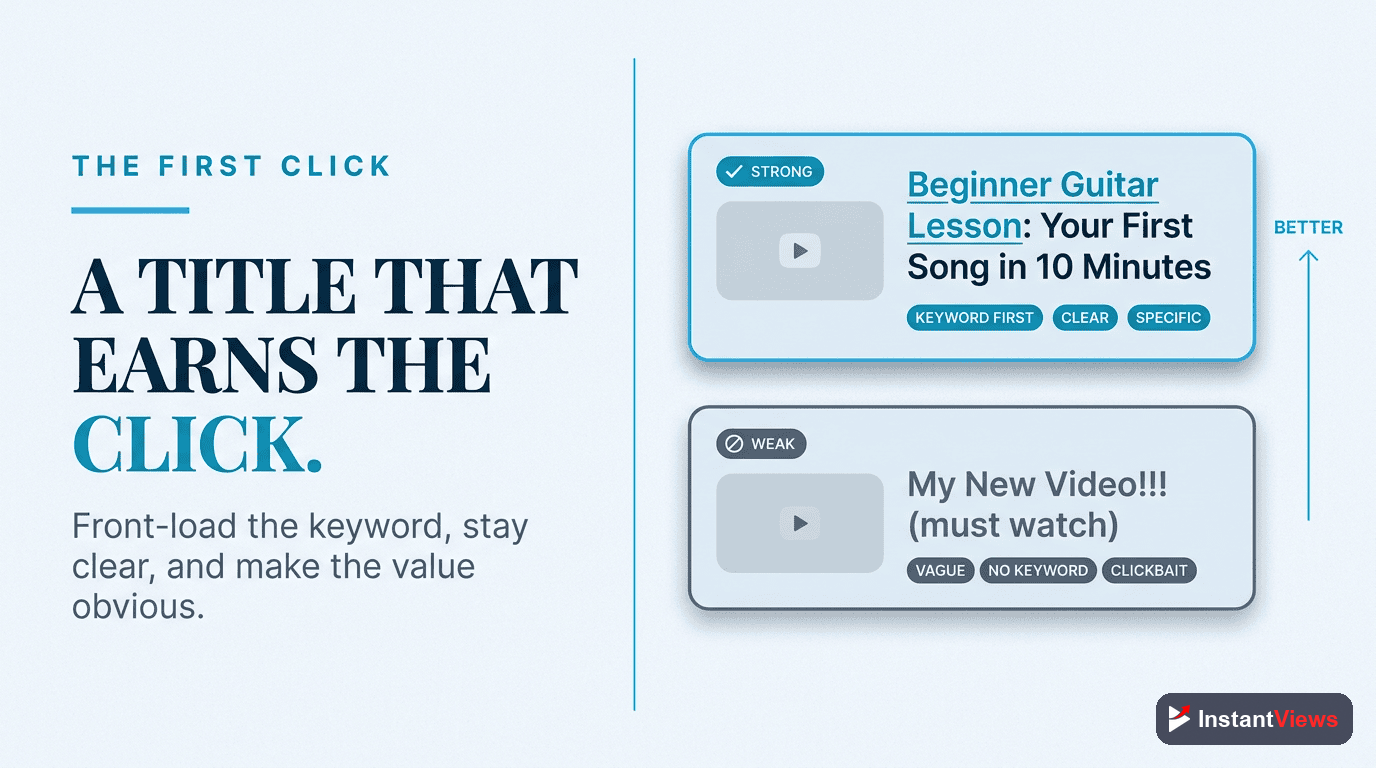
- Lead with the keyword: Place your main keyword near the front so it is unmistakable to both YouTube and the scanning viewer.
- Keep it around 50–60 characters: This range keeps the important words visible on mobile, where most viewing happens, before the title gets truncated.
- Make the outcome clear: A viewer should instantly understand what they will get. Specific beats clever.
- Earn the click honestly: Curiosity and clear value win clicks; overpromising loses trust and gets punished.
YouTube increasingly evaluates the quality of a click, not just the click itself. A title that earns the click but then loses viewers in the first 30 seconds gets throttled, not rewarded. Never promise something your video does not deliver — clickbait that disappoints is now a liability.
Writing a Description That Ranks
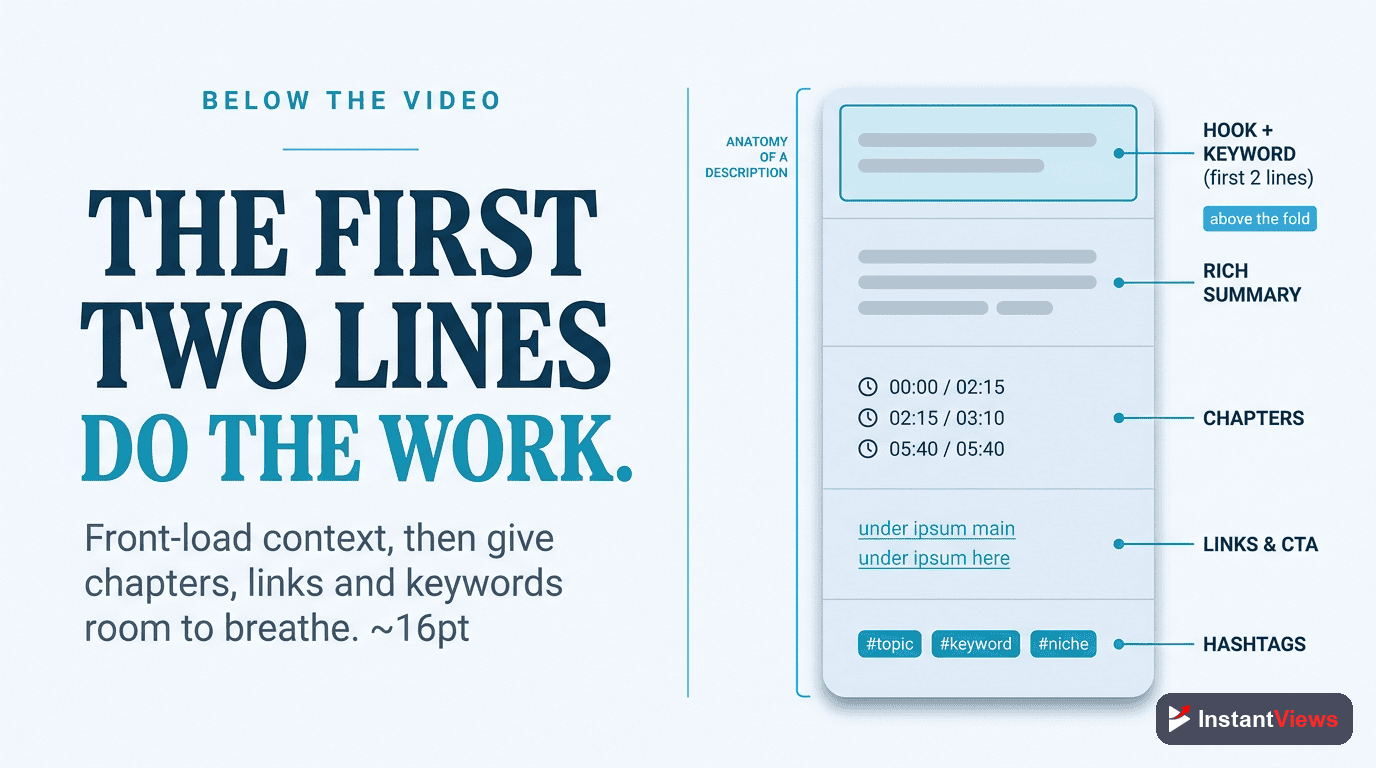
The description does two jobs: it gives YouTube context to understand and rank your video, and it gives viewers reasons and links to act. Treat the first two or three lines — the part visible before the "show more" fold — as prime real estate.
The First Lines
Put your most important sentence and your primary keyword in the opening lines, written naturally. If you have one key link — a related video, a resource, or a signup — place it here where it is visible without expanding.
The Full Description
Below the fold, expand on the topic in a genuinely useful way. A strong description typically runs 200 words or more of contextual, keyword-aligned text that reinforces what the video covers. Add chapter timestamps, relevant links, and a short channel or call-to-action line. A reasonable guideline is roughly three to seven links so the description stays useful rather than spammy.
Write for Humans First
Repeating your keyword unnaturally does more harm than good. Write the description so a person would find it clear and helpful; the keyword relevance follows naturally when the writing genuinely describes the content.
Tags and Hashtags
Tags and hashtags are often misunderstood. Both still have a place, but neither is the powerhouse some creators imagine.
Tags
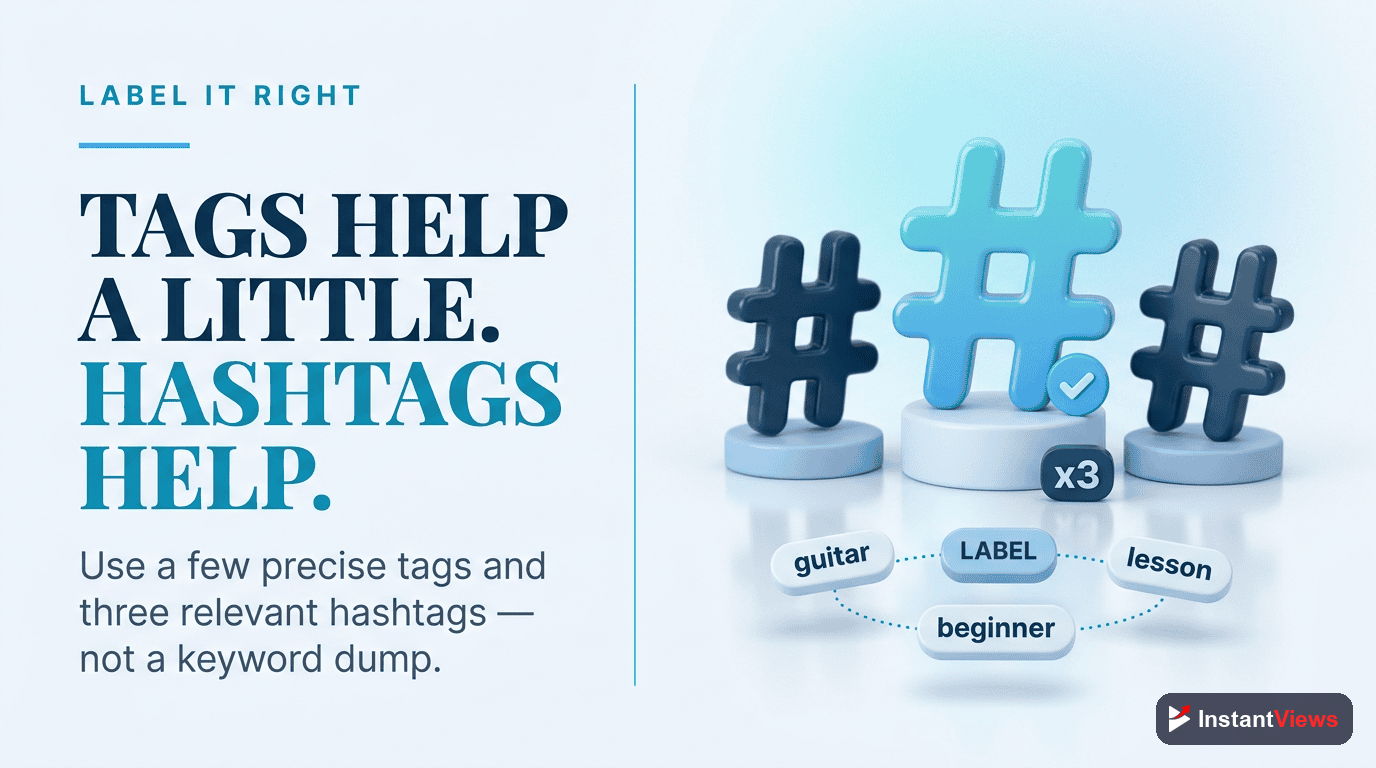
In 2026, tags are a minor ranking signal. Their real value is helping YouTube disambiguate brand names, common misspellings, and niche terminology. Your title, thumbnail, description, and viewer signals carry far more weight. A practical approach is to add a modest set of relevant tags — often around 8 to 12 — mixing your primary keyword, close variations, and a few broader topic terms, then move on. Do not spend an hour stuffing the tag box; the returns are small.
Hashtags
Hashtags appear above your title and in search, and clicking one leads to a feed of videos sharing it. The key rule is restraint: use only a few genuinely relevant hashtags, typically three to five. YouTube displays only the first few above the title and may ignore videos seen as over-tagged with too many hashtags. Choose ones that accurately describe your topic rather than chasing unrelated popular tags.
Chapters and Timestamps
Chapters split your video into labeled, clickable segments on the progress bar. They are one of the most underused SEO and experience upgrades available, and they cost only a few minutes to add.
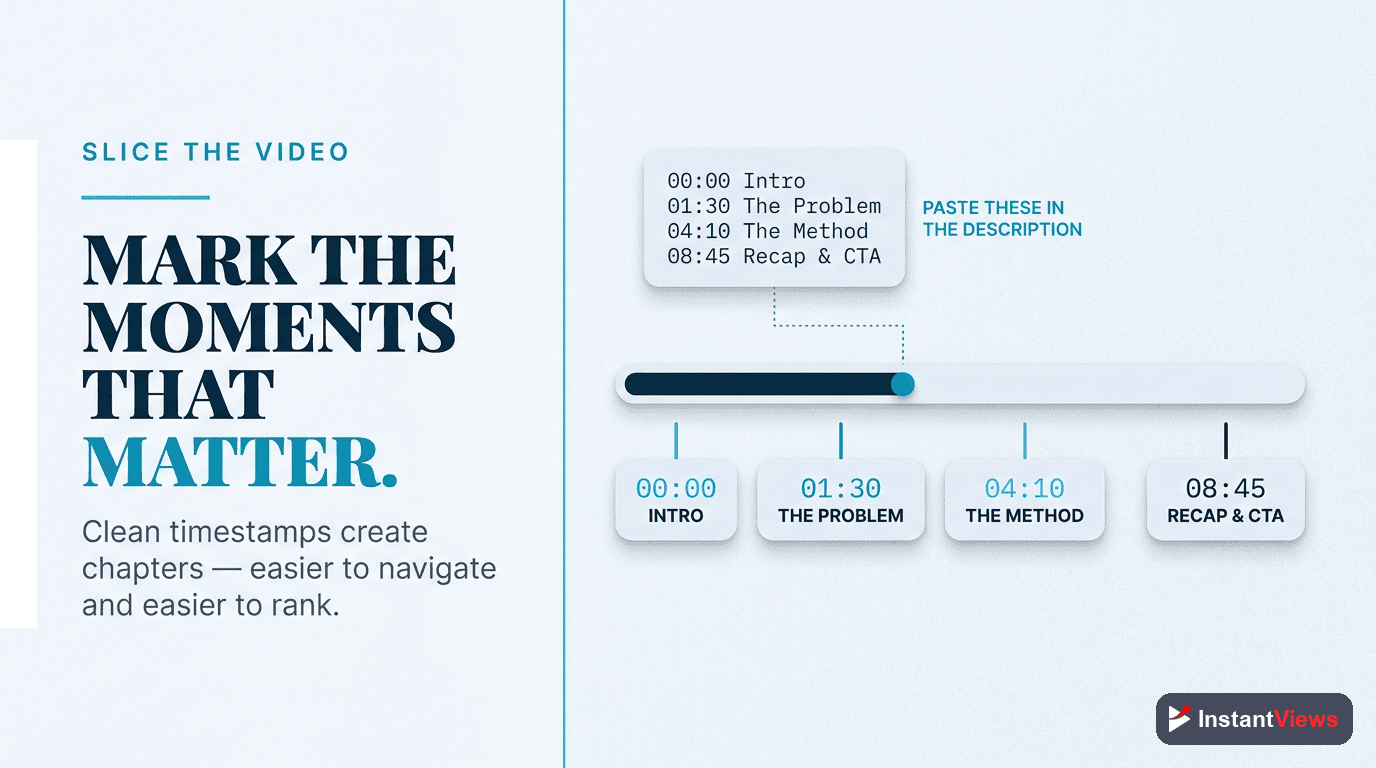
You create chapters by adding timestamps in your description, starting with 00:00, each on its own line with a short title. The benefits stack up:
- More context for YouTube: Each chapter title is an extra topical signal describing what that segment covers.
- Key moments in search: Chapters can surface as jump-to segments directly in search results, giving your video more visibility.
- Better retention: Viewers who can skip straight to the part they need are more likely to stay and watch, which lifts average view duration.
Write descriptive chapter titles with natural keywords — "Choosing your target keyword" rather than "Part 2." Vague labels waste the opportunity.
Captions and Transcripts
Captions are the most overlooked ranking asset on the platform. YouTube auto-generates a transcript for most videos, and that transcript text is something the platform and Google can read to understand your topic. Accurate captions therefore do double duty: they make your content accessible and they give the algorithm cleaner, more reliable signals about what you actually said.
The catch is accuracy. Auto-captions handle clear speech well but stumble on names, technical jargon, and brand terms — often the exact keywords you most want represented correctly. Spend a few minutes reviewing and correcting the auto-generated captions, paying special attention to your target keywords and any proper nouns.
Beyond ranking, captions widen your audience: they serve viewers who are hearing-impaired, watching without sound, or watching in a second language, and many studies associate captions with longer viewing time. That extra watch time is itself a positive signal.

Ranking Factors at a Glance
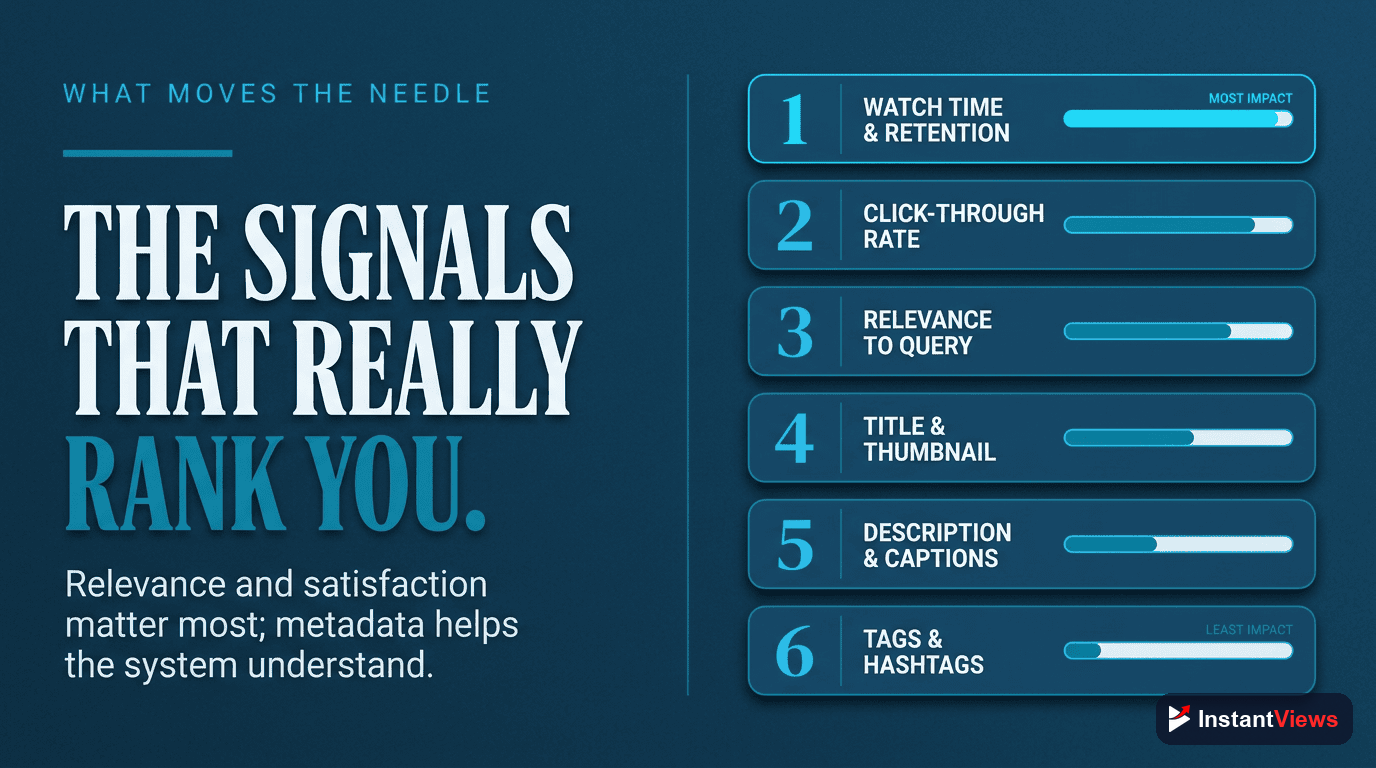
It helps to see all the levers in one place, along with how much each one moves the needle and what to actually do about it.
| Ranking Factor | How to Optimize It |
|---|---|
| Title | Lead with the primary keyword, keep it to roughly 50–60 characters, and make the outcome clear without overpromising. |
| Thumbnail & click-through rate | Pair the title with a clear, high-contrast custom thumbnail; the title and thumbnail together decide whether reach becomes views. |
| Audience retention | Hook viewers in the first 30 seconds and deliver on the title's promise; retention is the strongest performance signal. |
| Description | Put the key point and primary link in the first lines, then expand to 200+ natural words with chapters and a few relevant links. |
| Chapters | Add timestamped chapters starting at 00:00 with descriptive, keyword-aware titles to gain key-moment placements. |
| Captions & transcript | Review and correct auto-captions, especially around keywords and proper nouns, for cleaner indexing and accessibility. |
| Tags | Add a modest set (around 8–12) to disambiguate terms; treat as a minor signal, not a priority. |
| Hashtags | Use three to five genuinely relevant hashtags; avoid over-tagging, which YouTube can ignore. |
| Session contribution | End with a strong related-video suggestion or end screen so viewers keep watching and YouTube favors you in suggested. |
Worked Example: Optimizing One Video
Imagine you are publishing a tutorial on setting up a home podcast studio on a budget. Here is how the full optimization comes together, field by field, so you can copy the same flow for any upload.
Research and Choose the Keyword
You type "home podcast studio" into YouTube and autocomplete suggests "home podcast studio setup" and "home podcast studio on a budget." The budget angle has clear intent and looks less crowded, so you choose "home podcast studio on a budget" as your primary keyword.
Write the Title
You lead with the keyword and make the payoff obvious: "Home Podcast Studio on a Budget: Full Setup Under $200." It is keyword-first, well under 60 characters, and the outcome is unmistakable — without overpromising something the video cannot deliver.
Build the Description and Chapters
The first line restates the promise with the keyword and links to your gear list. Below the fold you write 200-plus words explaining the setup, then add chapters: 00:00 Intro, 00:45 The room, 02:10 Choosing a budget mic, 05:30 Acoustic treatment, 08:15 Recording software.
Captions, Tags, and Hashtags
You review the auto-captions and fix the mic model names YouTube misheard. You add a dozen relevant tags, then three hashtags: #Podcasting #HomeStudio #BudgetSetup. Restraint keeps them effective.
Publish, Monitor, and Refine
After publishing you watch click-through rate and retention. If the CTR is low, you test a sharper thumbnail or title. If viewers drop early, you tighten the intro. Small, data-driven refinements compound over time.
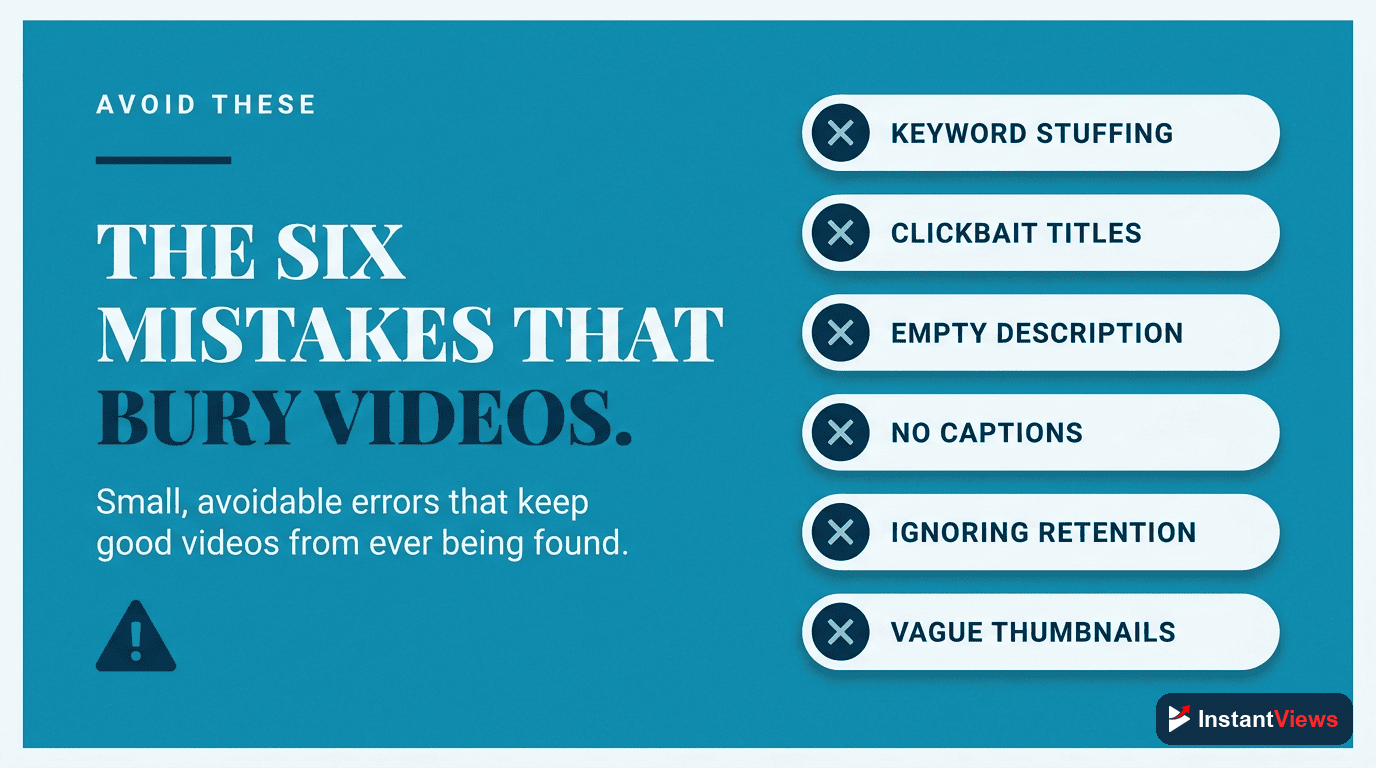
Common SEO Mistakes to Avoid
Most ranking problems trace back to a short list of avoidable errors. Watch for these:
- Optimizing for the algorithm instead of the viewer: Keyword-stuffed titles and descriptions read poorly and now backfire. Clarity wins.
- Clickbait that disappoints: A high click rate followed by a quick exit signals dissatisfaction and gets the video throttled.
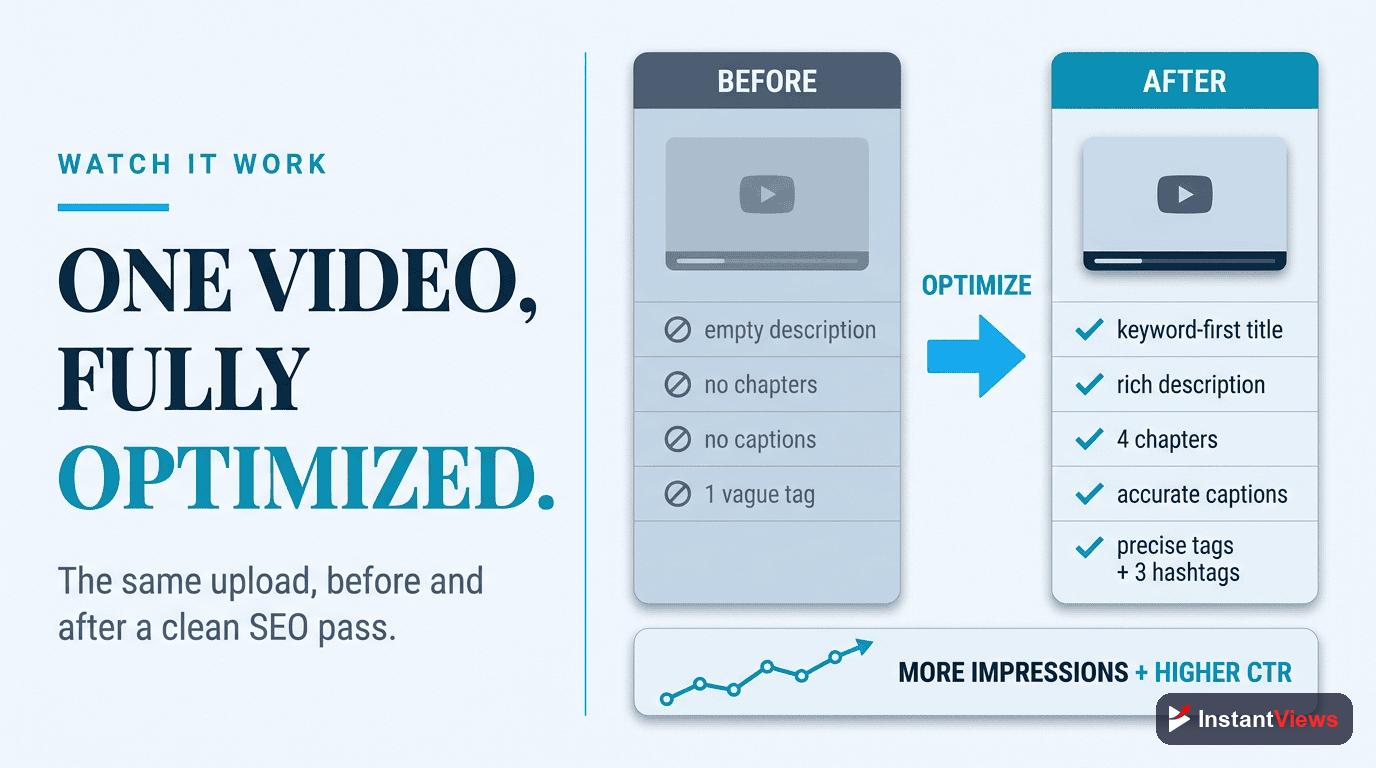
- Skipping the description and captions: Leaving these empty or unedited throws away free context that helps YouTube classify your video.
- Targeting impossible keywords: Chasing huge, saturated terms as a small channel buries you. Win specific phrases first.
- Over-tagging hashtags: Piling on hashtags can cause YouTube to ignore them entirely. Keep it to a relevant few.
- Treating SEO as one-and-done: Metadata can and should be revisited. Updating a title or thumbnail on an underperforming evergreen video often revives it.
Avoiding these is mostly about discipline: optimize honestly, write for people, and let the performance signals do the rest.
"On YouTube, SEO does not rank your video — it qualifies it. Metadata gets the right people to click; retention and satisfaction decide how far the video goes from there."
Frequently Asked Questions
YouTube SEO is the practice of optimizing your videos and their metadata so that YouTube understands what each video is about and shows it to the right viewers. It covers keyword research plus the title, description, tags, chapters, captions, and hashtags that help your video surface in search, suggested videos, and the home feed.
Tags are a minor ranking signal in 2026. They mainly help YouTube disambiguate brand names, common misspellings, and niche terms. Your title, thumbnail, description, and viewer behavior signals such as click-through rate and retention carry far more weight, so spend most of your effort there.
Aim for a title around 50 to 60 characters so the most important words stay visible on mobile, and lead with your main keyword. A strong description is typically 200 words or more of natural, contextual text, with the key point and any links in the first two or three lines before the fold.
Search traffic comes from viewers typing a query and finding your video, so it is high intent and driven by keyword relevance. Suggested traffic comes from your video being recommended alongside or after other videos. Browse traffic comes from the home feed and subscriptions, where YouTube actively recommends your content. Most channels get the majority of views from browse and suggested combined.
Yes. Chapters give YouTube extra context about each segment of your video, can surface key moments directly in search results, and improve average view duration because viewers can jump to the part they want. Use clear, descriptive chapter titles with relevant keywords instead of vague labels like Part 1 or Section 2.
Yes. Captions improve accessibility, and the transcript text gives YouTube and Google more indexable content to understand and rank your video. Always review the auto-generated captions for accuracy, especially for names, jargon, and your target keywords, because clean captions read better and represent your topic more reliably.
Use only a few relevant hashtags, typically three to five. YouTube shows the first hashtags above your title and ignores videos that are seen as over-tagged with too many. Choose hashtags that genuinely describe the topic rather than stuffing in unrelated popular terms.
Search-driven views can build steadily over weeks and months as a video accumulates watch time and relevance signals, which is part of what makes evergreen, searchable content so valuable. Optimizing metadata helps YouTube classify the video correctly from day one, but real momentum comes from viewers clicking, watching, and staying.
Conclusion
YouTube SEO is not about gaming a system — it is about communicating clearly. When you research the right keyword, write a precise title and description, add chapters and clean captions, and apply tags and hashtags with restraint, you hand YouTube everything it needs to understand your video and place it in front of the right viewers across search, suggested, and browse.
But remember the division of labor. Metadata qualifies your video for discovery; your content has to earn the views once it appears. In 2026, with the platform optimizing for viewer satisfaction and retention, the creators who win are the ones who pair sharp on-video SEO with content that genuinely delivers on its promise.
Use this playbook as a repeatable checklist for every upload. Optimize each field with intent, publish, then watch your click-through rate and retention and refine what underperforms. Do that consistently and your videos stop being one-time uploads and start becoming searchable assets that compound views for years.