- Front-load your primary keyword so it stays visible even when the title is truncated
- Keep titles around 60 characters, and pack the most important words into the first 40
- The best titles balance clarity (earns the click) with curiosity (keeps the click worth making)
- Numbers, brackets, and emotional words can lift click-through rate when they genuinely fit the video
- Clickbait wins the click but loses retention — and in 2026 low retention quietly kills your reach
Your video can be the best in its niche, but if nobody clicks the title, almost nobody will ever see it. On a platform serving 2.7 billion monthly active users and over a billion hours of watch time every day, your title is the single line of text standing between your work and the viewer. It is the first promise you make, and the algorithm watches closely to see whether people accept that promise.
Most creators treat the title as an afterthought — something to type quickly before hitting publish. That is a costly habit. The title decides your click-through rate (CTR), and CTR is one of the strongest signals YouTube uses to decide how widely to distribute your video. A small lift in CTR can compound into dramatically more impressions, because YouTube serves high-performing videos to larger and larger audiences.
The good news is that great titles are not magic. They follow a repeatable formula built from a handful of ingredients: a well-placed keyword, the right length, a balance of curiosity and clarity, and the disciplined honesty to never promise what the video does not deliver. Master those ingredients and you can write strong titles on demand.
In this guide you will learn the exact anatomy of a high-performing YouTube title, where to place your keyword, how long a title should be in 2026, a table of proven title formulas with real examples, and a full before-and-after walkthrough you can copy for your own videos.
- Why the Title Decides Whether You Get Views
- The Anatomy of a Perfect Title
- Keyword Placement: Front-Load for Search
- The Right Title Length in 2026
- Curiosity vs. Clarity: The Balance That Wins
- Power Ingredients: Numbers, Brackets, and Emotion
- Proven Title Formulas (With Examples)
- Worked Example: A Before-and-After Rewrite
- Your Step-by-Step Title Process
- Title Mistakes That Quietly Kill Views
- FAQ
Why the Title Decides Whether You Get Views
Every video starts the same way: YouTube shows it to a small test audience through search, suggested videos, and the home feed. What happens next depends almost entirely on the click-through rate — the percentage of people who see your video and choose to click. If that rate beats the average for your niche, YouTube expands your reach. If it lags, distribution stalls and the video quietly fades.
The title is one of the two levers that control CTR, the other being the thumbnail. They work as a single unit. The thumbnail usually catches the eye first, and the title confirms the click by adding the context, specificity, and keyword the image alone cannot carry. A brilliant thumbnail paired with a vague title leaves views on the table, and vice versa.
The leverage here is enormous. Because YouTube keeps re-testing your video with larger audiences as it performs, even a modest improvement in CTR can multiply your total views over time. That is why experienced creators spend as much energy on the title as on the first thirty seconds of the video itself.

The Anatomy of a Perfect Title
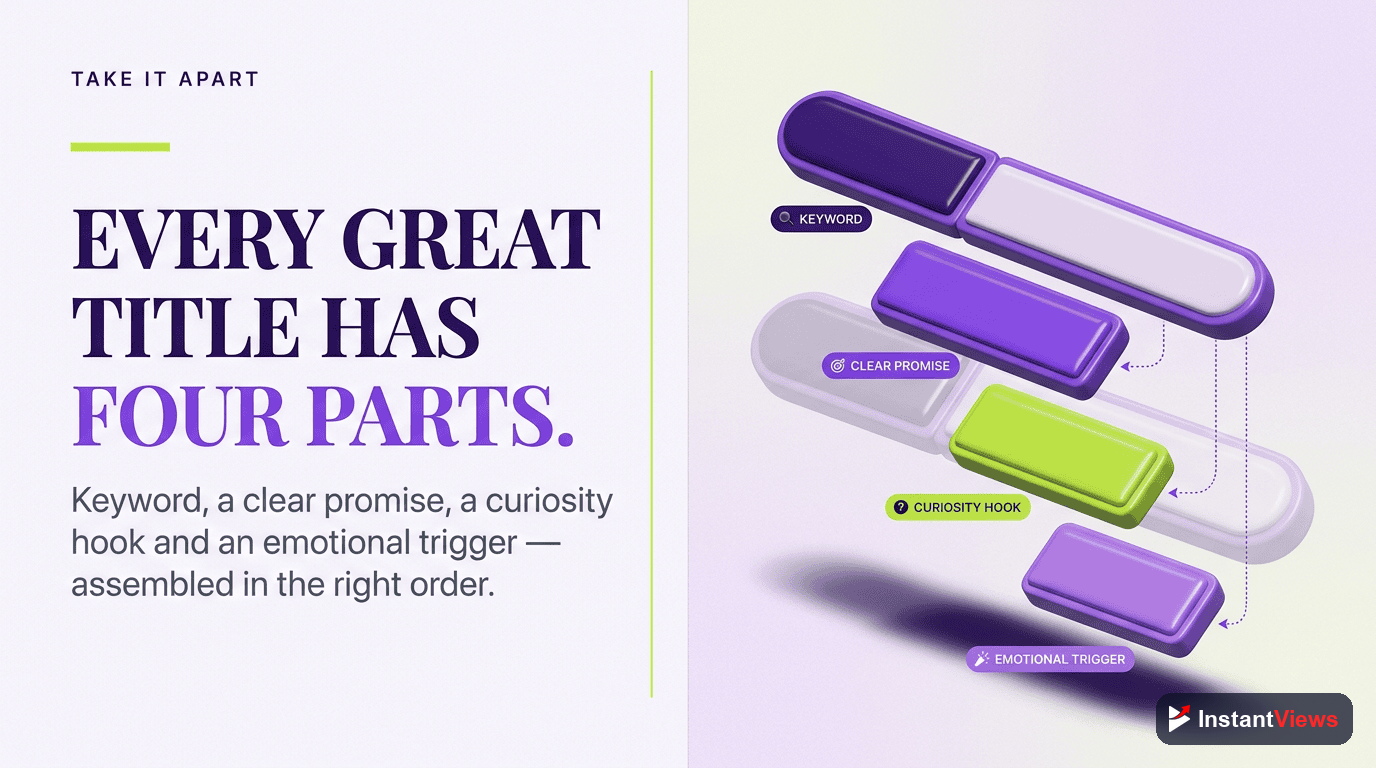
A high-performing title is rarely a single idea. It usually layers three jobs into one line of text, and the order matters because the front of the title does the heavy lifting.
1. The Keyword (Findability)
This is the phrase your ideal viewer would type into search. It tells both YouTube and the viewer what the video is about, and it should sit near the front so it survives truncation and anchors the topic.
2. The Hook (Desirability)
The hook is the reason to click right now. It might be a clear benefit, a surprising angle, a specific result, or an open loop that the video promises to close. The hook turns a findable title into a clickable one.
3. The Modifier (Specificity)
Modifiers are the small additions that sharpen the promise: a number, a year, a bracketed note, or a qualifier like "for beginners." They make the title concrete and scannable, which reassures the viewer that the video matches exactly what they want.
Not every title needs all three, but the best ones usually combine at least two. The skill lies in fitting them into roughly 60 characters without the line feeling crowded or robotic.
Keyword Placement: Front-Load for Search
YouTube is the world's second-largest search engine, and titles are a primary signal for how videos get ranked and surfaced. That makes keyword placement one of the most important decisions you make.
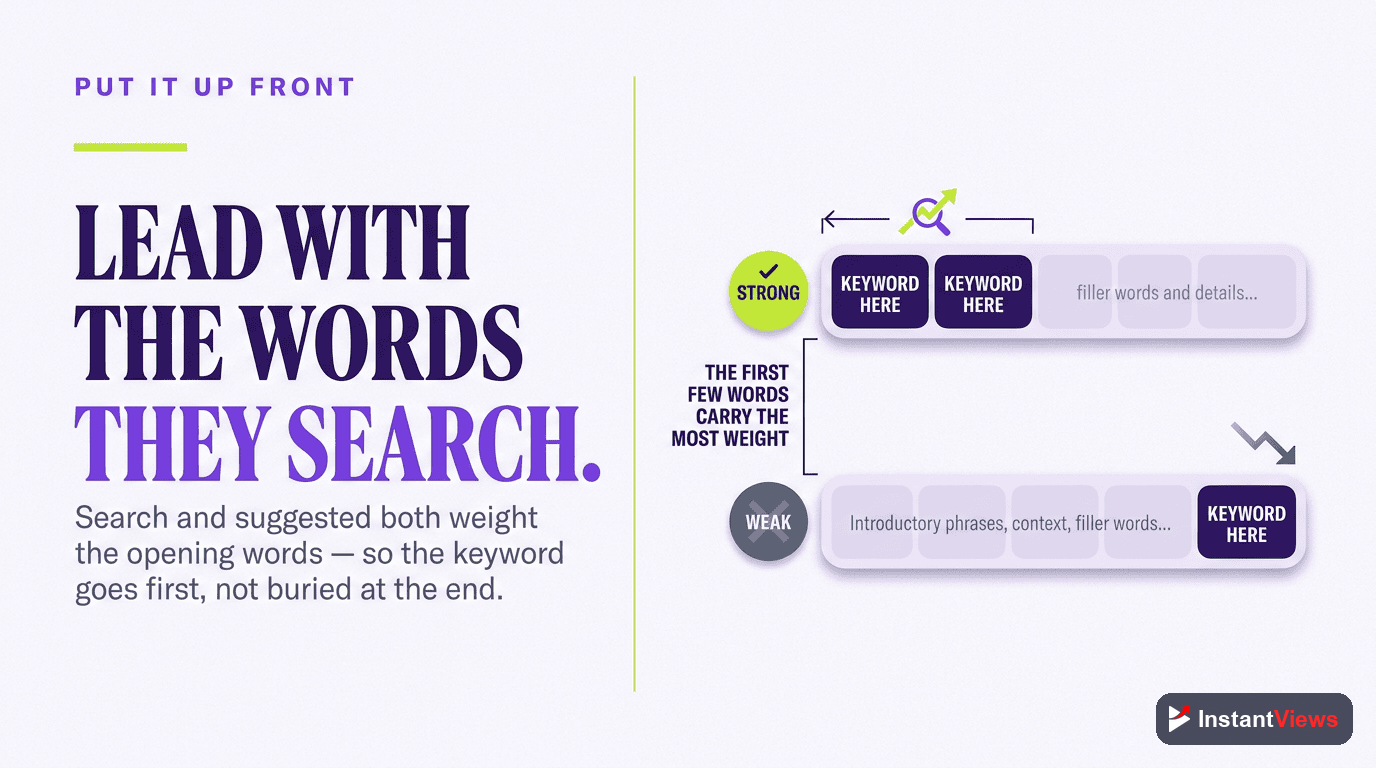
The rule is simple: identify the exact phrase your viewer would search for, then place it as close to the front of the title as possible. Front-loading the keyword does two things at once. It helps the platform understand and rank your topic, and it guarantees the keyword stays visible even when the title is cut off in a crowded feed.
- Lead with the searchable phrase rather than burying it after a clever intro that means nothing to the algorithm.
- Use one primary keyword, not a pile of them. Keyword stuffing reads as spam and drags down CTR.
- Keep it natural. A title like "Fitness Business: How to Start a Fitness Business" repeats the phrase awkwardly; viewers skip it and the low CTR causes YouTube to de-rank it.
The goal is to satisfy search and the human at the same time. The keyword earns the impression; the rest of the title earns the click.
The Right Title Length in 2026
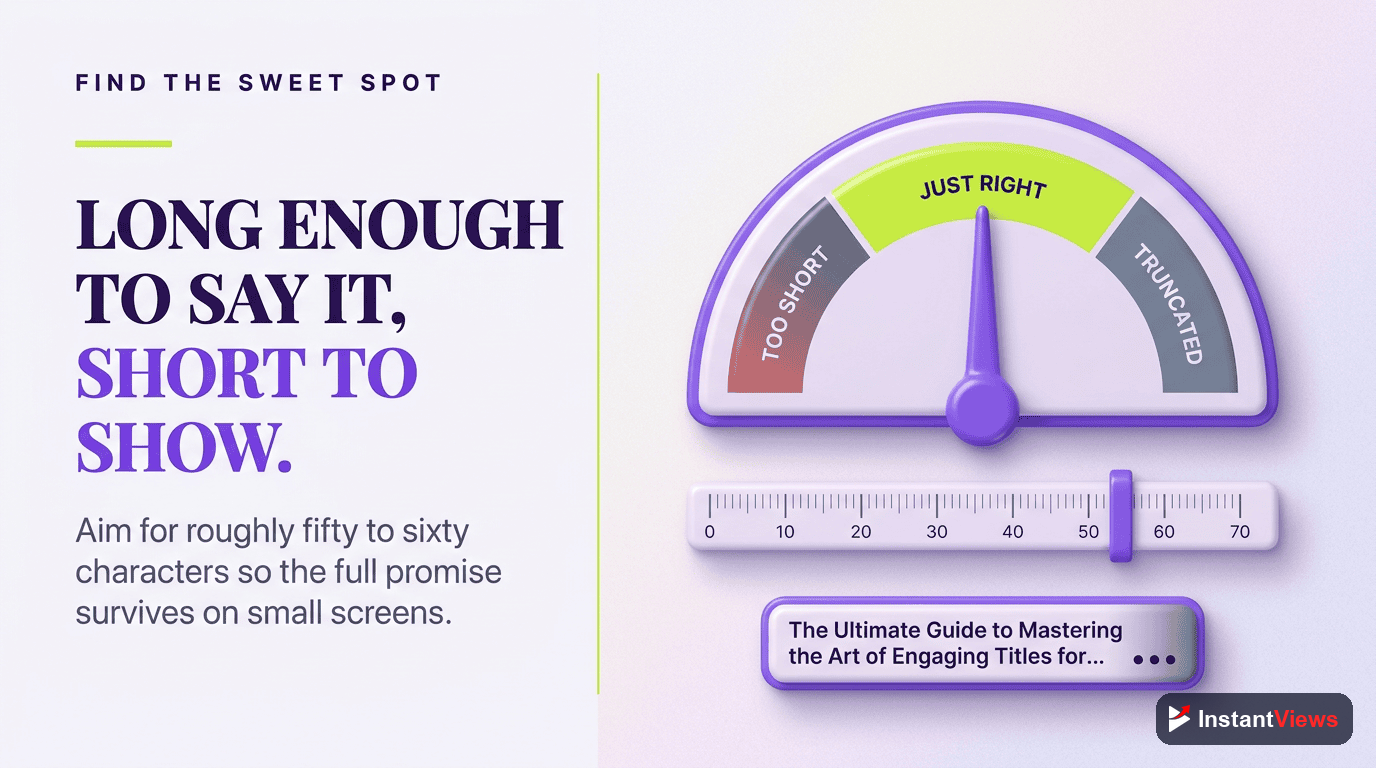
YouTube allows titles up to 100 characters, but that is a hard limit, not a target. In search results and suggested feeds, titles are typically truncated after about 60 characters on desktop, and mobile devices often cut them even shorter — frequently in the 45 to 55 character range. Anything past that point may simply never be seen.
That truncation has a clear consequence: the first 40 characters of your title carry the most weight. Whatever matters most — your keyword and your hook — should live inside that window so it survives on every screen.
- Aim for around 60 characters or fewer so the full title displays across the vast majority of devices.
- Treat the first ~40 characters as prime real estate and load them with your keyword and the most compelling words.
- Cut ruthlessly. Drop filler like "a complete guide to" if the same meaning fits in fewer words.
Do not write a long title assuming viewers will read all of it. If your hook lands at character 75, most of your audience will never see it on mobile. Always preview how the title truncates on a phone before you publish.
Curiosity vs. Clarity: The Balance That Wins
The most common mistake in title writing is choosing only one of two forces. Some creators write purely descriptive titles that are crystal clear but utterly boring. Others chase pure curiosity and leave the viewer with no idea what the video actually offers. The titles that win do both.
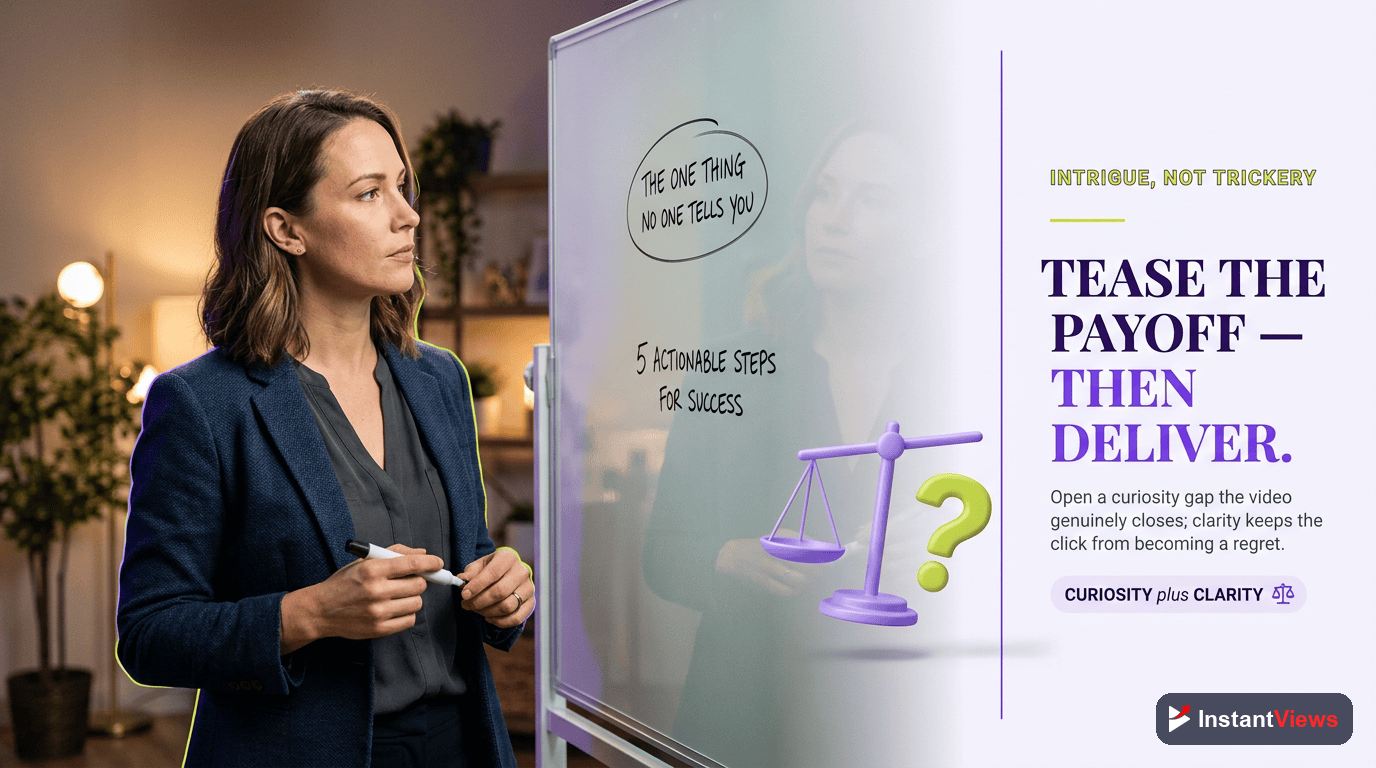
Clarity earns the click by telling the viewer precisely what they will get. Curiosity makes that click feel urgent by opening a gap the viewer wants closed. Hold them in tension and you get a title that is both findable and irresistible.
How to Add Curiosity Without Going Vague
- Open a specific loop: "The Setting That Doubled My Watch Time" hints at a concrete answer the viewer must click to learn.
- Promise a surprising result: pair a clear topic with an unexpected outcome.
- Use contrast: "Why Longer Videos Get More Views" works because it challenges an assumption while staying clear about the subject.
The test is whether the curiosity can be honestly satisfied by the video. If the answer is yes, the gap is fair game. If not, you are drifting into clickbait — which is where titles go to die.
Power Ingredients: Numbers, Brackets, and Emotion
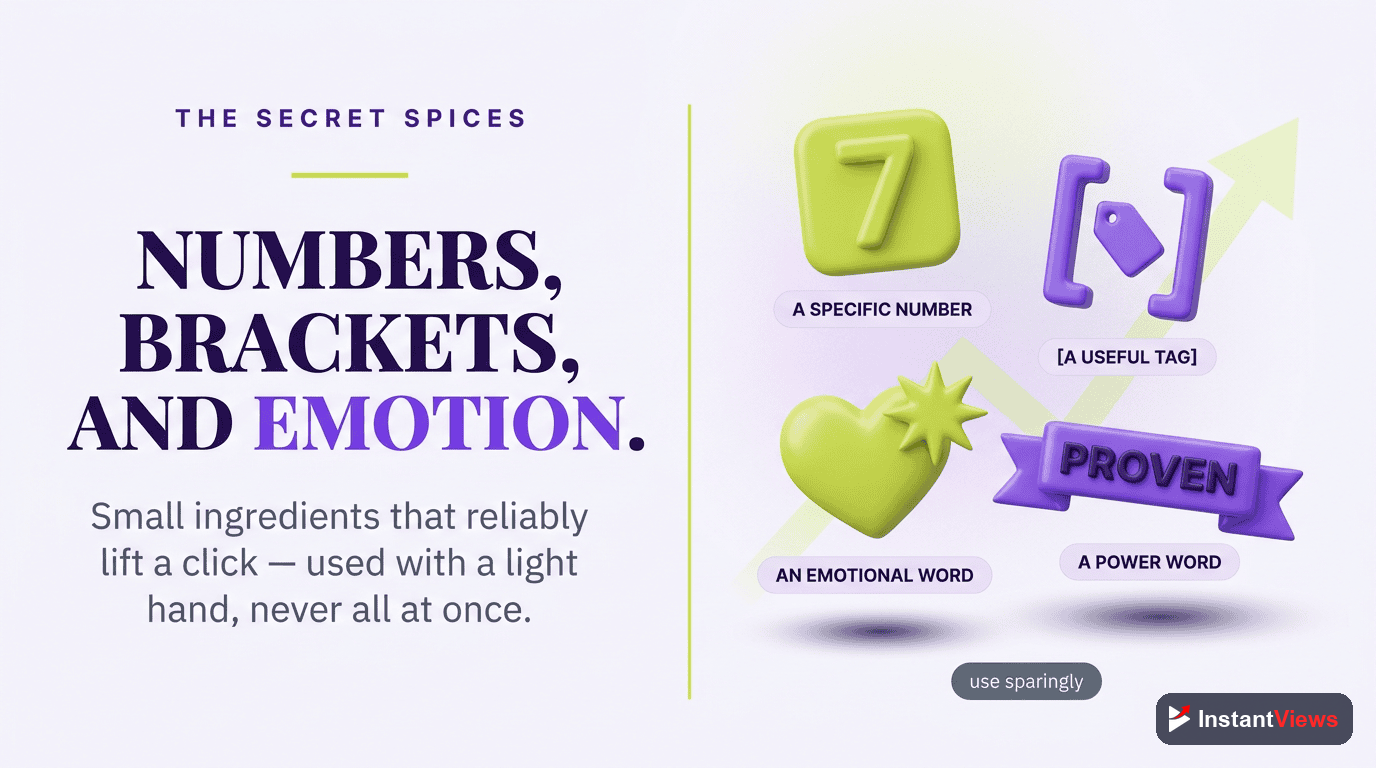
Beyond the keyword and hook, a few reliable ingredients make titles easier to scan and more clickable. Use them when they fit naturally, not as a checklist forced onto every video.
Numbers
Numbers set a precise expectation and promise a structured payoff. "7 Title Mistakes" or "5 Settings to Change Today" tell the viewer exactly how much value sits behind the click, and the specificity makes the title feel concrete rather than vague.
Brackets and Parentheses
Adding a bracketed or parenthetical element — such as "(Step-by-Step)" or "[2026 Update]" — gives the viewer extra context at a glance and signals freshness. This small addition can lift click-through rate, particularly for long-form content where viewers want reassurance the video is current and thorough.
Emotional and Power Words
Words that carry feeling — mistakes, secret, finally, stop, easy, proven — raise the emotional stakes of a title. They work because viewers click with feeling and justify with logic. Used sparingly they energize a title; overused, they make it sound desperate.
Proven Title Formulas (With Examples)
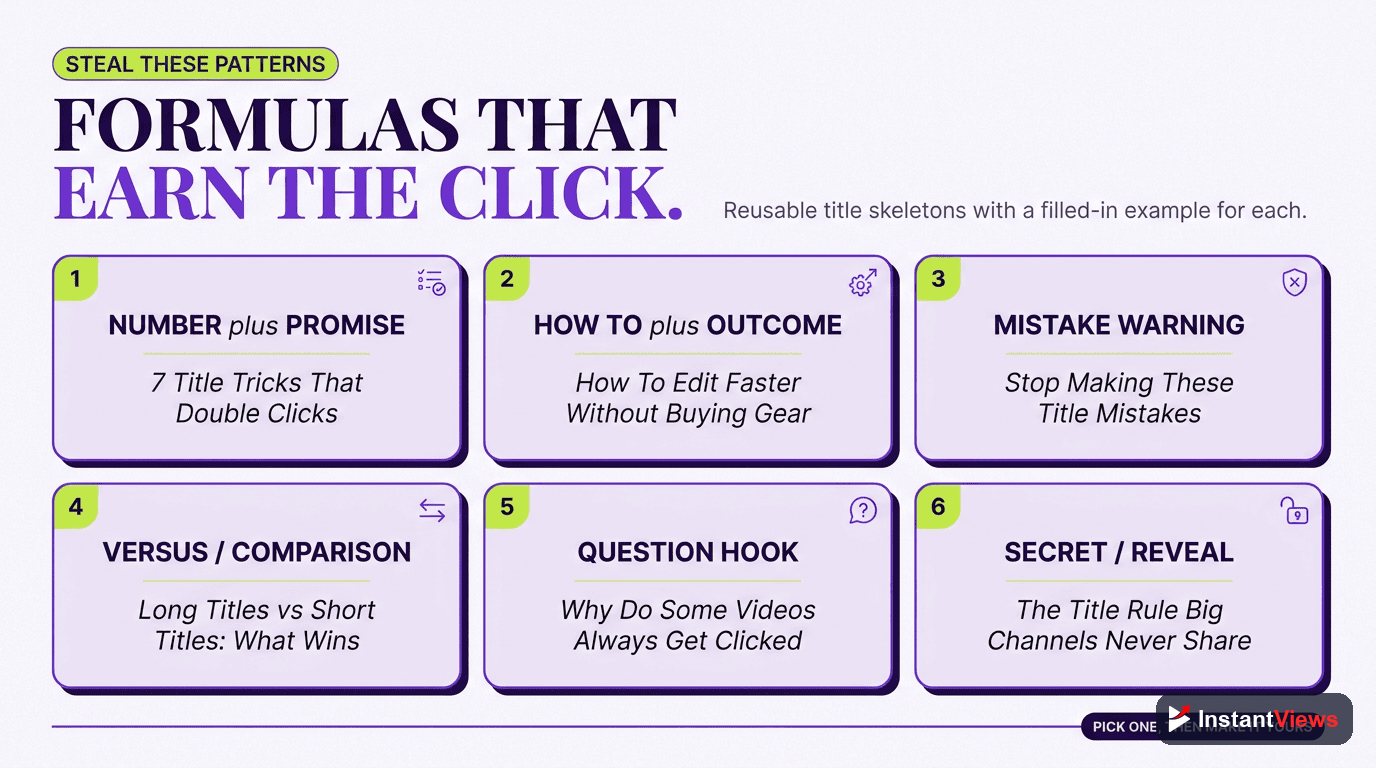
You do not have to invent a structure from scratch every time. The formulas below are dependable starting points. Notice how each one front-loads the keyword and leaves room for a hook, while staying close to the 60-character target.
| Formula | Structure | Example |
|---|---|---|
| How-To | How to [Result] (Without [Pain]) | How to Edit Faster Without Expensive Software |
| Listicle | [Number] [Keyword] That [Benefit] | 7 Title Mistakes That Cost You Views |
| Curiosity Gap | The [Keyword] Nobody Talks About | The YouTube Setting Nobody Talks About |
| Result-Driven | [Keyword]: How I [Specific Outcome] | YouTube Titles: How I Doubled My CTR |
| Contrarian | Why [Common Belief] Is Wrong | Why Short Titles Are Hurting Your Views |
| Beginner | [Keyword] for Beginners ([Year]) | YouTube SEO for Beginners (2026) |
| Comparison | [Option A] vs [Option B]: Which [Goal]? | Long vs Short Titles: Which Gets More Clicks? |
Treat these as templates, not rules. The structure gives you a head start; your specific keyword, hook, and the truth of the video should always shape the final wording.
Worked Example: A Before-and-After Rewrite
Theory is easy. Let us apply the formula to a real, weak title and rebuild it step by step. Imagine a tutorial on improving audio quality for a small channel.
"Before: My Thoughts On Some Audio Stuff I Have Been Using Lately For My Videos"
This title fails on every count. There is no keyword, so search cannot find it. It runs far past 60 characters, so most of it gets cut off. And it offers no hook — "some audio stuff" promises nothing. Here is how to fix it.
Step 1: Find the Keyword
The viewer is searching for help with audio. The primary keyword is "YouTube Audio." That phrase moves to the front.
Step 2: Add a Hook
What is the payoff? Cleaner sound without expensive gear. That becomes a benefit hook: "Sound Professional on a Budget."
Step 3: Add a Modifier and Trim
A number sets expectations, and trimming keeps it under 60 characters. The line tightens into something scannable and specific.
"After: YouTube Audio: 5 Cheap Fixes for Pro Sound"
The rebuilt title is roughly 47 characters, so it displays in full everywhere. The keyword leads, a number sets the expectation, and "Pro Sound on the cheap" supplies an honest, desirable hook. Same video, dramatically better odds of getting found and clicked.
Test Your Titles Before You Publish
Use our free suite of YouTube tools to research keywords, preview how your title truncates, and sharpen every line before it goes live.
Explore Free YouTube Tools →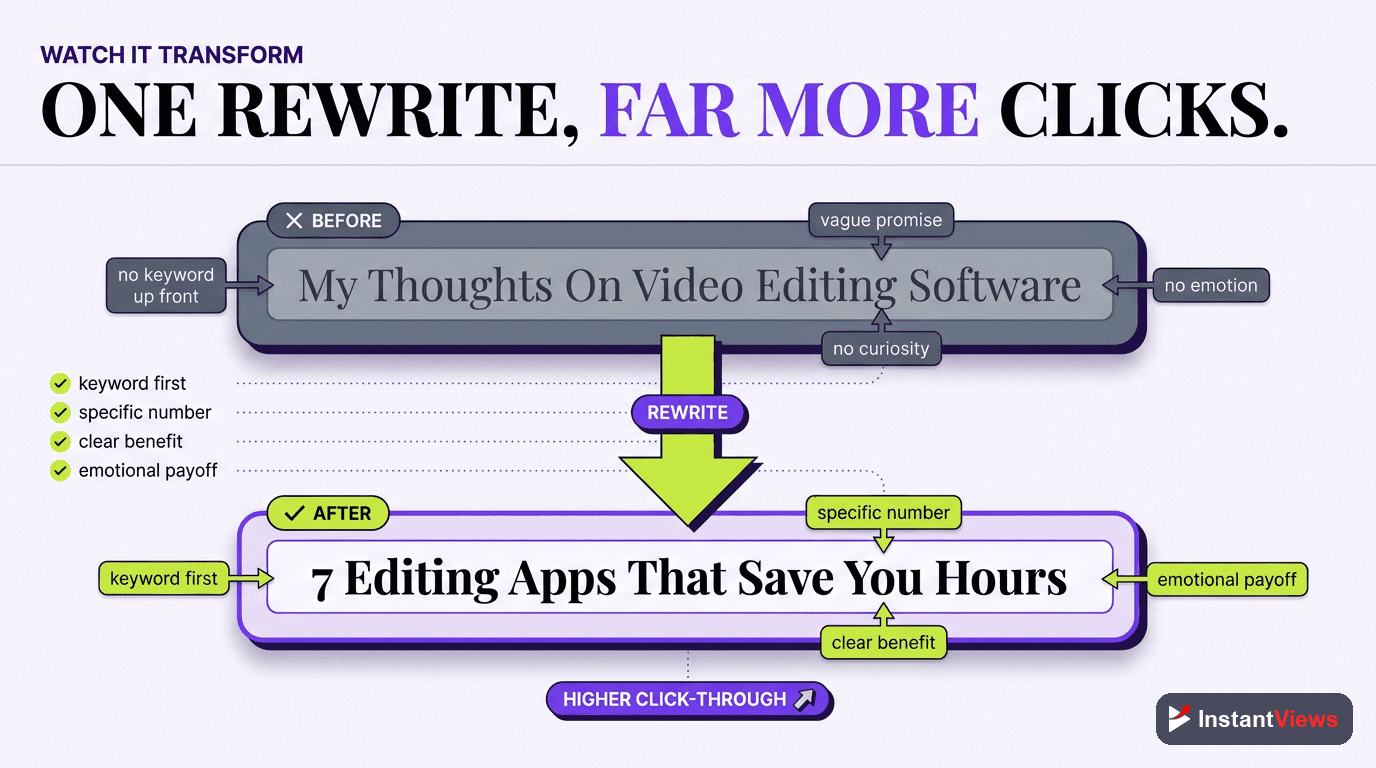
Your Step-by-Step Title Process
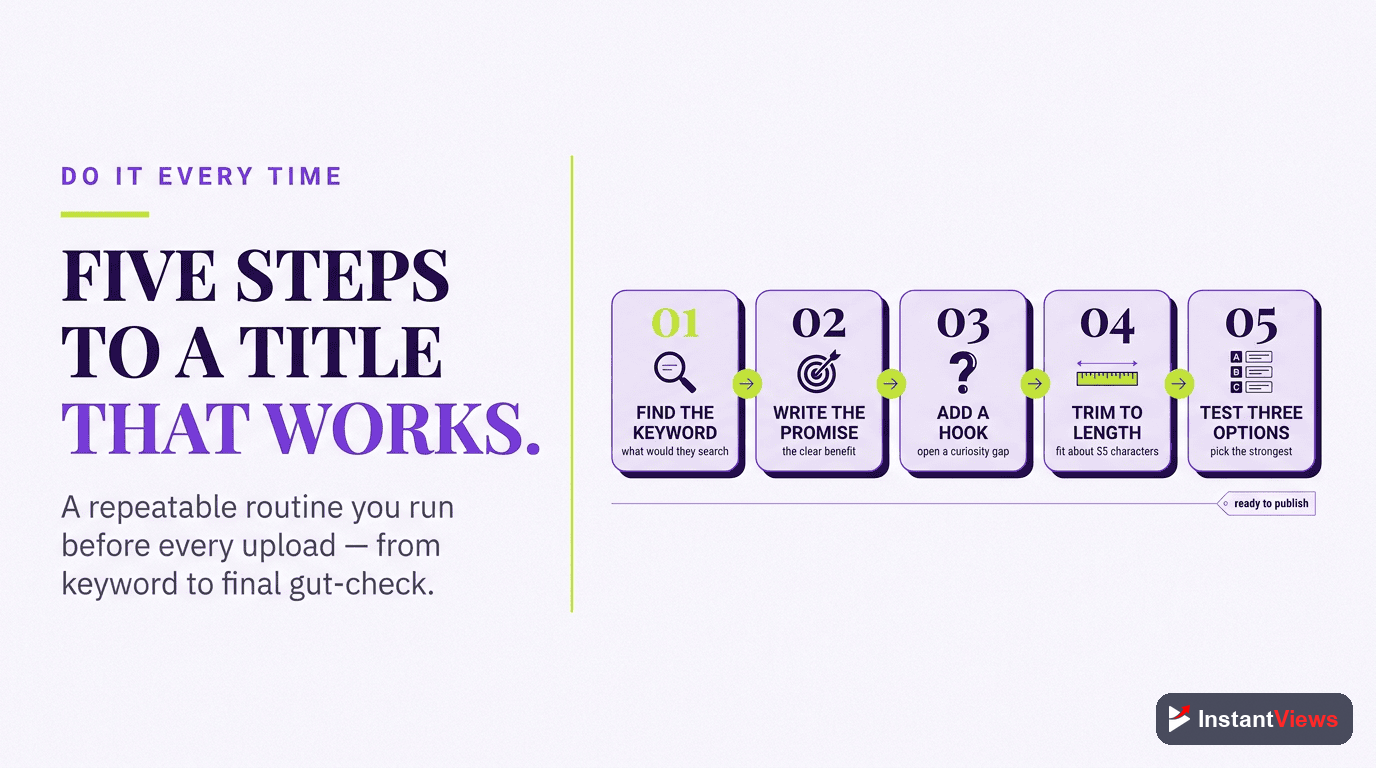
Turn the formula into a repeatable routine you run before every upload:
Find Your Primary Keyword
Decide the one phrase your ideal viewer would search for. This anchors the topic for both YouTube and the audience, and it is the word you will front-load.
Draft Five Variations
Use the formula table to write five different titles for the same video. Quantity first — you cannot pick the best line until you have options to compare.
Add One Power Ingredient
Choose a single number, bracket, or emotional word that genuinely fits. Resist stacking several — one well-placed ingredient beats three competing ones.
Trim to About 60 Characters
Cut filler until the keyword and hook live inside the first 40 characters. Preview the title on mobile to confirm nothing important gets truncated.
Publish, Measure, and Refine
Watch the click-through rate over the first days. If retention is strong but CTR is weak, rewrite the title and test again — iterating on existing videos recovers lost views fast.
Title Mistakes That Quietly Kill Views
Even strong creators sabotage themselves with avoidable title errors. Watch for these:
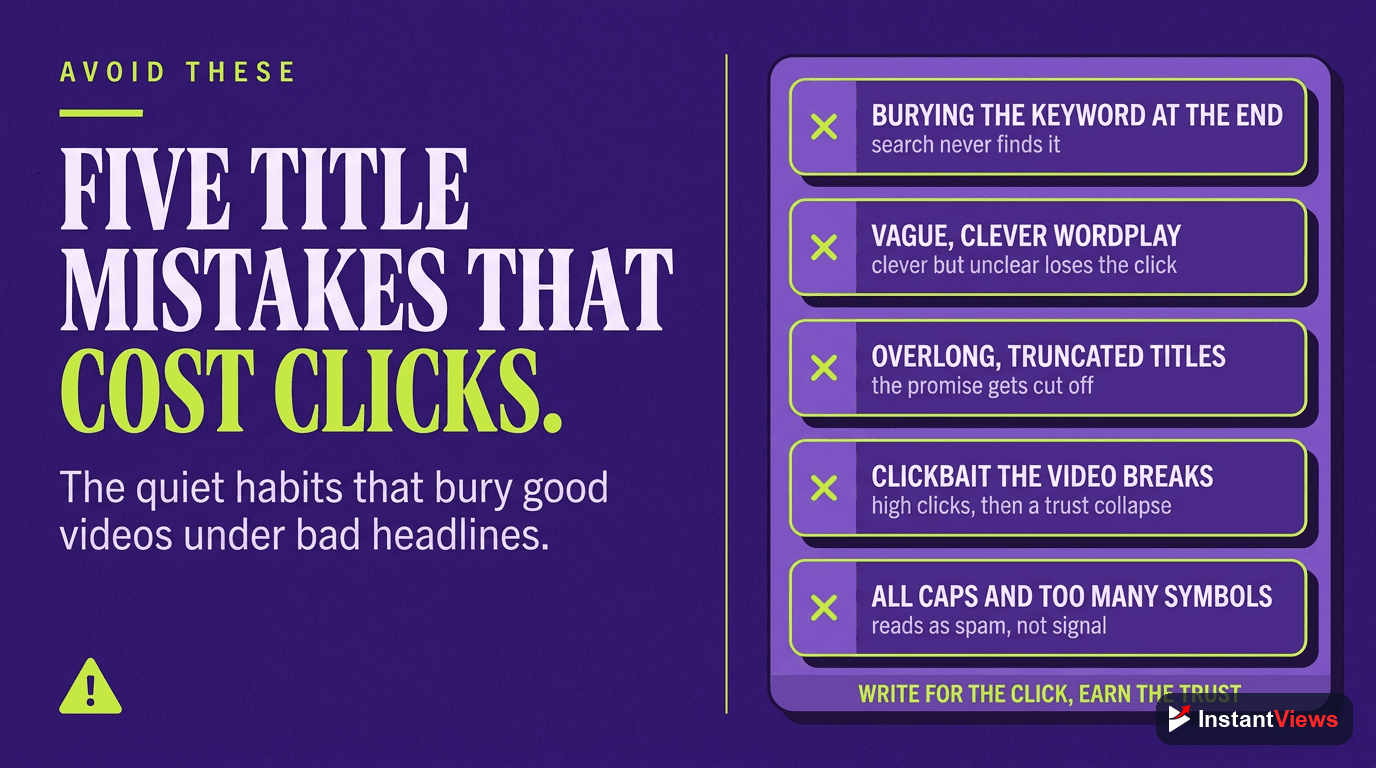
- Clickbait that breaks the promise: a title that oversells wins the click but loses the viewer in the first minute. In 2026 the algorithm optimizes for viewer satisfaction and retention, so that early drop-off signals dissatisfaction and shrinks your reach.
- Burying the keyword: a clever opening that pushes the searchable phrase to the end of the title costs you rankings and gets cut off in feeds.
- Writing past 60 characters: if your hook lands at character 80, most mobile viewers never read it.
- Keyword stuffing: repeating the same phrase reads as spam and lowers CTR, which de-ranks the very video you were trying to rank.
- Pure vagueness: "My New Video" or "Update" gives neither search nor the viewer a reason to engage.
- Set-and-forget: never revisiting underperforming titles leaves easy views unclaimed on videos that already have watch time.
Avoiding these is often easier than chasing new tactics. A title that is clear, keyword-led, honest, and the right length already outperforms most of what is published every day.
"The title is the only part of your video most people will ever read. Write it like the headline it is — clear enough to trust, curious enough to click, and honest enough that the video keeps its promise."
Frequently Asked Questions
Aim for roughly 60 characters or fewer. YouTube allows up to 100 characters, but search results and suggested feeds typically truncate titles after about 60 characters on desktop and even fewer on mobile. Put the most important and compelling words in the first 40 characters so they survive truncation on every device.
Place your primary keyword near the front of the title, ideally within the first few words. Front-loading the keyword helps YouTube and search engines understand your topic, and it ensures the keyword stays visible even when the title is truncated. Just keep it natural — a forced or repeated keyword reads as spam and lowers click-through rate.
Often, yes. Numbers set a clear expectation ("7 Tips") and brackets or parentheses add context or freshness ("[2026 Update]", "(Step-by-Step)"). They make a title easier to scan and can lift click-through rate, especially on long-form content. Use them when they genuinely fit the video rather than forcing them onto every title.
A formula uses structure, curiosity, and emotion to earn an honest click; clickbait promises something the video does not deliver. The difference shows up in retention: clickbait wins the click but loses the viewer in the first minute, and YouTube notices that drop-off and limits your reach. A good title creates curiosity the video then satisfies.
The title and thumbnail work together as a single unit and both drive click-through rate. The thumbnail usually grabs the eye first, while the title adds the context, specificity, and keyword that confirm the click and help the video get found in search. Optimizing one without the other leaves views on the table.
Not always. Your YouTube title should balance the keyword for search with curiosity for the click. When you share the same video on other platforms, you can lead with a more emotional or conversational hook, since those feeds rank differently. Keep the core promise consistent so the message does not feel disconnected.
Yes, and you should. If a video has solid watch time but a low click-through rate, the title and thumbnail are usually the bottleneck. Test a new title that places the keyword earlier or sharpens the hook, then watch the click-through rate over the following days. Iterating on existing videos is one of the fastest ways to recover lost views.
Effectively, yes. The 2026 algorithm optimizes for viewer satisfaction and retention, so a misleading title that drives clicks but poor watch time signals dissatisfaction and the video gets shown to fewer people. Honest, specific titles that the video lives up to are rewarded with more sustained distribution.
Conclusion
The perfect YouTube title is not an accident or a stroke of luck — it is a formula. Front-load a single primary keyword, add a hook that balances curiosity with clarity, sharpen it with one well-chosen ingredient, and trim the whole thing to around 60 characters so it survives on every screen. Do that and you give every video its best possible shot at being found and clicked.
Remember that the title and thumbnail are a team, and that click-through rate compounds: a modest lift today can multiply your views as YouTube serves the video to wider audiences. Just as important, keep the promise. In 2026 the algorithm rewards titles the video actually lives up to and quietly buries the ones that do not.
Start with your next upload. Write five variations using the formulas above, pick the one that is clearest and most compelling inside the first 40 characters, and preview it on mobile before you publish. Then revisit an older video with low CTR and rewrite its title too. Small, repeated improvements to this one line of text are among the highest-leverage moves you can make on YouTube.