- An email list is an audience you own — the one channel YouTube cannot throttle or take away
- Email-driven views in the first 24 to 48 hours feed the early signals YouTube uses to decide how widely to recommend a video
- In 2026 YouTube reduces notifications to subscribers who have not watched recently, so a big subscriber count no longer guarantees reach
- Build your list with lead magnets linked from descriptions, pinned comments, and end screens, then segment it by interest
- Even a small, engaged list can trigger broad distribution because the algorithm scales on early engagement rate, not list size
You hit publish, and for the first few minutes almost nothing happens. Then a handful of viewers trickle in — and within a day or two, YouTube has quietly decided whether your video deserves a wide audience or a quiet death in the recommendation graveyard. That decision is made fast, and it is made largely on the strength of your earliest viewers. The question every creator should be asking is simple: who do I have that I can count on to show up in those first crucial hours?
For most channels, the honest answer is "whoever the algorithm decides to notify." And in 2026, that is a shakier bet than ever. YouTube now sends subscriber notifications based on engagement probability, and it quietly stops pushing them to people who have not watched your recent uploads. A subscriber count, in other words, is no longer a reliable promise of reach. The audience you can actually depend on is the one you own — and the most durable owned audience a creator can build is an email list.
This guide shows you how to use email marketing specifically to increase YouTube views: why an owned list matters more than ever, how to build one directly from your videos, exactly what to send on each upload, how to segment so your emails stay welcome, and how those email-driven early views feed the first-48-hour signals that the algorithm rewards. This is not a generic "build a newsletter" article — it is a playbook for turning subscribers into reliable early viewers.
With more than 2.7 billion monthly active users and roughly a billion hours of video watched every day, YouTube is the largest discovery engine on the planet. But discovery starts with a spark, and email is the most controllable spark you have.
- Why an Owned Email List Matters in 2026
- How Email-Driven Early Views Feed the Algorithm
- Building Your List Directly From Your Videos
- Lead Magnets That Convert Viewers Into Subscribers
- What to Send on Each Upload
- Your Email Launch Workflow
- Segmenting So Emails Stay Welcome
- Email vs. Other Launch Channels
- Measuring and Improving Each Send
- Mistakes That Quietly Kill Your Open Rates
- FAQ
Why an Owned Email List Matters in 2026
There is a hard truth at the center of modern creator strategy: you do not own your YouTube audience. You rent access to it, and the landlord changes the terms whenever it likes. Subscribers are a permission to maybe reach someone, not a guarantee. In 2026 that gap widened. YouTube expanded its system of variable subscriber notifications, sending fewer push alerts to subscribers who do not regularly engage with a channel. If someone subscribed two years ago and has not watched your last several videos, the platform now quietly stops notifying them at all.
An email list flips this relationship. When someone hands you their email address, you can reach them directly — no intermediary deciding whether they are "worth" a notification. Email marketers often describe a list as "algorithm insurance": a hedge against the day a recommendation system changes its mind about your channel. If your distribution dips, your list is still there.
The Three Things an Email List Gives a Creator
- Direct reach: A message that lands in an inbox is not filtered by an engagement-probability model the way an on-platform notification is.
- Reliability: The same people can be reached again and again, upload after upload, building a dependable base of early viewers.
- Portability: If you ever expand to a second channel, a podcast, or a product, your list comes with you. Your subscribers do not.
None of this means abandoning YouTube's own tools. It means adding a layer you control on top of them — so that the success of every upload does not hinge entirely on a notification system you cannot see inside.

How Email-Driven Early Views Feed the Algorithm
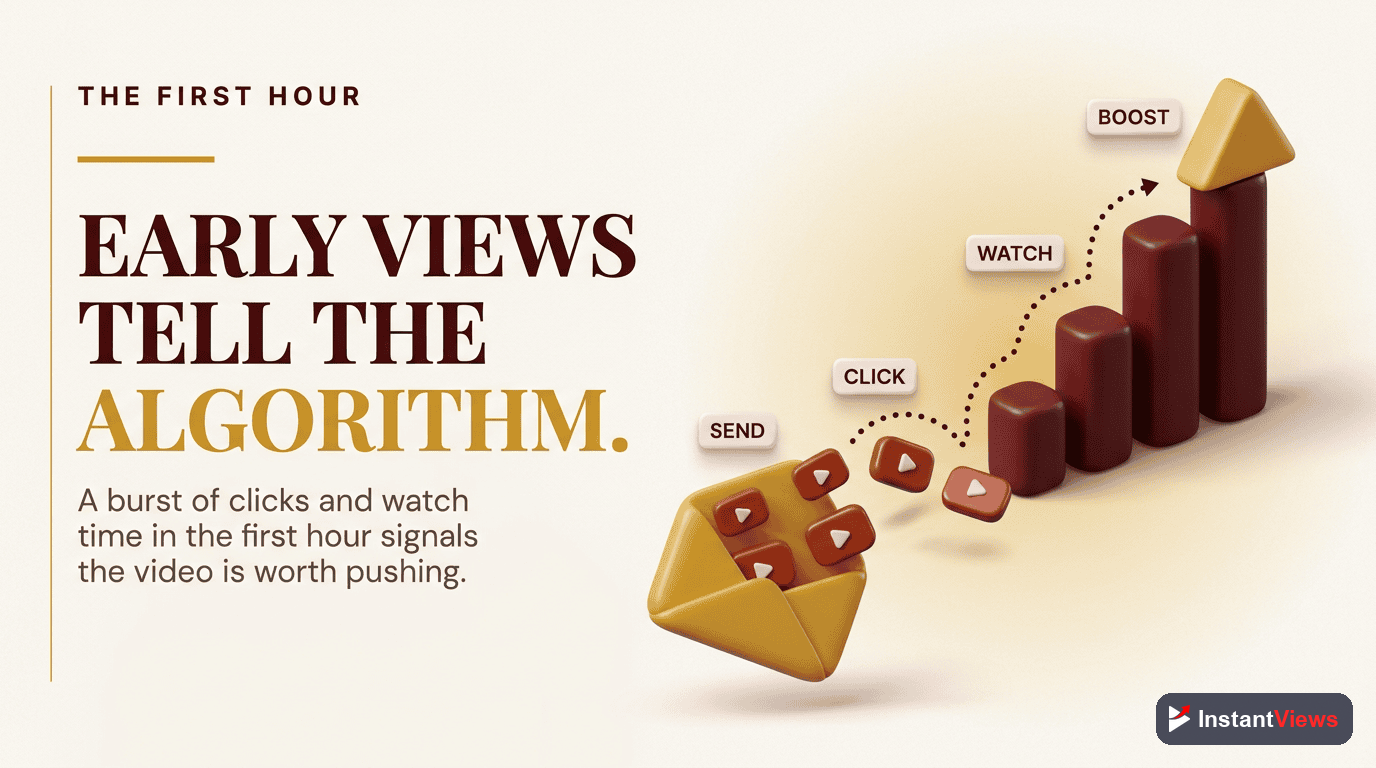
To understand why email is so powerful for views, you have to understand how YouTube decides what to promote. When you publish, the video first goes out to a small slice of your subscribers and a modest test batch on the Home feed. The system then watches how those early viewers behave — click-through rate, average view duration, and early satisfaction signals — and compares the results against what it expected for a channel like yours. Beat those expectations and impressions scale up, sometimes exponentially. Miss them and distribution quietly tapers off.
This is why the first 24 to 48 hours are so decisive. Long-form videos tend to either take off in that window or never recover. The early test audience is the jury, and their verdict is delivered fast. A burst of engaged viewers in the first hours tells the algorithm "people who see this, watch this" — the single most persuasive thing you can communicate.
Here is where email comes in. An email to your list is the most controllable way to manufacture that early burst. The people on your list opted in because they like your work, so they click at higher rates and watch longer than a random impression would. They are, in effect, a hand-picked early test audience you can summon on demand. And because the algorithm scales on engagement rate rather than raw numbers, even a few hundred reliable early viewers can tip a video into broader recommendation.
Building Your List Directly From Your Videos
The most natural place to grow an email list is inside the very videos people are already watching. A viewer who just finished a tutorial is at peak interest — that is the moment to offer them something more in exchange for an email. The mechanics are simple, but they have to be deliberate, because YouTube will never volunteer your opt-in for you.
The Four On-Video Capture Points
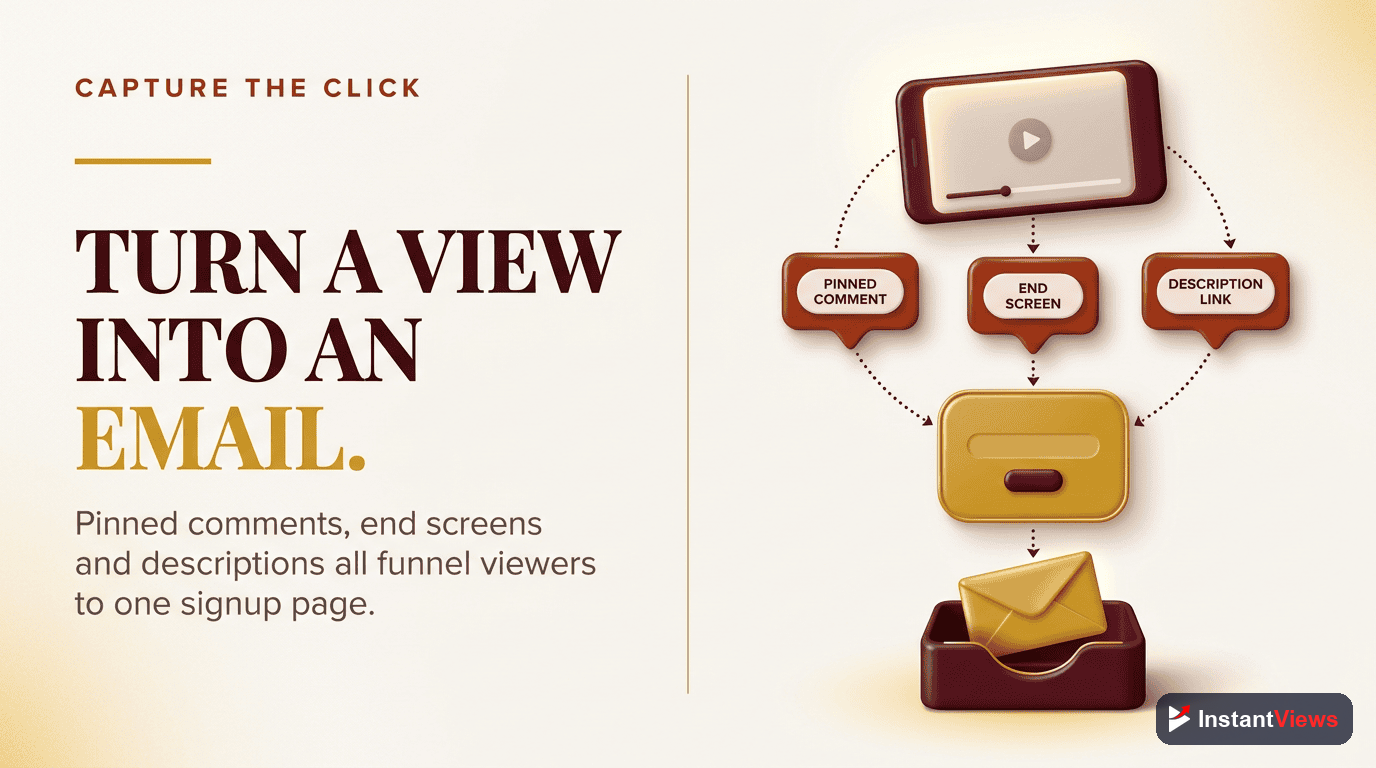
- The description: Put your opt-in link in the very first line, above the fold, before the "show more" cutoff. This is prime real estate; do not waste it on social links.
- The pinned comment: Pin a comment with a one-sentence pitch and the link. It sits at the top of the comments and gets seen by engaged viewers.
- End screens: In the final 5 to 20 seconds, an end screen element can point viewers to your opt-in. Pair it with a verbal nudge for far higher clicks.
- The spoken mention: Tell viewers, in the video, exactly what they will get and where to get it. A sentence of context out-converts any silent on-screen graphic.
Always send people to a dedicated landing page, never your homepage. A focused opt-in page with one headline, one promise, and one form converts a multiple of what a busy homepage does. The visitor arrived for one specific thing — give them exactly that and nothing to distract from it.
Never treat your subscriber count as a substitute for an email list. They are different assets. A subscriber is a hope that YouTube will notify someone; an email address is a direct line you control. The creators who stay resilient through algorithm shifts are the ones who started converting subscribers into list members early — before they needed the safety net.
Lead Magnets That Convert Viewers Into Subscribers
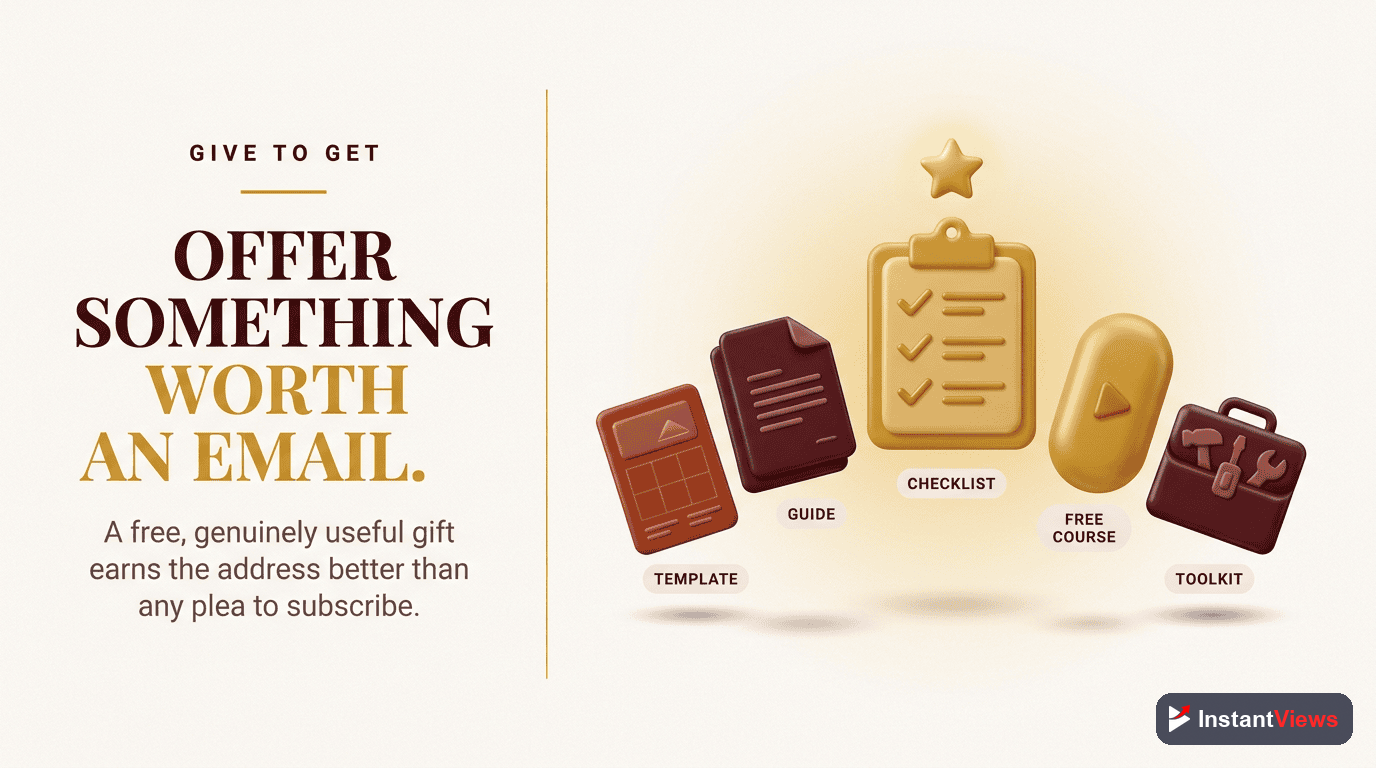
People do not give up an email address for "updates." They give it up for something useful and immediate. The strongest lead magnets for a YouTube audience are tightly tied to the video that sent the viewer — an extension of the thing they just watched, not a generic freebie.
- The companion resource: A checklist, template, cheat sheet, or worksheet that makes the video's advice easier to act on.
- The deeper guide: A short PDF or mini-course that goes further than the video had room to.
- The toolkit or resource library: A curated set of tools, links, or files relevant to your niche.
- The exclusive content feed: Behind-the-scenes notes, early access, or a weekly tip that exists only by email.
Whatever you choose, the bar is the same: it must be genuinely worth an email address on its own. A magnet that overpromises and underdelivers trains subscribers to ignore you, which defeats the entire purpose of a list built to drive early views.
What to Send on Each Upload
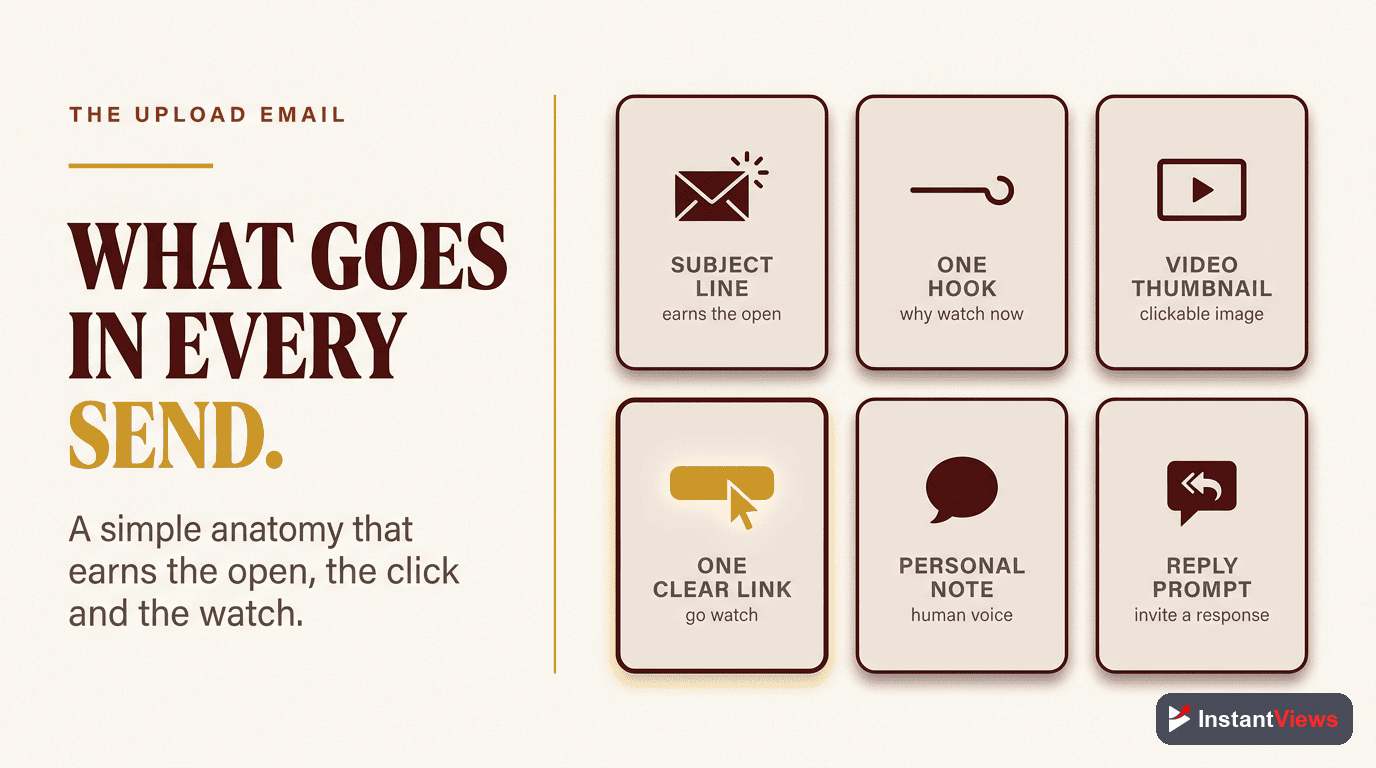
An upload email has exactly one job: get an interested subscriber to click and start watching while the video is fresh. Everything about the email should serve that single outcome. The best launch emails are short, personal, and skimmable — they read like a note from a person, not a press release from a brand.
The Anatomy of a High-Click Launch Email
- A subject line built on curiosity or benefit: Promise the one thing the viewer gets, or open a loop they want closed. Avoid clickbait that the video cannot pay off.
- One clear reason to watch now: Lead with why this video, today, is worth their next ten minutes.
- A single, obvious call to action: One linked thumbnail or button. Multiple competing links dilute the click.
- A short, human tone: Two or three tight paragraphs beat a wall of text every time.
Resist the urge to summarize the whole video in the email — if subscribers feel they already got the point, they will not click. Tease the payoff and make the video the place where it is delivered. And keep the link impossible to miss; a buried link is a wasted send.
Your Email Launch Workflow
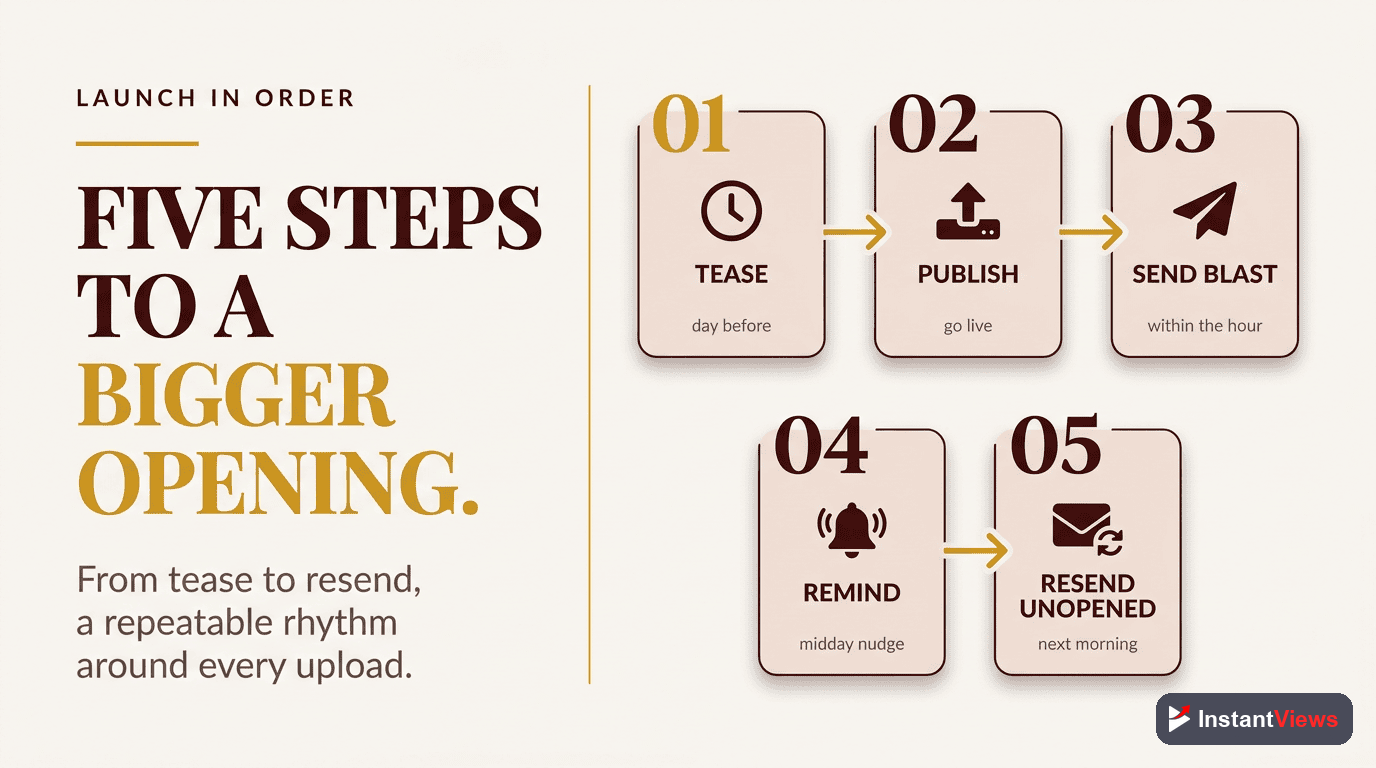
Driving early views is less about any single email and more about a repeatable rhythm you run on every upload. Speed matters: since the first day after publishing carries the most algorithmic weight, the email should go out while that window is wide open. Here is a clean five-step workflow you can run for every video.
Publish and Verify
Set the video live, confirm the title, thumbnail, end screen, and description link all render correctly, and grab the clean video URL you will send.
Email Your List Fast
Within the first hour, send a short, personal email to the relevant segment with one reason to watch and a single linked call to action straight to the video.
Reinforce On-Platform
Post to your Community tab and let YouTube notify subscribers, so the email-driven viewers and the platform-driven viewers compound in the same early window.
Watch the Early Numbers
Over the first day, check the click-through rate, average view duration, and how the video performs against your channel's typical early curve.
Send a Smart Follow-Up
A day or two later, email the segment that opened but did not click, or non-openers with a fresh subject line, to capture late but still valuable views.
Segmenting So Emails Stay Welcome
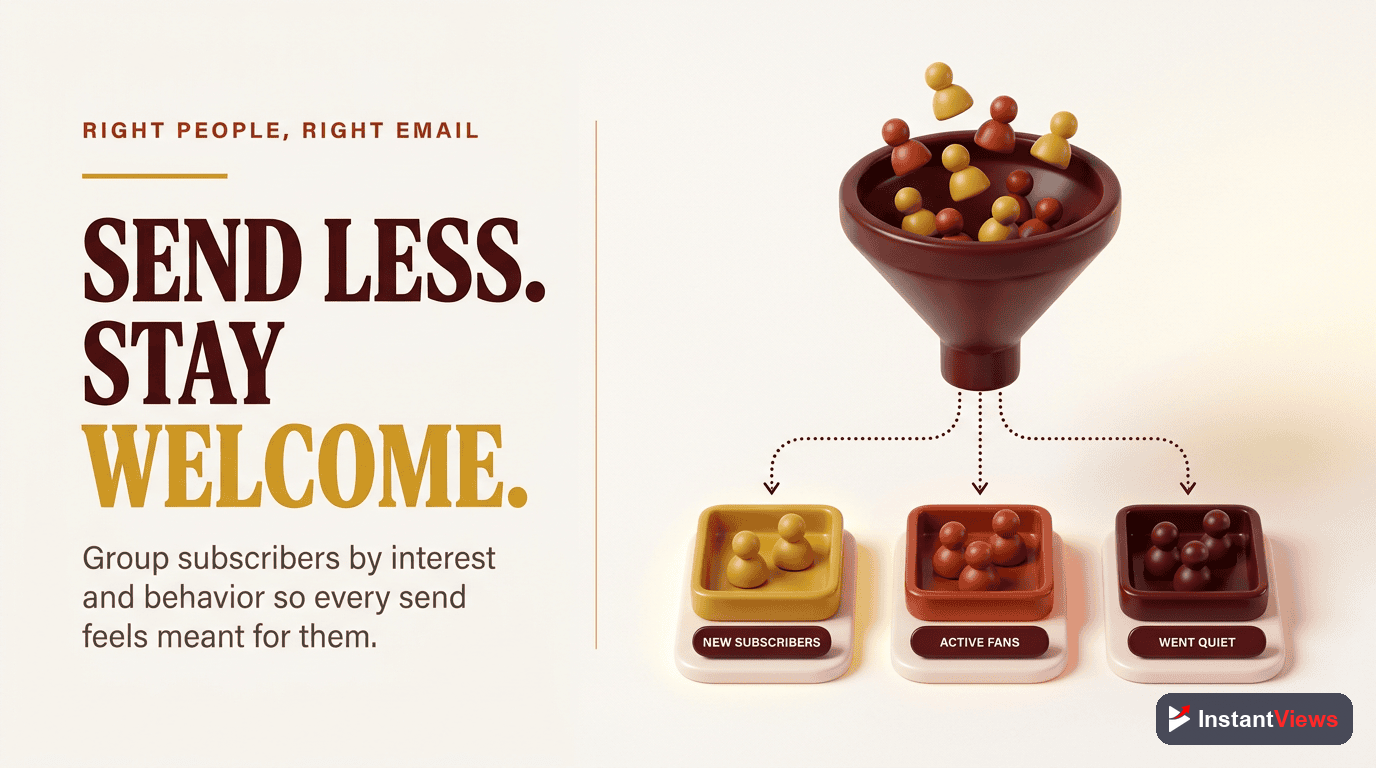
The fastest way to wear out a list is to send every video to everyone. Not every subscriber cares about every topic, and blasting irrelevant uploads trains people to stop opening. Segmentation — grouping subscribers by interest or behavior — lets you send each upload to the people most likely to watch it, which keeps open and click rates healthy and protects the early-view power of the list.
Useful Ways to Segment
- By topic interest: Tag subscribers based on which lead magnet or topic brought them in, then match uploads to those interests.
- By engagement level: Identify your most active openers and clickers — your most reliable early viewers — and treat them as a priority launch segment.
- By recency: Re-engage subscribers who have gone quiet with a separate, gentler approach rather than more of the same.
A highly relevant email to a smaller, interested segment almost always drives stronger early signals than a generic blast to the whole list. Relevance is what keeps a list clicking for years instead of decaying into a graveyard of unopened sends.
Email vs. Other Launch Channels
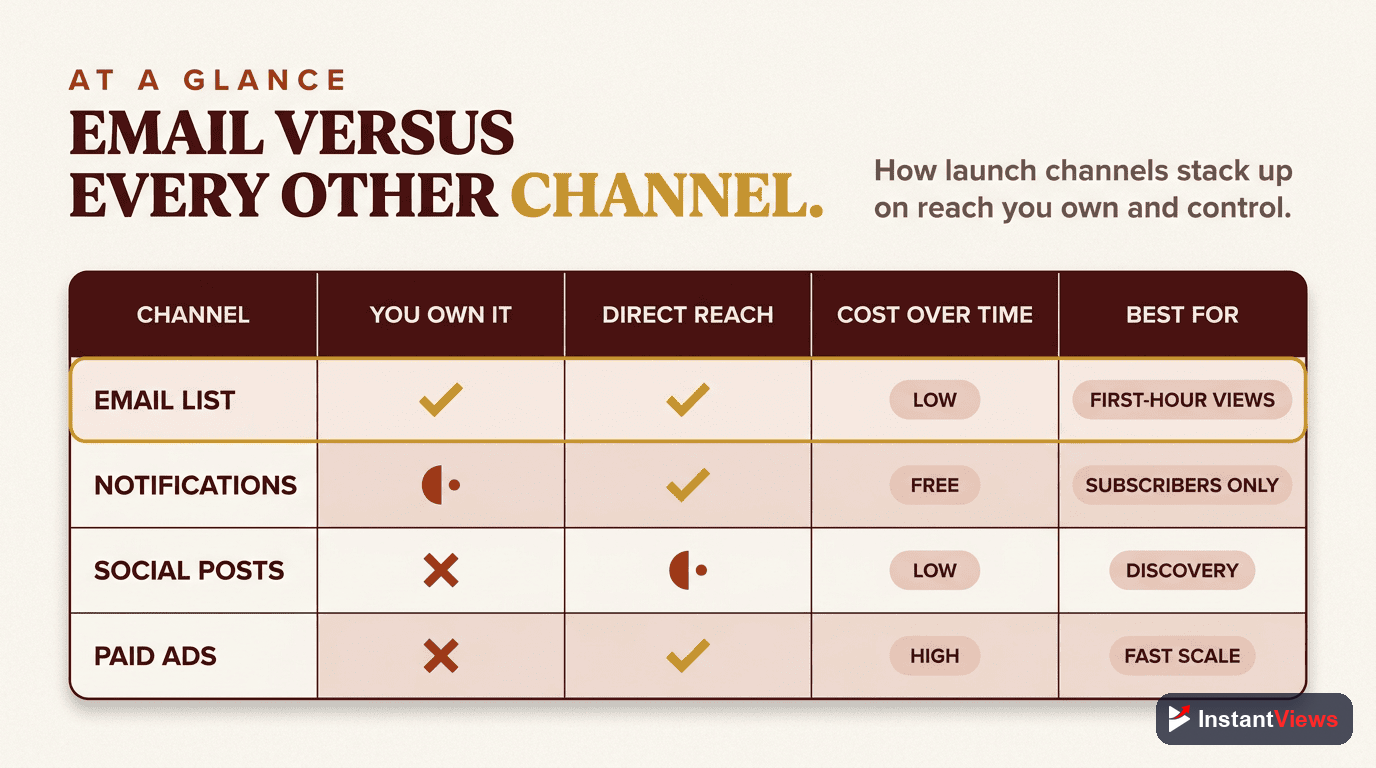
Email is not the only way to drive early views, but it has properties no other channel matches. The table below compares the launch channels most creators have available, so you can see why email earns its place at the center of the workflow.
| Launch Channel | Do You Own It? | Reach Reliability | Best Role at Launch |
|---|---|---|---|
| Email list | Yes | High — lands directly in the inbox | Primary early-view driver in the first hour |
| YouTube subscriber notifications | No | Variable — throttled for disengaged subscribers | Supporting layer that compounds with email |
| Community tab | No | Moderate — depends on feed visibility | On-platform reinforcement at launch |
| Social media posts | No | Low to moderate — algorithm-dependent | Extra reach and native clips after the email |
Notice the pattern: the only channel you truly own is the only one with reliable reach. Everything else is a multiplier on top of it. The smart play is to fire the email first, then stack the borrowed channels around it so all your early viewers land inside the same decisive window.
Measuring and Improving Each Send
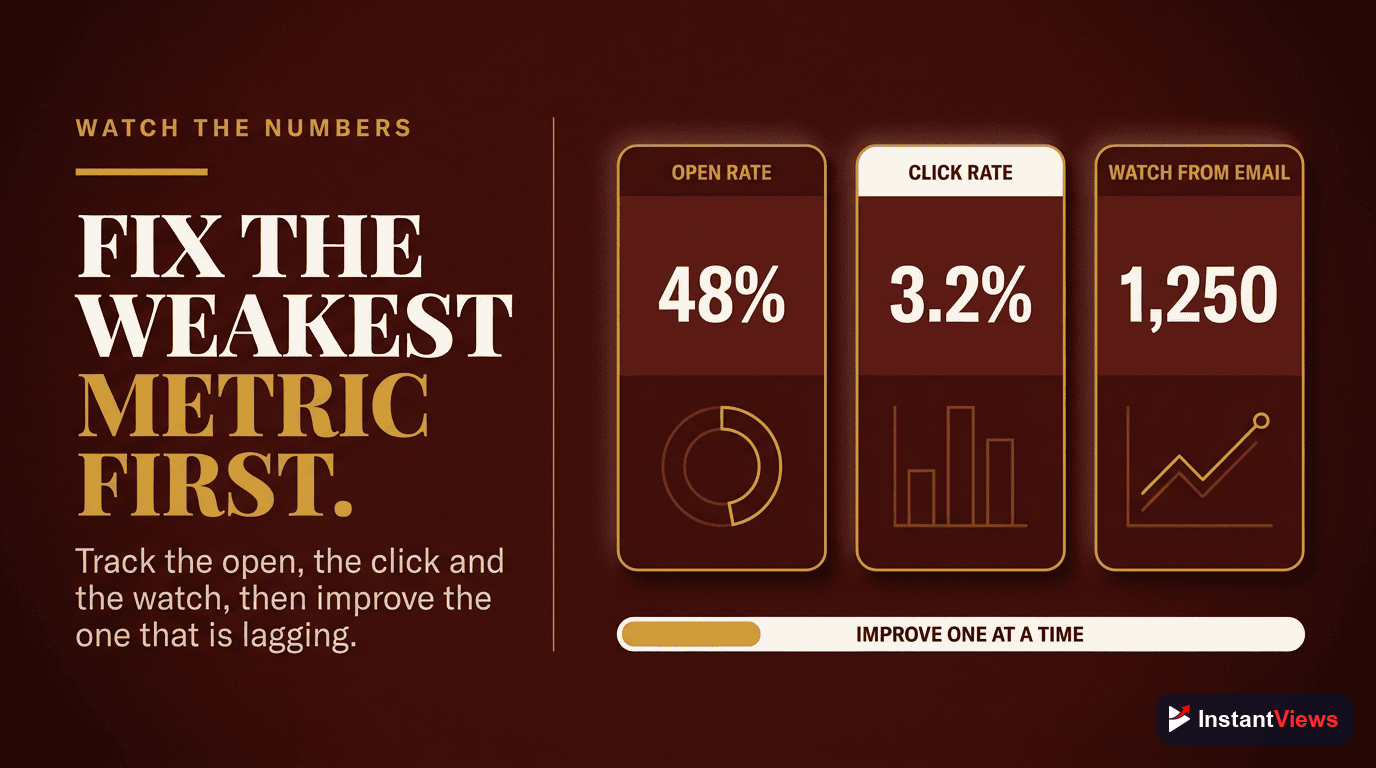
Email-driven view growth compounds only if you treat each send as an experiment. The numbers tell you exactly what to fix, and small improvements at the top of the funnel ripple all the way through to your early views.
- Open rate: A signal of subject-line strength and list trust. If it slips, your subjects or your sending relevance need work.
- Click-through rate: The most important email metric for views — it measures how many opened subscribers actually went to watch.
- Resulting early views and watch time: Connect the email click to what happens on YouTube. A high click rate that produces short watch time means the video, not the email, is the bottleneck.
- Unsubscribe rate: A quiet warning that you are sending too often, too irrelevantly, or with too little value.
Use your email platform's analytics for opens and clicks, and YouTube Analytics for what those clicks become. When you find the weak link — subject line, timing, segment, or the video itself — fix that one thing and test again. Steady iteration is how a modest list grows into a launch engine.
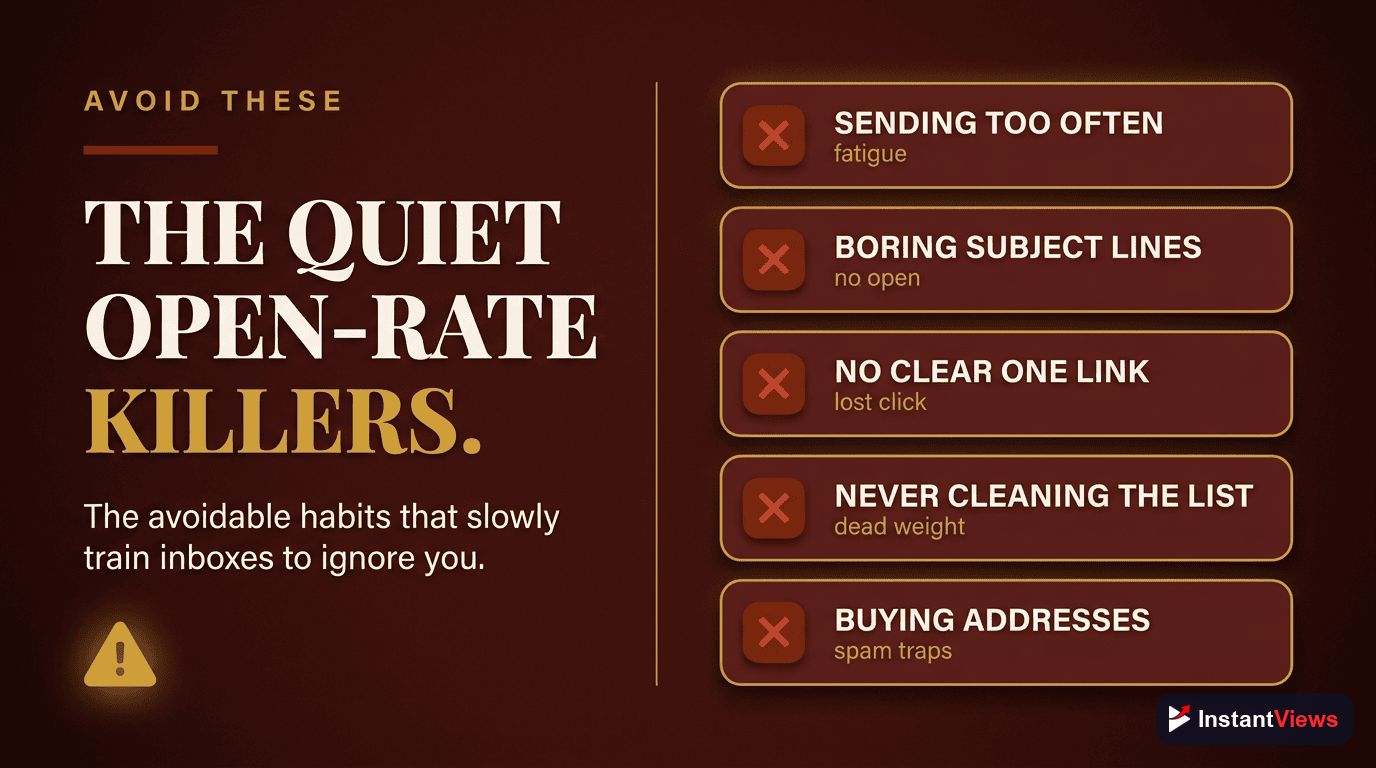
Mistakes That Quietly Kill Your Open Rates
An email list is an asset that can be damaged through neglect or overuse. Watch for the habits that erode it:
- Sending only bare links: If every email is "new video, click here" with no value of its own, subscribers stop opening. Mix in emails that are worth reading even if the reader never clicks.
- Emailing too late: A send three days after publishing misses the window where early views matter most.
- Blasting everyone every time: Irrelevant sends train people to ignore you and drive unsubscribes. Segment instead.
- Burying the call to action: A link hidden in paragraph four loses clicks. Make the watch action obvious and early.
- Treating the list as a sales channel only: A list that only ever asks for clicks feels extractive. Give generously so the asks land.
- Ignoring the data: Without tracking opens, clicks, and the resulting views, you cannot tell a winning launch from a losing one.
Make Every Early Click Count
Use our free suite of YouTube tools to sharpen the titles, thumbnails, and topics that turn your email-driven early viewers into a video the algorithm wants to recommend.
Explore Free YouTube Tools →"Your subscriber count is a hope. Your email list is a promise. The creators who thrive through every algorithm change are the ones who can summon a real audience the moment they hit publish — and email is how you do it."
Frequently Asked Questions
An email list lets you notify your most loyal fans the moment a video goes live. Those subscribers click, watch, and engage early — and that early engagement is exactly the signal YouTube uses to decide whether to recommend the video more widely. Strong early performance can scale your impressions far beyond your list size.
In 2026 YouTube sends notifications based on engagement probability, and it reduces or stops push notifications to subscribers who have not watched your recent videos. That means a large subscriber count no longer guarantees reach. An email list is an audience you own and can reach directly, regardless of how the platform throttles notifications.
Offer a free, genuinely useful lead magnet — a checklist, template, or resource that extends the video — and link to a dedicated landing page in the first line of your description, a pinned comment, an end screen, and a verbal mention. Send people to a focused opt-in page, not your homepage.
Send a short, personal email built around one clear reason to watch now, a single linked thumbnail or call to action, and a hint of what the viewer will get. Keep it skimmable and avoid burying the link. The goal is a fast click while the video is fresh, ideally within the first day.
As fast as practical. The first 24 to 48 hours are when YouTube pays the most attention to a video, so a same-day email that drives a burst of early clicks and watch time is far more valuable than one sent days later. Many creators publish, then email within the first hour.
Not necessarily. Segmenting by interest or past engagement lets you send each upload to the people most likely to watch it, which protects your click and open rates. A highly relevant email to a smaller, interested segment usually drives better early signals than a generic blast to your whole list.
Only if every email is a bare link with no value. Mix promotional upload emails with emails that deliver value on their own — tips, stories, or a useful resource — so subscribers stay glad to hear from you. A list that trusts you clicks reliably for years.
No. Because YouTube scales distribution based on early engagement rate, even a small list of genuinely interested subscribers can trigger broader recommendation. A few hundred reliable early viewers who click and watch can do more for a video than thousands of passive subscribers who never see a notification.
Conclusion
Email marketing is not a side tactic for YouTube growth — in 2026 it is one of the most reliable levers you have. While the platform decides which subscribers even see a notification, your email list reaches your most loyal fans directly, on demand, the moment a video goes live. Those early, engaged viewers are exactly what the algorithm is watching for in the first 24 to 48 hours, and they can tip a video into far wider distribution than your list size alone would suggest.
Start where you are. Create one genuinely useful lead magnet, send viewers to a focused opt-in page from your descriptions and end screens, and email your list fast on every upload with a single clear reason to watch. Then segment so your emails stay welcome, and measure each send so you keep improving. None of this requires a huge audience — it requires an owned one.
Do this consistently and the dynamic changes. Instead of publishing and praying the algorithm notices, you launch with a dependable wave of early viewers behind you — and you turn an audience you merely rent into one you truly own.