- Every YouTube ad runs through Google Ads, where you link your channel, choose a goal, and control your spend
- Five core formats exist: skippable in-stream, non-skippable in-stream, 6-second bumpers, in-feed/discovery, and vertical Shorts ads
- Most beginners pay a cost per view (CPV) of roughly $0.03–$0.30, while bumper and non-skippable ads are billed on CPM at about $3–$15
- In-market audiences combined with keywords is the strongest, lowest-risk targeting setup for a first campaign
- Start at $10–$20 a day, then run two to three weeks at $20–$30 a day to exit the learning phase and gather reliable data
YouTube reaches more than 2.7 billion monthly active users who watch over a billion hours of video every single day. For a beginner, that scale is both thrilling and intimidating. The good news is that you do not need a huge budget or an agency to put your message in front of that audience. With YouTube advertising, you can launch a campaign for the price of a few coffees a day and reach precisely the people most likely to care.
Yet most first-time advertisers stall before they ever press launch. The dashboard looks complicated, the formats have confusing names, and nobody explains what things actually cost. The result is wasted money on the wrong format, or worse, a campaign that never gets built at all.
This guide fixes that. We will walk through every ad format in plain language, share the real costs you can expect in 2026, set up your first campaign step by step, and cover the two decisions that make or break beginners: targeting and budgeting. By the end you will know exactly what to do when you open Google Ads.
No prior advertising experience is assumed. If you can upload a video to YouTube, you can run a YouTube ad.
- What Is YouTube Advertising?
- The 5 YouTube Ad Formats Explained
- Ad Format Comparison Table
- How Much Do YouTube Ads Cost in 2026?
- Setting Up Your First Campaign
- Targeting: Reaching the Right Viewers
- Budgeting and Bidding
- Creating an Ad That Works
- Measuring and Optimizing Results
- Common Beginner Mistakes
- FAQ
What Is YouTube Advertising?
YouTube advertising is the paid promotion of your video in front of YouTube's audience. Instead of waiting for the algorithm to surface your content organically, you pay to place it in the spots viewers already watch — before and during videos, in search and home feeds, and inside Shorts.
The most important thing to understand up front is that YouTube ads run through Google Ads, not through YouTube Studio. Google Ads is the same platform that powers search and display advertising, and it is where you build, target, fund, and measure every campaign. You link your YouTube channel to your Google Ads account so the system knows which videos you can promote.
This matters for beginners because it means you inherit Google's targeting machine. You can reach people based on what they are actively researching, the keywords and topics they engage with, your own customer email list, and basic demographics — all from one dashboard.
Crucially, you are always in control of spend. You set a daily budget, and the system never exceeds what you authorize over time. There is no minimum contract and no setup fee. You can pause, edit, or stop a campaign at any moment.
The 5 YouTube Ad Formats Explained
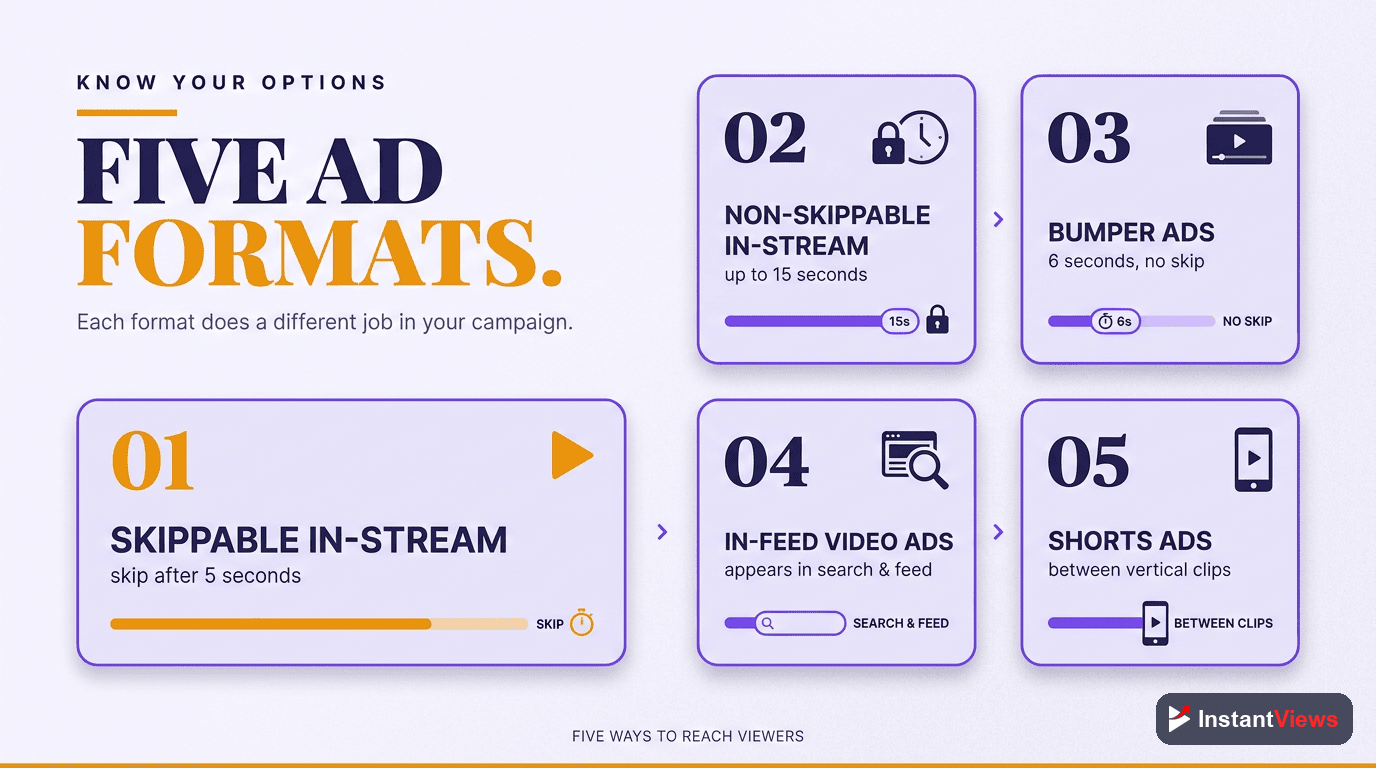
Choosing a format is the first real decision you will make, and it shapes both how you pay and what kind of message you can deliver. Here are the five formats every beginner should know.
1. Skippable In-Stream Ads
These play before or during another video and can be skipped after 5 seconds. They must be at least 12 seconds long, though most run 15 to 60 seconds. You pay only when a viewer watches at least 30 seconds (or the whole ad if it is shorter) or clicks. If someone skips at second 6, it costs you nothing. This pay-for-attention model makes skippable in-stream the safest place for beginners to start.
2. Non-Skippable In-Stream Ads
These also play before or during videos but cannot be skipped, and they run about 15 seconds. Because the viewer must watch the whole thing, they are billed on a CPM basis — you pay per thousand impressions rather than per completed view. They guarantee your full message is seen, which suits brand campaigns more than tight-budget testing.
3. Bumper Ads
Bumpers are a maximum of 6 seconds, non-skippable, and bought on CPM. They are built for one punchy idea: a tagline, a reminder, a single benefit. Their strength is cheap, repeated reach, which is why advertisers often pair bumpers with longer skippable ads to reinforce a message.
4. In-Feed (Discovery) Ads
Instead of interrupting a video, in-feed ads appear as a thumbnail-and-text invitation in search results, alongside related videos, and on the YouTube home feed. The viewer chooses to click and watch, so you reach people in active browsing mode. This format leans on a strong thumbnail and title, much like organic discovery.
5. Shorts Ads
Shorts ads appear between Shorts in the vertical feed. They use a 9:16 vertical format and can run up to 60 seconds. With Shorts generating over 200 billion views a day, this is one of the fastest-growing ad surfaces. Design these specifically for a tall phone screen rather than cropping a horizontal video.
Ad Format Comparison Table
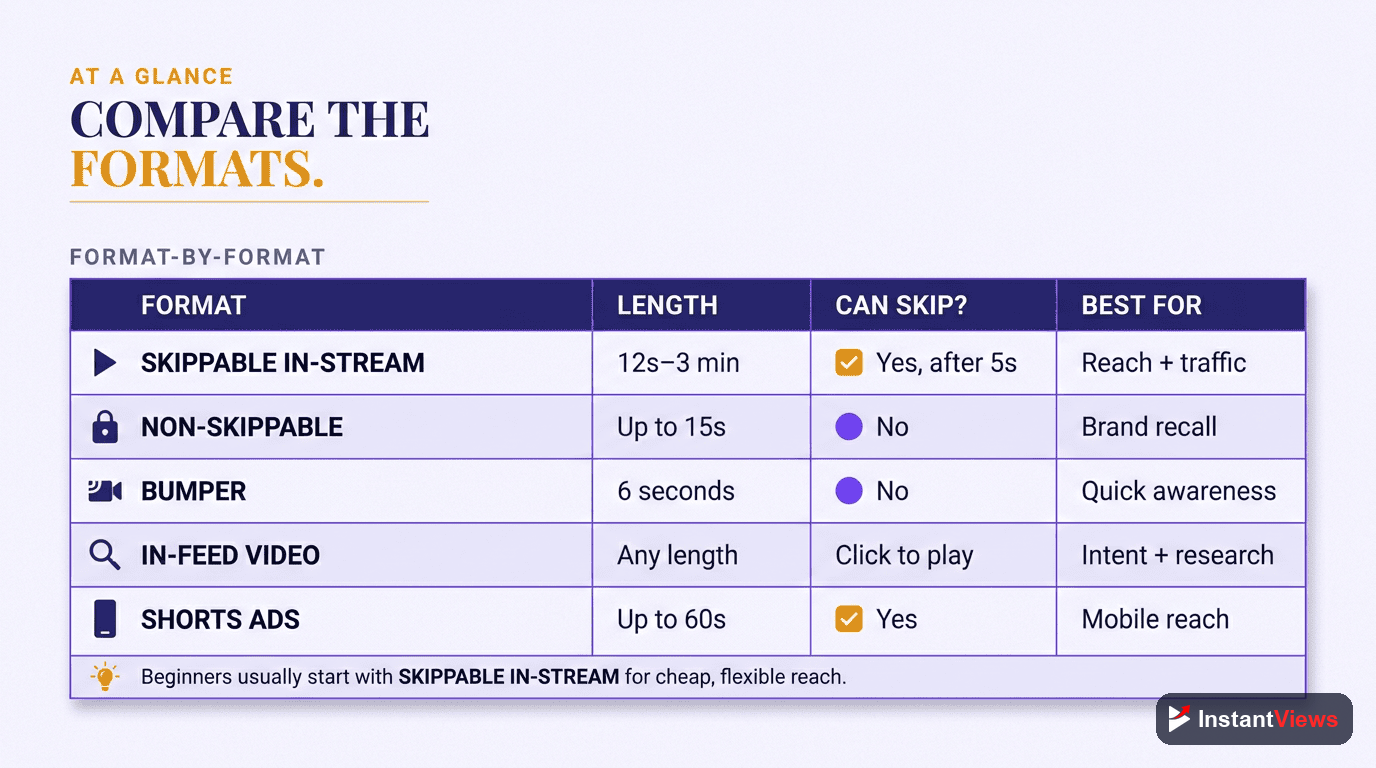
Use this table to match a format to your goal at a glance. Notice how the billing model changes what counts as a "win" for each one.
| Format | Length | You Pay When | Best For |
|---|---|---|---|
| Skippable in-stream | 12s+ (often 15–60s) | Viewer watches 30s or clicks (CPV) | Beginners, traffic, low-risk testing |
| Non-skippable in-stream | ~15 seconds | Per 1,000 impressions (CPM) | Guaranteed full-message brand awareness |
| Bumper | 6 seconds max | Per 1,000 impressions (CPM) | Cheap reach, reminders, taglines |
| In-feed / discovery | Any (viewer chooses) | Viewer clicks the thumbnail to watch | Reaching people in active browsing mode |
| Shorts ads | Up to 60s, 9:16 vertical | Views or interactions, mobile feed | Mobile-first reach and younger audiences |
How Much Do YouTube Ads Cost in 2026?
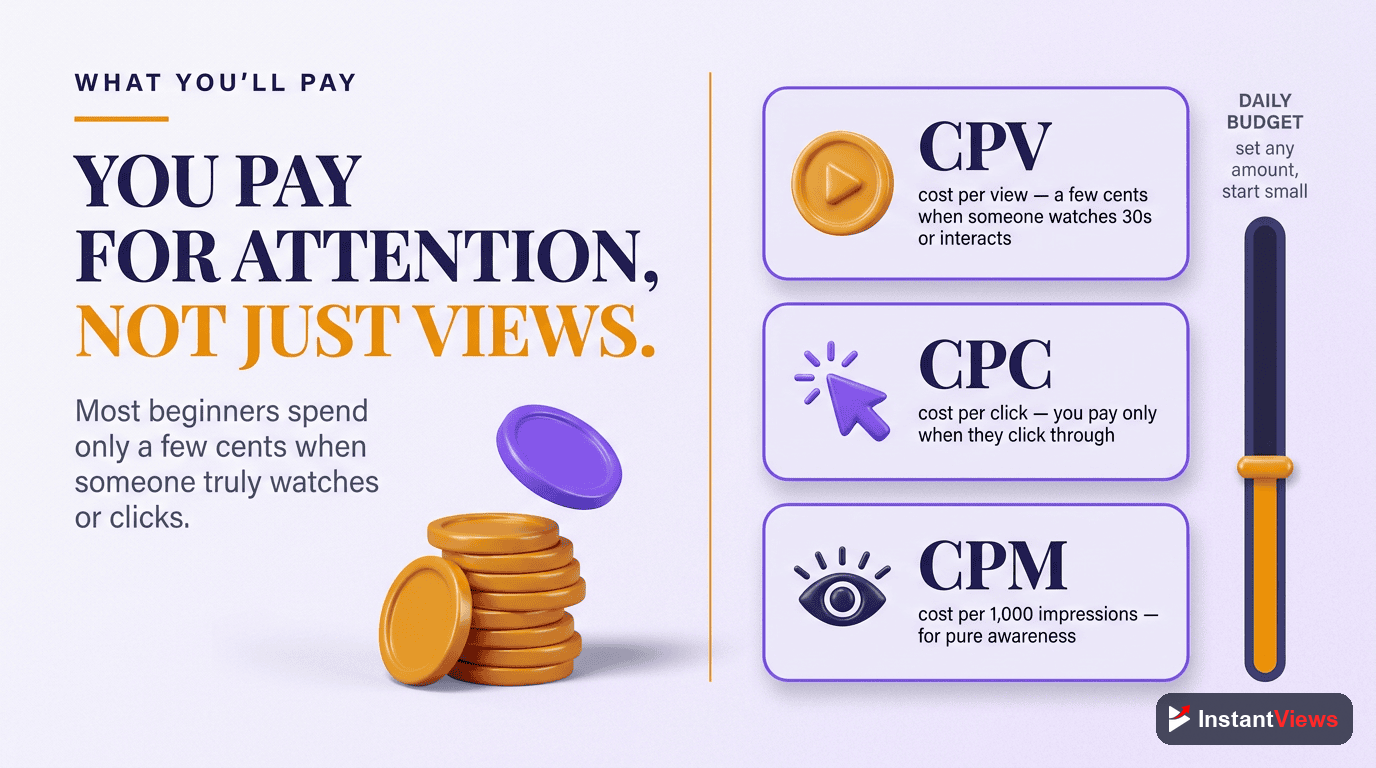
This is the question every beginner asks first, and the honest answer is: less than you fear, and entirely under your control. There is no fixed price per ad. Instead you pay based on the billing model of your chosen format, and you cap your total spend with a daily budget.
Cost Per View (CPV)
Skippable in-stream ads are billed per view. In 2026, CPV typically falls between $0.03 and $0.30, with many advertisers averaging $0.05 to $0.10 per view. Remember that with skippable ads, a "view" only counts (and only costs you) when someone watches 30 seconds or clicks — so casual skips are free.
Cost Per Thousand Impressions (CPM)
Bumper and non-skippable ads are billed per thousand impressions, generally $3 to $15. You pay for the ad being shown, regardless of whether the viewer finishes it, which is why these formats favor short, memorable creative.
What Drives the Price Up or Down
- Your niche: Competitive industries such as finance, insurance, and legal cost noticeably more because more advertisers bid for the same viewers.
- Targeting precision: Narrow, high-value audiences cost more per view than broad ones, but often convert better.
- Ad quality and relevance: Engaging, relevant ads tend to earn better placement and lower effective costs over time.
- Format and placement: Shorts and broad-reach formats are usually cheaper per impression than premium in-stream slots.
Because you set a daily budget, you can run a meaningful test for a modest amount. A few hundred dollars spread over two to three weeks is enough to learn what works before you commit more.
The numbers above are typical ranges, not guarantees. Your real costs depend on your niche, targeting, creative, and competition on the day your ads run. Always treat published benchmarks as a starting estimate and let your own campaign data become your source of truth.
Setting Up Your First Campaign
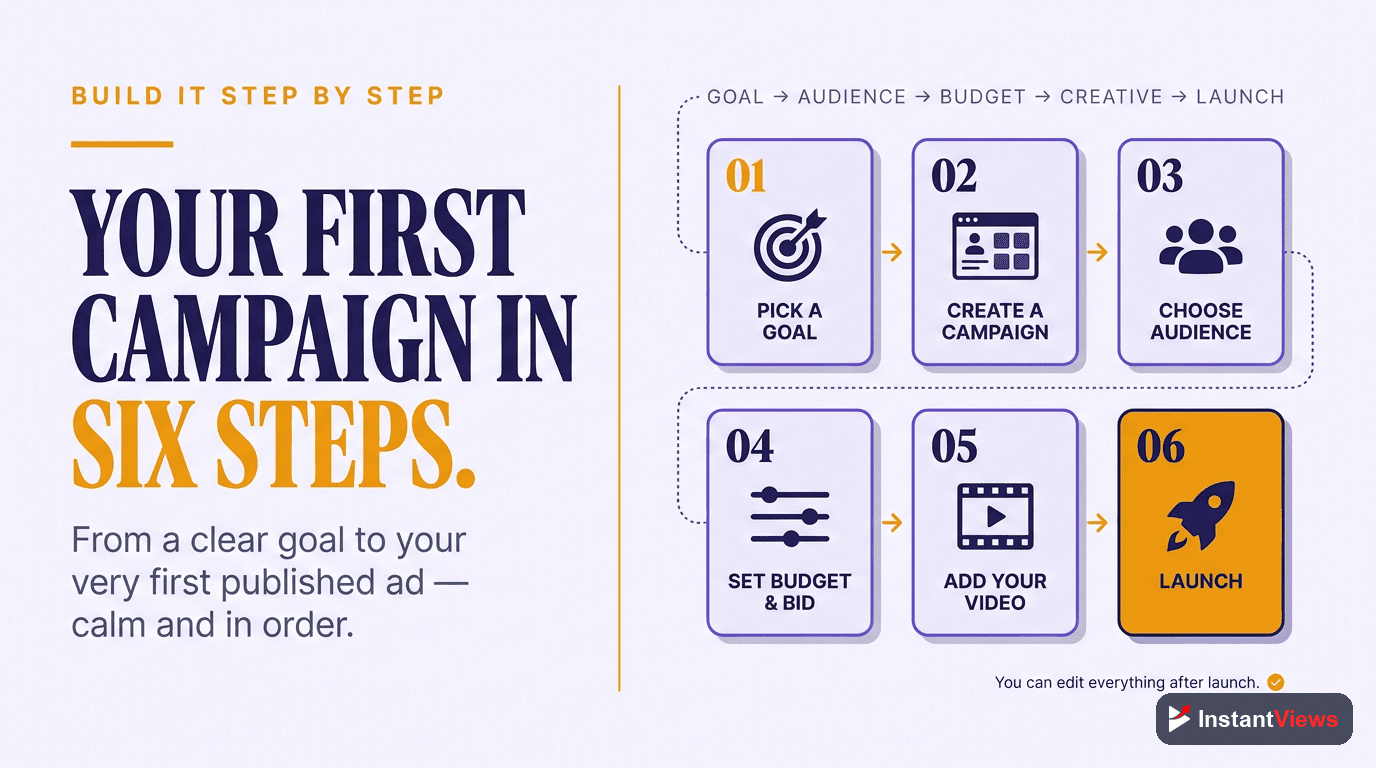
Setting up a YouTube ad is more straightforward than the dashboard makes it look. Follow these five steps in order and you will have a live campaign without guesswork.
Upload Your Video
Upload your ad creative to YouTube first. You can set it to unlisted so it does not clutter your channel feed but is still available to use as an ad. Make sure your channel is linked to your Google Ads account.
Create a Campaign and Choose an Objective
In Google Ads, click New Campaign and pick an objective that matches your goal — Sales, Leads, or Brand Awareness. Then select the Video campaign type so Google configures the right options for YouTube.
Pick Your Format
Choose a format based on your goal: skippable in-stream for clicks and low-risk testing, a 6-second bumper for cheap reach, or in-feed if you want viewers to choose to watch. Beginners usually start with skippable in-stream.
Set Targeting and Budget
Define who sees your ad using in-market audiences, keywords, and demographics, then set a daily budget you are comfortable testing with and choose a bidding strategy aligned to your objective.
Add Your Video and Launch
Paste your video URL, write a clear headline and a single call to action, point the click to a focused landing page, review every setting once more, and launch.
After launch, resist the urge to tinker constantly. Give the campaign a few days to start delivering before you draw any conclusions.
Targeting: Reaching the Right Viewers
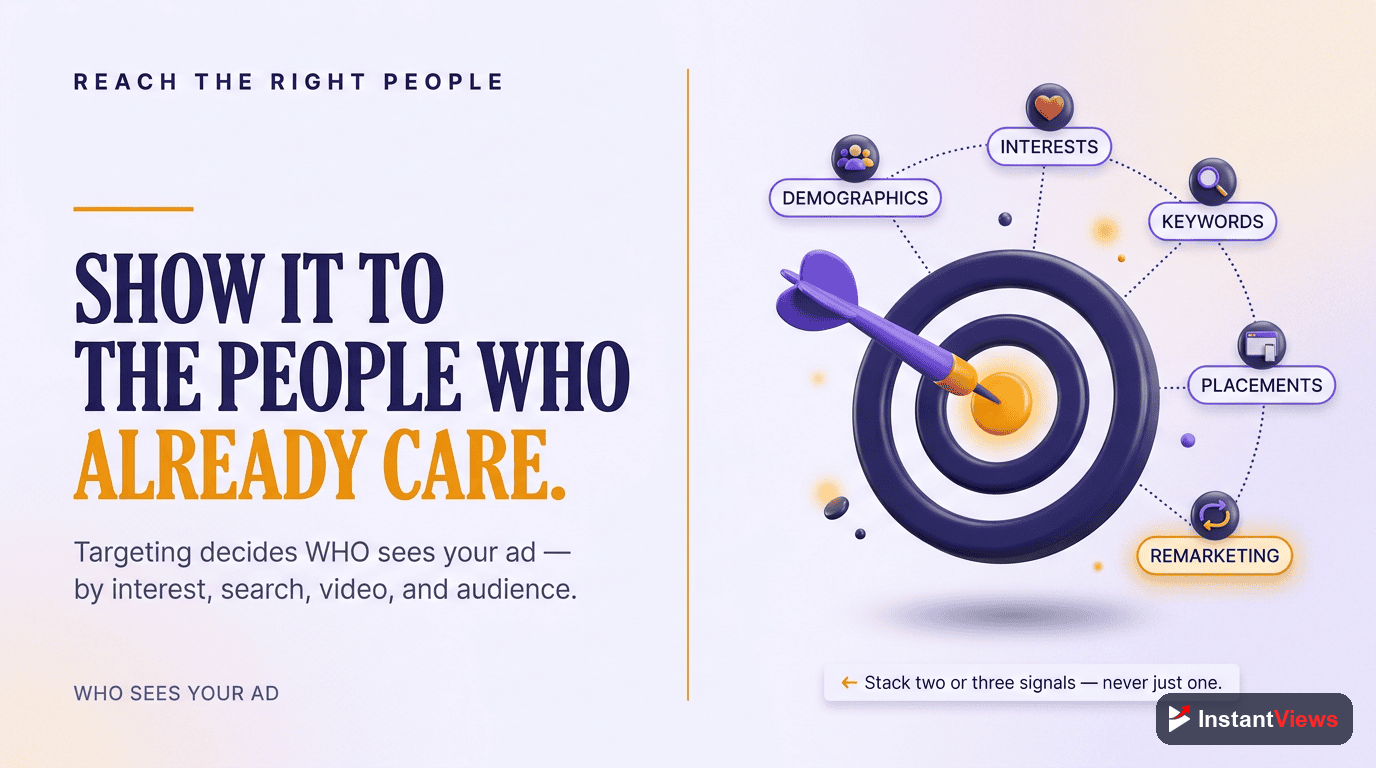
Targeting is where YouTube advertising earns its reputation for precision. Show the wrong ad to the wrong person and even a brilliant video wastes money. The platform gives you several powerful ways to define your audience.
In-Market Audiences
These are people Google has identified as actively researching or shopping for products like yours right now. For a beginner, in-market audiences are the single highest-value targeting option because you reach buyers near a decision rather than the merely curious.
Keywords
Keyword targeting shows your ad against videos, searches, and topics related to the terms you choose. Pairing keywords with in-market audiences is widely considered the strongest beginner combination: intent plus context, with little wasted reach.
Custom Intent Audiences
Custom intent audiences let you build your own segment from the specific search terms and URLs your ideal customer engages with. They give you finer control once you understand who responds to your ads.
Customer Match
If you already have an email list, Customer Match lets you target those exact people (and audiences similar to them). It is one of the most effective ways to re-engage people who already know you.
Demographics
Layer on age, gender, parental status, and household income to refine who sees your ad. Use demographics to narrow an audience, not as your only targeting — on its own it is far too broad.
Budgeting and Bidding
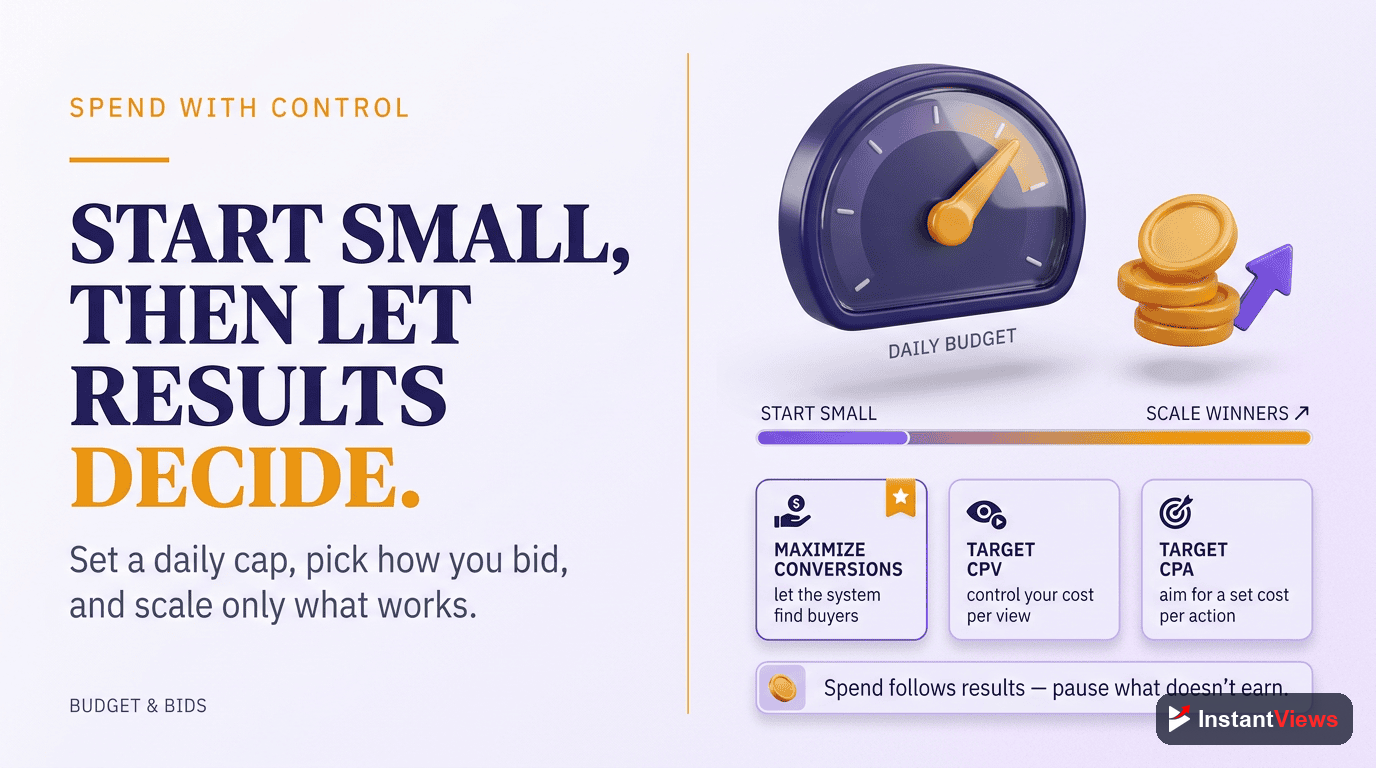
Your budget controls how fast you spend; your bid strategy controls how the system spends it. Getting both right is what separates a campaign that learns from one that flails.
How Much to Start With
For a first campaign, start at roughly $10 to $20 a day. That is enough to begin collecting data without risking much while you confirm your targeting and creative are sound. Treat this opening stretch as paid learning, not as a verdict on the campaign.
Exiting the Learning Phase
Every new campaign enters a learning phase where the system is still figuring out who responds best, and early results are noisy. To get through it, plan to run for two to three weeks at about $20 to $30 a day. This gives the algorithm enough conversions and views to optimize reliably. Judging results after a day or two is the most common way beginners abandon campaigns that would have worked.
Choosing a Bid Strategy
- Maximize conversions: Good once you have a clear conversion action and want the system to chase results.
- Target CPV / CPM: Lets you control the average price you pay per view or per thousand impressions while you learn the ropes.
- Maximize views or reach: Suits awareness goals where exposure matters more than immediate action.
Match the bid strategy to the objective you chose in setup. If your goal is leads, bid for conversions; if it is awareness, bid for reach. Mismatching the two is a quiet way to waste budget.
Creating an Ad That Works
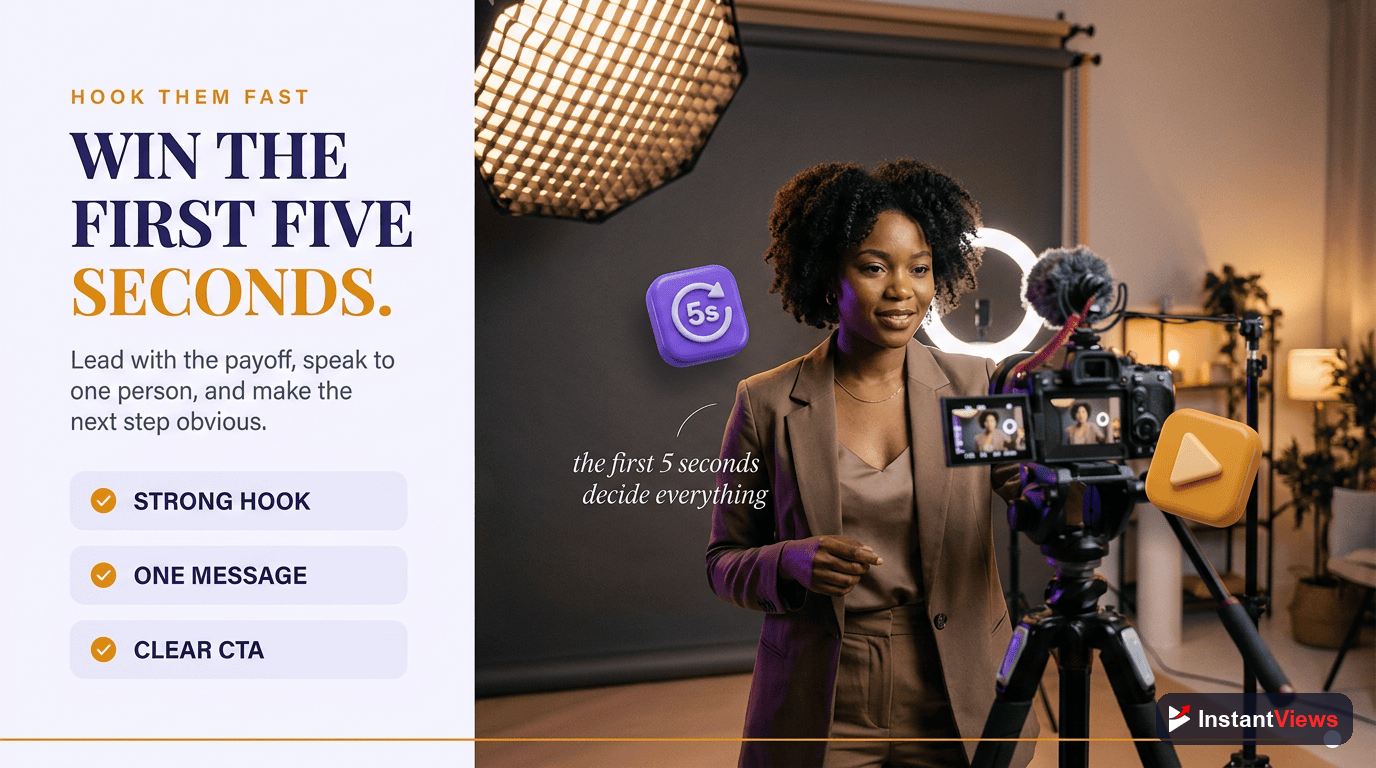
Even perfect targeting fails if the ad itself does not hold attention. On YouTube, the first few seconds decide everything, because viewers can skip and scroll instantly.
- Hook in the first 5 seconds: Open with the problem, a bold claim, or motion — not a slow logo intro. Earn the next second of attention immediately.
- Speak to one viewer: Address a single person and a single problem. Broad, everyone-friendly ads connect with no one.
- Show, do not just tell: Demonstrate the product or result on screen so the value is obvious even with the sound off.
- One clear call to action: Tell viewers exactly what to do next — "Start your free trial," "Download the guide" — and send the click to a focused landing page, not your homepage.
- Design for the format: A 6-second bumper carries one idea; a vertical Shorts ad needs tall framing and on-screen text for sound-off viewing.
You do not need a film crew. A clear, well-lit video with a strong hook and an honest message routinely outperforms expensive production that forgets to make a point.
Measuring and Optimizing Results
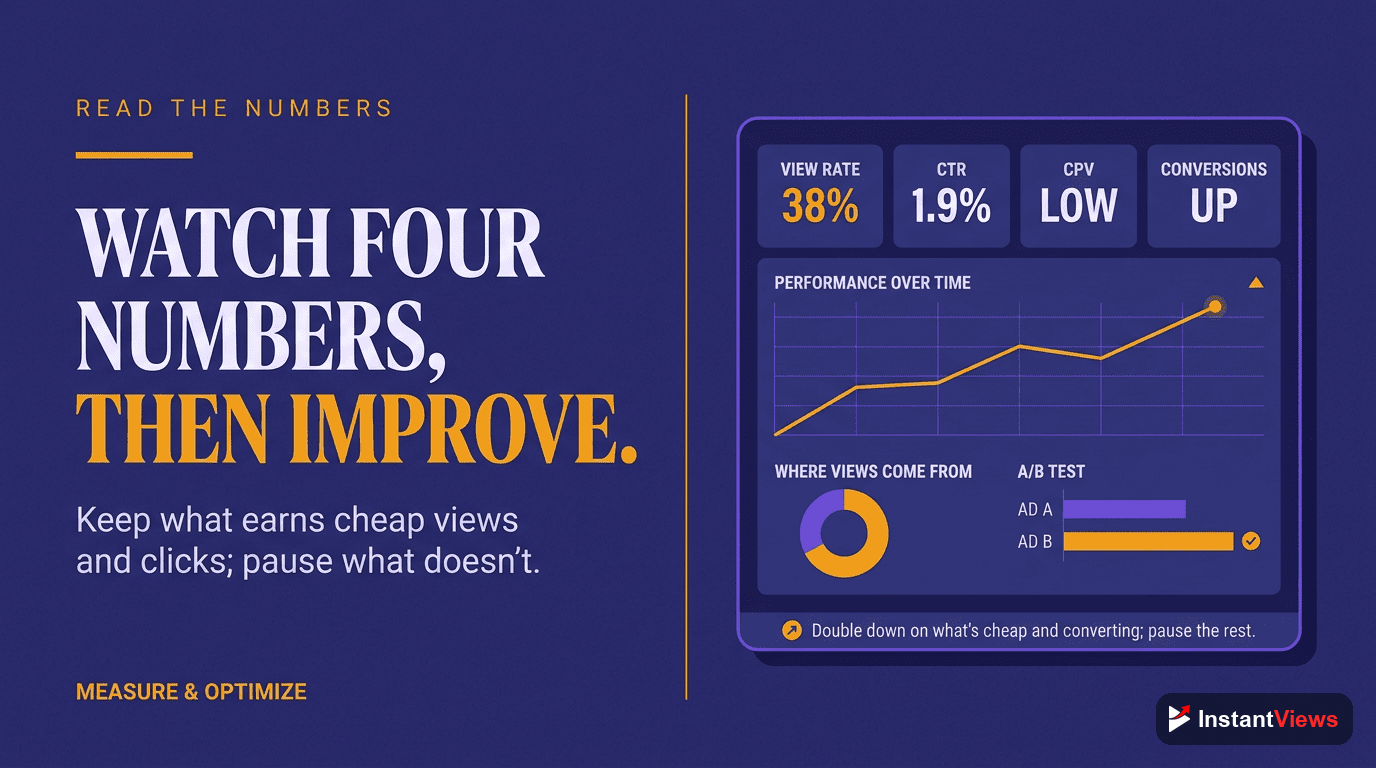
Once your campaign is live, your job shifts from building to reading the data. A handful of metrics tell you almost everything you need to know.
- View rate: The share of people who watch rather than skip. A low view rate usually points to a weak hook or mismatched audience.
- Click-through rate (CTR): How many viewers click your call to action. Low CTR means the offer or the message is not compelling enough.
- Cost per view / cost per result: What you actually pay for the action that matters. This is your efficiency scorecard.
- Conversions: The signups, leads, or sales the campaign drives — the metric that justifies the spend.
Optimize one variable at a time. If view rate is weak, test a new hook. If clicks are fine but conversions are not, the problem is likely the landing page, not the ad. Pause the targeting and creative that underperform, and shift budget toward what is already winning. Small, deliberate changes compound; constant wholesale rewrites just reset the learning phase.
Remember that YouTube's 2026 systems reward genuine viewer satisfaction and retention. Ads that respect the viewer's time and deliver on their promise tend to earn better, cheaper placement over the long run.
Common Beginner Mistakes
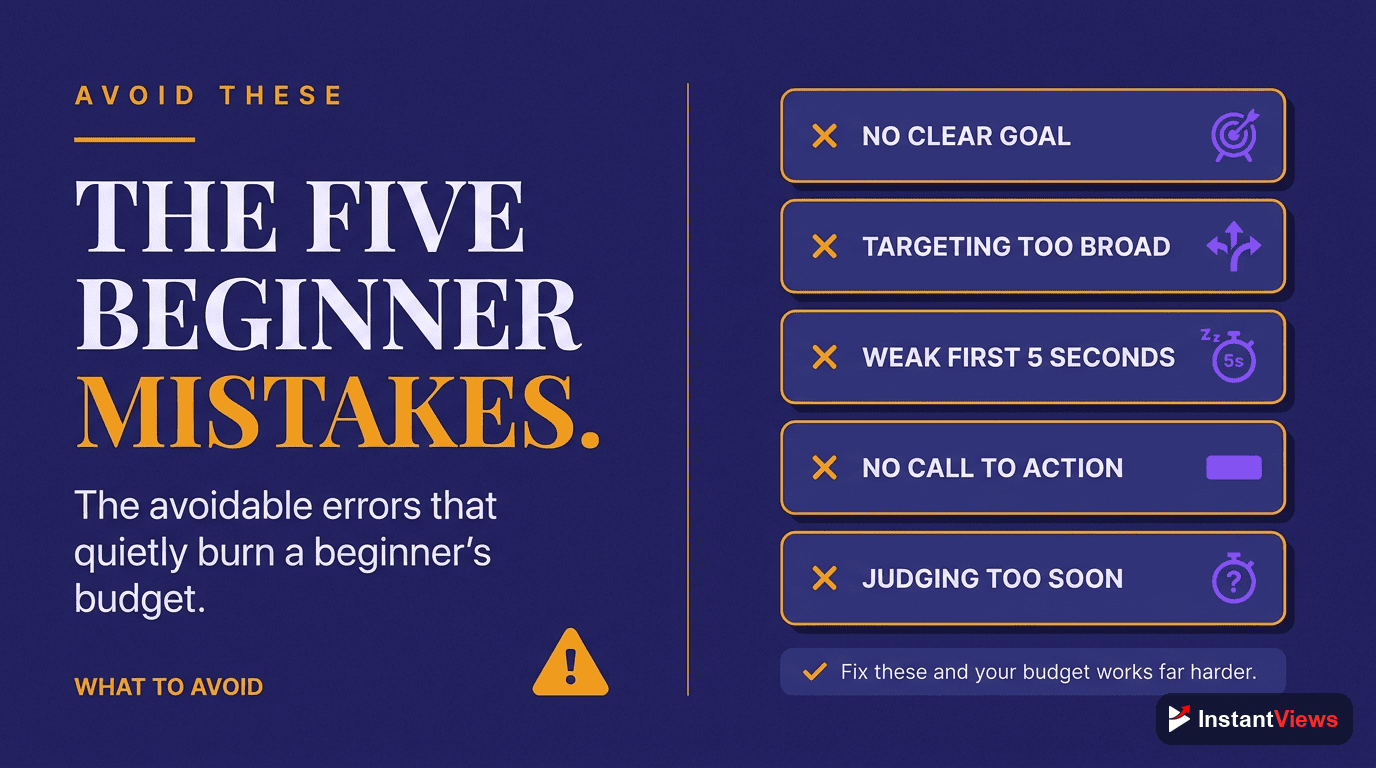
Most early YouTube ad failures come from a short list of avoidable errors. Steer clear of these and you will already be ahead of most first-time advertisers.
- Judging too early: Killing a campaign after a day or two, before it has exited the learning phase, throws away your investment just as the data becomes useful.
- Over-targeting on day one: Stacking every audience and keyword layer chokes reach and hides what is actually working.
- Weak first five seconds: A slow intro guarantees skips on the formats where attention is everything.
- Sending clicks to the homepage: A generic homepage converts poorly; always use a focused landing page that matches the ad.
- Mismatched objective and bid: Choosing an awareness objective but expecting sales, or vice versa, sets the campaign up to disappoint.
- Ignoring the format's rules: Cramming a full pitch into a 6-second bumper, or cropping a horizontal video for Shorts, wastes the format's strengths.
Approach your first campaign as a structured experiment. Set a modest budget, pick one clear goal, give it room to learn, and let the numbers — not your nerves — guide the next move.
"You learn more from one real $300 ad test than from a month of reading about advertising. Launch small, watch the data, and let your own campaign teach you what works for your audience."
Frequently Asked Questions
Yes. All YouTube advertising runs through Google Ads, which is the same platform used for search and display campaigns. You link your YouTube channel to your Google Ads account, upload or select the video you want to promote, and build the campaign there. Creating the account is free; you only pay when your ads run.
Most beginner campaigns pay per view (CPV) of roughly $0.03 to $0.30, with many advertisers averaging $0.05 to $0.10 per view. Formats bought on a cost-per-thousand-impressions (CPM) basis, such as bumper and non-skippable ads, typically run between $3 and $15 per thousand impressions. Competitive niches like finance and legal cost more. You set a daily budget, so you never spend more than you choose.
CPV means cost per view: you pay when a viewer watches a meaningful portion of your ad or interacts with it. CPM means cost per thousand impressions: you pay for every thousand times your ad is shown, whether or not anyone watches to the end. Skippable in-stream ads use CPV, while bumper and non-skippable ads use CPM.
Skippable in-stream ads are the most beginner-friendly because you only pay when a viewer actually watches 30 seconds or clicks, so wasted spend is low while you learn. They also give you room to tell a fuller story than a 6-second bumper. Many beginners start with skippable in-stream for traffic and add bumpers later for cheap reach and reminders.
A bumper ad is a maximum of 6 seconds and cannot be skipped. It is bought on a CPM basis and is designed for quick, memorable brand messages rather than detailed explanations. Bumpers work well alongside longer skippable ads to reinforce a single idea cheaply across a large audience.
A strong beginner combination is in-market audiences paired with keywords. In-market audiences reach people actively researching products like yours, while keywords let you show ads against relevant video topics and searches. As you gather data you can layer in custom intent audiences, Customer Match using your own email list, and demographics.
Give a new campaign time to exit the learning phase, where the system is still figuring out who responds best. A practical approach is to start around $10 to $20 a day, then run for two to three weeks at roughly $20 to $30 a day so the algorithm gathers enough data. Judging a campaign after only a day or two usually leads to the wrong conclusions.
Yes. Shorts ads use a 9:16 vertical format and can be up to 60 seconds long, matching how people watch on phones. Because Shorts deliver hundreds of billions of views a day, vertical ad creative is increasingly important. If you advertise on Shorts, design specifically for a tall screen rather than reusing a cropped horizontal video.
Conclusion
YouTube advertising gives beginners something rare: direct access to a 2.7-billion-person audience without a big budget or a marketing degree. Once you understand that it all runs through Google Ads, the rest is a series of clear choices — the right format, precise targeting, a strong hook, and a click that lands on a focused page.
Start where the risk is lowest. Launch a skippable in-stream campaign at $10–$20 a day, pair in-market audiences with keywords, and let it run two to three weeks so it can exit the learning phase. You will gather more insight from that single live test than from any amount of theory.
Treat your first campaign as an experiment, not a gamble. Measure what matters, fix the weakest link, and pour budget into the winners. That disciplined loop — launch, learn, refine — is how beginners turn YouTube ads into a dependable engine for views, leads, and sales.